
Our readers keep the lights on and the garage heater humming. As an Amazon Associate, I earn from qualifying purchases.
A head unit upgrade is not “just adding a screen.” It’s the moment your entire car changes personality: how quickly music starts after you turn the key, how clean your calls sound at speed, whether navigation guidance overpowers your song, and whether the volume control feels effortless… or annoys you every single day.
If you’re searching for the best car audio head unit, here’s the honest truth: most shopping guides are written like a spec-sheet race. “This one is bigger.” “That one has more watts.” Real life doesn’t work that way. The winners are the units that stay stable when your phone updates, that don’t make you fight menus to do simple things, that play nicely with factory amps, and that don’t turn your dash install into a mystery novel.
This guide is organised around the friction points that decide whether a head unit upgrade sticks: whether phone integration is wired or wireless, what microphone (if any) is actually in the box, what happens when you keep your factory Bose amp, what it takes to retain steering wheel controls, how big and how sharp the screen really is, and what each listing does—and doesn’t—promise about harnesses, wiring and support.
Below you’ll find 15 carefully chosen head units across three “money zones”: premium brand receivers you buy once and keep, mid-range feature beasts that punch above their weight, and budget touchscreen units that modernize an older car without turning it into a science project. I’m going to talk like an installer, an audio nerd, and a daily driver—because you are all three the moment you upgrade.
In this article
- How to choose the right head unit for your car and your driving style.
- Quick comparison table of 15 standout picks.
- In-depth reviews of every model, with specs and trade-offs.
- How head unit installs and sound tuning actually work (the stuff nobody explains).
- Answers to common questions, plus final buying tips.
How to Choose the Right Best Car Audio Head Unit
Let’s make this simple: a head unit is only “great” if it fits your dash, connects reliably to your phone, and gives you sound control you can actually use while driving. Everything else is a bonus.
Below is the decision framework I use when I’m helping someone pick a receiver they’ll still love after the novelty wears off—because the first week is excitement, and month three is where you find out whether you bought convenience or frustration.
1. Start with your dashboard reality: size, depth, and trim
The fastest way to waste money is to fall in love with a head unit before you confirm your dash situation. A “fits most vehicles” claim usually means “fits once you use the right kit.”
- Single DIN vs Double DIN: Single DIN is the classic small slot. Double DIN is the larger opening for most modern screens.
- Short chassis matters: Shallow/short bodies are lifesavers in older cars where the dash cavity is tight or crowded with ducts.
- Trim gaps happen: Many installs need a dash kit/bezel to look factory. A good kit turns “aftermarket” into “built-in.”
2. Decide your phone connection strategy: wired stability vs wireless freedom
Wireless Apple CarPlay / Android Auto feels magical when it’s stable: start the car, music resumes, maps appear, done. But wireless also introduces a new variable—Wi‑Fi behavior, phone OS updates, and interference in busy areas.
- If you do short trips all day: wireless can be a joy (no plugging in every time).
- If you want maximum reliability: wired CarPlay/Android Auto reduces “random drop” potential.
- If your phone is your office: prioritize a unit with clean Bluetooth calling + a good external mic option.
3. Choose your control style: volume knob vs buttons vs pure touchscreen
This sounds minor until you live with it. The volume control is the one thing you touch constantly—especially when your passenger starts talking, the bass hits too hard on one song, or navigation guidance jumps in at the wrong moment.
- Knob lovers: a tactile knob is easier with gloves, easier at night, and easier without looking.
- Button layouts matter: physical keys can feel great… or tiny and frustrating depending on placement.
- Touch-only units: look sleek, but you’re betting your daily comfort on UI design and screen responsiveness.
4. Screen tech is not just “bigger = better”
Two screens can be the same size and still feel wildly different. Here’s what actually changes your day:
- Capacitive touch: more phone-like; usually lighter taps, smoother gestures.
- Resistive touch: typically requires firmer presses; can be more forgiving with gloves, but can feel less modern.
- Brightness and glare behavior: the best screen is the one you can read instantly in midday sun.
- Color and contrast: higher contrast makes maps and camera views easier to interpret quickly.
5. Know your audio “ecosystem” before you pick your receiver
Here’s the part most people skip: your head unit is only one piece of the sound chain. If you’ve got factory premium audio, an aftermarket amplifier, or you plan to add a sub, you need a receiver that plays nicely with that plan.
- Factory amp (Bose, JBL, etc.): you may need a line output converter or an integration harness/module to get clean levels.
- Aftermarket amps: you’ll care about preamp outputs, subwoofer control, and tuning tools more than “peak power.”
- Subwoofer plans: look for dedicated sub controls and crossover settings that are easy to access.
6. Microphone quality is a “quiet dealbreaker”
People often buy a head unit for CarPlay/Android Auto, then discover the calling experience is the thing they notice most. It’s also the spec most listings skip: check whether a microphone is named in the box contents at all, and whether there’s an external mic input if you want to upgrade it later.
- External mic included = good sign (but placement still matters).
- Built-in mic only can work in quiet cars, but cabins with road noise and bigger tires are less forgiving.
- Echo and cut-out issues are often fixable with mic placement and gain settings—if the unit gives you the controls.
7. Cameras and safety features: plan the wiring path, not just the input
Backup cameras are “easy” until you route the cable. Real installs often involve removing trim, using grommets, and choosing power sources that don’t introduce noise. The best head units make this smoother with quick camera switching and clear guidelines.
- Rear camera auto-trigger: should switch instantly when you hit reverse.
- Front camera support: great for tight parking and trail rigs, but may require extra wiring.
- Guideline adjustment: surprisingly valuable for dialing in a clean, trustworthy camera view.
8. Steering wheel controls: assume you’ll need an interface
Steering wheel controls (SWC) are rarely true “plug and play.” Most vehicles require an adapter/interface module, and some factory systems need extra integration pieces. A head unit can be SWC-capable and still require the correct adapter for your vehicle.
- SWC is worth keeping if you value quick volume changes and track skipping without reaching.
- Budget units can support SWC too—but expect extra setup steps and sometimes trial-and-error programming.
- Premium integration systems can retain more factory features, depending on your vehicle.
9. Documentation and support are part of the product
This is where “brand reputation” becomes real. Some units arrive with a clear printed manual and labeled harnesses. Others assume you’ll hunt forums, email support, or pay an installer to decode it all.
- Look for: clear wiring diagrams, labeled harness leads, QR-code help videos, and reachable support.
- Firmware updates: not a dealbreaker—unless the process is confusing or requires hoops you won’t tolerate.
- Long-term sanity: the best head unit is the one you can troubleshoot in minutes, not hours.
10. Decide what “success” looks like for you
Pick one outcome that matters most and build around it:
- “I want my daily drive to feel modern.” Prioritize CarPlay/Android Auto stability and screen readability.
- “I want sound control like a real system.” Prioritize EQ, crossovers, time alignment, and clean outputs.
- “I want this to be easy.” Prioritize intuitive UI, strong documentation, and predictable installs.
- “I want the best value upgrade.” Prioritize the features you’ll use daily (phone, volume control, Bluetooth reliability).
Quick Comparison: 15 Best Car Audio Head Unit Picks
Use this table to shortlist the models that match your goals—then jump to the reviews to see the real-life stuff: connection behavior, controls, install friction, and the little quirks that decide whether you love your upgrade or tolerate it.
On smaller screens, swipe or scroll sideways to see the full table.
| Model | Category | Strength | Best match | Amazon |
|---|---|---|---|---|
| KENWOOD DMX500S | Premium all‑rounder | Wireless CarPlay/Android Auto + serious tuning tools without “overcomplicated” vibes | Drivers who want a clean daily experience with real sound control | Amazon |
| JBL Legend 700 | Premium connectivity | Wireless smartphone integration + DAB/DAB+ + lots of audio control headroom | Drivers who want modern features and a branded audio ecosystem feel | Amazon |
| Pioneer DMH‑1600NEX | Brand-safe pick | Wired CarPlay/Android Auto + familiar UI + good tuning depth | People who want a modern screen without taking a “budget brand” risk | Amazon |
| Alpine iLX‑W670 | Sound-focused | Shallow chassis + 13‑band EQ with time correction + wired phone integration | Installers and audiophile-leaning drivers building toward an amp/sub | Amazon |
| Soundstream VRCPAA‑7DRM | Wireless + camera included | Wireless CarPlay/Android Auto with a 10‑band EQ and 4V preouts | Drivers who want wireless phone integration and real tuning without a big spend | Amazon |
| KENWOOD DMX4710S | Big screen, slim body | Single‑DIN chassis with a 6.8″ display + strong tuning + integration options | Vehicles with a single‑DIN opening that still want a real touchscreen upgrade | Amazon |
| PLZ 10.1″ Wireless Single DIN | Big-screen setup | Huge adjustable display + wireless phone integration + DSP tuning | Drivers chasing maximum screen presence without a full double-DIN dash | Amazon |
| BOSS BVCP9700A‑C | Feature-packed midrange | CarPlay/Android Auto + lots of inputs + included camera in one bundle-style box | Drivers who want a modern screen with practical ports and expandability | Amazon |
| Pioneer DMH‑130BT | Basic touchscreen | Clean Pioneer layout + Bluetooth + backup camera readiness without “app overload” | Drivers who want touchscreen basics and don’t need full CarPlay/AA | Amazon |
| SJOYBRING 7″ QLED Screen Upgrade (W021) | Budget QLED | High-contrast screen feel + 4.2-channel outputs + included camera | Drivers upgrading an older truck/SUV who want value plus features | Amazon |
| SJOYBRING 7″ Wireless Double DIN (2 Sub ports) | Budget + knob | Physical buttons + volume knob + dual sub outputs for easier driving control | Drivers who hate touch-only volume and want “easy while driving” control | Amazon |
| PLZ 7″ Wireless Double DIN | Support-forward | Wired or wireless CarPlay/Android Auto + DSP with 10‑band EQ + included camera | DIY installers who want a complete box: camera, harness and remote included | Amazon |
| SJoyBring 7″ QLED Double DIN (W002) | Repeat-buyer budget | 7″ QLED screen at 1280×720 + wireless phone integration + includes camera | Drivers modernizing daily commuters without paying premium brand tax | Amazon |
| Pioneer MVH‑S322BT | No-screen value | Bluetooth + 13‑band EQ and Smart Sync app control in a simple single‑DIN | Drivers who want better sound + hands‑free calls and don’t want a touchscreen | Amazon |
| Kissound 7″ HD Wireless Double DIN | Ultra-budget touchscreen | Wireless or wired phone features + DSP with 10‑band EQ + included camera | DIY upgraders who want modern features and accept some “budget quirks” | Amazon |
In‑Depth Reviews: 15 Best Car Audio Head Unit Options
Now we go model by model. I’m not going to “sell you” a unit with buzzwords. I’m going to tell you what each listing actually specifies: screen size and type, wired or wireless phone integration, outputs and tuning tools, what’s in the box—and where the spec sheet goes quiet.
1. KENWOOD DMX500S – The “Daily Driver + Real Sound Control” Sweet Spot
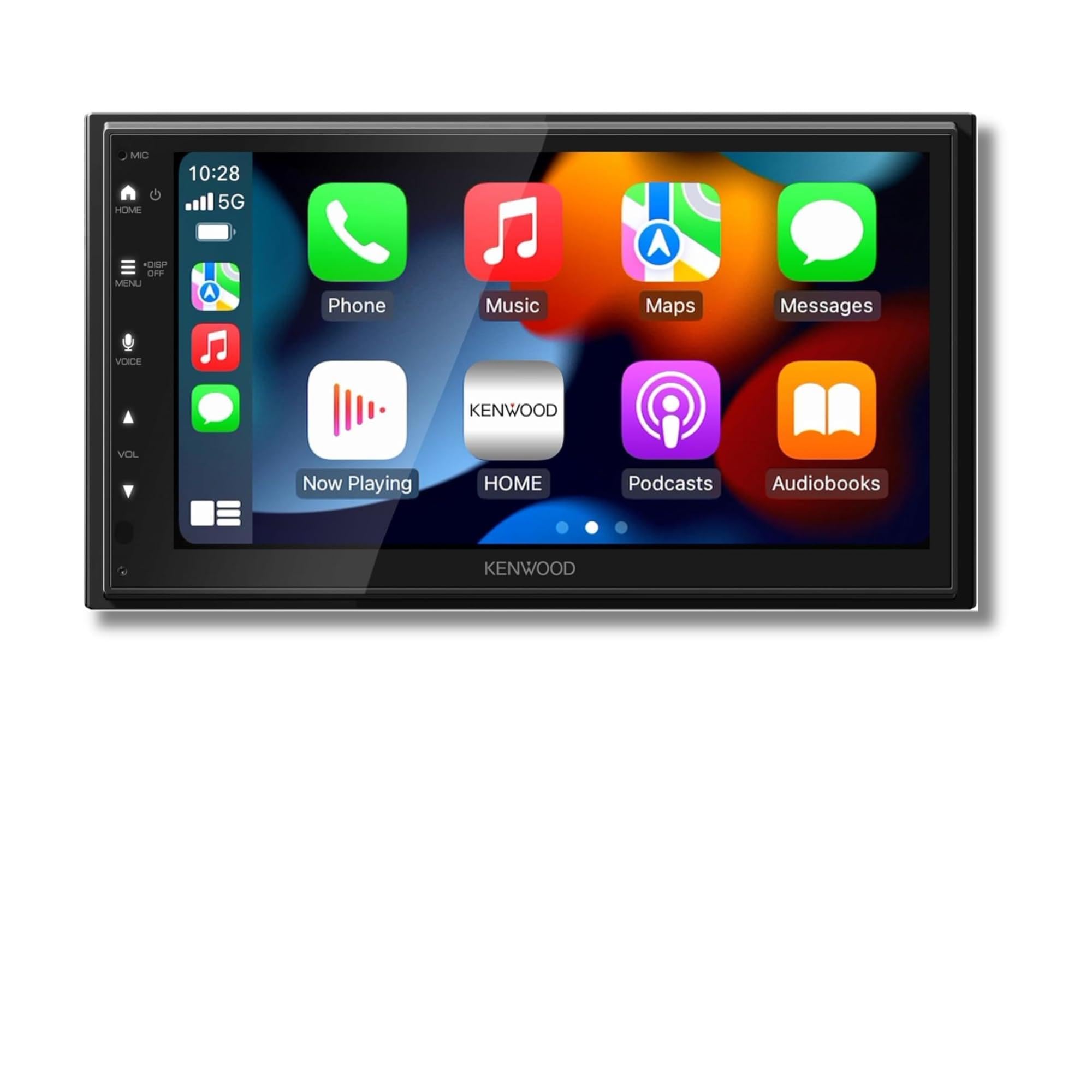
The DMX500S is the kind of head unit that makes you feel like you upgraded the whole car—without making you “manage” the head unit all day. It’s not trying to be a tablet glued to your dash. It’s trying to be an interface that behaves: connect quickly, sound good, and let you tune your system like an adult.
Where it shines is balance. Kenwood lists a 6.8″ capacitive touchscreen at 1024×600 and wireless Apple CarPlay and Android Auto, so the phone side is built to work without a cable. More importantly, the audio tools aren’t gimmicks. A 13‑band graphic EQ plus digital time alignment and crossover settings are exactly what you want when you’ve upgraded speakers and you’re trying to fix the most common problem in car audio: your left speaker is closer than your right speaker, so the “stage” sounds off.
The rest of the sheet is the practical stuff: six-channel preamp outputs (front, rear and subwoofer), a backup camera input with adjustable parking guidelines, Bluetooth with dual phone pairing, and factory steering wheel control retention through an optional adapter. The box lists the receiver, wiring harness, trim ring, mounting brackets and a microphone on a 10 ft cable, under a 1 year limited warranty. It carries 4.3 stars across 78 Amazon ratings.
Why you’ll like it
- Balanced upgrade – Modern phone integration plus real audio tuning without complexity overload.
- Sound shaping tools that matter – EQ + time alignment + crossovers help speakers sound “together,” not scattered.
- Grows with your system – Works for stock speakers today and amp/sub upgrades later.
- Built-in 200W amplifier – 50 watts peak per channel, so factory or upgraded speakers run without a separate amp.
Good to know
- If you strongly prefer a physical volume knob, you may miss that tactile control on rough roads.
- Like most aftermarket installs, the “easy” part is the head unit—your vehicle may still need a harness/kit/adapter plan.
- Audio potential depends on setup; it rewards a proper crossover/EQ tune instead of default settings.
Ideal for: drivers who want a premium-feeling daily experience with enough audio control to make upgraded speakers sound truly better—not just louder.
2. JBL Legend 700 – For Drivers Who Want a “Modern Factory” Vibe (With Big Audio Control)

The JBL Legend 700 is designed to hit that “this should’ve come with the car” feeling: clean touchscreen, wireless smartphone integration, and enough tuning control to satisfy drivers who care about sound—not just screens.
What separates it from a lot of generic touchscreen units is the audio control layout. A 16‑band EQ, time alignment, and 4‑volt six‑channel preamp outputs give you actual system-building headroom. That matters if you’re running (or planning) external amplification, or if you just want your speakers to sound coherent instead of harsh. The built-in amp is rated at 50 watts x 4 maximum, with dedicated subwoofer controls on the sub channel.
The real-life watch-out is not sound quality—it’s integration. If your vehicle has a complicated factory system (premium amp, built-in accessories, specific steering wheel control data), you need to plan adapters and modules before purchase. The listing itself is thin on install detail: it specifies a double‑DIN body 4″ tall, Bluetooth 5.0, USB, aux, AM/FM with RDS and a backup camera input, but names nothing in the box. It sits at 4.2 stars from 57 Amazon ratings.
Why it feels premium
- Wireless or wired phone integration – The listing specifies Apple CarPlay and Android Auto in either mode.
- Audio control headroom – EQ + time alignment + multiple outputs support real system growth.
- DAB/DAB+ support – A meaningful perk in regions where digital radio reception is a priority.
- 4V six-channel preamps – Front, rear and subwoofer outputs at 4 volts, plus dedicated subwoofer controls.
Good to know
- Complex factory systems may require extra adapters/modules; budget time (and patience) for planning.
- Only 57 Amazon ratings so far — the smallest feedback sample of any unit in this guide.
- Wireless behavior can depend on phone model/settings—expect best results after a clean pairing setup.
Ideal for: drivers who want a premium wireless experience plus serious tuning tools—and who are willing to plan the install properly for factory integrations.
3. Pioneer DMH‑1600NEX – The “Buy It, Install It, Live With It” Pioneer Choice

If you want a modern screen and smartphone integration without gambling on an unknown brand, the DMH‑1600NEX is a “sleep better” pick. It’s the type of unit many people choose after they’ve been burned by laggy interfaces, flaky Bluetooth, or confusing settings.
The spec sheet is what you’d expect from Pioneer: a 6.8″ WVGA capacitive touchscreen, a 13‑band equalizer with multiple presets, and built-in Bluetooth with an external microphone included for calls. The wired approach can also be a blessing: it removes a layer of wireless unpredictability and keeps the phone connection simple—especially if you’re commuting through high‑interference areas.
Where people get tripped up is the “installation reality.” This is a standard 2‑DIN chassis (4.88″D x 7″W x 3.88″H, 2.4 lbs) and Pioneer recommends professional installation. The listing covers a one-camera backup input with adjustable parking guides and SiriusXM readiness, but says nothing about retaining steering wheel controls or factory amplifiers. Prepare the vehicle-side pieces—harness, module, camera wiring—before the dash comes apart.
Why it’s a safe pick
- 6.8″ WVGA capacitive screen – In a standard 2‑DIN chassis built to drop into a wide range of dashboards.
- 13‑band equalizer – Plus multiple EQ presets, per the listing.
- SiriusXM-ready – Plus a backup camera input with customizable parking lines and a full-screen view.
- Wired phone integration – Apple CarPlay and Android Auto over the cable, with an external mic included for calls.
Good to know
- The listing doesn’t claim steering wheel control retention — confirm what your vehicle needs before buying.
- If you’re chasing purely wireless convenience, this model’s wired focus may not match your habits.
- Pioneer recommends professional installation, and no preamp output voltage is stated for the front/rear/sub preouts.
Ideal for: drivers who want a modern, reputable touchscreen receiver with a clean daily experience and enough tuning to make upgrades worthwhile.
4. Alpine iLX‑W670 – The Shallow‑Mount “Sound First” Head Unit for Serious Setups

The iLX‑W670 is the head unit you buy when you care about sound control as much as you care about phone integration. Alpine’s strength is the “audio brain” side of the experience—EQ, time correction, crossovers, sub control—tools that let you tune the car like a listening space instead of a metal box with speakers pointed at your knees.
Alpine’s Sound Boost menu puts bass and mid-bass boost plus subwoofer adjustments on the screen, so you’re not reaching behind a panel for an amp knob. The shallow chassis also matters more than people expect: it can save installs in older vehicles where depth is limited, or where you want extra room behind the unit for wiring and modules.
The rest is install planning. The box list runs to the receiver, power harness, mounting screws, owner’s manual and warranty paperwork—no dash kit, trim bezel or microphone is named—and phone integration is wired only, so a data-capable USB cable matters. Alpine covers it with a 2 year manufacturer warranty, and it holds 4.4 stars across 348 Amazon ratings.
Why audiophile-leaning drivers love it
- Tuning depth – 13‑band graphic EQ, 6‑channel time correction, and front/rear/sub crossovers.
- Shallow chassis – Makes difficult installs easier and leaves room for clean wiring and modules.
- Practical controls – Subwoofer adjustments and sound boost tools are made for real driving use.
- Three 4V pre-outs – Front, rear and subwoofer, plus PowerStack mounting for Alpine amplifiers.
Good to know
- No microphone is listed in the box — the pack list is receiver, power harness, mounting screws and paperwork.
- No dash kit or trim bezel is included; plan yours so the finish looks factory-clean.
- Wired smartphone integration means you’ll want a reliable, data-capable USB cable (not just a charging cable).
Ideal for: drivers building toward an amplified system who want serious sound control, a clean interface, and a shallow chassis that makes installs easier.
5. Soundstream VRCPAA‑7DRM – Wireless CarPlay, Real Tuning, Camera in the Box
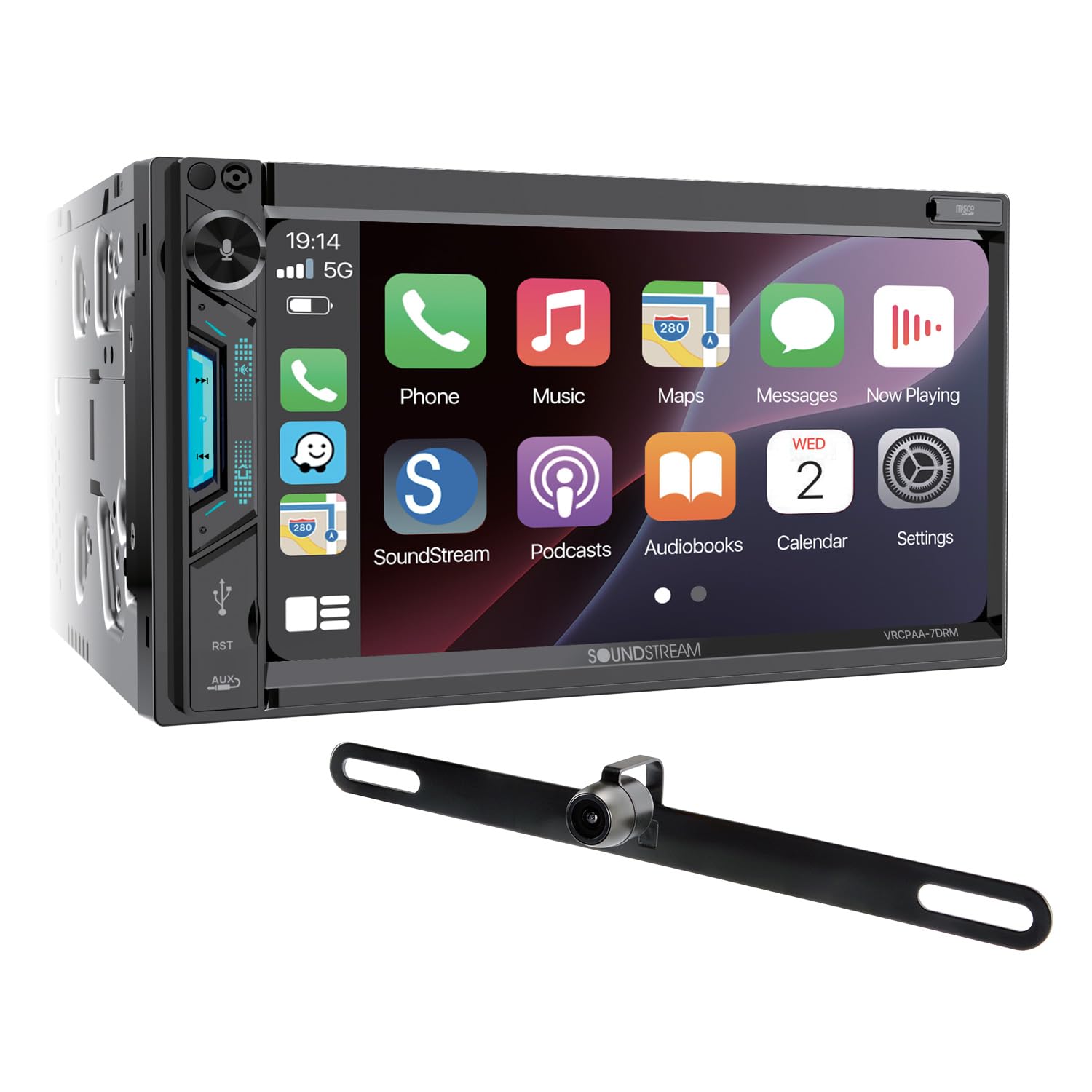
The VRCPAA‑7DRM is the value argument on this list. It runs wireless Apple CarPlay and Android Auto—your phone stays in your pocket— and it ships with a backup camera in the box, which is the accessory most people forget to budget for. It holds a 4.1‑star rating on Amazon across 268 ratings.
The audio section is where it stops feeling like a budget unit. You get a 10‑band digital EQ with user presets, front/rear/sub 4V RCA preouts, and 300W of four-channel speaker output. Those 4V preouts matter: if you ever add an amplifier or a sub, a higher preout voltage gives the amp a cleaner signal to work with. It’s a mechless design—no CD slot—so there’s less to break and a slimmer face, with Bluetooth calling and streaming plus front USB and microSD playback up to 64GB.
On the install side, the 7″ capacitive touchscreen sits over a high-resolution TFT‑LCD panel, and seven selectable illumination colours let you match your dash lighting. Camera handling is properly thought out too: front and rear RCA inputs with a 12V trigger, so the display switches automatically when you select reverse. Expectations check—this is a value-focused receiver, not a boutique audiophile head unit.
Why it wins fans
- Wireless CarPlay and Android Auto – Phone stays in your pocket; no cable ritual every trip.
- Backup camera included – One less accessory to buy, and the 12V trigger switches the view automatically.
- Real tuning tools – 10‑band EQ plus front/rear/sub 4V preouts for a future amp or sub.
- 7″ capacitive touchscreen – A capacitive panel over a high-resolution TFT‑LCD, with 7-colour selectable illumination.
Good to know
- 4.1‑star average across 268 Amazon ratings — respectable, not top of the class.
- Mechless design means no CD or DVD playback at all.
- microSD playback caps at 64GB.
- Access to certain features still depends on proper wiring (parking brake, reverse signal, camera trigger).
Ideal for: drivers who want wireless phone integration, a camera, and genuine EQ control in one box without stepping up to premium-brand pricing.
6. KENWOOD DMX4710S – Big Touchscreen, Single‑DIN Body (A Dash-Space Hero)

The DMX4710S is the answer for a very specific (very common) problem: “I want a real touchscreen, but my dash depth or layout makes double‑DIN installs painful.” This unit puts a 6.8″ screen on a chassis that mounts in a single‑DIN opening.
The panel is a 6.8″ capacitive LCD at 1024×600 WSVGA, which Kenwood pairs with wired Apple CarPlay and Android Auto plus USB mirroring for Android 7.0 and up. Audio-wise, it brings a 13‑band graphic EQ and built-in digital time alignment that let you dial in a system beyond basic bass/treble. That matters when you’ve upgraded speakers and want clarity without harshness.
Where it becomes a “smart buyer” unit is integration: the listing calls out iData module support for most OEM steering wheel controls and factory amps, plus compatibility with the Maestro RR and RR2. Front, rear and subwoofer pre-outs are there for later, a GPS antenna and SiriusXM-ready tuner are included, and it ships with the power supply cable, parking extension cable, screw set, manual and warranty card.
Why it’s a dash-space win
- Single‑DIN mounting – A 6.8″ display on a body that fits a single‑DIN opening.
- 1024×600 capacitive panel – WSVGA resolution with a high contrast ratio, per the listing.
- 13‑band graphic EQ – Plus built-in digital time alignment and front/rear/sub pre-outs.
- iData and Maestro support – Listed for OEM steering wheel controls and factory amps with the right module.
Good to know
- Single‑DIN face, but the body is 9.6″ deep — check clearance behind your dash opening.
- As with most units, retaining SWC or factory amps often requires the correct vehicle-specific adapter/module.
- Phone integration is wired only — the listing specifies wired Apple CarPlay and Android Auto.
Ideal for: vehicles with limited dash depth or tricky layouts where you still want a modern touchscreen and real audio tuning control.
7. PLZ 10.1″ Wireless Single DIN – Maximum Screen Presence Without a Double‑DIN Dash
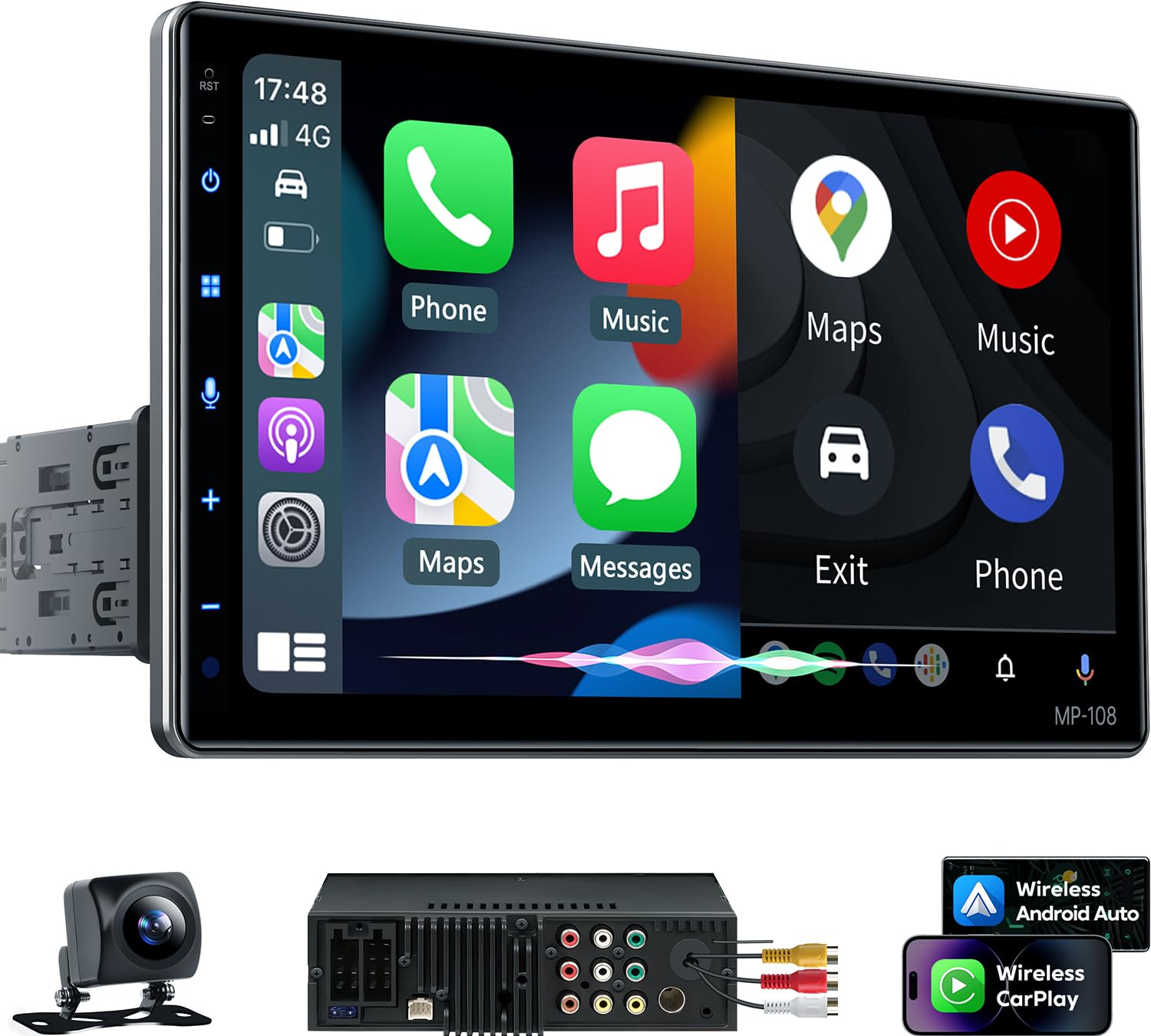
If your dream is “giant maps and a bold modern dash,” this PLZ is built for you. The headline feature is the large IPS screen with adjustable angle—meaning you can set it so it’s readable and comfortable without feeling like a billboard.
The connection side is flexible: PLZ lists both wired and wireless Apple CarPlay and Android Auto, an independent Bluetooth 5.3 module with its own antenna, wired MirrorLink for iOS and Android, and steering wheel control support. A backup camera, harness, remote and USB cables are in the box. That package matters a lot with feature-rich budget units.
Audio-wise, the built-in DSP and 10‑band EQ are what keep it from being “just a screen.” The 4.2-channel preamp section is rated at 60W x 4 peak (240W total), and the two subwoofer outputs let you shape bass in a way that feels intentional, not boomy.
Why it stands out
- 10.1″ IPS touchscreen – 1280×720, and PLZ lists it as fitting single‑ and double‑DIN openings.
- Adjustable viewing angle – A real quality-of-life feature for glare and driver comfort.
- Wired or wireless – CarPlay and Android Auto both ways, over an independent Bluetooth 5.3 module.
- DSP + 10‑band EQ – With 4.2-channel preamp outputs and two subwoofer outputs.
Good to know
- Large floating screens make dash fit and stability dependent on your kit and mounting method.
- Screen mirroring is wired only — the listing specifies MirrorLink over USB.
- PLZ’s own troubleshooting notes that CAN bus vehicles may need a harness adapter supplying retained accessory power.
Ideal for: drivers who want the biggest, most modern-looking screen experience in a dash that doesn’t easily support traditional double‑DIN screens.
8. BOSS BVCP9700A‑C – The Practical Feature Monster (With a Few Real‑Life Quirks)

The BVCP9700A‑C is built for drivers who want a modern dash fast: CarPlay/Android Auto, Bluetooth, multiple inputs, and camera support in a package that’s widely used in older vehicles. BOSS bundles the rear camera in the box, so the accessory most people forget to budget for is already covered.
The input list is the real selling point: USB, USB charging, SD, AV, and both rear and front camera inputs, with front, rear and subwoofer pre-amp outputs on the other side. Steering wheel control works through an interface module sold separately—BOSS recommends the Metra ASWC‑1—so budget that in if you want to keep those buttons.
The honest limits are on the spec sheet rather than in the marketing. This is a 7″ double‑DIN capacitive touchscreen with no CD or DVD mechanism, the listing never says the CarPlay or Android Auto connection is wireless, and it names no microphone in the box. BOSS backs it with a 3-year platinum online dealer warranty, but only when the unit is bought through Amazon, and strongly recommends professional installation.
Why it’s so popular
- Feature density – USB, USB charging, SD, AV, plus rear and front camera inputs on one chassis.
- Backup camera included – The rear camera ships in the box, per the listing.
- Front, rear and sub pre-amp outputs – Room to add amplification later without swapping the head unit.
- 3-year dealer warranty – Valid when the unit is purchased through Amazon, per BOSS.
Good to know
- No microphone is named in the box contents — the listing includes only the rear camera.
- The listing never states wireless CarPlay or Android Auto — assume a cable unless BOSS says otherwise.
- Touch-only volume control is a lifestyle choice; if you need tactile control, consider a knob-style unit.
Ideal for: drivers who want maximum features and camera/port flexibility, and who don’t mind doing a careful install to avoid “quirk” behavior.
9. Pioneer DMH‑130BT – The “Simple Touchscreen + Pioneer Layout” Choice

Not everyone needs a full CarPlay/Android Auto ecosystem on their dash. If your goal is a clean touchscreen, reliable Bluetooth streaming, USB playback, and an easy backup camera integration path, the DMH‑130BT can be a smart, brand-safe step up from a worn-out factory unit.
The “Pioneer value” here is the fit and finish of the basics. It’s a 6.8″ capacitive touchscreen with five display colours and over a hundred illumination options, Amazon Alexa through Pioneer’s Vozsis app, and 50 watts x 4 of built-in power. For many daily drivers, that’s the whole point: you want the radio to behave, your phone to connect, and your music to sound cleaner than stock.
Where expectations can mismatch is advanced smartphone functionality. If you want your dash to mirror your phone apps seamlessly, you’re better served by a CarPlay/Android Auto unit. But if you mainly want hands-free calling, easy streaming, and a screen that makes backup camera use feel modern, this can be a tidy upgrade that doesn’t overcomplicate your car.
Why it works
- 6.8″ capacitive touchscreen – With five display colours and 100+ illumination options.
- Built-in Bluetooth – Hands-free calling and wireless streaming, with a wired mic in the box.
- Backup camera ready – A clean path to modern parking visibility.
- Short chassis – 4.38″ deep in a standard 2‑DIN footprint, with harness and USB extension included.
Good to know
- If you want full phone app integration, choose a CarPlay/Android Auto model instead.
- The listing states 50W x 4 output but no preamp voltage for the RCA preouts — worth checking if you’re adding an amp.
- There’s a steering wheel input on the unit, but the listing doesn’t name the vehicle-specific interface you’d need.
Ideal for: drivers who want a simple touchscreen receiver from a known brand for Bluetooth, USB playback, and camera integration without going “full infotainment.”
10. SJOYBRING 7″ QLED Screen Upgrade (W021) – Feature-Rich, DIY-Friendly (If You Plan Your Install)

This SJOYBRING model is a classic “modernize my older vehicle” unit: wireless phone integration, a vivid screen, amplified system expansion options, and an included backup camera. The reason it wins fans is not that it’s perfect—it’s that it delivers the core experience most drivers want without forcing them into premium brand pricing.
The prep is on you. SJOYBRING ships the head unit, two frames, brackets and screws, an ISO stereo harness, the rear camera and cable, and a remote—but the dash kit, vehicle harness adapter and antenna adapter are your problem. The listing does at least publish the dash openings it fits without a kit (178×100 mm, 170×96 mm to 178×100 mm, and 189×117 mm), so you can measure before you order.
Two things are worth knowing before you order. First, screen mirroring is wired over USB and SJOYBRING notes that Netflix is not supported. Second, steering wheel control needs a separate interface—the listing recommends the PAC SWI‑CP2 or Metra ASWC. SJOYBRING also advertises a 24/7 tech team reachable through Amazon’s “Contact Seller” portal for wiring diagrams and harness compatibility checks.
Why it’s a strong value
- Modern phone features – Wireless CarPlay/Android Auto delivers the big lifestyle upgrade.
- 4.2-channel output – Four RCA channels plus two separate subwoofer outputs for an aftermarket amp.
- Included camera – Practical, immediate safety upgrade with auto reverse switching.
- Physical volume knob – A rotary knob on the front panel alongside the touchscreen.
Good to know
- Screen mirroring is wired over USB, and the listing states Netflix is not supported.
- Steering wheel control needs a separate interface (the listing recommends the PAC SWI‑CP2 or Metra ASWC).
- Install success depends on your harness/kit choices—this is normal, but it’s not “plug and play.”
Ideal for: DIY upgraders who want wireless phone features, camera support, and amplifier expandability—and are willing to plan the install like a grown-up.
11. SJOYBRING Wireless Double DIN (Dual Sub Ports) – The “Knob Matters” Pick for Daily Drivers

If you’ve ever used a touch-only head unit and thought “why is volume control suddenly a skill?”—this model is for you. That rotating knob plus physical buttons changes daily driving comfort more than most people expect. It’s especially valuable in winter (gloves), on bumpy roads, or when you need to turn things down fast.
The spec list backs the knob up: a 7″ HD capacitive touchscreen at 1024×600, wireless CarPlay and Android Auto over Bluetooth and Wi‑Fi, seven-colour LED buttons, and a 10‑band EQ with presets. Max power output is listed at 60W x 4, with 4.2-channel outputs—front, rear and two subwoofer channels—so there’s room to amplify later.
The honest limits are the ones SJOYBRING prints itself: mirroring is wired over USB rather than wireless, steering wheel control needs a separate interface (the listing recommends the PAC SWI‑CP2 or Metra ASWC), and the Wi‑Fi is for phone pairing only—there’s no hotspot function. But if your top priority is daily usability—volume control, quick access, and “I can run this without staring at it”—this one earns its spot.
Why it’s easy to live with
- Volume knob + buttons – Makes the most-used controls effortless while driving.
- 10‑band EQ with presets – Plus 7-colour LED buttons and a 1024×600 capacitive screen.
- Dual sub outputs – Helpful if you want bass control without adding complexity later.
- Strong value feature set – Wireless phone integration plus camera support in one package.
Good to know
- Mirroring is wired only — the listing specifies USB MirrorLink for iOS and Android.
- Steering wheel control needs a separate interface module (the listing recommends the PAC SWI‑CP2 or Metra ASWC).
- Expect to purchase vehicle-specific harness/kit parts just like any other aftermarket receiver.
Ideal for: drivers who want wireless phone features but refuse to sacrifice tactile controls—especially volume—because daily comfort matters more than “clean front panel aesthetics.”
12. PLZ 7″ Wireless Double DIN – The “They Actually Try to Help You” Budget Favorite

PLZ sells this one on the package rather than the badge: the head unit, a backup camera, the wiring harness and a remote all come in the box, and the listing publishes the minimum dash opening it needs (6.69″ x 3.81″) plus the larger 7.44″ x 4.61″ frame it includes for adjustment. That matters because most frustration with budget units isn’t the hardware—it’s confusion.
When it’s installed cleanly, this unit delivers what most drivers want: wired or wireless CarPlay and Android Auto, a 7″ IPS screen at 1024×600, and a backup camera that switches in automatically when you select reverse. The built-in DSP and 10‑band EQ give you the ability to tame harsh highs, lift mids for vocal clarity, or add bass without distortion. In other words, it can make average speakers sound “surprisingly good.”
The honest cons are the ones in the fine print: there’s no Wi‑Fi hotspot function, steering wheel control needs an interface that isn’t included, and the front camera the unit supports isn’t in the box either. The 4.2-channel preamp section is rated at 60W x 4 (240W total) with two subwoofer outputs, but PLZ doesn’t publish a preamp output voltage, which is worth knowing if an amplifier is in your plan.
Why DIY installers like it
- Published fit specs – Minimum dash opening and included frame dimensions are both listed up front.
- Wired or wireless – CarPlay and Android Auto both ways, over an independent Bluetooth 5.3 module.
- Camera in the box – HD backup camera with automatic reverse switching; front camera supported but not included.
- Two mic options – A built-in microphone plus an external microphone interface, per the listing.
Good to know
- No Wi‑Fi hotspot function — the listing states this explicitly.
- No preamp output voltage is stated for the 4.2-channel RCA outputs.
- As always, SWC typically needs an adapter/interface—plan it up front if it matters to you.
Ideal for: budget-conscious DIY installers who want wireless smartphone features and prefer a brand that feels reachable when you need help.
13. SJoyBring 7″ QLED Double DIN (W002) – The Surprisingly Solid “Everyday Upgrade”

This is the straightforward one. A 7″ QLED touchscreen at 1280×720 with 1080P video playback support, wireless Apple CarPlay and Android Auto over Bluetooth, a physical volume knob for the thing you touch most, and 4.3 stars across 880 Amazon ratings.
The QLED panel is the practical win for maps and camera views: 1280×720 with 1080P playback support, so you can glance quickly and understand what you’re seeing. That matters for backup camera use at night or in rain—the included rear camera is a 170° night-vision unit, fully waterproof, and the display switches to it automatically when you shift into reverse.
The caveats are the ones SJOYBRING prints: the output section is 4.2-channel with a 240W rating and no published preamp voltage, mirroring is wired over USB rather than wireless, and steering wheel control needs an interface that isn’t included. But as a modernizing upgrade for older vehicles, it’s a strong blend of features and usability.
Why it earns repeat installs
- Physical volume knob – Tactile control alongside the touchscreen, per the listing.
- Wireless phone integration – The biggest daily-life upgrade for most drivers.
- 7″ QLED screen – 1280×720 with 1080P video playback support.
- Camera and harness included – Rear camera and cable, ISO harness, two frames, brackets and a remote in the box.
Good to know
- No microphone or external mic input is named anywhere in the listing.
- Rated at 240W across 4.2 channels, with no preamp output voltage stated.
- Steering wheel control needs a separate interface (the listing recommends the PAC SWI‑CP2 or Metra ASWC).
Ideal for: drivers who want a practical wireless CarPlay/Android Auto upgrade with a clear screen and a track record of “it just works” in everyday cars.
14. Pioneer MVH‑S322BT – The “Old School Receiver That Sounds Better Than It Should”

Not everyone wants a touchscreen. Some drivers just want: strong Bluetooth, fast auto-connect, clean sound, and enough tuning to make their speakers behave. That’s exactly where the MVH‑S322BT shines.
The spec list is generous for a simple single‑DIN receiver: a 13‑band EQ, 50 watts x 4 of output, and selectable front, rear and subwoofer RCA preouts. The secret sauce is the way Pioneer treats tuning in this price class—Advanced Sound Retriever restores detail lost to compression, MIXTRAX handles continuous playback, and the Smart Sync app for iOS and Android extends the receiver’s features and interface through your phone.
The rest is old-school in the good sense. Illumination is colour-changeable, the faceplate detaches for security, and the box includes the sleeve, trim ring and wiring harness so the install doesn’t stall on a missing part. It’s also the best-reviewed unit in this guide, at 4.6 stars across 1,453 Amazon ratings, and the highest-ranked of the fifteen on Amazon’s Electronics best-seller list.
Why it’s a sleeper hit
- Built-in Bluetooth – Hands-free calling and wireless streaming from a paired phone.
- 13‑band EQ – Plus Advanced Sound Retriever, which the listing says restores detail lost to compression.
- Mechanical knob and push buttons – The listed control method, with a detachable faceplate.
- Install parts included – Sleeve, trim ring and wiring harness ship with the receiver.
Good to know
- Single‑DIN only — it won’t fill a double‑DIN opening without a kit.
- No touchscreen means no in-dash maps; this is for audio-first drivers.
- The front/rear/sub RCA preouts are selectable, but no preamp output voltage is stated.
Ideal for: drivers who want better sound and reliable hands-free functionality while keeping a classic single‑DIN look and tactile controls.
15. Kissound 7″ HD Wireless Double DIN – The “Modern Features, Budget Reality” Upgrade

The Kissound unit exists for one mission: give an older vehicle wireless phone features, a modern screen, and camera support without draining your upgrade budget. The box covers the head unit, a backup camera, a power harness, an extra microphone and a remote, and Kissound advertises 24/7 tech support with replies inside 24 hours.
The core modern experience is all there: wireless or wired CarPlay and Android Auto, a 7″ IPS capacitive touchscreen at 1024×600, wired MirrorLink for iOS and Android, and seven-colour LED buttons. There’s no built-in GPS—navigation comes from your phone through CarPlay, Android Auto or MirrorLink.
The realistic trade-off is the output section. Kissound rates the DSP-backed amplifier at 240W across 4.1 channels with a single subwoofer RCA output—one sub feed, not two—and publishes no preamp voltage. If you treat it as a practical “modernizer” rather than a forever flagship, it can be a very satisfying upgrade.
Why it’s a smart cheap upgrade
- Modern features – Wireless phone integration and camera support change the daily driving feel instantly.
- 24/7 tech support – Kissound advertises responses within 24 hours through the seller portal.
- DSP + 10‑band EQ – Driving a 4.1-channel output section with one subwoofer RCA output.
- Camera and mic in the box – An 8‑LED rear camera on a 19.7 ft cable, plus an extra microphone and power harness.
Good to know
- One subwoofer RCA output only, and no preamp output voltage is stated.
- No built-in GPS — maps come from your phone via CarPlay, Android Auto or MirrorLink.
- As with all head units, your install parts (harness/kit) decide whether it looks factory or hacked.
Ideal for: drivers who want a modern touchscreen + wireless phone upgrade and accept a few budget quirks in exchange for maximum feature value.
How Head Unit Installs & Sound Tuning Actually Work (The Stuff That Makes or Breaks Your Upgrade)
Here’s the part most buying guides skip: the head unit is only half the battle. The “magic” is the install plan and the initial tuning. That’s why two people can buy the same model and end up with wildly different results from identical hardware.
1. The install checklist most people forget
Before you remove a single trim panel, make a parts checklist. This prevents the classic “dash apart, then realize I’m missing one adapter” problem.
- Dash kit / bezel: makes the unit fit correctly and look factory-clean.
- Vehicle wiring harness adapter: avoids cutting factory wires and makes troubleshooting easier later.
- Antenna adapter: often required, especially in older vehicles.
- Steering wheel control interface: usually required if you want to retain SWC functions.
- Factory amp integration: premium systems may need extra modules or line output conversion.
- USB extension strategy: plan where the USB will live (glove box, center console, factory USB port, etc.).
- Camera wiring plan: decide your cable route and grommet points before you start pulling trim.
2. Power, ground, and why “random issues” often aren’t random
A head unit is a small computer. Computers hate unstable power. Random restarts and intermittent blank screens usually trace back to:
- Weak ground: paint or rust under a ground point can cause voltage dips and noise.
- Loose crimps: a barely-holding connector becomes a problem when you hit bumps.
- Bad accessory power source: tapping the wrong ignition line can cause weird behavior on crank/start.
If you do nothing else, do this: make your ground clean, tight, and on bare metal. It’s the cheapest upgrade you’ll ever do.
3. Factory premium systems: what “keeping the factory amp” really means
If your car has a factory amp, you’re not simply “swapping a radio.” You’re changing the signal feeding an amplifier that was tuned for the factory head unit. That’s why people sometimes upgrade the head unit and think the sound got worse—levels and EQ curves changed.
- Line level vs speaker level: some factory amps expect specific inputs. Get the right interface or converter.
- Gain staging matters: too hot = distortion; too low = noisy and weak.
- Use tuning tools: if your new unit has EQ and crossovers, use them. Default settings are rarely best.
4. The “first 20 minutes of tuning” that makes your speakers sound expensive
You do not need to be an audiophile to make a major improvement. You need four basic steps:
- Set fader and balance centered and confirm every speaker plays cleanly.
- Set crossovers: high-pass your door speakers so they’re not trying to play sub bass (this reduces distortion).
- Set sub crossover and level so bass feels connected, not separate.
- Use EQ gently: cut harshness more than you boost—especially in the 2–5kHz range where fatigue lives.
5. Microphone placement: why “bad call quality” is often fixable
If your unit includes an external mic, don’t just let it dangle. Place it intentionally:
- Best common spot: near the rearview mirror or top of the A‑pillar, aimed toward the driver.
- Avoid: directly next to HVAC vents or pointed at open windows.
- Secure the cable: rattles and vibration can create noise that callers interpret as “cutting out.”
If callers say you sound distant, check mic gain/setting options and confirm the mic isn’t buried behind trim or pointed away.
6. Wireless phone issues: the “clean pairing” method
If wireless CarPlay/Android Auto acts weird, don’t keep re-pairing randomly. Do this once, properly:
- Delete the pairing from the head unit and from your phone Bluetooth/Wi‑Fi remembered devices.
- Restart both (head unit and phone).
- Pair fresh with your car parked, engine on, and minimal nearby device noise.
- Turn on auto-connect once stable, then leave it alone.
If your phone is known to reconnect repeatedly, check phone-side Wi‑Fi/Bluetooth settings that influence scanning behavior. A stable phone setup is half the battle.
7. Camera wiring: the difference between “works” and “works forever”
The camera should feel boring. If your camera flickers, glitches, or has noise lines, it’s almost always wiring:
- Use grommets when passing through metal holes.
- Keep camera video cable away from power cables when possible.
- Power source matters: reverse light power is common, but it can be noisy in some vehicles.
- Test angles before final mounting—adjusting later is annoying.
8. When to use a professional installer (and when you can DIY)
DIY is realistic if you have patience, basic tools, and you’re willing to plan adapters. Consider professional install if:
- Your vehicle has a complex factory amp/integration system.
- You’re adding multiple cameras, amps, or integration modules.
- You need the dash to look perfectly factory and you don’t want trial-and-error fitment.
Otherwise, a careful DIY install with a proper harness kit can be clean, reliable, and genuinely satisfying.
FAQ: Head Unit Buying & Installation (Without the Confusion)
What’s the single biggest mistake people make when buying a head unit?
Do I need wireless CarPlay/Android Auto, or is wired better?
Why do some head units “sound worse” right after install?
Will I be able to keep my factory steering wheel controls?
My microphone quality is terrible. Is the head unit defective?
Why do I need a “data” USB cable for CarPlay/Android Auto?
Do backup cameras always “just work” once connected?
What should I prioritize if I plan to add an amp and sub later?
Why do some units require “parking brake” wiring for certain features?
Final Thoughts: Buy the Head Unit You’ll Love on a Random Tuesday
The “best” head unit isn’t the one with the flashiest box. It’s the one that makes your daily driving feel smoother: music starts fast, calls sound clean, maps are readable, and you don’t have to fight your dash to do basic things.
Here’s the cleanest way to pick from this guide—based on how people actually use their cars:
- Want the most balanced overall experience? Start with the KENWOOD DMX500S. It’s a rare mix of modern wireless convenience and real sound tuning tools that still feels easy day-to-day.
- Want premium wireless + lots of audio headroom? Consider the JBL Legend 700. It’s built for drivers who want a “modern factory” vibe with serious EQ and expandability.
- Want sound-first control with an install-friendly shallow chassis? Look at the Alpine iLX‑W670. It’s the pick when tuning and clean installs matter as much as screen features.
- Want a reputable brand touchscreen with a simple daily feel? The Pioneer DMH‑1600NEX and Soundstream VRCPAA‑7DRM are strong “install it and live with it” options.
- Need a big touchscreen but only a single‑DIN opening? The KENWOOD DMX4710S is a smart way to get a 6.8″ display into a single‑DIN slot.
- Want maximum screen presence without a full double-DIN dash? The PLZ 10.1″ Wireless Single DIN is the “big maps, bold look” choice.
- Want a feature-packed midrange unit with lots of ports? Consider the BOSS BVCP9700A‑C for a practical, input-rich upgrade—especially if you’re adding cameras.
- Want a simple touchscreen without full infotainment complexity? The Pioneer DMH‑130BT is a clean option for Bluetooth + camera readiness.
- Want budget wireless CarPlay/Android Auto with real daily usability? Choose based on your control preference: SJOYBRING with knob for tactile control, or the PLZ 7″ Wireless Double DIN if you want the choice of a wired or wireless connection.
- Want the simplest audio-first upgrade with no touchscreen? The Pioneer MVH‑S322BT is a strong single‑DIN “sounds better than stock” winner.
- Want the cheapest way to modernize a dash with wireless features? The Kissound 7″ Wireless Double DIN can be a satisfying modernizer if you accept budget quirks and do a careful install.
At the end of the day, you’re not shopping for a spec sheet—you’re shopping for a calmer daily drive. Pick the best car audio head unit that matches how you actually use your car (commuting, calls, road trips, bass, cameras, winter gloves, noisy cabin), and you’ll feel the upgrade every time you start the engine.