
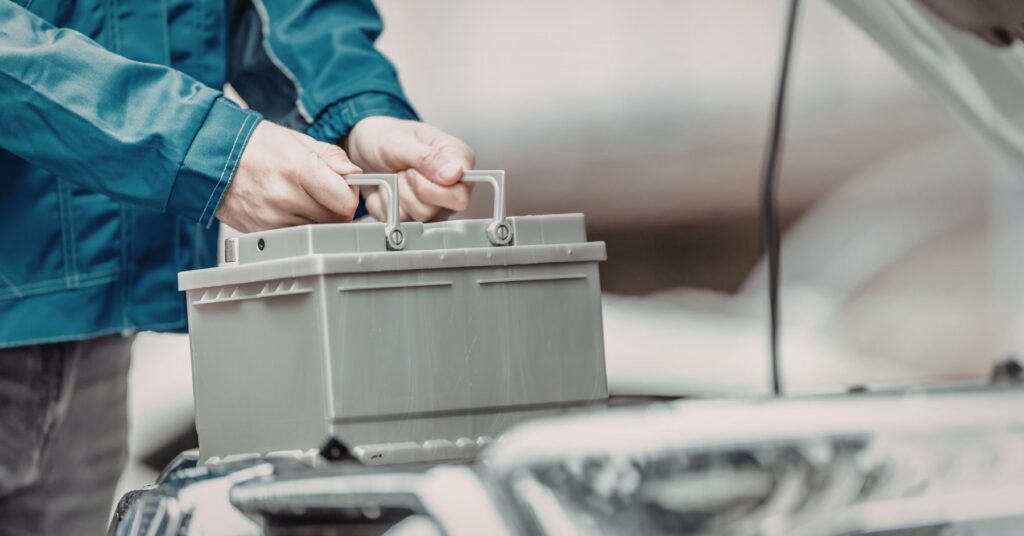
Disconnecting a car battery can wipe some stored fault codes and reset readiness status, yet some code types stay until the car proves the fix during normal driving.
Pull the negative cable, wait, reconnect, and the warning light goes away. Sometimes. So does disconnecting the battery clear codes, or does it only reset the dash for a bit? Other times, the light is back before you finish the first trip. Both outcomes fit how modern cars store diagnostic data.
Below you’ll learn what a battery disconnect really resets, which trouble codes often survive, and when a scan tool is the cleaner option. You’ll also get a practical reset checklist and a heads-up on emissions readiness so you don’t get surprised at inspection time.
Does Disconnecting The Battery Clear Codes? On Modern Cars
On many vehicles, cutting battery power can clear some diagnostic trouble codes (DTCs) from the engine computer and can turn off the check engine light for a while. That does not confirm the fault is gone. It only removes the stored record, or marks it inactive until the test runs again.
Cars store data in more than one place. Some memory resets when power drops. Some memory is meant to survive a power loss. Emissions rules also add code categories designed to prevent a simple “clear-and-go” trick.
What The Car Resets When Power Drops
A battery disconnect is a blunt reset. It can wipe learned values and temporary logs that the computer uses to keep the engine smooth. You may notice a rough idle at first, a transmission that shifts a bit differently, or a radio that forgets presets. Many cars also reset the readiness monitor status used for emissions testing.
Why A Light Can Return Fast
If the underlying fault is still present, the computer can detect it again quickly. A loose gas cap can re-trigger an evaporative leak check once conditions are right. A failed oxygen sensor heater can flag on a cold start. A misfire can set as soon as the engine stumbles.
Disconnecting A Battery To Clear Trouble Codes With Fewer Surprises
If you still want to try a battery disconnect, treat it like a reset with side effects. Your goal is to avoid voltage spikes, avoid accidental shorts, and avoid losing settings you care about.
Start With These Quick Checks
- Read and write down any codes first. Even a basic OBD-II reader can store a record.
- Check whether your radio or infotainment needs a security code on older vehicles.
- Make sure the key is out and the car is fully off, including interior lights.
- Close doors, then wait a few minutes so modules can go to sleep.
Disconnect Timing: What Matters
Most modules drop volatile memory quickly once power is removed. People wait longer mainly to let capacitors discharge and to make sure the network is asleep before power is cut.
Disconnect and reconnect too fast, and some modules may not reset fully. Leave it disconnected for a long stretch, and you increase the chance you’ll lose presets and learned values you’d rather keep.
How To Disconnect Without A Spark Show
Use the negative terminal first. Loosen it, lift it off, and keep it from falling back onto the post. If you also remove the positive terminal, remove it second and reinstall it last. That order reduces the chance your wrench bridges power to metal and creates a short.
- Wear eye protection and remove rings or watches.
- Loosen the negative clamp and move it aside.
- Press the brake pedal once, or turn the headlights on for a few seconds, then switch them off. That helps drain remaining charge in some circuits.
- Wait 10–15 minutes so modules finish powering down.
- Reconnect the negative clamp and tighten it firmly.
After reconnection, start the car and let it idle. Avoid cranking the steering wheel to full lock right away, and keep the first drive smooth so the computer can rebuild its learned values.
What Usually Clears And What Usually Stays
Not all codes behave the same. Some are “stored” records of a fault that happened. Some are “pending” records that need to happen again to be confirmed. Some are emissions-focused records that do not clear just because power was lost.
Use the table below as a reality check. Your vehicle can vary by year, make, and software version, yet these patterns show up across many OBD-II cars.
| Item | After A Battery Disconnect | What You’ll Notice |
|---|---|---|
| Pending codes | Often cleared | Light may stay off until the fault repeats |
| Confirmed DTCs (generic) | Often cleared | Light can return once the monitor runs again |
| Freeze frame data | Often cleared | You lose the snapshot that helps trace the cause |
| Readiness monitor status | Commonly resets | Inspection systems may show “not ready” for a while |
| Adaptive fuel trims | Often resets | Idle and throttle response can feel off at first |
| Transmission adaptives (some cars) | May reset | Shifts can feel firm until it relearns |
| Body module settings (varies) | May reset | Auto windows, clock, seats may need re-set |
| Permanent DTCs (emissions) | Do not clear | They clear only after the system confirms the repair |
| Hard faults on active circuits | Return fast | Light pops back on once checks run |
Why Clearing Codes Can Make Emissions Testing Harder
Many states use an OBD check as part of an emissions inspection. The test is not only about the check engine light. It also checks whether the car’s self-tests have run and passed. Those self-tests are the readiness monitors.
When you clear codes with a scan tool, or when the battery is disconnected, monitors can reset to an “incomplete” state. New York’s DMV explains readiness monitors as the computer’s record of whether required tests have completed during driving. NY DMV’s readiness monitor overview is a clear reference for what “not ready” means during inspection.
How To Get Monitors Back To Complete
There isn’t one fixed mileage. Most cars need several trips with variety: a cold start, steady cruising time, and some stop-and-go. Some monitors also care about fuel level. If you only do short trips, monitors can stay incomplete longer than you expect.
If you’re on a deadline, use an OBD reader that shows monitor status. It tells you what is still incomplete so you’re not guessing.
When A Battery Disconnect Won’t Clear The Code You Care About
Emissions rules have pushed back on “erase and pass” tactics for years. One result is permanent diagnostic trouble codes.
California’s Bureau of Automotive Repair notes that permanent DTCs cannot be erased by clearing with a scan tool or by disconnecting the battery. They clear only after the OBD system verifies the fault is gone during normal driving. That’s spelled out in the state’s BAR OBD test reference, which explains how permanent codes behave in modern inspections.
Even outside California, the same pattern shows up: if a fault is real and repeatable, clearing memory won’t hide it for long. The system will run its checks again and store the result.
Step-By-Step Reset Checklist After Clearing Codes
Once you clear codes by any method, the car needs a short relearn period. Use this checklist to keep the first drive calm and to move readiness monitors toward complete.
| Step | What To Do | Why It Helps |
|---|---|---|
| 1 | Start the engine and let it idle for 2–3 minutes | Gives sensors and idle control a steady baseline |
| 2 | Drive gently until the engine reaches full temperature | Wakes up systems that run only after warm-up |
| 3 | Cruise at a steady speed for 10–15 minutes | Helps monitors run under stable load |
| 4 | Do a separate trip with stop-and-go driving | Triggers checks that need decel, idle, and restart |
| 5 | Keep fuel between 1/4 and 3/4 when possible | Supports evap checks that won’t run near empty or full |
| 6 | Scan readiness status before an inspection | Avoids failing due to incomplete monitors |
| 7 | If the light returns, read codes right away | Captures new data before you clear again |
Common Side Effects After A Battery Reset
A battery disconnect can create symptoms that feel like new problems. Most are temporary. A few point to a weak battery or charging issue.
Rough Idle Or Stalling
When adaptive fuel and idle settings reset, the engine may hunt for the right idle speed. Let it idle a few minutes, then drive gently. If it keeps stalling, scan for codes again. A weak battery, dirty throttle body, or vacuum leak can make the relearn harder.
Transmission Shift Changes
Some transmissions adapt to your throttle habits. A reset can make the first few trips feel odd. Smooth throttle input and normal driving help it settle back in.
Power Windows And Stability Control Lights
Some cars need a window re-index so auto-up works again. Some need a steering angle relearn so stability control stays happy. These steps are often in the owner’s manual.
When Clearing Codes Is The Wrong Move
Clearing codes repeatedly can turn a straightforward repair into a guessing game. It also risks wiping the clues you need to catch an intermittent issue.
- The check engine light flashes while driving.
- You have drivability problems: loss of power, shaking, strong fuel smell, or overheating.
- The same code returns within one or two trips after every reset.
Takeaway: Clearing Codes Is A Tool, Not A Fix
Disconnecting the battery can clear some codes, and it can shut off the check engine light for a while. It also resets readiness monitors and learned values, which can create hassles. A scan tool usually gives you the same reset with better control and better information.
If the light comes back, treat the code as a clue. Save it, fix the root cause, then clear and verify. That sequence gets you a stable repair and avoids chasing the same warning over and over.
References & Sources
- New York State Department of Motor Vehicles.“What Do You Mean My Car’s Not Ready?”Defines readiness monitors and why an inspection can fail after codes are cleared.
- California Bureau of Automotive Repair (BAR).“On-Board Diagnostic Test Reference.”Explains permanent diagnostic trouble codes and notes they can’t be cleared by battery disconnect or scan-tool erase.