
Our readers keep the lights on and the garage heater humming. As an Amazon Associate, I earn from qualifying purchases.
Specs are compiled from manufacturer listings and verified buyer reviews and can change over time — please confirm the key details on the product page before buying.
Backing a UTV is a guessing game when dust, mud, or a loaded bed hides everything behind you. A rear-view camera changes that, putting a clear view on a dashboard screen so you can reverse into tight spots without a spotter. The real question is if you want a simple plug-and-play camera for a stock machine or a full recording system that doubles as a dash cam.
I’m Mo Maruf — the founder and writer behind GoCarLife. This guide is built by comparing the manufacturers’ published specifications and the patterns across verified customer reviews, so you get each pick’s real strengths and trade-offs instead of marketing spin.
We broke down the best UTV rear-view camera options by screen size, resolution, and build toughness to match your machine and your budget. utv rear-view camera picks that survive dust, rain, and hard trails come down to these details.
Our Picks at a Glance
How To Choose The Best UTV Rear-View Camera
UTV trails are dusty, wet, and abusive, so the camera you pick needs to survive the same beating your machine takes. The two biggest decisions are the screen size you want on your dash and whether the camera has to be a factory-style replacement or a universal add-on.
Match the camera to your specific UTV model
Some cameras are built for a single machine, like a Kawasaki Teryx KRX 1000, and bolt in with the factory harness in minutes. Others are universal, needing you to run power wires and a trigger wire to your reverse light. Check the compatibility list before ordering so you do not end up with a camera that requires cutting into your wiring harness.
Decide how much recording you need
A plain reverse camera just shows you the view. A DVR system records everything in a loop, so you have footage of the trail, an incident, or a memorable ride saved on an SD card. If you want proof of what happened on a job site or a long trip, the extra recording feature is worth the step up.
Quick Comparison
| Model | Best For | Screen Size | Camera View | Resolution | Amazon |
|---|---|---|---|---|---|
| WOOCARTY 10.1″ System | Big-screen recording | 10.1 inches | 149 degrees | 1080P | Amazon |
| KEMIMOTO KRX Camera | Factory-style swap | — | 170 degrees | 480P | Amazon |
| WOOCARTY 7″ System | Compact all-metal build | 7 inches | 149 degrees | 1080P | Amazon |
| HEECOOMI Touchscreen | Modern touch control | 7 inches | 120 degrees | 1080p | Amazon |
In‑Depth Reviews
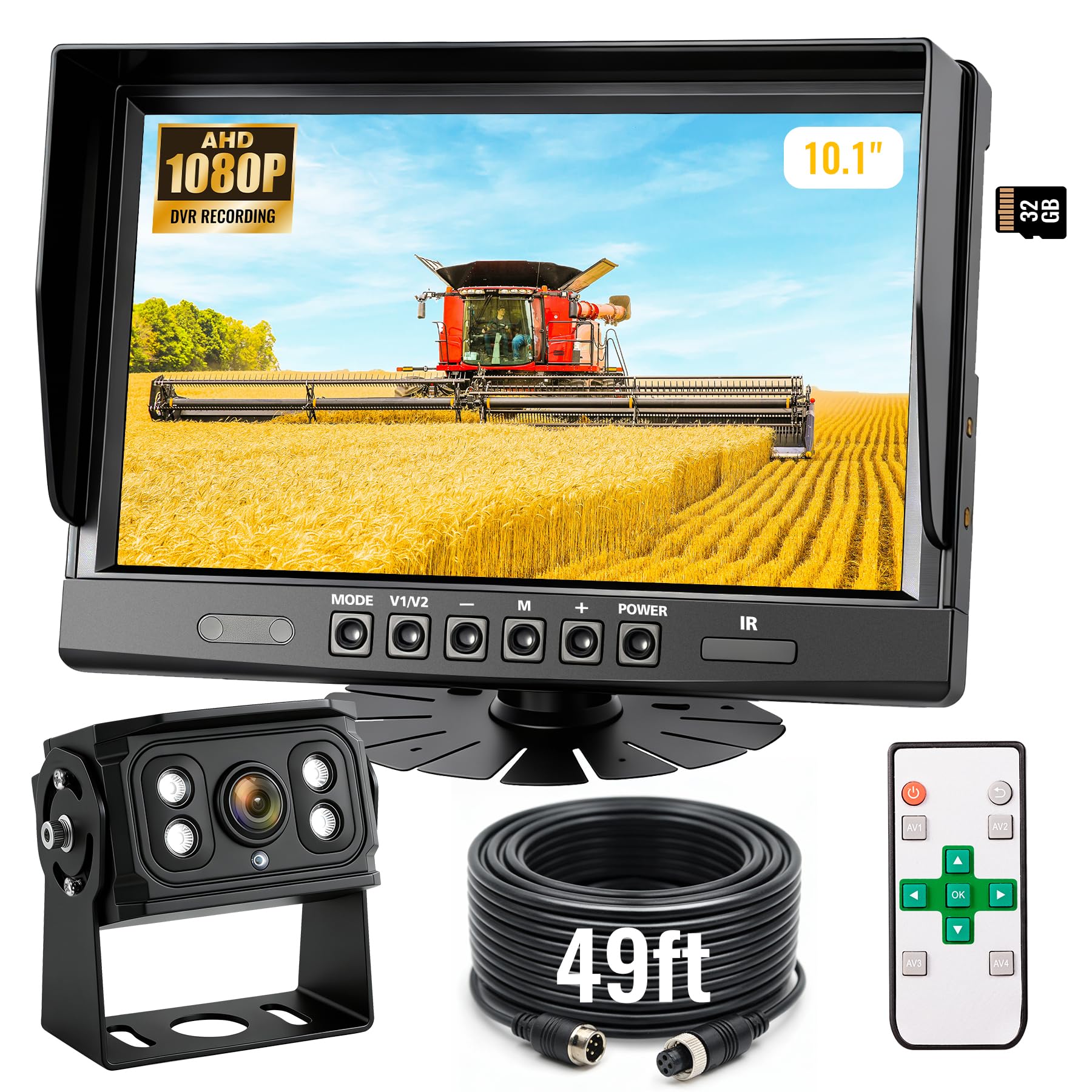
1. WOOCARTY 10.1″ 1080P Wired Backup Camera System
The big-screen command center that records every mile of trail behind you.
You see more of what is behind you with this system, thanks to its 10.1-inch screen — the biggest in the lineup. The image stays sharp because the camera sends 1080P AHD video (a high-definition signal that keeps detail in bright sun and low light), so you can line up a hitch or spot an obstacle even at dusk.
It is built to take a beating. The all-metal camera housing withstands 20G vibrations (a measure of shaking force) and works from -4°F up to 158°F, so a freezing morning or a hot trail will not make the picture glitch. The camera carries an IP69K rating, the highest seal against dust and high-pressure water, meaning a creek crossing or heavy rain will not kill it. Buyers report the metal body feels sturdier than plastic units, and they call the picture “crisp and clear” even on rough equipment.
It also records. The built-in DVR (a digital video recorder that loops footage) writes onto the included 32GB SD card, and you can expand storage to 128GB for longer ride logs. The monitor comes with a remote, so you can flip the image or turn on parking lines without reaching across the dash.
What makes it the top pick
- Largest screen in the roundup at 10.1 inches for easy viewing
- Metal camera body shrugs off vibration where plastic ones crack
- Comes with a 32GB SD card for immediate recording
Know before you buy
- Wiring it up takes some time if you want reverse-trigger activation
- At 7.09″L x 4.72″W, the monitor is big and needs dash space
Ideal for: anyone who wants a full recording system with a screen big enough to read at a glance.
Consider something else if: your dash is cramped and a 7-inch monitor fits your machine better.
2. KEMIMOTO UTV Rear Camera for Kawasaki Teryx KRX 1000
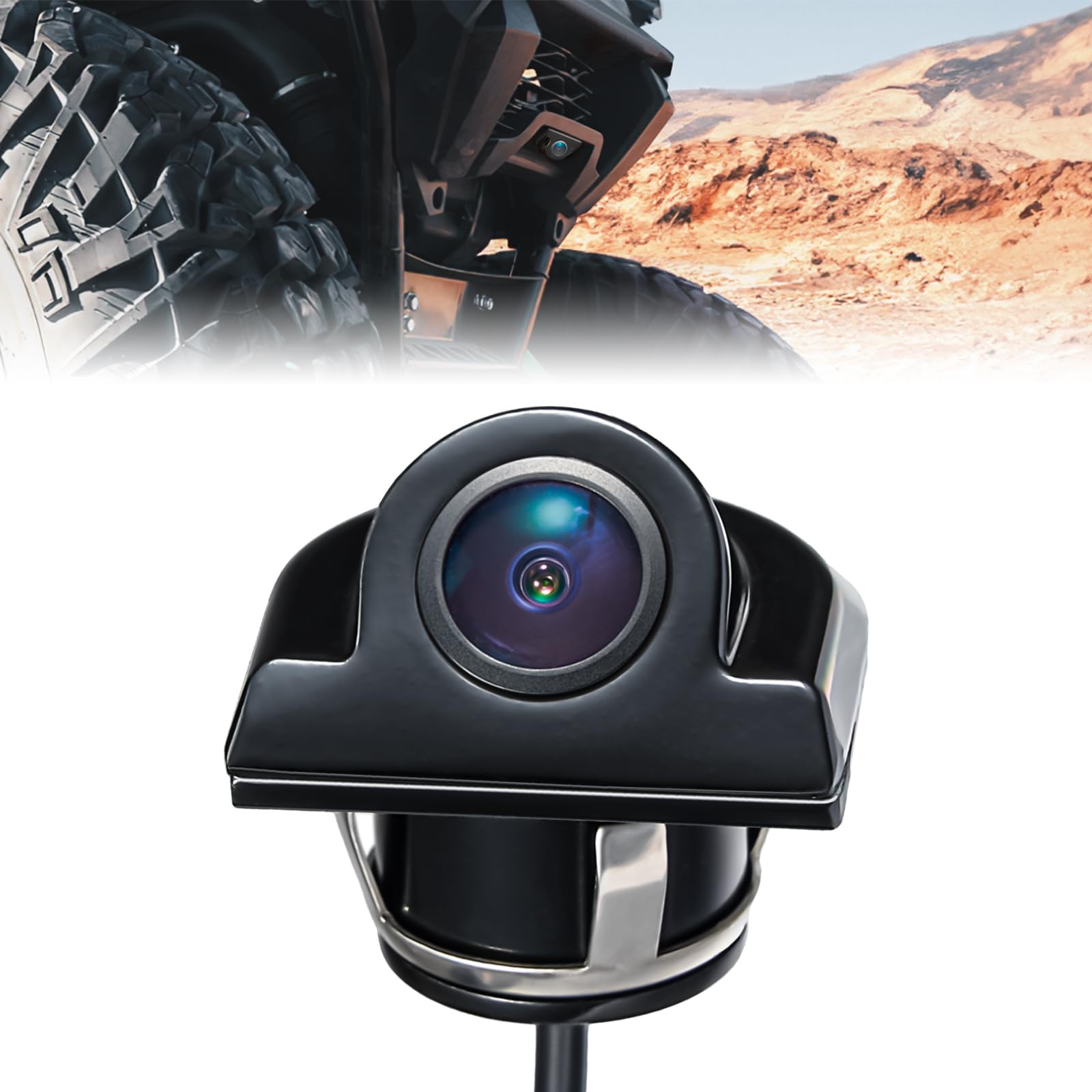
A drop-in OEM-style swap that widens your rear view by 21 degrees over the big-screen systems.
If you own a Kawasaki Teryx KRX 1000, this camera bolts on like it came from the factory. It fits KRX 1000 and KRX 4 1000 trims from 2020 through 2026, including the Trail Edition and eS models, and it works with the Kawasaki Interactive Display 99994-1469 (the factory screen).
The standout spec is its 170-degree ultra-wide lens — the widest in this roundup, covering 14% more than the 149° lenses on the WOOCARTY systems. That extra width shrinks the blind spot beside your machine, so you see more of what is at your rear corners. The company says you can install it in about 10 minutes using the included 24mm hole saw and zip ties, and buyers confirm it is a very easy plug-and-play job.
But the image is softer: this camera runs at 480P, not 1080P, so you will not read fine details like number plates. It does not record either — it is purely a reverse view. Some owners mention an occasional blue screen that needs a machine restart, though most say it is simple, works like the factory unit, and is a bargain versus the real OEM part.
Best for KRX owners
- Widest view in the lineup at 170 degrees
- 10-minute install with the included hole saw and zip ties
- Works with the factory Kawasaki display
Keep in mind
- 480P video is noticeably softer than the 1080P systems
- No DVR recording; this is a display-only camera
Reach for it if: you drive a KRX and want a factory-style upgrade with minimal wiring fuss.
Look elsewhere if: you want sharp 1080P footage or dash-cam recording built in.
3. WOOCARTY 7″ AHD1080P Wired Backup Camera System
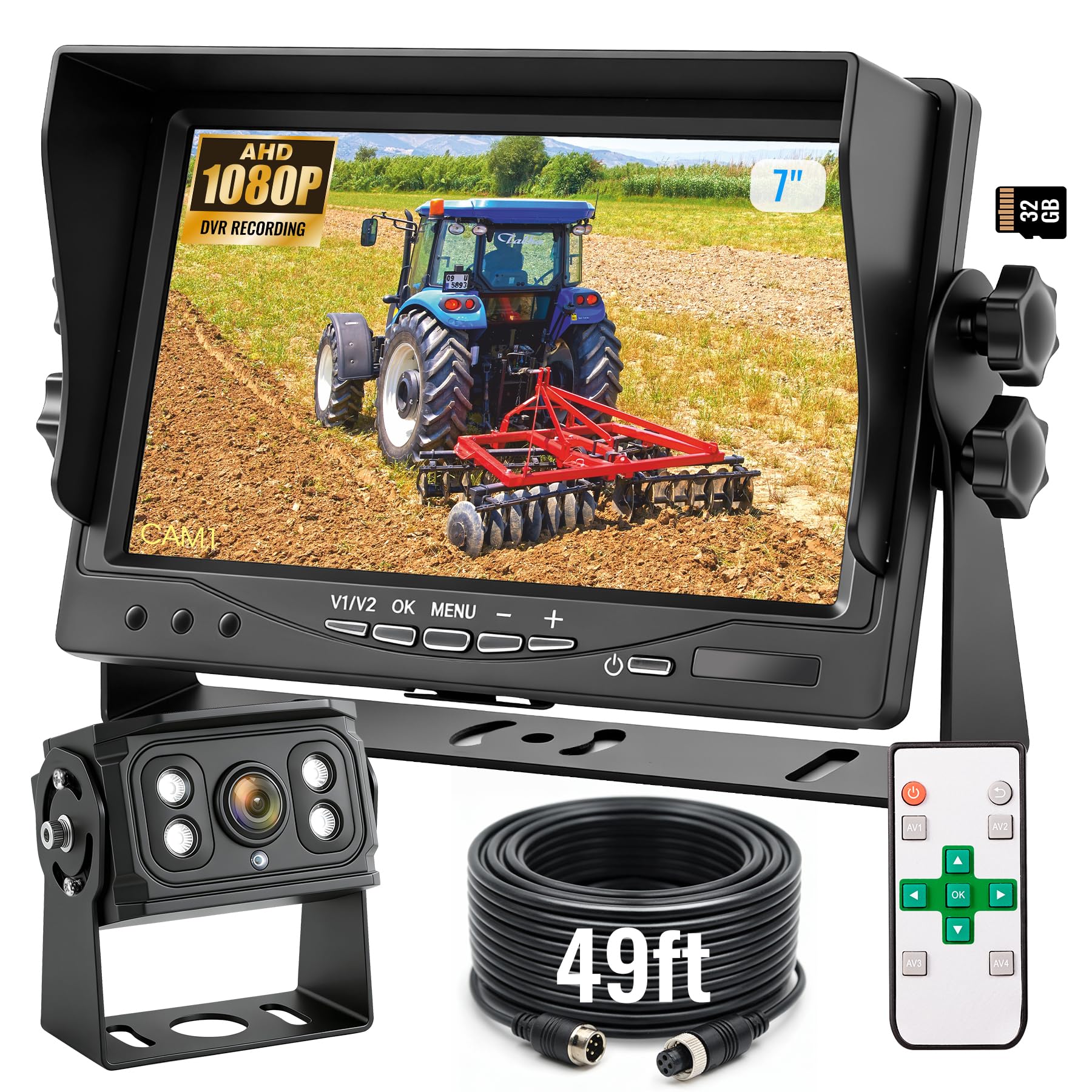
All the durability of the big-screen winner in a dash-friendly 7-inch package.
You get the same all-metal, vibration-proof camera as the top pick, but with a smaller 7-inch monitor that tucks onto a UTV dash without blocking your forward view. It still delivers 1080P AHD video — sharp enough to read details at a glance — on a screen that sits neatly instead of dominating the cab.
The rugged build carries over completely: an all-metal housing rated for 20G vibration, IP69K waterproofing, and operation from -4°F to 158°F. The 49-foot cable gives you plenty of slack to route wiring around a roll cage, and the IR LEDs (infrared lights that illuminate in darkness) keep the view visible at night or in heavy rain. Owners praise the solid build, with one noting the camera “isn’t made out of plastic like a lot of other cameras” — a real advantage on a dusty trail.
It records, too. The built-in DVR loops footage onto an included 32GB SD card with support for up to 128GB, giving you a dash cam on top of a reverse view. The mini remote makes it easy to flip the image or toggle parking lines from the driver’s seat.
Why it earns its spot
- Same 20G metal build as the top pick at a smaller screen size
- 49-foot cable simplifies routing on a full-size UTV
- 32GB SD card included for instant recording
The honest catch
- Some owners mention the manual is not very detailed
- 7-inch screen is smaller if you want a wide dash presence
Pick this if: you want the toughness of the top pick but a monitor that fits a tighter dash.
Think twice if: you need a large display for aging eyes or a long-reach cab.
4. HEECOOMI 1080P Wired Backup Camera with 7″ Touchscreen
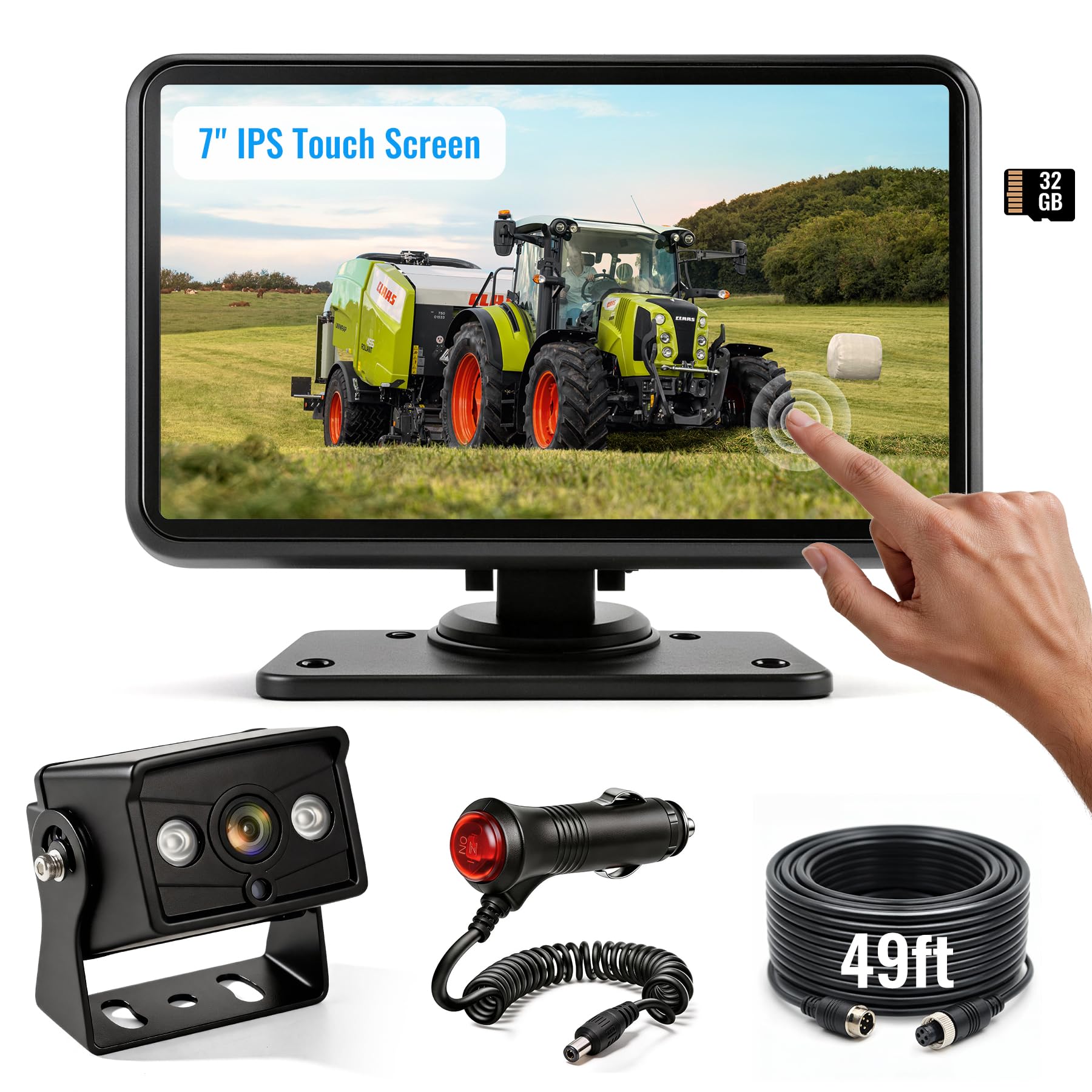
A modern touchscreen that lets you swipe between four cameras without a remote.
You control this system by tapping, not pushing buttons. It swaps physical controls for a 7-inch IPS touchscreen (a display type with wide viewing angles), so you swipe between camera views, adjust settings, and check menus right on the glass. The 1080P image stays bright enough to read outdoors, and customers note it holds up well even in dust and low light.
The real advantage is expandability. It supports up to four cameras, so you can add a front view or side cams later and watch multiple angles on the same split screen. The ultra-wide 120° lens is narrower than the 149° and 170° options above, so you trade maximum sweep for a clean multi-cam layout.
It records continuously onto a pre-inserted 32GB microSD card, functioning as a dash cam for incident evidence or ride documentation. The IP69K waterproof and 20G vibration ratings match the WOOCARTY systems, so it is just as ready for rough terrain.
Standout features
- Responsive 7″ touchscreen control, no remote needed
- Expandable to four cameras for full-coverage setups
- Auto-switches to reverse view when you shift gears
Know the limits
- 120° view is the narrowest in the roundup
- Ships with one camera even though it supports four
Best suited to: tech-minded owners who want touch control and a path to add more cameras later.
Not the pick if: maximum blind-spot coverage in a single camera is your priority.
5. WOOCARTY 7″ 2-Wired Backup Camera System
Field of View and Resolution
Field of view is the angle the lens sees — a 149° lens covers most of the rear blind spot, while a 170° lens like the KEMIMOTO widens it further. Resolution is the sharpness of that image: 1080P is crisp enough to read detail in bright sun, while 480P is softer but acceptable for a basic reverse view. Higher is better for spotting obstacles clearly.
FAQ
Will a universal UTV camera fit my specific side-by-side model?
Is 480P resolution good enough for a UTV rear camera?
How long does the camera cable need to be for a UTV?
Can a rear-view camera also record my rides like a dash cam?
What does the reverse trigger wire do?
How does a 170-degree camera compare to a 149-degree one?
Will a wired camera handle being mounted on a dusty roll cage?
How do I power a rear-view camera system?
Final Thoughts: The Verdict
For most people, the utv rear-view camera winner is the WOOCARTY 10.1″ system because it pairs the biggest screen with an all-metal 1080P camera and built-in DVR recording. If you drive a Kawasaki KRX and want a factory-style swap, grab the KEMIMOTO for its 170-degree view and easy install. And if you want touchscreen control with room to add more cameras, the HEECOOMI is the one to reach for.
How We Picked
We do not accept paid placement. Every pick is matched to a real buyer and a real use-case; we do not hands-on test units.
Sources & Methodology
Specifications: manufacturer listings and product documentation. Review insights: verified customer reviews, as of August 2026. Pricing: not shown on this page (it changes often); check the current price via the retailer link.
As an Amazon Associate, GoCarLife earns from qualifying purchases. This does not affect which products we feature.