
Our readers keep the lights on and the garage heater humming. As an Amazon Associate, I earn from qualifying purchases.
Long car trips with kids have a very specific “timeline of chaos.” It starts with excitement, turns into snack requests, then escalates into “Are we there yet?” and—if you’re really lucky—lands on a peaceful nap window you don’t want to ruin. That’s why the humble car DVD player is still one of the most sanity-saving pieces of road-trip gear you can own.
Here’s the part most buying guides miss: you’re not really shopping for a screen. You’re shopping for a system that behaves well in a real vehicle, with real bumps, real backseat feet, real cord tangles, and a real adult trying to keep eyes on the road. In other words, the best portable dvd player for car is the one that disappears into your routine—easy to mount, easy to power, easy to resume, and hard for kids to accidentally “break” with one wrong button press.
This guide is built around real-life friction points pulled straight from owner feedback patterns: disc doors that pop open on potholes, players that freeze only when your kid is finally calm, remote controls that work… but only if pointed like a laser, and screens that look great head-on but turn into a washed-out mess if mounted a little too high or too low.
You’ll find 15 standout options below—portable clamshell players, headrest-mounted setups with HDMI input, and dual-screen kits for two-kid harmony. I’m not here to drown you in specs. I’m here to help you buy once, set it up once, and enjoy quiet miles.
In this article
- How to choose the right setup for your car, kids, and trip style.
- Quick comparison table of 15 standout models.
- In-depth reviews of each model, with real-life pros and cons.
- How car installs actually work (and why mounts, cords, and power matter).
- FAQ: common questions, troubleshooting, and final buying tips.
How to Choose the Best Portable DVD Player For Car Without Regret
A car DVD setup is “good” for one reason: it reduces your driving stress while keeping the backseat happy. That’s it. So instead of starting with screen size, start with the moments that usually go wrong: the first mount, the first disc swap, the first time the unit loses power, and the first time the movie stops and you hear, “IT BROKE!”
1. Pick your system type first (this is the decision that matters most)
All 15 picks in this guide fall into three real-world categories. Choose the category that matches your daily reality—then choose the model.
- True dual-screen (two players, two discs): Best when kids want different movies, different languages, or different maturity levels. These kits usually include two remotes, two mounts, and flexible power options.
- Dual-screen “master + slave” (one player + one screen): One disc drive powers both screens. Best for younger kids where you want one shared movie and fewer moving parts, with front-seat control.
- Single portable player (clamshell swivel): Most flexible. Great for cars, flights, hotel rooms, camping, and “take it to Grandma’s.” The tradeoff is kids can bump it, drop it, or fight over it unless you mount it well.
- Headrest-style monitor with disc slot (often suction-load): Built for in-car use. These feel more “installed” and are excellent for quick disc swapping. Some support HDMI input for streaming sticks, phones, or consoles (when you have signal or downloaded content).
2. Decide your power strategy (battery is not automatically “better”)
The most common disappointment in reviews is power misunderstanding. Some systems are truly portable. Others are designed to run on car power only. Neither is wrong—what’s wrong is buying the “wrong” one for how you travel.
- Built-in battery: Great for stop-and-go days (rest stops, hotels, waiting rooms) and for avoiding cords under feet. The key is charging discipline: charge before trips, and keep the car charger accessible.
- No battery (car-only): Surprisingly smart if you want zero charging maintenance. These are excellent for “always installed” setups, especially if kids aren’t carrying screens in and out of the car.
- Hybrid power kits: The best family kits include home adapters + car chargers + batteries (on dual-screen sets). This matters if you want to test everything at home before a trip.
3. Choose your “disc-loading style” based on how bumpy your roads are
Clamshell lids are convenient, but in real cars they create two recurring issues: lids that “think” they’re open after a bump, and lids that get stressed by kids yanking them. Suction-type disc loading (slot-load) solves the lid problem, but it introduces a different reality: it can be picky about disc condition and disc size.
- Clamshell players: Easiest to understand, easiest to carry, easiest to use outside the car. Best when you mount them securely and minimize lid opening while driving.
- Suction-type / slot-load: Best for in-car disc swaps (especially from the front seat) and avoids the “OPEN” error problem. Best when you keep discs clean and use standard-sized discs only.
4. Treat screen size like “mount geometry,” not a vanity feature
A big screen is only useful if it’s mounted at a comfortable viewing angle. This is why families sometimes love a larger screen in a minivan, but prefer a smaller screen in a compact SUV: the headrest height, seat spacing, and child height change everything.
- For rear-facing seats: Screens often need to be mounted on a second-row headrest angled down or placed closer to the child’s line of sight.
- For boosters and older kids: Larger screens mounted at headrest height work beautifully—as long as viewing angles aren’t too narrow.
- For mixed ages: Dual-screen systems often win because you can mount each screen at the right height and distance for each child.
5. Viewing angle matters more than “HD” in the backseat
Many units look crisp when you’re directly in front of them, but wash out when viewed from below (common for small kids) or from the side (common in three-across). So, when you read reviews, pay attention to phrases like:
- “Looks great straight on, but…” = the screen has a narrow sweet spot.
- “My little one couldn’t see it from the headrest” = mounting height or angle mismatch.
- “We ended up letting them hold it” = the mount position wasn’t comfortable for the child.
6. Decide if you’re a “DVD family” or a “USB/SD family”
DVDs are wonderfully simple: insert, play, done. But in moving vehicles, a scratched thrift-store disc can become a “freeze factory.” If you want maximum stability on rough roads, digital files (USB/SD) can be more reliable—if the player supports the file types you actually use.
- If you love thrift-store DVDs: prioritize strong disc reading and anti-shock behavior, and keep a “clean disc” rule for the car.
- If you prefer USB/SD: pay attention to storage limits and format limits (some units only accept certain resolutions or older formats).
- If you want phone/console input: prioritize HDMI input models and confirm your device output supports it.
7. Mount style changes your whole experience (brackets vs straps)
Strap mounts are universal and easy to move between vehicles. Bracket mounts often feel more stable and “clean,” but may require more careful installation (and in some cars, you may need to adapt the fit).
- Straps: fast, flexible, rental-car friendly, and easy to remove when parking in public.
- Brackets: stable and sturdy, but you’ll want to plan cord routing and removal method (especially if you hide screens when parked).
8. Plan your cable management like you plan snacks: before you leave
Most frustration isn’t the player—it’s the cords. A “great” system becomes annoying when kids trip over wires, yank plugs out, or wrap cords around their feet. Before your first trip, do a quick dry run:
- Route power cords away from the floor where feet land.
- Secure slack with small cable ties or soft straps (so cords don’t dangle).
- If using two screens, decide where the “main” unit sits so disc changes are easiest.
- Check if the car’s power outlet location matches your mounting location (front console vs second-row outlets matter).
9. Audio strategy: “hear it” vs “don’t hear it”
Road noise eats volume. This is why parents often say “the sound is fine at home” but “too quiet on the highway.” The fix isn’t always a different player—it’s often a different audio plan.
- Built-in speakers: fine for short trips and city driving, but can get lost at highway speeds.
- Wired headphones: the simplest “quiet car” solution, especially when each screen has its own headphone jack.
- Two kids, two screens: headphone jacks prevent the sound war and keep the driver focused.
10. Buy for durability behaviors, not marketing words
Portable DVD players live hard lives: heat, vibration, crumbs, fingerprints, and drops. The models that age well usually share the same traits: simple controls, sturdy hinges or slot-loading, predictable resume behavior, and customer support that actually responds when something goes wrong.
Now let’s make this easy: use the comparison table to shortlist your category, then jump into the deep reviews to find your best fit.
Quick Comparison: 15 Best Portable DVD Player For Car Picks
Use this table to find models that match your setup—dual-screen, headrest, or portable clamshell—then jump to the full reviews for the real-life details: mount stability, viewing angle “sweet spots,” disc reliability patterns, and what owners wish they knew earlier.
On smaller screens, swipe or scroll sideways to see the full table.
| Model | Setup type | Real-world strength | Best match | Amazon |
|---|---|---|---|---|
| WONNIE 10.5" Two Car DVD Players (Dual Screen) | True dual-screen | Two kids, two movies (or one shared) with flexible power modes and easy mounts | Families who want “no fighting” flexibility on long trips | Amazon |
| WONNIE 10" Car DVD Players (Dual Screen) | True dual-screen | Balanced screen size with portable flexibility and strong “take it out of car” usability | Parents who want dual screens without going oversized | Amazon |
| WONNIE 12" Dual Car DVD Players (Dual Screen) | Premium dual-screen | Large screens + sturdy mounting approach for “big backseat theater” energy | Minivan/SUV families who want the biggest dual-screen experience | Amazon |
| Arafuna 12.5" Headrest DVD Player (Suction Disc + HDMI In) | Headrest monitor | Slot-load convenience + big screen + HDMI input; built for in-car swapping | Drivers who want fast disc changes and a larger screen | Amazon |
| DESOBRY 10.5" Headrest DVD Player (Suction Disc + HDMI In) | Headrest monitor | Slot-load design reduces “lid open” issues; HDMI input adds versatility | Parents who want a tidy headrest setup with fewer moving parts | Amazon |
| WONNIE 12" Headrest DVD Player (HDMI In/Out) | Headrest monitor | Large, sharp display + HDMI out for bigger-screen syncing (car-powered setup) | Families who want a “semi-installed” headrest screen with media flexibility | Amazon |
| FANGOR 7.5" Dual Screen Car DVD Player (2 Players) | Dual-screen | Car-only simplicity (no charging routines) with two independent players | Budget dual-screen shoppers who want “always ready” car power | Amazon |
| FANGOR 7.5" Dual Setup (1 Player + 1 LCD Screen) | Master + slave | One disc drives two screens—excellent for shared movies and easy adult control | Families who want one shared movie with fewer moving parts | Amazon |
| MEGATEK 12.5" Portable DVD Player (10.5" Screen + Headphones) | Portable clamshell | Screen-off mode + included headphones = quiet travel and flexible use anywhere | Parents who want a portable player that works beyond the car | Amazon |
| POFOTO 12.5" Portable DVD Player (10.5" Screen) | Portable clamshell | Bright, flexible swivel screen + strong battery life for travel days | Families who want a bigger portable screen without “installed” complexity | Amazon |
| DBPOWER 11.5" Portable DVD Player (9" Screen) | Portable clamshell | Classic “just works” portability with strong accessories and easy controls | Families who want simple reliability and straightforward operation | Amazon |
| ieGeek 11.5" Portable DVD Player (Purple) | Portable clamshell | Kid-friendly operation + strong speakers + eye-comfort screen approach | Parents buying a “first DVD player” for kids and grandparents | Amazon |
| YOTON 9.5" Portable DVD Player (7.5" Screen) | Portable compact | Light, simple, and region-free—great for travel days and hotel rooms | Families who want compact portability and easy buttons | Amazon |
| POFOTO 9.5" Portable DVD Player (7.5" Screen) | Portable compact | Simple controls + solid sound for small hands and shorter trips | Families who want a small, easy player for toddlers and travel | Amazon |
| SQQBZZ 11.5" Portable DVD Player (9.5" Screen) | Portable value | Simple, affordable portability with resume playback and easy basics | Backup/second player needs and light, occasional use | Amazon |
In‑Depth Reviews: 15 Car-Friendly DVD Players That Make Road Trips Easier
Now we’ll go model by model. I’m going to talk like a parent and a driver—not a spec sheet: what feels smooth, what feels fussy, what tends to fail first, and what setup habits make each player shine.
1. WONNIE 10.5" Two Car DVD Players – The “Two Kids, Two Movies” Peace Plan

If your backseat arguments usually start with “I don’t want THAT movie,” this kind of true dual-screen kit is the cleanest solution. The standout strength here is not the screen size—it’s the social engineering. Two players mean two independent choices: different discs, different volume levels, different pause timing, and far fewer “he touched my screen” moments.
What owners consistently praise about this style of WONNIE dual kit is how complete it feels out of the box: you get the mounts, the cables, the remotes, and multiple power options (home and car), which makes it easier to test at home before you travel. That “test at home” step matters because it turns your first road trip into a confident setup—not a troubleshooting experiment.
The other real advantage is flexibility: kids can watch two different movies, or you can run one disc and mirror it to the second screen when peace requires a shared choice. In practice, many families do both depending on mood. The ability to switch between “together” and “separate” is what makes dual systems feel like a long-term win, not just a vacation tool.
Now the honest part: dual players add complexity, and complexity has failure points. The most common long-term complaint pattern across dual-screen kits like this is disc-reading inconsistency after heavy use. If you want these to last, treat them like optical devices: keep discs clean, avoid leaving players baking in a hot car for weeks, and don’t let kids swap discs while the vehicle is bouncing. Those habits sound small, but they make a dramatic difference.
Why families love it
- True “two-kid harmony” setup – Separate movies, separate remotes, fewer arguments.
- Flexible mounting approach – Brackets and/or straps make it easier to fit different vehicles.
- Good travel rhythm – Pack, mount, press play; very little daily friction once installed.
- Easy sharing mode – When kids do want the same thing, the connection option keeps it simple.
Good to know
- Like many optical-drive devices, long-term reliability improves a lot when you keep discs clean and avoid heat storage.
- Remote performance is usually best with clear line-of-sight; mounting position matters.
- Dual setups require cord planning—route cables away from feet to prevent accidental yanks.
Ideal for: families with two (or more) kids who want maximum choice flexibility and fewer backseat arguments on long trips.
2. WONNIE 10" Dual Car DVD Players – The Balanced Size That Fits More Cars
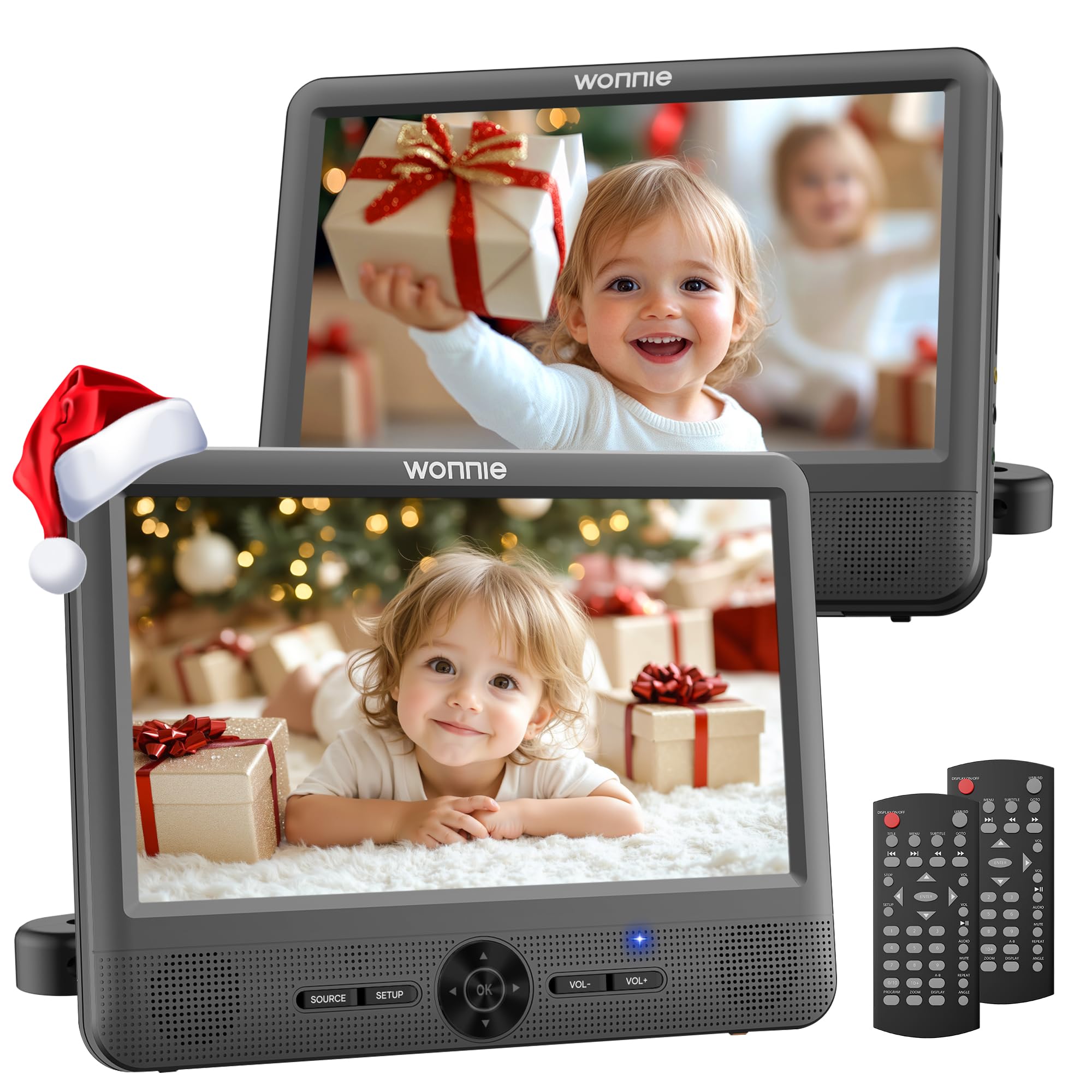
This 10" dual-screen kit is often the “sweet spot” for families who want the dual-screen benefits without going oversized. In many vehicles, especially smaller SUVs and sedans, slightly smaller screens can be easier to place at a comfortable height without blocking mirrors or feeling like the screens are sticking too far into passenger space.
Where this kit shines is everyday usability. Owners regularly mention that it’s easy to install and remove, which matters if you park in public and don’t want screens visible all the time. The mounts are designed for quick detach, which makes the system feel like something you can actually live with, not just something you tolerate on vacation.
Another quiet advantage: the system can handle odd seating situations better than a single shared player. For example, when one child is rear-facing and the other is forward-facing, you can mount screens on different headrests so each child has a clean line of sight. That scenario is common—and it’s exactly where dual screens feel like “parent power.”
The consistent downside pattern is familiar: disc-reading hiccups can happen, and battery expectations should be realistic. When dual systems are linked to play the same movie, total run time can drop, so your best habit is to treat the car charger like part of the install, not an optional accessory. Many parents charge at home, then switch to car power on longer drives for uninterrupted playback.
Why it’s a smart buy
- Great “fits most cars” screen size – Big enough to enjoy, small enough to mount comfortably in tighter cabins.
- Detachable and practical – Easy to remove, stash, and bring inside when needed.
- Flexible watching modes – Two different discs or one shared movie when you connect screens.
- Kid-friendly controls – Simple enough that older kids can run it without constant adult help.
Good to know
- Battery performance varies based on brightness and whether screens are linked; car power is your “always works” backup.
- Mounting bars can stick out; if kids bump screens getting in/out, plan placement carefully.
- Like many dual kits, longevity improves when discs are handled gently and kept clean.
Ideal for: parents who want dual screens in a wide range of vehicles and value easy install/removal as much as screen size.
3. WONNIE 12" Dual Car DVD Players – The “Backseat Theater” Upgrade

If your vehicle is more minivan/SUV than compact sedan, big screens can genuinely improve the experience—especially for older kids who notice detail and for longer trips where “movie comfort” matters. This premium dual-screen style is built around that idea: make the backseat feel like a dedicated entertainment zone.
The biggest “real life” benefit of larger screens is not just immersion. It’s posture. When a screen is big enough and mounted correctly, kids tend to watch with less craning and fewer constant adjustments. That can reduce backseat fidgeting—especially if you’ve got kids who normally can’t sit still for long.
What families also like about this style is the included ecosystem feel: two remotes, mounting options, and the ability to play one shared movie or two different discs. When you have siblings with different tastes (or different “tolerance for repeats”), dual disc drives can be a day-saver.
The tradeoff of going big is simple: placement matters more. If you mount large screens too low, smaller kids may see distorted colors. If you mount them too far back, kids can bump them. So this model rewards thoughtful setup. Do one careful “dry mount” in your driveway before a trip: place screens, sit kids where they’ll sit, and confirm the viewing angle from their eye level. That five-minute check prevents a lot of frustration later.
Why it feels premium
- Large-screen comfort – Better for older kids, longer movies, and “real theater” feeling.
- Two discs, two screens – Keeps preferences separate and arguments lower.
- Strong road-trip energy – Designed for long drives, camping trips, and vacation routes.
- Portable flexibility – Detach screens and use them in hotels or waiting rooms when needed.
Good to know
- Bigger screens demand better mounting placement; take a few minutes to dial in viewing angle and height.
- USB/media limits on dual kits can be stricter than “single” headrest players—plan your file formats accordingly.
- More screen = more visibility; consider removing or hiding units when parked in public areas.
Ideal for: families with more cabin space who want the most immersive dual-screen setup and are willing to do a careful first install.
4. Arafuna 12.5" Headrest DVD Player – Slot-Load Convenience With a Bigger View

This is the style of player you buy when you’re tired of clamshell drama. Slot-load (suction-type) disc designs remove one of the biggest portable-player headaches: the lid that gets bumped, flexed, or “thinks” it’s open after a pothole. With a slot-load headrest player, disc swapping is fast, clean, and less dependent on fragile hinges.
The second reason families choose this model category is screen presence. A 12.5" display mounted on a headrest can feel like a real in-car entertainment system, especially in larger vehicles. It’s easier for kids to see, and it’s less likely you’ll have someone leaning forward constantly to “get a better angle.” That alone can make long drives calmer.
The sleeper feature here is HDMI input. In the real world, HDMI matters for three very specific use cases:
- Downloaded content from a device (when you don’t have signal).
- Light gaming (handheld console or simple setup for older kids).
- Alternative media sources when discs are scratched or picky.
One critical detail: this model category is often designed for car power rather than true portability (many do not include a built-in rechargeable battery). That’s not a flaw—it’s a strategy. Car-only power means you don’t have to manage charging routines, and the system is always ready when the engine is on. If you want “grab it and go into the hotel,” a clamshell portable is still the better choice. If you want “always installed, always ready,” headrest slot-load wins.
Why it works so well in cars
- Slot-load disc swapping – Faster, cleaner, and less fragile than clamshell lids.
- Bigger screen presence – Feels like a built-in system when mounted correctly.
- HDMI input flexibility – Lets you expand beyond DVDs when you need to.
- Resume playback – A must-have for stop-and-go trips.
Good to know
- Often designed primarily for car power; plan your setup around the vehicle’s outlet location.
- Slot-load drives are happiest with clean, standard discs—keep a simple “car discs only” rule.
- Like all headrest screens, viewing angle matters; mount at a height your child can see comfortably.
Ideal for: families who want a semi-installed headrest setup with quick disc swapping, a larger screen, and the option to use HDMI input sources.
5. DESOBRY 10.5" Headrest DVD Player – Built for Disc Swaps, Not Lid Problems

This DESOBRY headrest unit targets one very real pain point: clamshell portable players that keep triggering “open” errors or feel flimsy after repeated disc changes in the car. The suction-type disc loading design is basically a “parent-proofing” move. No lid to pop open. No hinge to stress. Just feed the disc in and let the drive pull it in.
The best use case for this style is day-to-day driving with kids who watch frequently. The mount stays stable, the player looks tidy, and disc swaps can happen quickly (often even from the front seat if you can reach). That may sound like a small thing, but if you do frequent school runs, sports runs, or long commutes, disc-swapping convenience becomes the difference between “we use it” and “it sits in a drawer.”
Another major strength is connectivity. HDMI input expands your options beyond discs, and AV in/out gives you flexibility for syncing to other screens or a TV. Realistically, most families won’t use every port every day—but the one day you need to sync to a hotel TV or switch to a different source, you’ll be happy the option exists.
The most common complaint pattern with slot-load headrest players is “No Disc” frustration when the unit is picky. In practice, this is often caused by disc quality (scratches, dust), discs inserted too quickly, or using non-standard disc sizes. If you buy a suction-load player, treat disc care like part of the system: store discs in sleeves, wipe fingerprints, and avoid letting kids handle discs while the car is bouncing. Those habits reduce errors dramatically.
Why it’s car-friendly
- Slot-load convenience – Quick disc changes, fewer “lid” failures over time.
- Stable headrest mounting – A tidy, semi-installed feel for frequent use.
- HDMI input versatility – Enables more than DVD playback when needed.
- Resume playback – Keeps trips smooth after stops.
Good to know
- Disc recognition issues often trace back to disc condition—clean discs matter more than people expect.
- Remote control reliability depends on line-of-sight; keep the IR receiver area unobstructed.
- Headrest systems are happiest when cords are routed neatly and plugs are protected from foot traffic.
Ideal for: families who want a cleaner, more “installed” headrest experience and value fast disc changes and HDMI flexibility.
6. WONNIE 12" Headrest DVD Player – Big Screen, Big Controls, Big “Set It and Forget It” Energy

Think of this as the “headrest monitor approach” to backseat entertainment: larger screen, strong in-car usability, and a design that’s happiest when it lives in the vehicle. One of the most important realities here is power: this model category often runs on car power rather than a built-in rechargeable battery. For many families, that’s a feature, not a flaw. It means no “did you charge it?” conversations before every trip.
The big win with this WONNIE headrest style is media flexibility. It’s built to handle discs, but also supports USB playback and HDMI connectivity, which opens the door for downloaded videos (no signal required) or alternative sources if DVDs are scratched or unreliable. For families who travel through dead zones or don’t want streaming subscriptions, that flexibility is a real advantage.
Where owners sometimes get surprised is viewing angle and control behavior. Headrest screens often look best when you’re directly in front of them, so the mount height and tilt matter. Also, this line of products sometimes uses “long press” controls for volume to avoid accidental button hits (while short presses may do something else). Once you know that, the interface feels fine—but it’s not always intuitive on day one.
The best way to use a headrest unit like this is to treat it like a mini-installation project: mount securely, route cords cleanly, and test your preferred media sources (DVD + USB) at home before you rely on it. Once it’s set, it becomes the kind of system you can start with one button and barely think about again.
Why it’s a solid headrest pick
- Large, sharp screen – Great for older kids and long drives.
- HDMI input/output – More flexibility when you want to sync or change sources.
- Car-powered simplicity – No battery routine to manage.
- Disc changes are easy – Headrest designs are built for frequent swaps.
Good to know
- No battery means it’s primarily an in-car solution; bring a portable clamshell if you want hotel/airport use.
- Viewing angle can be picky; mount at a height that matches your child’s eye level.
- HDMI setups work best with clean, straightforward cables and tested sources—do a quick home test before trips.
Ideal for: families who want a big headrest screen that’s ready whenever the car is on, plus HDMI flexibility for downloaded or alternative media.
7. FANGOR 7.5" Dual Screen (2 Players) – The “No Charging Routine” Road Trip Workhorse

This is a very different kind of “value” than cheap, flimsy gear. The value here is simplicity: a dual-screen system designed for car use, powered by the car, with no charging routines to manage. If you’ve ever arrived at a trip and realized both tablets are dead, you understand why this approach is appealing.
The 7.5" screen size is also quietly smart in a lot of vehicles. Smaller screens can be easier to mount where kids actually see them without blocking air vents, bumping seats, or turning into a giant “kick target.” And for younger kids especially, the goal is not cinematic immersion—it’s distraction and calm.
Where this style can struggle is cable behavior. When a unit is car-powered only, the power connection becomes part of the system’s stability. Some owners mention power cords popping out or screens glitching when cords are stressed. That’s not always a “bad unit” issue—often it’s a routing issue. If you buy a car-powered dual kit, spend a few minutes protecting the power plug from foot traffic and slack yanks, and you’ll get a smoother experience.
Also, remember the backseat physics rule: optical drives hate vibration. On very bumpy roads, any disc-based system can skip. If your routes are rough, consider using USB/SD content for the bumpiest trips (when supported), or keep your “car discs” limited to cleaner, less scratched discs.
Why it’s a smart budget choice
- No charging maintenance – Always ready when the car is powered.
- Two independent screens – Great for siblings who want different content.
- Easy headrest strap setup – Flexible and transferable between vehicles.
- Resume playback – Important for stops and rest breaks.
Good to know
- Car-only power means cords matter—protect plugs and route cables carefully.
- Smaller screens are best for younger kids; older kids may prefer larger displays.
- Disc skipping can happen on rough roads; keep “car discs” cleaner and less scratched.
Ideal for: parents who want dual screens without battery management and prefer a system that’s ready whenever the car is on.
8. FANGOR 7.5" (1 Player + 1 LCD Screen) – One Disc, Two Screens, Less Chaos
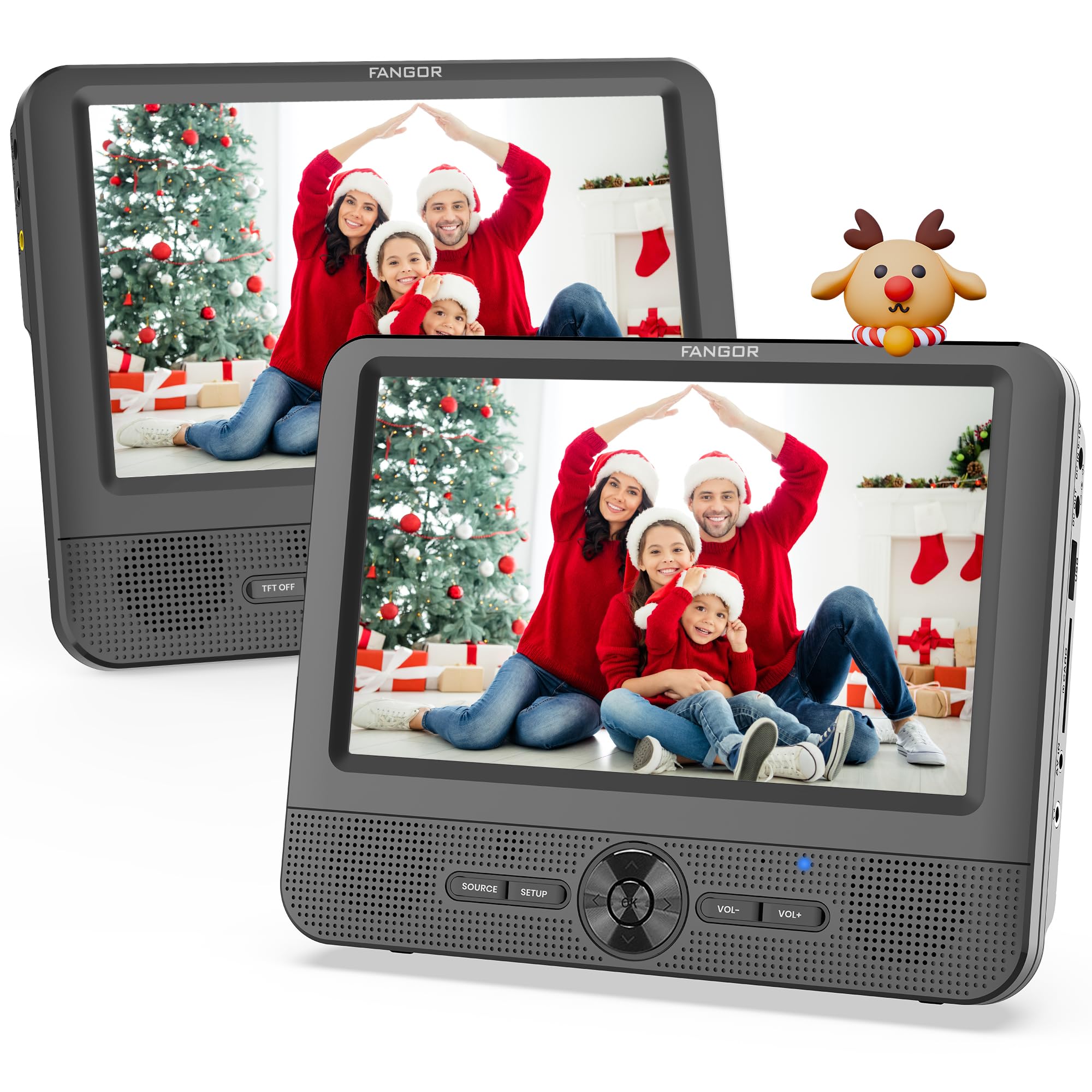
This system is a different philosophy: instead of giving each kid full independence, it gives you central control. One “main” unit contains the disc drive and controls what both screens show. The second screen is essentially a passenger monitor. For families with younger kids, that can be a feature—because it prevents the constant backseat “movie switching” that happens when kids control everything.
In real use, this is especially strong for:
- Shared movies where both kids are happy watching the same thing.
- Parents who want to manage content without reaching across the backseat constantly.
- Kids who are too young to handle discs safely, but old enough to enjoy movies.
Owners often mention two realities you should understand before buying:
- If the main unit is off, the second screen is off. This is not two independent players.
- Audio control tends to be centralized (depending on setup), so headphones can be a huge improvement if kids want different volume preferences.
There’s also a surprisingly important practical detail: place the main unit where disc changes are easiest for the adult passenger. Many families find it easiest to mount the main unit behind the driver so the passenger can change discs, or behind the passenger so the adult can reach it from the front seat. Pick the arrangement that matches your usual driving pattern.
The last “expert” note: if you’re sensitive to mechanical noise, disc drives can be audible in very quiet cars when you sit close to the main unit. Most drivers won’t notice it. But if you ever sit in the back seat next to the main player, you might. It’s not usually a dealbreaker—but it’s good to know.
Why it’s a clever setup
- One disc controls both screens – Perfect for shared movies and younger kids.
- Simpler than true dual – Fewer moving parts and fewer sibling arguments about “my movie.”
- Great adult control – You manage what plays without two separate discs.
- Portable flexibility – Main unit can often be used outside the car for basic playback needs.
Good to know
- This is not “two independent players” — the second screen depends on the main unit.
- Disc-based playback can skip on bumpy roads; cleaner discs and stable mounting help.
- Plan placement so disc swaps are convenient and cords don’t become trip hazards.
Ideal for: families who want two screens but prefer one shared movie with strong adult control and fewer kid-handling risks.
9. MEGATEK 12.5" Portable DVD Player – The “Screen-Off + Headphones” Secret Weapon
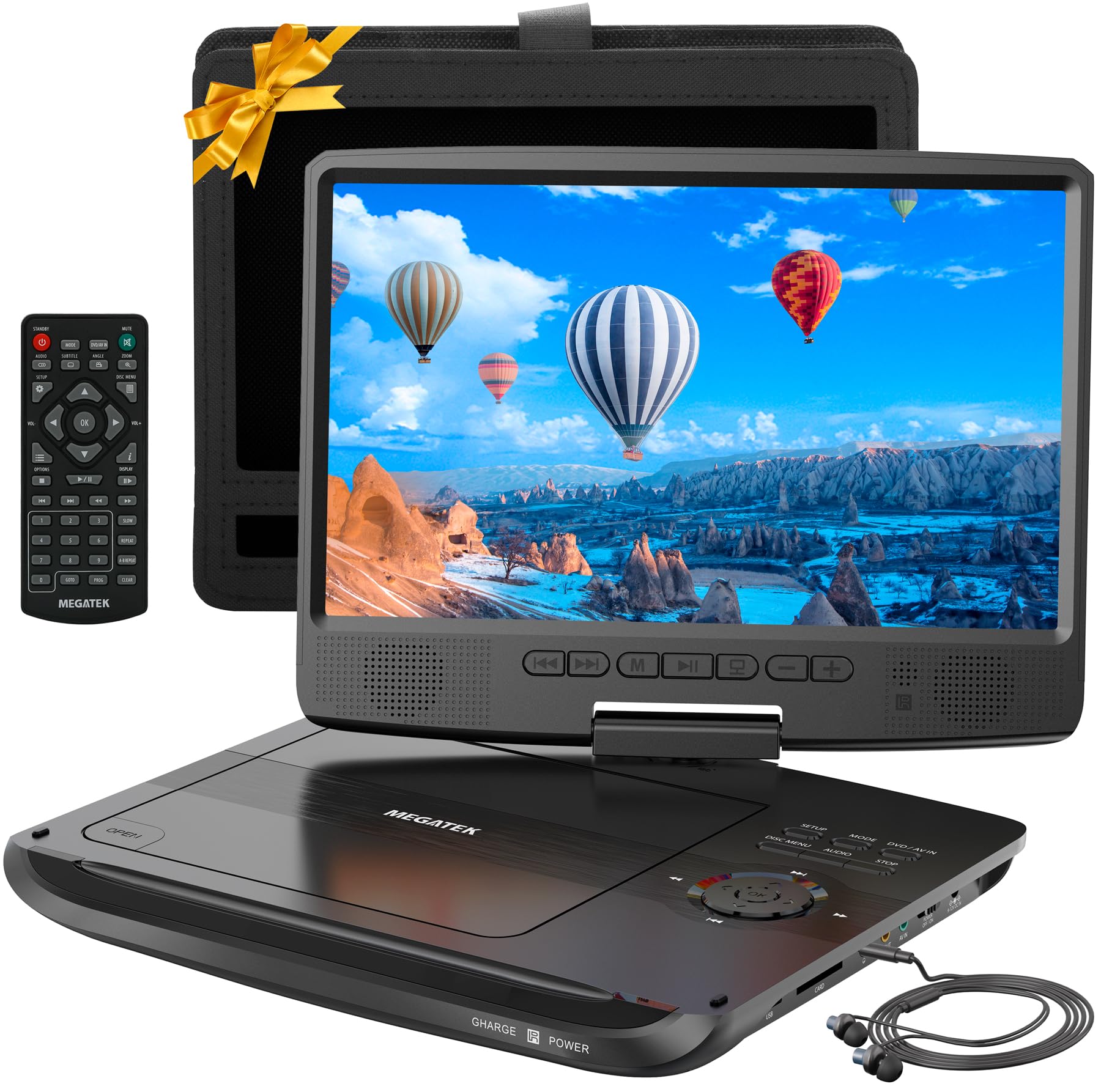
If you want a portable player that works in the car but also shines in hotels, camping setups, and even adult use cases (exercise equipment, workshop entertainment, downtime at home), MEGATEK is a strong “multi-environment” pick. The included accessories matter here: headphones, mounts, cables—this isn’t a “buy the unit, then buy five extras” situation.
The standout feature that gets overlooked in most listings is screen-off mode. In real life, screen-off mode is valuable for:
- Naptime drives where you want audio without bright light in the backseat.
- Bedtime routines in hotels where you want to finish a story quietly.
- Audio-focused use (concert DVDs, music discs, language learning) without draining the screen.
Owners also tend to like the usability of the controls and the general “it just works” feel—especially once it’s fully charged before the first use. Many portable units ship with low battery, and families who skip the full initial charge sometimes think the player is weak when it’s simply underpowered. This sounds basic, but it’s one of the most consistent success/failure differences in portable DVD experiences.
Another strong point is storage flexibility. Some MEGATEK users lean heavily on USB/SD playback for stability on bumpy rides and for building a curated “kid-safe library” without swapping discs constantly. If you go that route, test a few files at home and keep your road-trip USB drive consistent so you’re not troubleshooting file formats mid-trip.
Small real-world caveat: remote batteries are sometimes inconsistent out of the box. That’s not a product killer, but it’s a reason many families keep the player’s built-in buttons as their “day one” plan and treat the remote as a convenience, not a dependency.
Why it’s so practical
- Screen-off mode – Genuinely useful for quiet travel and naptime management.
- Headphones included – Instant “quiet car” setup without extra purchases.
- Portable flexibility – Works in car, hotel, camping, and home use.
- Strong feature set – Resume playback, anti-shock behavior, and solid accessory bundle.
Good to know
- Portable units perform best when fully charged before first use; don’t skip that step.
- Remote batteries can be hit-or-miss; learn the on-unit buttons as your backup.
- As with many portable screens, viewing angle is best when positioned close to straight-on.
Ideal for: families who want a portable player that can do car duty and also serve as a travel-and-home entertainment tool with quiet features built in.
10. POFOTO 12.5" Portable DVD Player – Bright Screen, Simple Controls, Road-Trip Ready
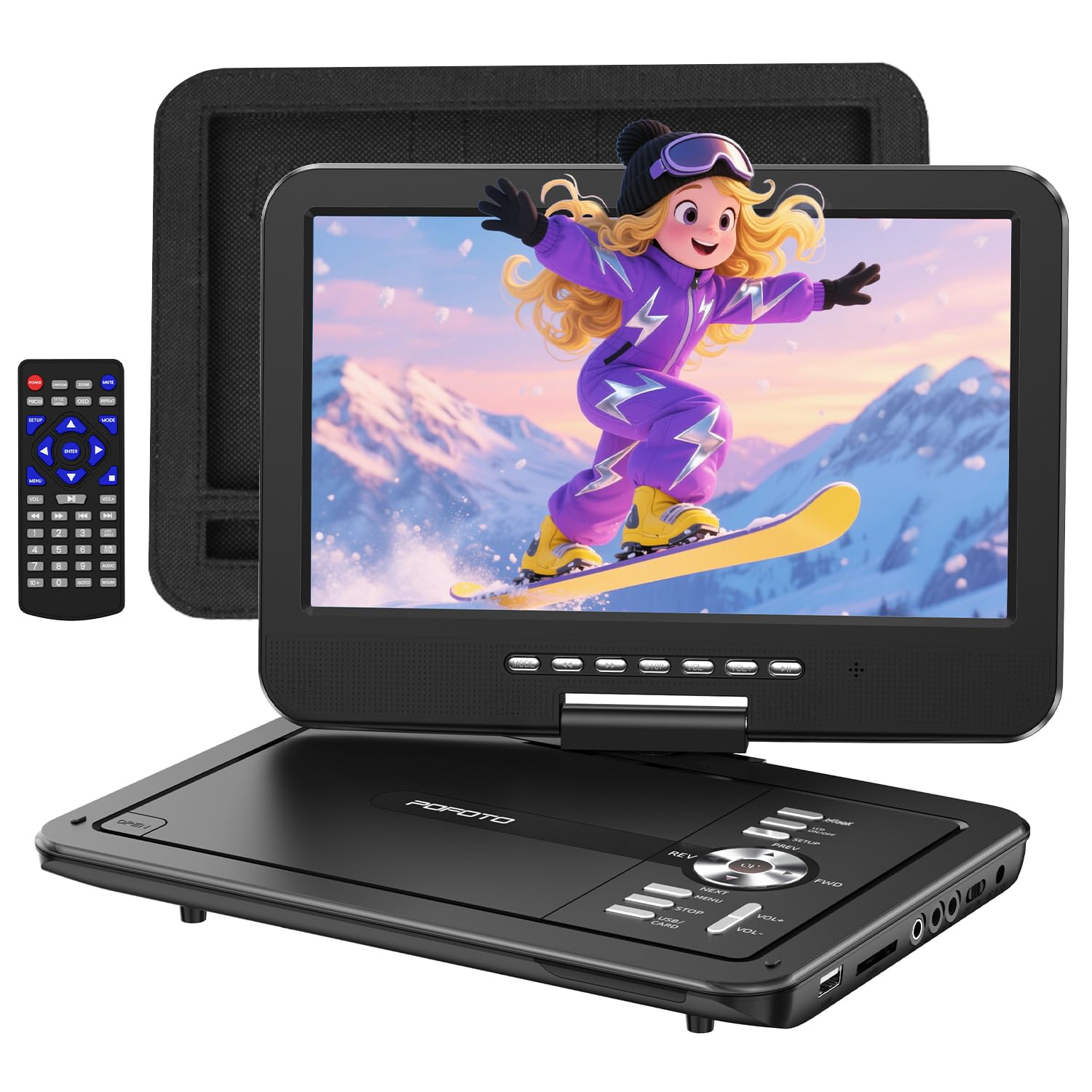
This POFOTO model sits in a very practical lane: portable, large enough to feel “worth it,” and simple enough that kids can operate it without turning the car into a customer-support call center. The swivel/flip screen design matters more than people think, because it lets you fine-tune viewing angle when headrests sit higher than a child’s eyes.
Owners often mention three things that define the experience:
- It’s easy to use (buttons are straightforward, and the basics are obvious).
- It loads discs quickly (which reduces the “is it broken?” panic moments).
- The screen stays visible in bright conditions better than expected for a portable device.
Another real-world win is the included kit: remote, mount, car charger, wall charger, and AV cable. That “everything in the box” approach matters, because the portable DVD player experience usually falls apart when parents realize they need a special mount, a longer charger, and a case—after the fact.
Now the honest limitations: this is a portable unit, not a built-in car system. Viewing angle can still be picky depending on how your child sits, and AV connectivity is not as universal as HDMI on modern TVs. But in the lane it’s designed for—car playback, hotel playback, and basic travel entertainment— it performs like a reliable workhorse.
If you want to make this unit feel premium, do one simple upgrade behavior: create a “DVD player pouch” routine. Keep the remote, cords, and a small disc sleeve inside the headrest case so nothing disappears under seats. Most portable DVD frustration is lost accessories, not the player itself.
Why it’s a great travel tool
- Bright, flexible screen – Swivel/flip helps you find the comfortable viewing angle.
- Solid battery life – Built for longer rides and multi-movie days.
- Kid-friendly controls – Easy enough that older kids can run it independently.
- Complete accessory kit – Helps you actually use it immediately.
Good to know
- Remote controls typically work best when aimed directly at the player—mount position affects convenience.
- Portable players are more vulnerable to drops; a headrest mount reduces risk.
- AV cables are less common on modern TVs; this is primarily a car-and-travel solution.
Ideal for: families who want a larger portable screen that’s easy for kids to use and flexible enough for car trips, hotel stays, and travel days.
11. DBPOWER 11.5" Portable DVD Player – The Classic That Keeps It Simple

DBPOWER sits in a category I call “the boring hero.” It’s not trying to be fancy. It’s trying to work. And for a lot of families, that’s exactly what you want in a travel entertainment device: predictable controls, readable buttons, solid volume, and a resume function that doesn’t make you restart the movie every time the car stops.
A big part of DBPOWER’s appeal is the complete travel kit feel: car charger, home adapter, remote, and headrest mounting accessories. That matters because many portable players technically “work in a car,” but become annoying because you’re constantly moving them, hunting for cords, or trying to prop them on a pile of pillows between seats.
The swivel/flip screen design is also practical. In the backseat, glare changes constantly—sun angles shift, headrests cast shadows, and kids slump in booster seats. A screen that can rotate and flip lets you adjust quickly without moving the entire device.
One of the most consistent owner notes is about brightness at night: portable screens sometimes don’t dim as much as people expect. If you do a lot of night driving with sleeping kids, consider using screen-off modes (when available) or simply lowering brightness and angling the display away from direct eyes. It’s not a dealbreaker—just part of the portable screen reality.
From an expert “use it for years” perspective, the biggest DBPOWER tip is this: don’t let kids become the disc-handlers on day one. Teach a basic routine—pause, eject, place disc in sleeve. The players that “last forever” are often the players with disciplined disc handling, not the players with magical internal durability.
Why it’s a classic choice
- Simple, predictable operation – Great for kids, grandparents, and anyone who hates tech friction.
- Good sound for a portable – Often praised as clearer/louder than expected.
- Strong accessory kit – Car power + home power + mounting support.
- Swivel/flip flexibility – Helps with glare and kid seating angles.
Good to know
- Portable screen brightness can feel strong at night; adjust brightness and angle for comfort.
- As with all optical devices, disc care matters—scratches and fingerprints cause many “player problems.”
- It’s lightweight by design; use the headrest case to protect it from drops.
Ideal for: families who want a straightforward portable DVD player with a complete travel kit and a reputation for “doing the job” without drama.
12. ieGeek 11.5" Portable DVD Player – Kid-Approved Controls With Surprisingly Loud Sound

The ieGeek portable player has a “first device” friendliness that shows up repeatedly in owner feedback: it’s easy to understand, easy to operate, and it feels like it was built for families who just want a reliable way to play movies without handing kids a phone.
One of the strongest real-world positives is sound. Portable DVD players often get dinged for quiet speakers—especially on the highway. ieGeek gets praise for delivering louder volume than people expect from a compact clamshell unit. That matters because good sound reduces the “volume max” habit, which can distort audio and annoy everyone in the car.
Another key feature is auto-resume (break-point memory). In the real world, movies get interrupted constantly: rest stops, snack breaks, gas stations, and “I need the bathroom RIGHT NOW.” Resume playback means you return to the exact scene instead of restarting the disc. For kids, that difference is huge. It prevents frustration and keeps the backseat calm.
The swivel design also makes it mount-friendly. When you flip a player into a more tablet-like angle and secure it on a headrest, you reduce the biggest risk of portable players: drops. Portable DVD players are optical devices; drops and hard jolts can cause lasting issues. A secure mount doesn’t just improve convenience—it increases longevity.
The honest drawback pattern for many portable disc players is occasional disc reading hiccups. When that happens, the “grown-up fix” is usually simple: stop playback, remove the disc, wipe it, reinsert it. Families who keep a “clean disc rule” and store discs in sleeves tend to have smoother experiences long term.
Why it’s a kid favorite
- Easy operation – Works well for kids and older relatives who want simple buttons.
- Louder speakers – Better than many compact players in real cars.
- Auto-resume playback – Keeps trips smooth after stops and interruptions.
- Swivel screen flexibility – Easier to mount and easier to angle for comfort.
Good to know
- Disc reliability depends heavily on disc condition; keep road-trip discs cleaner and less scratched.
- Battery performance is best when fully charged before trips; keep the car charger accessible.
- Portable designs are more vulnerable to drops—use a headrest mount whenever possible.
Ideal for: families buying a kid-friendly portable DVD player with strong sound, easy controls, and a travel-friendly swivel screen.
13. YOTON 9.5" Portable DVD Player – Lightweight, Simple, and Region-Free

YOTON is a great example of “small device, big usefulness.” This compact portable style is often the best match when you want something that can: sit on a kid’s lap, slide into a travel bag, work on a plane, and still mount onto a car headrest when you want hands-free playback. It doesn’t demand that you redesign your backseat—it simply adds a reliable entertainment option.
The big usability win here is simple controls. Large, obvious buttons matter because kids don’t always want the remote, and parents don’t always want to be the remote. When a child can pause and play without yelling for help, your entire trip gets easier.
Another strong point is region-free playback. If you have older DVDs, imported discs, or niche shows that aren’t available digitally, region-free behavior expands what you can actually use. In the real world, that can turn “random DVD collection” into “reliable travel library,” which is exactly what you want for long trips.
Now, a critical real-life caution: compact portable units can be fragile if used roughly. Some owners explicitly warn that these types of devices are not built for repeated drops or aggressive kid handling. So the “expert” way to use this player is to mount it when possible, supervise disc handling early, and treat it like a tool rather than a toy. Do that, and it becomes a very practical travel companion.
One more smart habit: don’t overload a child with too many button presses in rapid sequence. Portable players can “get confused” if kids mash multiple controls quickly. Teaching a basic pause/play routine prevents most of those hiccups.
Why it’s a great compact pick
- Light and travel-friendly – Easy to carry, pack, and move between car and hotel.
- Simple controls – Big buttons reduce parent “tech support” moments.
- Region-free playback – Useful for older and imported DVD collections.
- Auto-resume – Keeps kids happy after stops without restarting scenes.
Good to know
- Compact portables benefit from supervision—mount it to reduce drop risk.
- Picture/sound are “good for the category,” but not meant to compete with tablets.
- Teach a simple control routine; rapid button mashing can cause temporary confusion.
Ideal for: families who want a compact, easy portable player for travel days, flights, hotels, and light in-car use with simple operation.
14. POFOTO 9.5" Portable DVD Player – Simple Backseat Entertainment Without Tablet Drama

This smaller POFOTO portable is designed for the families who want an alternative to tablets without introducing a new tech ecosystem. It’s compact, straightforward, and focused on the basics: insert disc, press play, keep moving. That “basic-first” design is often exactly what makes a portable DVD player useful—especially when you’re dealing with toddlers.
The best-case use scenario is headrest mounting or lap viewing for shorter trips and everyday driving. Because the screen is compact, it’s less likely to become a “kick target” in tight vehicles. And because the controls are simple, it’s easier for kids to learn a stable routine: pause, play, resume, volume—without accidentally opening settings menus they can’t escape.
Auto-resume is a big deal here. It turns a portable DVD player into a true travel tool rather than a frustrating toy. If your child is watching a movie and you stop for fuel, the ability to jump back into the story without hunting for the scene is the difference between “peaceful restart” and “meltdown restart.”
One thing experienced parents learn quickly: portable player sound needs to be strong enough to be heard without blasting. This unit emphasizes higher output power and dual speakers. For many families, that means you can hear dialogue clearly in the car. For a “quiet car” solution, the headphone jack gives you a clean path—especially for longer drives.
If you want this to feel like a long-term success, treat it like a travel kit: keep a small DVD sleeve, the remote, and charging cables together in one pouch. Most frustrations happen when you’re missing the one cable you need or the remote disappears under seats.
Why it’s easy to live with
- Compact and kid-friendly – Easy for small hands and smaller vehicles.
- Simple controls – Less confusion, fewer “help me” moments.
- Resume playback – Essential for stop-and-go travel.
- Good speaker output – Often clearer than expected for the size.
Good to know
- As with most compact portables, it’s happiest when mounted or supervised to reduce drop risk.
- USB/SD support can be format-sensitive; test files at home if you plan to use digital playback.
- Remote controls typically require direct aim; don’t rely on it as your only control method.
Ideal for: parents who want a compact, simple portable DVD player for kids without the complexity and behavior issues tablets can bring.
15. SQQBZZ 11.5" Portable DVD Player – Simple, Affordable, and Best as a Second Unit

This type of portable player earns its place when you need a second screen for the backseat, a basic travel companion, or a simple device for a grandparent or neighbor who wants to watch discs without fuss. It focuses on the core essentials: portability, a swiveling screen, resume playback, and basic disc + USB/SD support.
What owners typically say in this category is honest and useful: it works, it’s convenient, and it’s not pretending to be premium. Sound quality may not impress audiophiles, and that’s okay—the real goal is clear dialogue and a stable picture for entertainment. If you treat it like a “utility device” rather than a luxury gadget, it can be a very practical purchase.
The most important constraint to understand is media expectations. Many budget portable DVD players do not support Blu-ray discs, and some have limits on video file resolution when using USB/SD. The smart approach is simple: use standard DVDs, and if you want USB playback, test one or two files at home to confirm compatibility before relying on it for a road trip. That single test prevents nearly all “why won’t it play?” stress.
This is also a great “backup plan” unit: keep it charged and stored, and when your primary system has a hiccup, you still have a working screen to save the day. In a travel family, backups are sanity.
Finally, this is a device where gentle handling matters. Portable players contain optical components; they last longer when they’re not dropped and when discs are inserted calmly (not shoved quickly). If you mount it and keep discs clean, you’ll get the best experience this category can offer.
Why it makes sense
- Simple and portable – Easy to carry, easy to store, easy to use.
- Resume playback – Prevents constant restarting after stops.
- Swivel/flip screen – Helps you find a usable angle in the backseat.
- Great as a second unit – Perfect backup for travel families.
Good to know
- Audio is functional, not premium; headphones can improve the experience in noisy cars.
- Media compatibility can be limited; stick to standard DVDs and tested USB/SD files.
- Budget portables benefit from careful handling and headrest mounting to reduce drop damage.
Ideal for: families who want an affordable second player, a basic travel option, or a simple device for occasional use without premium expectations.
How Car DVD Setups Actually Work in Real Life (And Why Mounts & Power Matter)
If you want your DVD setup to feel effortless, you don’t need a “perfect” player—you need a stable system. Most complaints people blame on the player are actually caused by one of three things: unstable mounting, stressed power connections, or scratched discs. Fix those three variables and even a modest system can feel premium.
1. The three-point stability rule (screen, power, disc)
- Screen stability: A screen that shakes makes kids nauseous, makes dialogue harder to follow, and increases the chance of bumps and drops. Brackets feel sturdier; straps are more flexible. Either can work if tightened correctly.
- Power stability: Loose plugs create “random resets,” glitches, and sudden shutdowns. Route cords so kids can’t kick or tug them. If you’re using car-only units, treat cord routing as part of the install.
- Disc stability: Optical drives hate vibration and hate scratched discs. “Skipping” is often a disc problem. Build a road-trip disc library of cleaner discs and reserve rough thrift-store discs for home.
2. Dual-screen cord strategy: decide where the “main clutter” lives
Dual-screen kits (true dual or master/slave) can feel messy if cords dangle. The trick is to choose one “cord zone” and keep everything routed toward it. Most families prefer:
- Main unit behind passenger seat: easiest for the adult passenger to swap discs and manage cords.
- Main unit behind driver seat: easier to reach from the passenger side in some vehicles; also keeps cords away from sliding-door traffic in minivans.
Once you pick the zone, route cords along seat backs, not across the floor. Even small cable ties or soft Velcro straps can transform the experience.
3. Battery vs car-only power: what experienced families choose
Here’s what long-term users learn: batteries are amazing for flexibility, but car-only systems are amazing for consistency. Choose based on which problem annoys you more:
- If you hate charging: car-only headrest or car-only dual screens will feel like freedom. They start when the car starts. No routine, no forgetting.
- If you want portability: built-in batteries let you detach screens for hotels, appointments, and camping. You’ll trade consistency for flexibility.
4. Why “No Disc” happens (and what fixes it fastest)
“No Disc” errors are frustrating because they feel random. In practice, they usually trace back to one of these:
- Disc condition: fingerprints, dust, scratches, or warped discs.
- Disc type mismatch: some players are picky about recordable discs (DVD±R/±RW) even if they claim support.
- Insertion timing: slot-load drives especially prefer calm, steady insertion rather than quick shoves.
- Heat exposure: leaving discs and players in a very hot car can increase weird behavior over time.
The quickest “on the road” fix is usually: stop playback, eject, wipe the disc gently (soft cloth), reinsert, and wait a few seconds. If that fails, switch to a second disc or a tested USB file to keep peace moving.
5. The “no fighting” audio plan: headphones beat volume wars
Even loud speakers get swallowed by highway noise. If your kids routinely turn volume up and you hate hearing cartoons for hours, wired headphones are the simplest solution. Many dual-screen systems support a headphone jack per screen, which allows different volume preferences and reduces conflict.
6. Your road-trip DVD kit (the tiny prep that saves the day)
- Disc sleeves: keep a small, clean sleeve book in the backseat (loose discs get scratched fast).
- One microfiber cloth: fixes most playback issues in seconds.
- One “backup movie”: a disc you know plays well. When a new disc fails, you swap to the trusted one and keep moving.
- One tested USB drive: optional, but powerful—especially on bumpy routes.
Do those small setup habits and your system becomes the thing it should be: background calm, not foreground stress.
FAQ: Car DVD Players (Without the Confusing Stuff)
Should I buy a true dual-screen system or a single portable player?
Do these players need Wi‑Fi or streaming services?
Why do some players skip on bumps?
Do these players support Blu‑ray discs?
What’s better: clamshell lid or slot-load (suction-type) disc loading?
How do I stop kids from yanking cords out?
Why does the remote only work sometimes?
What’s the easiest setup for rental cars?
What’s the best way to build a travel DVD library?
If I only buy one thing to improve my experience, what should it be?
Final Thoughts: The Best Portable DVD Player For Car Is the One You’ll Actually Use
The “right” choice isn’t about chasing the most features—it’s about matching the player to your backseat reality. Here’s the simplest way to translate this guide into a confident purchase.
- Want the most flexible dual-screen setup for two kids? Start with the WONNIE 10.5" Two Car DVD Players. It’s the cleanest “two movies or one shared” solution for long drives.
- Want dual screens that fit more vehicles comfortably? Choose the WONNIE 10" Dual Car DVD Players for a balanced screen size and easy install/removal.
- Want the biggest dual-screen experience in a larger vehicle? Go for the WONNIE 12" Dual Car DVD Players for a true “backseat theater” feel.
- Prefer a semi-installed headrest setup with fast disc swapping? Look at the Arafuna 12.5" Headrest DVD Player or the DESOBRY 10.5" Headrest DVD Player for slot-load convenience and HDMI input flexibility.
- Want a big headrest screen with HDMI in/out and car-powered simplicity? The WONNIE 12" Headrest DVD Player is built for “set it up once and use it often.”
- Want the most practical portable option with quiet features? Choose the MEGATEK 12.5" Portable DVD Player for headphones + screen-off convenience.
- Want a bigger portable screen with a complete travel kit? The POFOTO 12.5" Portable DVD Player is a strong “grab-and-go” road trip companion.
- Want a simple classic portable that families keep using? Start with the DBPOWER 11.5" Portable DVD Player. It’s a dependable “just play the movie” choice.
Your win isn’t buying the fanciest device—it’s buying the one that fits your vehicle, your kids, and your tolerance for cords and charging. Pick the best portable dvd player for car that matches how you actually travel, and your next long drive will feel calmer before you even leave the driveway.