
Our readers keep the lights on and the garage heater humming. As an Amazon Associate, I earn from qualifying purchases.
If you drive a RAV4, you already know why it’s such a magnet for chaos: it’s the “everything vehicle.” School runs, motorway commutes, weekend trails, tight car parks, long road trips, and the occasional “why is that van reversing into me?” moment you never asked for.
That’s why searching for the best dash cam for rav4 isn’t really about gadgets. It’s about control. A dash cam turns uncertainty into evidence. It converts a messy story into clean footage. And if you set it up right, it does it quietly, every day, without you thinking about it.
Here’s the part most guides get wrong: a dash cam isn’t “good” because the box says 4K. It’s good because it works in the real world: glare off the RAV4’s steep windshield, plates at night under LED headlights, the awkward space behind Toyota Safety Sense housing, and the moment you actually need to pull a clip… fast… while you’re stressed.
This is a practical, real-life buyer’s guide built around the friction points RAV4 owners actually face: OEM-look vs traditional mounts, Model A vs Model B sensor covers, Wi‑Fi conflicts with wireless CarPlay/Android Auto, parking mode power choices, and which cameras are “set it and forget it” vs “great… if you’re patient.”
Below you’ll find 15 solid options—some purpose-built to look factory in specific RAV4 model years, and others that work in any RAV4 with stronger sensors, better apps, or smarter parking mode.
How to Choose the Best Dash Cam for RAV4
A dash cam is only “worth it” if it matches how you actually drive and park your RAV4. The smartest choice is the one that gives you usable evidence with minimum daily annoyance. Here’s the framework I use to get you to the right purchase fast—without getting hypnotized by specs.
1. Decide what kind of RAV4 owner you are
Most RAV4 drivers fall into one of these patterns. Identify your style first—then match the camera to your real life.
- The “factory look” person: You want the dash cam to disappear into the mirror/sensor housing. No dangling wires. No windshield clutter.
- The “I want the best footage” person: You’re fine with a traditional mount if it gives sharper night plates and a better app experience.
- The “I park in risky places” person: Parking mode matters as much as driving mode—hit-and-runs, door dings, and late-night incidents.
- The “rideshare / teen driver” household: You want full coverage—front + rear + cabin—to reduce disputes and add accountability.
- The “I don’t want maintenance” driver: You need something reliable, simple, and easy to pull footage from when needed.
2. Confirm your RAV4 mirror/sensor cover type (this is where people waste money)
RAV4-specific OEM-look dash cams are incredible when you buy the right version. But they’re also unforgiving: the wrong “cover style” often means it simply won’t install.
- Model A (No vent hole): Common on certain RAV4 years/trims where the original cover is smooth (no vent opening).
- Model B (With vent hole): Common on certain RAV4 years/trims where the original cover has a visible vent opening.
- RAV4 Prime / Plug-in Hybrid: Often has its own fit quirks—always match the exact listing notes.
Before you click buy, do this: stand outside your RAV4, look up behind the rearview mirror, and compare your cover shape and vent presence to the product’s “model comparison” images. That five-second check saves you the most common dash cam regret on this entire topic.
3. Choose the coverage level that matches your risk
Coverage is the real “feature.” Not the buzzwords. Pick the camera layout that matches what you’re trying to prove.
- Front-only: Best for motorway incidents, forward collisions, and basic protection. Simpler install, fewer wires.
- Front + rear: The sweet spot for most RAV4 owners. Rear-end collisions and car park hits become dramatically easier to prove.
- 3-channel (front + rear + cabin): The dispute-killer. Ideal for rideshare, teen drivers, and anyone who wants inside-and-out evidence.
One expert tip: if you drive mostly in heavy traffic, rear footage can matter more than you think. Rear-end claims are common, and a rear camera can remove “he said / she said” instantly.
4. Understand what “good night footage” really means
Night footage is where dash cams earn their keep—and where marketing gets loud. Here’s what actually influences readability in real street lighting:
- Sensor quality + aperture: Bigger light intake reduces noise and helps plate readability.
- HDR/WDR tuning: This is what keeps headlights from nuking the image.
- Mount placement in the wiper sweep: If your lens sits outside the clean area of the windshield, your “4K” becomes “mud-cam” in winter.
- Glare management: A polarizing filter (CPL) or smart placement can reduce dashboard reflections in bright sun.
Also: higher resolution can sometimes look noisier at night if the camera is pushing too hard. In real reviews, you’ll often see people choose a slightly lower resolution mode because it looks cleaner and saves storage. That’s not “downgrading.” That’s optimizing.
5. Decide your parking mode philosophy (and power plan)
Parking mode is not one thing. It’s a strategy. And your power choice decides how well that strategy works.
- Impact-trigger parking: Records when the G-sensor feels a bump. Great for hit-and-runs, but can be overly sensitive if set too high.
- Time-lapse parking: Records continuously at a low frame rate. Great for long parking sessions, uses less storage, gives full context.
- Motion detection parking: Helpful in theory, but can be inconsistent depending on camera tuning and environment.
If you want true parking coverage, you typically need a dedicated hardwire kit or an ACC/fuse solution—because many OEM-look cameras power down when the vehicle turns off. If you don’t want the complexity, it’s perfectly fine to choose a camera that’s strong while driving and skip parking mode entirely.
6. Pick a workflow you’ll actually use after an incident
This is the “hidden feature” that matters most: how quickly can you pull a clip when you’re stressed? In real ownership, people love a dash cam when the workflow is simple—and hate it when the workflow feels like a chore.
- App + Wi‑Fi workflow: Convenient, but can conflict with wireless CarPlay/Android Auto because your phone can’t be on two Wi‑Fi networks at once.
- SD card workflow: Old-school, but fast and reliable. Pull the card, copy files, done.
- Screen workflow: A built-in screen can help you confirm it’s recording and adjust settings without using your phone.
Your goal is not “most features.” Your goal is: record reliably, retrieve easily.
Quick Comparison: 15 Best Dash Cam for RAV4 Picks
Use this table to quickly match your needs to the right camera style—OEM-look integration, universal windshield mounts, dual-channel, or full 3-channel coverage. Then jump to the in-depth reviews for the “real life” details—like Wi‑Fi workflow, rear wire routing, and which cameras feel effortless vs fiddly.
On smaller screens, swipe or scroll sideways to see the full table.
| Model | Style | RAV4 fit note | Standout strength | Amazon |
|---|---|---|---|---|
| REDTIGER F7NP (4K+1080P) | Universal dual | Works with any RAV4 (windshield mount) | Balanced “daily driver” choice: strong sensor + GPS + parking options | Amazon |
| Fitcamx 2022–2025 Model B (4K+1080P) | OEM-look dual | RAV4 / Hybrid 2022–2025 with vent hole (not Prime) | Factory-style integration + clean cabin aesthetics | Amazon |
| Mangoal Model A OEM Look (4K+1080P) | OEM-look dual | RAV4 2019–2021 (no vent) + Prime / Venza fit notes | STARVIS IMX335 front sensor in a factory-style cover, 128GB card included | Amazon |
| KuTaiTai OEM Look Model A (4K+1080P) | OEM-look dual | Model A (no vent hole) versions | OEM-style with parking monitoring via included ACC/fuse cable | Amazon |
| Vantrue N4 Pro S (4K+2.5K+1080P) | 3-channel | Works with any RAV4 (windshield mount) | Triple STARVIS 2 sensors with 24/7 buffered parking mode | Amazon |
| Affver A4 (4K+2.5K) | Universal dual | Works with any RAV4 (windshield mount) | 2.5K rear camera for sharper behind-you detail | Amazon |
| ROVE R2-4K DUAL (4K+1080P) | Universal dual | Works with any RAV4 (windshield mount) | App-forward experience with GPS + parking options | Amazon |
| BOTSLAB G300 Plus (4K+1080P) | Universal dual | Works with any RAV4 (windshield mount) | STARVIS 2 night clarity with voice control and GPS | Amazon |
| 70mai A800SE (4K+1080P) | Universal dual | Works with any RAV4 (windshield mount) | Strong features list: Wi‑Fi 6, GPS, ADAS, parking options | Amazon |
| FAIMEE 3-Channel (4K+2K+2K) | 3-channel | Works with any RAV4 (windshield mount) | All-around coverage with higher-res interior + rear | Amazon |
| TERUNSOUl 3-Channel (4K+1080P+1080P) | 3-channel | Works with any RAV4 (windshield mount) | Simple 3-channel setup with strong night vision claims | Amazon |
| Fitcamx 2022–2025 Model B (Front 4K) | OEM-look front | RAV4 / Hybrid 2022–2025 with vent hole (not Prime) | Front-only clean install for drivers who want “invisible” | Amazon |
| KBSYNT Model B (Front 4K) | OEM-look front | RAV4 2022–2025 with vent hole | Front-only OEM vibe with included card + tools | Amazon |
| YuYue Electronic Model A (Front 4K) | OEM-look front | RAV4 2019–2021 / Prime fit notes (no vent) | Minimal install, OEM-sized cover replacement | Amazon |
| VIOFO A119 V3 (Front 2K 60FPS) | Front only | Works with any RAV4 (windshield mount) | Performance-first front capture with buffered parking options | Amazon |
In‑Depth Reviews: 15 RAV4‑Ready Dash Cams People Actually Enjoy Owning
Now we’ll go model by model. I’m going to talk like a daily RAV4 driver, not a spec sheet: what feels effortless, what feels fiddly, what owners praise after real time, and what you should know before you commit.
1. REDTIGER F7NP (4K Front + 1080P Rear) – The “Set It and Trust It” Daily Driver Choice

If you want one camera that makes sense for most RAV4 owners—commuters, families, road-trippers—the REDTIGER F7NP hits a sweet spot: front-and-rear coverage, built-in GPS, strong night tuning (by owner standards), and an app workflow that’s “good enough” without feeling like a science project.
Here’s what matters specifically in a RAV4: windshield real estate is awkward. The Toyota Safety Sense housing and the mirror area eat the best mounting zone, and the wrong dash cam can feel like it’s always in your eye line. The F7NP’s compact body makes it easier to tuck behind the mirror where it belongs, so you get clean footage and you keep your cabin looking sane.
Owners tend to describe it as reliable over time—something that quietly records every drive without drama. And that’s exactly what you want from a dash cam. A camera with “cool features” is meaningless if it randomly stops recording or becomes annoying to use. This is the type of camera people install once, forget about, and then feel deeply grateful for the day someone cuts across three lanes without indicating.
One real-world nuance: downloads over Wi‑Fi can still feel slow if you’re pulling long clips. That’s not unique to this model—dash cams are basically tiny computers pushing large files through short-range Wi‑Fi. The pro move is to use the app for quick previews and emergency shares, but pull the SD card for big exports. That hybrid workflow is how you stay calm after an incident.
Why it fits a RAV4 so well
- Easy to hide behind the mirror – RAV4 windshields love compact cameras; this one is easier to position cleanly.
- Front + rear coverage without complexity – Enough proof for most accident and car-park scenarios.
- GPS adds “context” evidence – Speed and route data can help confirm timelines and distances.
- Parking options exist – When you hardwire it, time-lapse / impact-style parking coverage becomes possible.
Good to know
- Like most Wi‑Fi dash cams, long video downloads can take patience—SD card export is faster for bigger clips.
- Parking mode usually needs a hardwire kit, so plan your power choice if parking evidence is a priority.
- The best results come from smart placement inside the wiper sweep area—mounting “too high” can put the lens in a dirtier zone.
Ideal for: most RAV4 owners who want a reliable dual camera with GPS and a realistic, low-friction daily experience.
2. Fitcamx 2022–2025 Model B (4K Front + 1080P Rear) – The “Looks Factory” Upgrade RAV4 Owners Love

If your #1 priority is OEM appearance, Fitcamx is the benchmark style: it replaces the existing cover around the mirror/sensor area, so from the driver’s seat it feels like something Toyota could have installed at the dealer. No dangling wires across the windshield. No awkward suction cups. No “tech gadget” vibes.
For many RAV4 owners, that matters more than people admit. You didn’t buy a RAV4 to feel like you’re driving a rolling electronics lab. You want safety evidence, but you also want a clean cabin and an unobstructed view. Fitcamx nails that part. The install experience is often described as surprisingly straightforward because you’re not hiding a power cable down the A‑pillar in the usual way. It’s more “swap cover, connect harness, done.”
Now the honest part: OEM-look dash cams typically trade some things away. Many owners only connect to Wi‑Fi when they actually need footage. That’s smart—because your phone can’t stay on wireless CarPlay and the camera Wi‑Fi simultaneously. If you’re the kind of driver who uses wireless CarPlay daily, expect a quick “switch Wi‑Fi, grab clip, switch back” routine when you need files.
The rear camera is where the work still lives. You still need to route that cable to the back window, which in a RAV4 means a careful run through trim, and ideally through the liftgate rubber grommet to keep it tidy. If you take your time, you get a stealth install that feels premium. If you rush, you’ll hate it. This is not the product for “I want rear coverage in 10 minutes.” It’s for “I want it clean forever.”
Why people buy it
- Factory look is the whole point – It blends into the RAV4 mirror housing instead of living on the glass.
- Minimal windshield clutter – Great if you hate seeing a screen or camera body in your view.
- Simple daily behavior – Records automatically when the car starts; you don’t have to “remember” it.
- Strong “clean cabin” satisfaction – Owners love that passengers barely notice it’s there.
Good to know
- Fit matters – This Model B version is for covers with a vent hole and is not for every RAV4 variant.
- Wi‑Fi access is usually “manual when needed,” especially if you use wireless CarPlay/Android Auto.
- No parking mode is noted on many OEM-look styles; plan power/parking strategy accordingly.
Ideal for: RAV4 / RAV4 Hybrid 2022–2025 owners (vent-hole cover) who want the cleanest OEM look with front + rear coverage.
3. Mangoal Model A OEM Look (4K Front + 1080P Rear) – Factory-Style Stealth for Earlier 5th-Gen RAV4s

This is the OEM-look option for owners of RAV4 2019–2021 who want the same thing newer owners want: stealth. Mangoal lists fitment for RAV4 and RAV4 Hybrid 2019–2021, RAV4 Prime 2021–2024 and Venza 2021–2024 in the Model A (no vent hole) cover style, and the front camera lives inside a replacement cover so it sits behind the rear-view mirror like something the factory installed. No messy wiring across the glass, no “stuck on” gadget look.
The recording side is a genuine dual setup: 4K UHD (3840×2160) at the front with a 150° wide angle, plus a 1080P rear camera, and the front sensor is Sony’s STARVIS IMX335 — the part that actually decides how readable a plate is under streetlights. Built-in Wi‑Fi and the free app let you preview, download and share clips from your phone, and a 128GB microSD card is in the box, so there’s no “buy a card first” delay before the camera does its job.
On the practicality side, this style removes the intimidation factor: you’re swapping a cover and connecting the supplied lane-assist plug power adapter rather than snaking a cable down the A‑pillar and tapping a fuse box just to get driving footage. That’s exactly why OEM-look kits sell so well to RAV4 owners who like a tidy cabin more than they like wiring projects.
The honest nuance: fitment is unforgiving. Model A originals have no vent hole in the cover; Model B originals do. Stand outside the car, look up behind the mirror, and match your cover before you order — that five-second check is the difference between a perfect install and a return label. This listing carries a 4.3-star rating across 175 ratings on Amazon at the time of writing.
Why it’s a RAV4 favorite
- OEM integration – It looks like part of the car, not a gadget glued to glass.
- Minimal visible wiring – The front install avoids the classic “cable across the cabin” mess.
- STARVIS IMX335 front sensor – Wider dynamic range and less noise in low light, which is where plates get lost.
- 128GB card in the box – Loop recording and G‑sensor event locking work from day one.
Good to know
- Rear wiring still takes time if you want it hidden cleanly (the front being OEM doesn’t remove the rear cable job).
- It’s a premium-priced kit compared with universal windshield cams — you’re paying for the factory look.
- OEM-look kits are fit-specific—Model A is for the “no vent hole” cover style only.
Ideal for: RAV4 2019–2021 (plus Prime and Venza) owners who want a stealthy, factory-looking dual camera and a simpler front install experience.
4. KuTaiTai OEM Look Model A (4K Front + 1080P Rear) – Built for Drivers Who Park in “Risky” Places
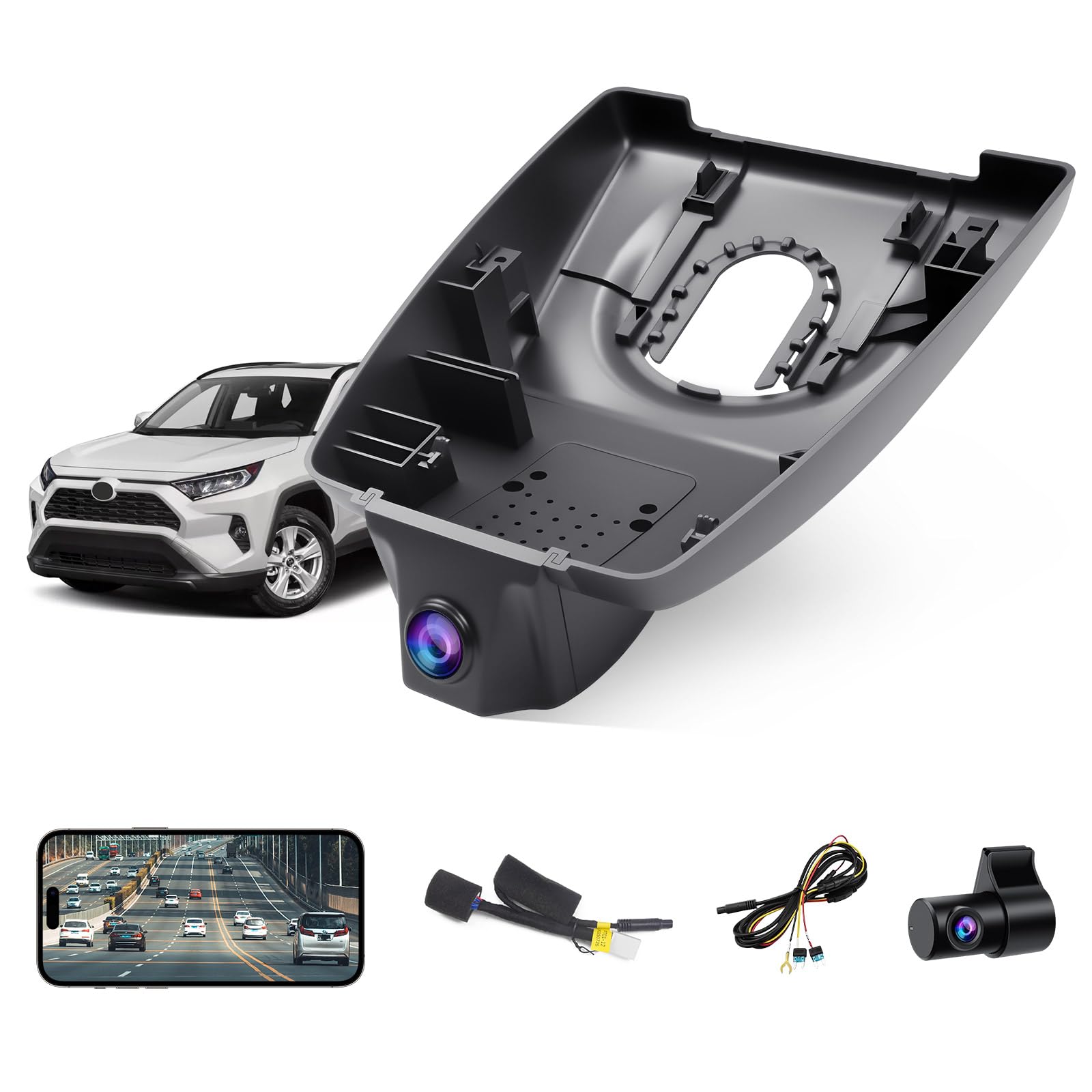
This is the OEM-look category with a more aggressive “security-first” angle—because it’s built around not just driving footage, but also what happens when the car is parked. If you live in an apartment car park, street park overnight, or routinely leave your RAV4 in busy shopping areas, parking coverage stops being “nice to have” and becomes a real peace-of-mind feature.
What stands out here is the intent: this kit includes an ACC/fuse power approach for parking monitoring, plus time-lapse style coverage. That means you’re not limited to “only records while the car is on.” In practical terms, it’s the difference between having footage of a car-park bump… and having nothing because the camera went to sleep with ignition.
Now, the expert reality check: fuse installs are where DIY goes from “easy” to “be patient.” RAV4 fuse types can vary (and some owners mention needing low-profile mini fuses instead of standard minis). That’s not a deal-breaker. It’s just a reminder that parking mode requires you to think about power properly. If you don’t want to deal with fuse taps at all, you may be happier with an ignition-only camera and accept the trade-off.
Once installed, owners tend to love the discreet look: the front camera is hidden in the housing, so passengers don’t notice it, and the footage quality is described as crisp and usable. The app experience is usually “functional,” which is exactly what you want: you don’t need a social network, you need to pull a clip, save it, move on.
Why it’s compelling
- OEM-style stealth – Looks integrated into the RAV4 cabin, not stuck on glass.
- Parking monitoring path exists – Designed to support parked protection when powered correctly.
- Included storage – Comes ready to record without immediate extra shopping.
- Good “evidence mindset” design – G-sensor locking + loop recording supports real incident capture.
Good to know
- Fuse-based parking installs can require the right fuse tap type; take your time and match your RAV4 fuse profile.
- Rear cable routing still takes patience if you want it hidden properly in a liftgate vehicle.
- App connectivity can vary by phone; if Wi‑Fi pairing annoys you, SD card export may be your best friend.
Ideal for: RAV4 owners who want OEM stealth and care deeply about incidents while parked.
5. Vantrue N4 Pro S (4K Front + 2.5K Rear + 1080P Cabin) – Near‑360° Coverage Without Guesswork
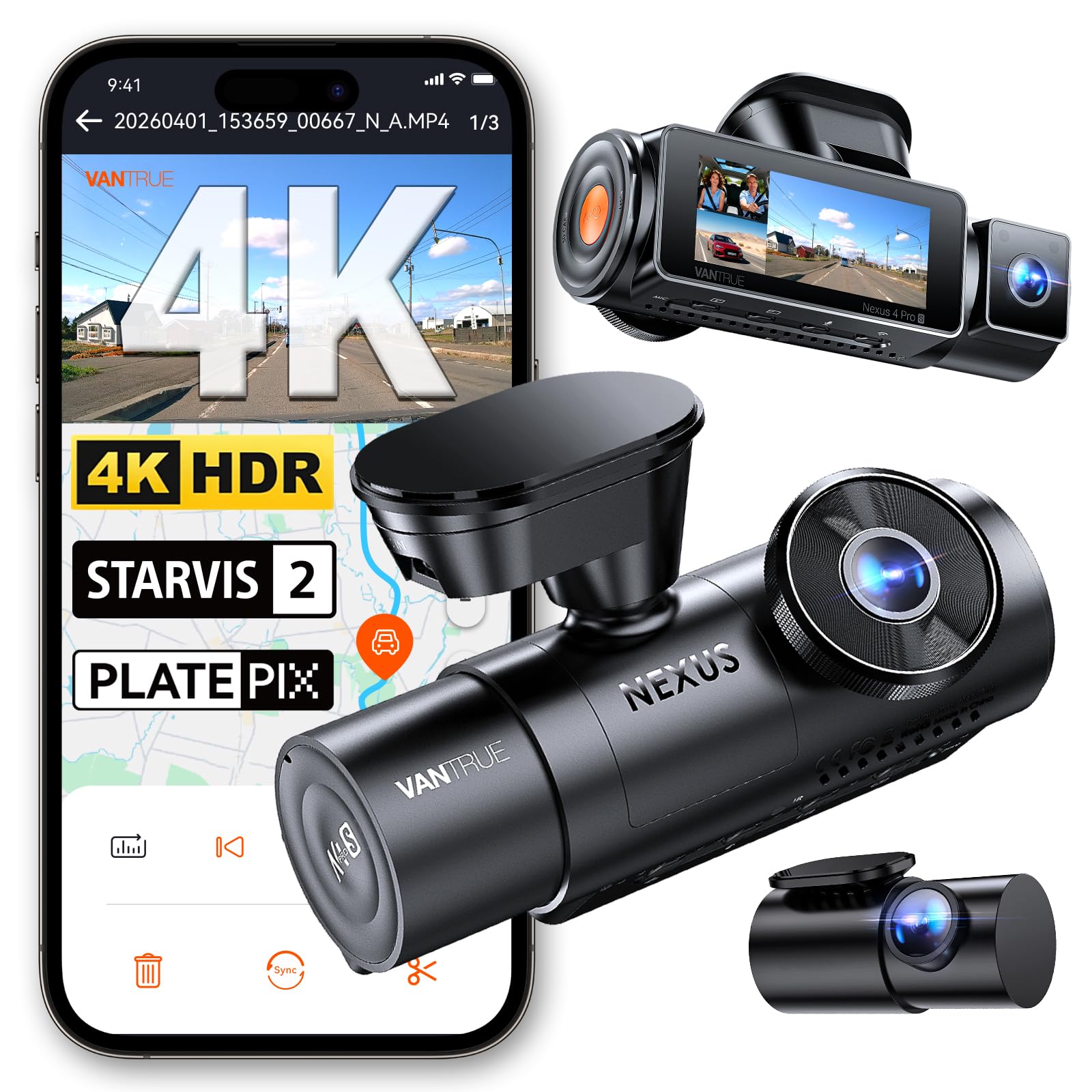
If you want the “I don’t want blind spots” setup, this is the category: front, rear, and cabin. For RAV4 owners with teen drivers, rideshare use, frequent passengers, or simply a desire for maximum evidence, a 3‑channel camera can be the cleanest decision. Not because it’s fancy—but because it closes the loopholes that arguments love to hide inside.
Vantrue’s flagship N4 Pro S records 4K + 2.5K + 1080P at 30FPS on three STARVIS 2 sensors, with 155° + 160° + 165° coverage and IR night vision for the cabin lens. The rear camera uses a 2.5K STARVIS 2 sensor that rotates a full 360°, so you can point it at traffic behind you or at the trunk area — and you can drop into a front-and-rear-only mode (4K + 2.5K) when you don’t want interior footage at all. That flexibility is the part most 3‑channel cameras don’t give you.
RAV4 practicality note: 3‑channel installs are more wiring than dual setups. You’re routing the supplied 20ft rear cable to the hatch, managing camera angles, and ensuring nothing blocks your forward view. But if you do it once properly—tucked behind the mirror, rear cable hidden along trim, cabin angle set to capture seats without glare— you end up with a system that feels “professional.” It becomes your vehicle’s black box.
Two ownership details worth planning for. First, parking coverage here is a buffered motion-and-impact mode that captures roughly ten seconds before an event on all three channels — that’s the version of parking mode that actually shows you who did it. Second, no microSD card is included, and Vantrue is explicit that low-quality cards cause malfunctions, so budget for a decent high-endurance card (the camera supports up to 1TB). It currently sits at 4.2 stars from 198 ratings, and Vantrue backs it with an 18-month warranty.
Why it’s powerful
- Maximum evidence – Front + rear + cabin closes most dispute angles.
- Triple STARVIS 2 – All three channels get the low-light sensor, not just the front.
- Rotating 2.5K rear – Aim it at traffic or the trunk, and drop to dual-channel mode when you want.
- Buffered 24/7 parking mode – Records the seconds before an impact, not just after it.
Good to know
- More cameras = more wiring and more angle tuning. Plan a patient install.
- No memory card in the box, and cheap cards are a known failure point on this model.
- It’s the priciest camera on this list—if you never want interior footage, a dual setup saves real money.
Ideal for: RAV4 households that want maximum coverage—rideshare, teen drivers, frequent passengers, or security-first owners.
6. Affver A4 (4K Front + 2.5K Rear) – When “Rear Plates Matter” Is Your Priority
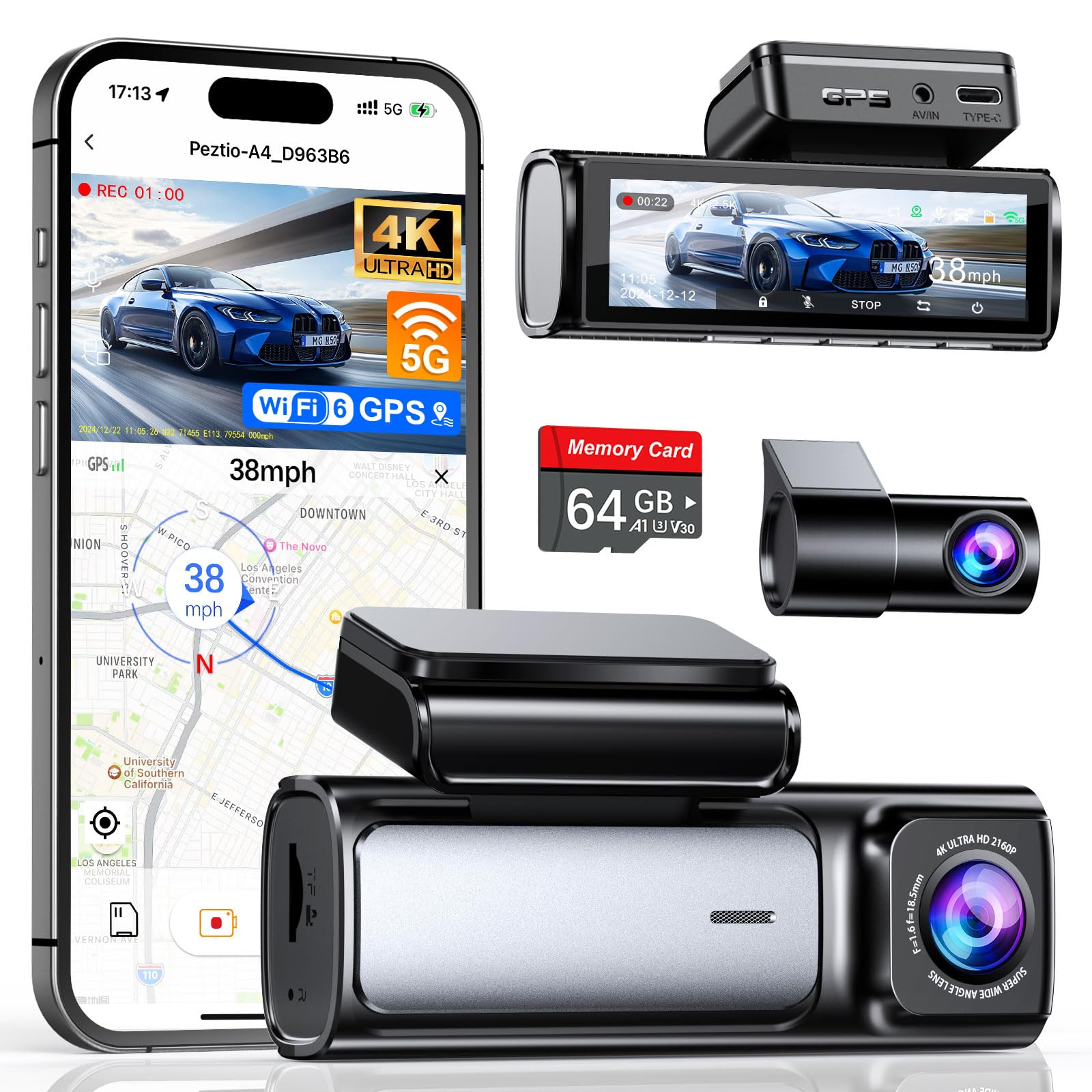
Most “front + rear” dash cams give the rear camera the bare minimum. This one doesn’t. The headline here is simple: a higher-resolution rear feed can make the difference between “I know what happened” and “I can prove what happened.” If you’ve ever been tailgated hard, or you park where people reverse like it’s a competitive sport, rear evidence becomes priceless.
The A4 records 4K UHD at the front across a 160° view and 2.5K at the rear across 155° — Affver upgraded the rear camera from 1080P to 2.5K and moved the wireless stack to 5GHz Wi‑Fi 6, which the brand rates at roughly 10MB/s transfers to your phone. Night performance leans on an F1.5 aperture with a six-layer lens plus WDR, which is exactly the combination that keeps oncoming headlights from flaring out the frame. Built-in GPS logs route and speed alongside the footage.
RAV4 install note: because this is a traditional windshield mount, placement is everything. You want it behind the mirror, inside the wiper sweep, and not so low that it eats your forward view. You also want the rear camera high enough on the back window to see through the cleanest part of the glass, but not so high that the hatch spoiler blocks your view. This camera’s value is maximized when you take those angles seriously.
Parking mode exists as a concept here, but like many systems, it’s tied to power: Affver’s 24-hour low-FPS parking mode needs the dedicated hardwire kit. If you want 24/7 monitoring, plan on hardwiring. If you don’t, you still get strong driving footage—which is where most accidents happen anyway. A 64GB card and a car charger with a spare USB port are included, and the listing holds a 4.5-star rating from 1,760 ratings.
Why it stands out
- 2.5K rear – Rear clarity is one of the most useful “real evidence” upgrades, and it’s rare at this price.
- Built-in GPS – Adds speed and location context to footage.
- F1.5 lens + WDR – The night-vision hardware matches what the marketing claims.
- Wi‑Fi 6 transfers + 64GB card included – Faster phone downloads and nothing extra to buy.
Good to know
- Parking mode requires the dedicated hardwire kit (sold separately) for true parked coverage.
- Rear cable routing takes time in a hatch SUV—do it once neatly and you’ll be glad you did.
- If you want interior coverage too, a 3-channel model fits that use case better.
Ideal for: RAV4 drivers who care deeply about rear-end proof and want a rear camera that isn’t an afterthought.
7. ROVE R2‑4K DUAL (4K Front + 1080P Rear) – Fast Sharing Energy With a Premium Sensor Mindset

ROVE has a certain personality: it’s built for people who want to actually use their dash cam footage. That means phone access, quick downloads, easy sharing, and a workflow that doesn’t make you feel like you need a tech degree. If your goal is “if something happens, I want that clip on my phone fast,” this style makes sense.
What I like for RAV4 owners is the balance: it’s still a compact windshield mount setup (so it fits behind the mirror), but it leans into the idea that the camera should feel modern—Wi‑Fi, app, settings control, and GPS overlay options. In real feedback, people often praise the core recording quality and the ease of setup, and they tend to buy multiple units once they trust the first. That pattern is one of the best signals of real satisfaction.
The most honest complaint category is app changes over time. That’s a reality of app-connected dash cams: the hardware can be great, but your experience can shift if an app update changes login or pairing behavior. That doesn’t mean it’s a bad camera. It means you should choose it if you’re comfortable with app ecosystems. If you’re not, you may prefer a camera where your primary workflow is SD card export.
Installed well in a RAV4, this camera becomes a strong daily companion: mount it behind the mirror, use static film for cleaner adhesion, run power cleanly along headliner and down the passenger side, and you’ll barely notice it—until you need it.
Why it’s a strong pick
- Phone-first workflow – Designed for people who want fast access to footage.
- GPS data support – Helpful context for incidents and timelines.
- Clean RAV4 placement – Compact enough to hide behind the mirror area.
- Dual coverage without bulk – Front + rear proof without going full 3-channel.
Good to know
- App-connected cameras can feel “different” after updates; if you hate app maintenance, SD export may be preferable.
- Parking mode typically needs a separate hardwire kit for continuous coverage.
- As with any 4K setup, storage and clip length choices matter for smooth retrieval.
Ideal for: drivers who want dual coverage and a modern “get footage onto my phone” workflow.
8. BOTSLAB G300 Plus (4K Front + 1080P Rear) – STARVIS 2 Night Clarity Without the Premium Price
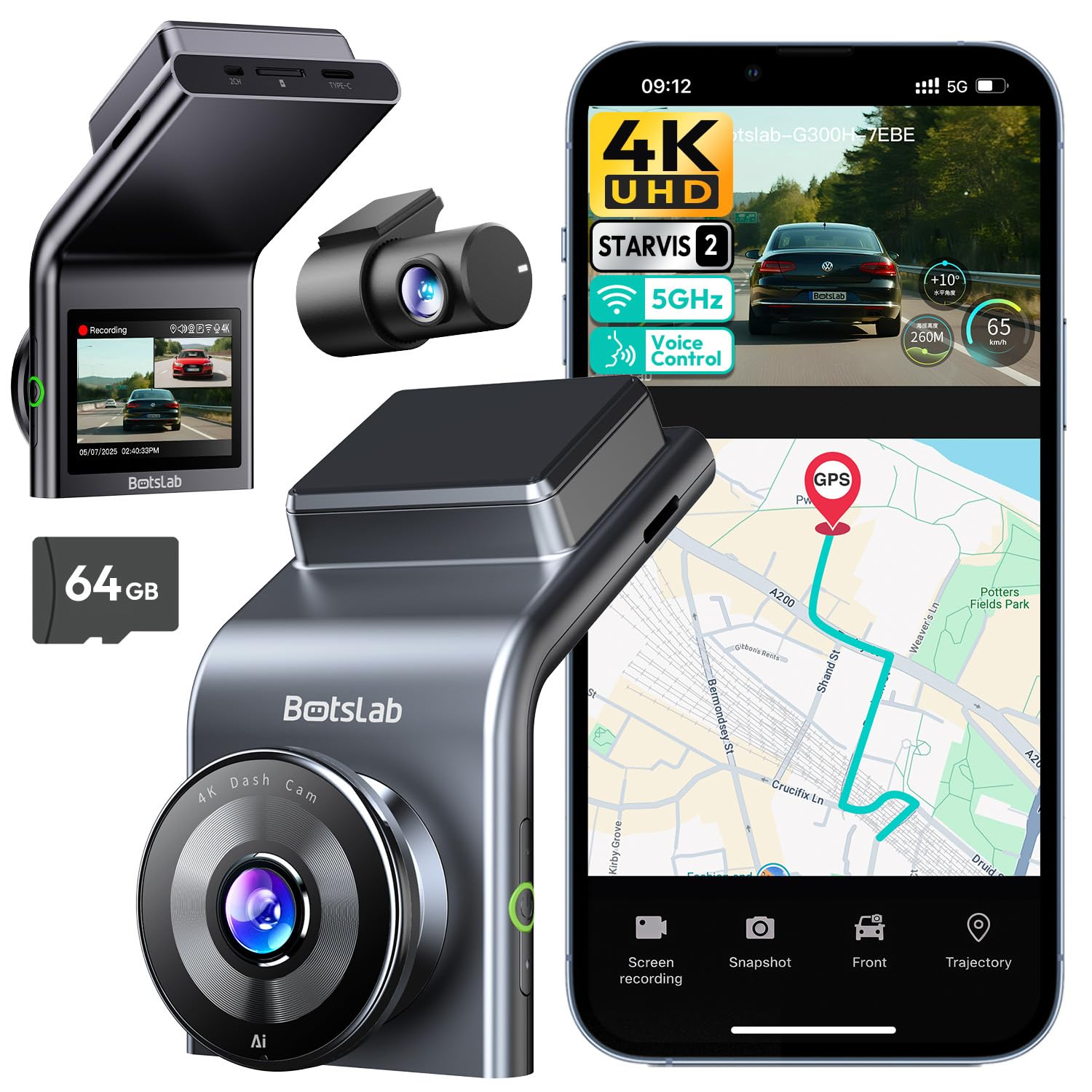
If you like the idea of “serious night footage” but you don’t want cabin recording or a 3‑camera install, this is the lane: a 4K front camera on a Sony STARVIS 2 sensor paired with a 1080P rear, in a straightforward dual setup. For RAV4 owners, that matters because the hard cases are almost always low-light ones — a plate under sodium streetlights, a car park at 9pm, a rainy motorway slip road.
The lens spec is where the money went: f/1.5 at the front and f/2.0 at the rear, with 170° and 150° fields of view, so you’re covering multiple lanes rather than a narrow strip of tarmac. Voice control is genuinely useful here too — saying “take photo” or “video start” keeps your hands on the RAV4’s wheel instead of reaching for a button on the windscreen at the exact moment you need the footage.
RAV4 practicality: mount the front unit behind the mirror and keep it within the wiped zone, and you reduce the biggest quality killer: dirty glass. The rear camera placement is similar: the top center of the rear window is usually best, but you should test visibility with the rear wiper sweep. The G300 Plus is a slim, low-profile body (about 0.45in deep), which makes tucking it behind the RAV4’s mirror housing easier than most.
Parking mode is included as a 24-hour mode, but again, power is the gatekeeper. If you want true 24-hour coverage, plan for the proper hardwire setup. If you don’t, the unit still covers your driving hours—where the bulk of incident risk lives. A 64GB card is in the box, GPS and 5GHz Wi‑Fi are built in, and the listing holds a 4.4-star rating from 1,708 ratings.
Why it makes sense
- STARVIS 2 at a mid-range price – The sensor most owners actually want, without a flagship budget.
- Dual setup stays manageable – Easier than a 3‑channel install and less “inside the car” complication.
- Hands-free voice control – Lock a clip or grab a photo without taking a hand off the wheel.
- GPS + app support + 64GB card – Evidence plus convenience when you need to pull clips.
Good to know
- The rear camera is 1080P—if rear plate detail is your top priority, step up to a 2.5K rear model.
- Parking mode requires dedicated power planning (hardwire kit for continuous parked coverage).
- 4K files are larger; choose clip length and export method thoughtfully.
Ideal for: RAV4 owners who want strong low-light footage from a simple dual-camera setup without paying flagship money.
9. 70mai A800SE (4K Front + 1080P Rear) – Smart Features + Strong Clarity If You Like App Control
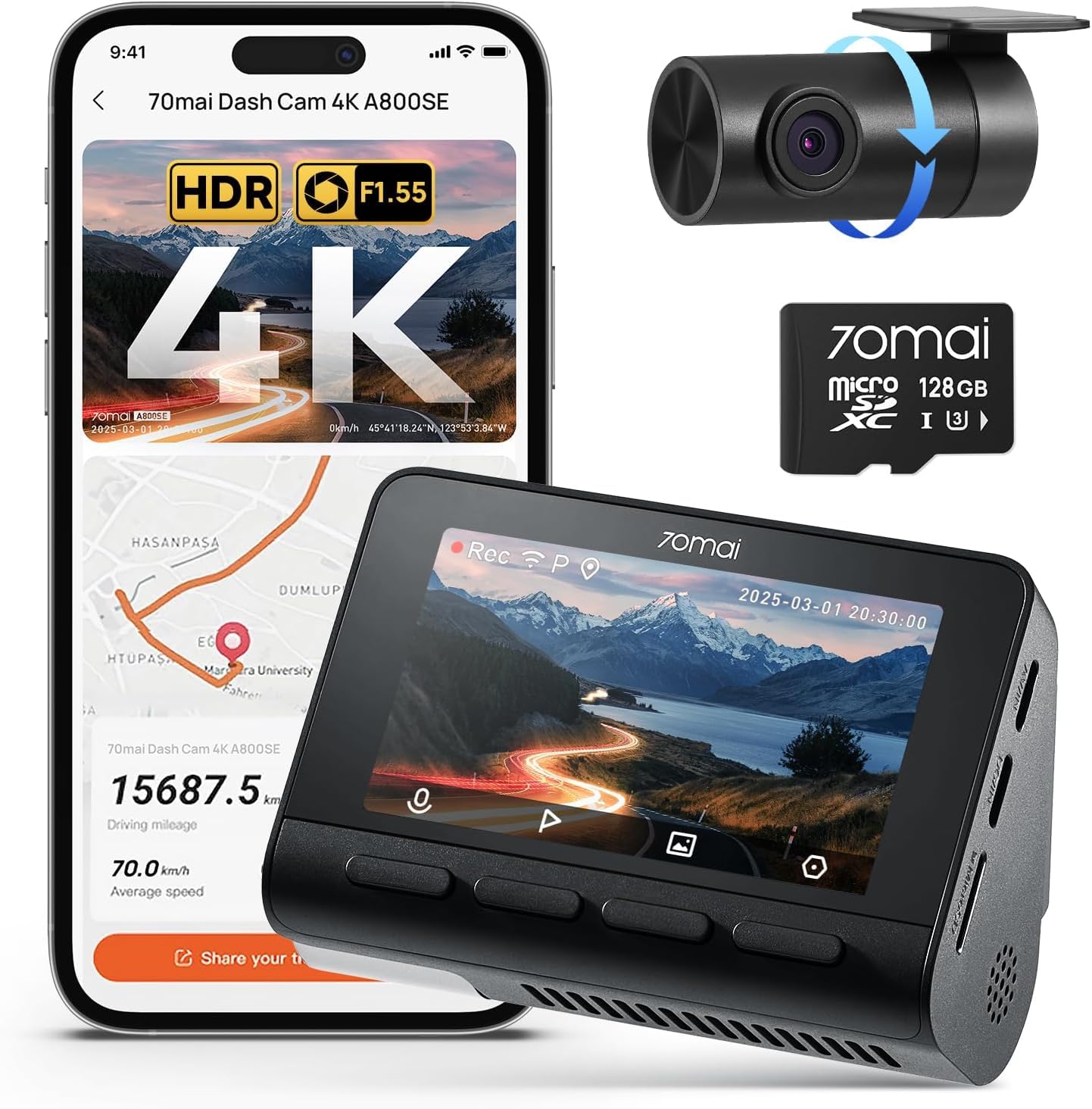
The 70mai A800SE is a “feature stack” camera: 4K front, rear coverage, GPS, app control, parking mode options, and ADAS-style alerts for lane drift / forward collision style warnings. Some drivers love that extra guidance. Others turn it off immediately. The win is that you get the choice.
From a real-life ownership perspective, people tend to praise the clarity and the fact that the rear cable length can handle larger vehicles—good news for RAV4 routing. They also mention that setup can be straightforward once you get past the documentation style. That’s common in dash cams: the paper manual is rarely the best teacher. A careful install and a few settings tweaks make the difference.
The friction point to understand upfront is app ecosystem behavior. Some owners mention needing registration for full app features. Others note that Wi‑Fi retrieval means disconnecting from the car’s own Wi‑Fi-based systems. If you have wireless CarPlay, you’ll likely do the “disconnect CarPlay, connect cam, grab clip” dance. That’s not a flaw; it’s a reality of how phones connect to Wi‑Fi.
One pro tip from experienced dash cam owners: be intentional with G-sensor sensitivity. If it’s too sensitive, you get lots of locked clips from bumps and rough roads, which can clutter storage. Dial it in once, then leave it alone. When it’s tuned well, you get a calm system that only locks what matters.
Why it’s popular
- Strong all-in-one feature set – GPS, app, parking options, and ADAS-style alerts in one package.
- Good day/night balance – Owners typically describe footage as clear and usable in real driving.
- Works well in a RAV4 layout – Cable length and mount style suit SUV installs.
- Flexible settings – You can enable what you care about and shut off what you don’t.
Good to know
- App workflow can feel “ecosystem-y,” including account steps for some features.
- Wi‑Fi clip retrieval can conflict with wireless CarPlay/Android Auto connections.
- If you don’t want ADAS alerts, you’ll likely turn them off and treat it as a pure recorder.
Ideal for: drivers who want a feature-rich dual dash cam and don’t mind using an app to manage footage.
10. FAIMEE 3‑Channel (4K Front + 2K Cabin + 2K Rear) – Full Coverage With Extra Interior Detail
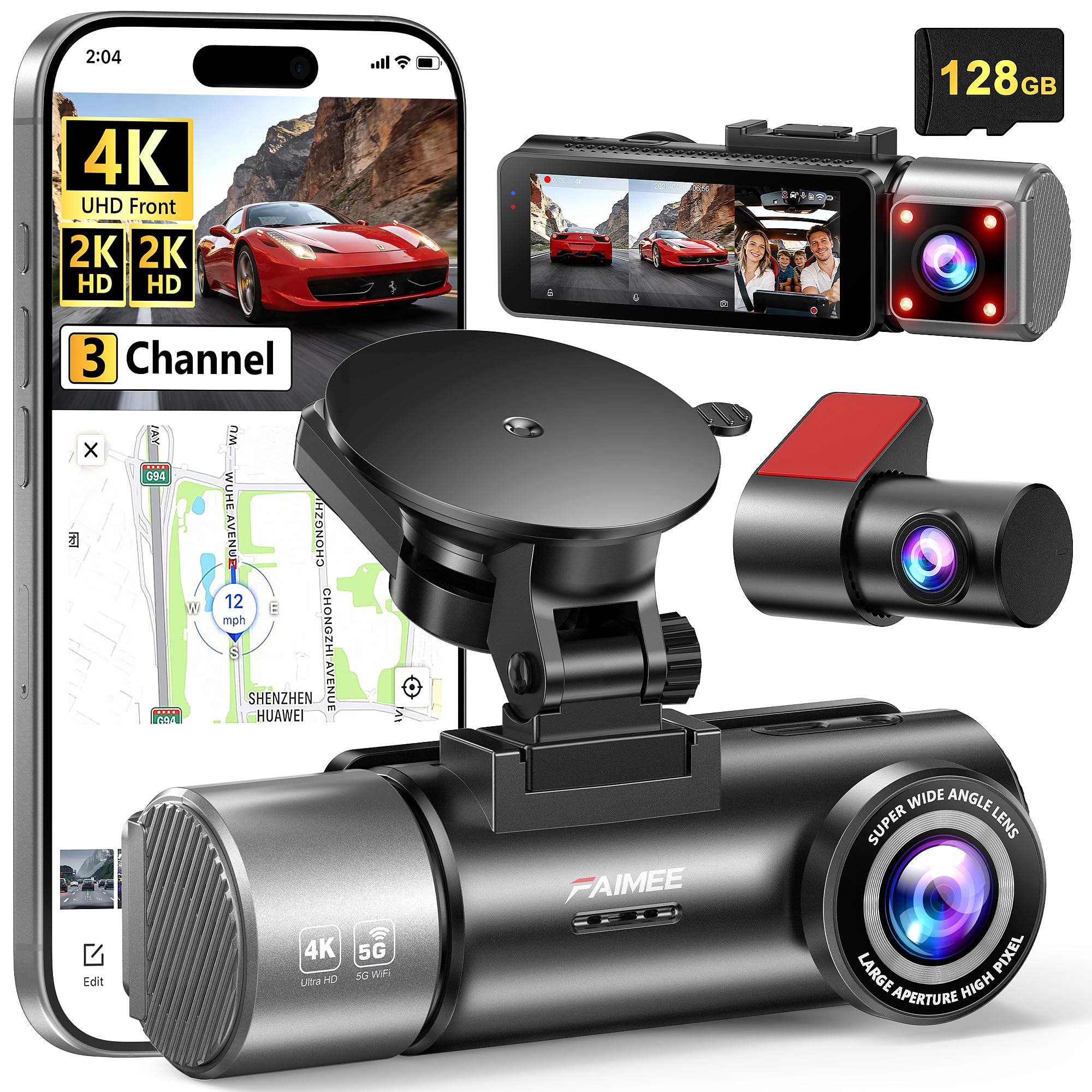
This is a very practical style of 3‑channel camera for people who actually benefit from inside-the-car clarity. The key difference from many 3‑channel units is that the cabin and rear are presented as 2K rather than the soft “bare minimum” many systems settle for. If you’re running rideshare, carrying customers, or you simply want stronger interior context in disputes, that extra clarity can matter.
Owners frequently describe installation as straightforward and the overall experience as “solid,” especially because it arrives ready-to-run with a memory card. That matters because 3‑channel systems are already doing more. The last thing you want is a complicated setup plus extra shopping plus a missing accessory. A bundled card lowers the friction.
For a RAV4, the biggest skill is cable routing discipline. Your goal is: front camera behind the mirror, rear cable tucked into the headliner edge, down the A‑pillar in a way that does not interfere with airbags, and into the rear hatch cleanly. If you do that, you get a system that feels like a professional installation. If you cut corners, you’ll have visible cable loops that annoy you every day.
The other “real life” choice is whether you want cabin recording at all. If you do, set expectations: cabin cams can introduce more heat and more storage use. They also require you to think about glare (interior reflections and bright clothing can affect exposure). But if your priority is evidence, a 3‑channel system can reduce arguments to “here’s the footage.”
Why it’s a strong 3-channel option
- Higher-res cabin + rear – Interior and rear evidence is sharper than basic 1080P-only systems.
- GPS adds useful context – Speed and route data help with incident timelines.
- Wide coverage – Reduces “blind spot arguments” in collisions and disputes.
- App access + dual-band Wi‑Fi – Makes quick previews and downloads easier when you need them.
Good to know
- 3‑channel setups need more careful cable routing and angle tuning in a RAV4.
- Parking mode requires a hardwire kit if you want true parked coverage.
- Cabin recording isn’t for everyone—if you’ll disable it, a dual cam may be simpler.
Ideal for: rideshare drivers, teen-driver families, and anyone who wants inside-and-out proof with sharper cabin detail.
11. TERUNSOUl 3‑Channel (4K Front + 1080P Rear + 1080P Cabin) – Big Coverage, Straightforward Setup

This is the kind of 3‑channel camera people buy when they want the “coverage upgrade” without obsessing over every technical detail. Front 4K gives strong forward context, while rear and cabin cover the two other zones where stories usually get messy. A major practical win here is that many owners like being able to configure interior recording—because not everyone wants cabin footage all the time.
In day-to-day ownership, what usually matters most is stability: does it boot and record reliably, does it lock incident clips properly, and can you pull footage without turning it into a weekend project? The built-in screen helps here. You can confirm it’s on and you can adjust settings without relying entirely on a phone. That reduces the “I think it’s recording… I hope it’s recording” anxiety that first-time dash cam buyers often feel.
RAV4 angle advice: if you’re going 3‑channel, spend an extra minute on the cabin camera angle. A slightly downward tilt tends to capture seats and interior events more cleanly. If you tilt it too high, you get ceiling and glare. Too low, and you lose forward context through the cabin lens. The sweet spot is “head and shoulders + front windows” for most uses.
Parking coverage exists as a capability, but it’s tied to power. If you want the camera awake while parked, you’ll need the right hardwire approach. If you don’t, treat this as a driving coverage system—still extremely useful for accident evidence.
Why it’s a good “first 3-channel”
- Coverage upgrade – Front + rear + cabin evidence in one system.
- Built-in screen simplifies setup – You can confirm recording and adjust settings quickly.
- Cabin recording can be optional – Helpful for people who only want interior evidence sometimes.
- GPS + Wi‑Fi workflow – Combines evidence context with convenient file access.
Good to know
- Rear cable routing is still a “do it carefully once” job in a liftgate SUV.
- 3-channel systems generate more footage; storage management becomes more important.
- Wi‑Fi retrieval may require disconnecting wireless CarPlay/Android Auto temporarily.
Ideal for: drivers who want 3‑channel coverage in a straightforward package without overthinking the setup.
12. Fitcamx 2022–2025 Model B (Front 4K) – The Cleanest “Invisible” Front Camera Option

Not everyone wants rear wiring. Not everyone wants cabin recording. Some RAV4 owners want one thing: a forward camera that records clean evidence and completely disappears from daily life. That’s exactly what this front-only OEM-look Fitcamx style is for.
The primary advantage is psychological and practical: you stop noticing it. There’s no screen glowing in your face. No suction mount visible from outside. No cable draped across the windshield. It becomes part of the mirror housing area, so your vehicle looks stock and your driving view stays uncluttered. If you’re sensitive to visual noise inside the cabin, this is the category that keeps you happy long-term.
Because it’s front-only, install complexity drops massively compared to dual or 3‑channel setups. But the same fit warning remains: Model B is the “vent hole” cover style. If your cover doesn’t match, it won’t install. Take the 30 seconds to confirm your cover type—this step is everything in the OEM-look category.
File workflow is typically app-based when you need it, but in day-to-day use many owners simply let it loop record and only interact when something happens. That’s the correct mindset. Dash cams should be quiet. If you’re constantly “managing” it, you bought the wrong kind of camera for your personality.
Why it’s so appealing
- Factory look – Blends into the RAV4 mirror housing area cleanly.
- Front-only simplicity – Fewer wires, faster install, less to maintain.
- Strong daily usability – Auto-record behavior makes it “forgettable” in the best way.
- Good for minimalists – Ideal if you hate screens and windshield clutter.
Good to know
- No rear coverage: you lose the “rear-end proof” advantage of dual setups.
- Model-specific fit: this is for RAV4 versions with the vent-hole cover style.
- If parking evidence is your priority, you may prefer a system designed around dedicated parking power.
Ideal for: drivers who want the cleanest OEM look and are happy with front-only evidence.
13. KBSYNT Model B (Front 4K) – A Simple OEM‑Style Front Cam With Included Tools
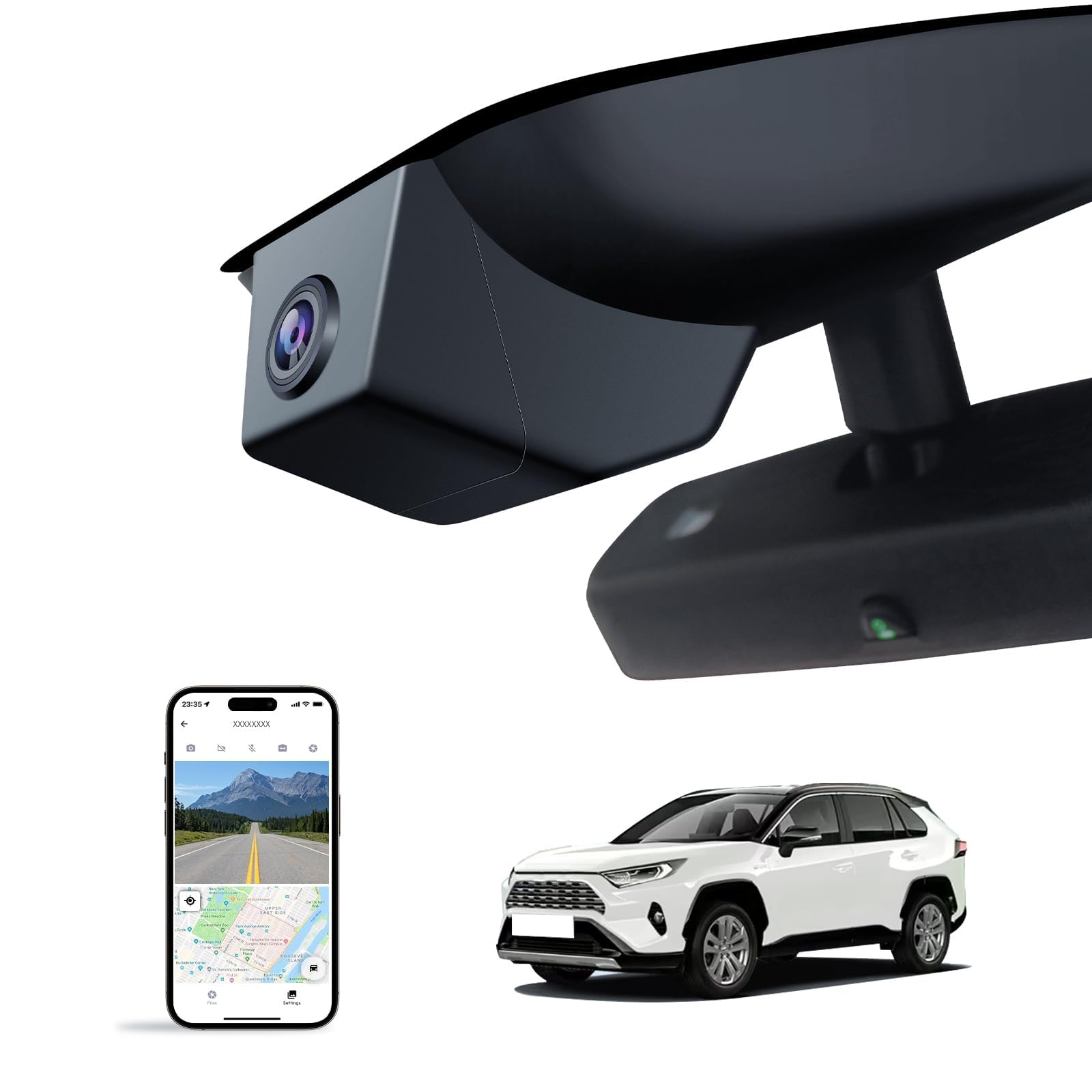
This is another front-only OEM-look approach designed specifically around the RAV4’s mirror/sensor cover area. The appeal is similar to Fitcamx front-only: clean windshield, minimal clutter, and a camera that looks like it belongs there. Where it often wins people over is the “everything you need is in the box” vibe—tools, card, and a workflow that feels approachable for beginners.
In real feedback, people frequently mention how much they appreciate not needing to run wires around the cabin. That’s the hidden benefit of these integrated-cover cameras: you remove the intimidation barrier. If you’ve ever hesitated to install a dash cam because you pictured yourself ripping trim panels off and breaking clips, this category is a confidence boost.
Here’s the practical truth: OEM-look cameras still use Wi‑Fi for app access, so you may need to temporarily disable certain phone/car connections to preview footage. That’s common with cameras that create their own Wi‑Fi network. The camera will still record without the app connected. Think of the app as a tool you use when you need it—not something you keep running constantly.
Because this is front-only, it’s best for people who mainly want evidence for forward incidents and general daily protection. If your driving environment includes frequent tailgating or you’ve had rear-end scares before, consider a dual camera instead. But if your goal is “I want a clean, simple, installed-once camera,” this fits.
Why it works
- OEM look – Integrates into the RAV4 cover area for a clean interior aesthetic.
- Beginner-friendly kit feel – Tools and included storage reduce setup stress.
- Front-only simplicity – Less wiring, faster install, fewer points of failure.
- Good daily protection – Records what matters most in many common crash scenarios.
Good to know
- Fit is model-specific (vent-hole cover required).
- Front-only means no rear evidence—consider your risk profile before choosing.
- Wi‑Fi preview can conflict with wireless CarPlay/Android Auto while connected.
Ideal for: RAV4 owners who want an OEM-look front camera with an approachable, beginner-friendly package.
14. YuYue Electronic Model A (Front 4K) – Clean OEM‑Sized Front Recording Without the Fuss
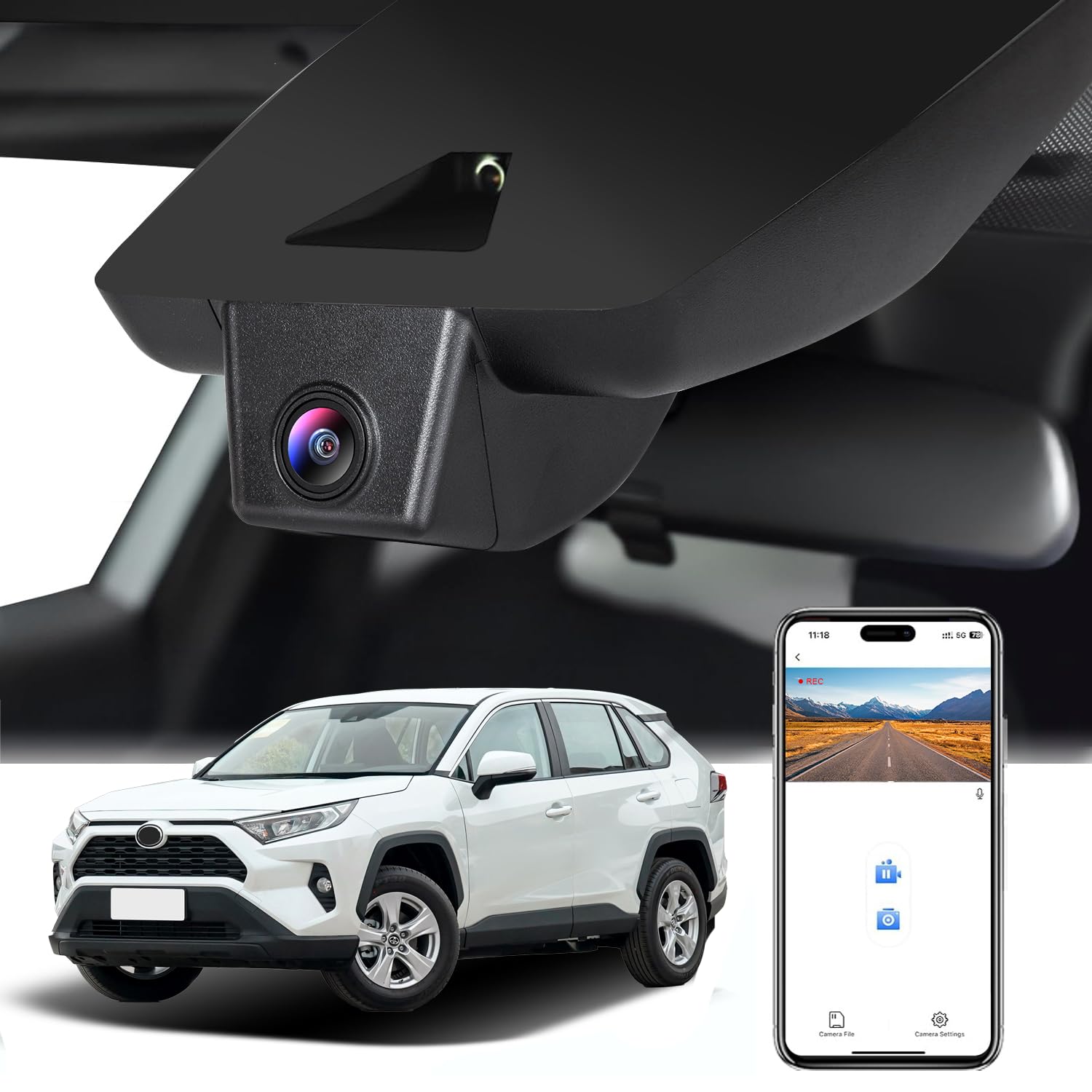
This is the “I want it to look stock and just record” approach for RAV4 owners in the Model A cover style universe. It’s front-only, which means it’s simpler, cleaner, and easier to live with—especially if you’re not ready to route a rear cable through a liftgate.
Owners often describe the install as approachable: remove the original cover, swap the clips, slide the new cover into place. That clean “OEM size” integration is the entire point. It reduces windshield clutter and keeps your forward view free of a dangling screen or a mount that looks like an afterthought.
The key workflow detail is that app access typically requires connecting your phone to the camera’s Wi‑Fi network. That’s normal. It’s also why many owners choose a hybrid method: use the app for quick checks, but pull the SD card if you want to transfer lots of files quickly. That flexibility is one of the underrated benefits of dash cams that don’t trap you into one method.
A helpful real-life habit: format the card in the camera when you first install it and periodically after heavy use. Many “dash cam problems” are actually memory card formatting problems. A clean format reduces file corruption risk and makes the camera feel more stable long-term.
Why it’s a smart front-only pick
- OEM-sized look – Clean install that blends into the RAV4 cabin.
- Simple install – Less intimidating than traditional windshield mounts for beginners.
- Good core features – Loop recording + G-sensor locking covers essential evidence needs.
- Flexible file access – App when you need it, SD card when you want speed.
Good to know
- Front-only means you won’t capture rear impacts or tailgating incidents behind you.
- Wi‑Fi viewing requires switching networks, which can be inconvenient if you rely on wireless CarPlay.
- Fit is specific: Model A cover style without vent hole is required.
Ideal for: RAV4 owners who want OEM-look simplicity and are comfortable with front-only coverage.
15. VIOFO A119 V3 (Front 2K 60FPS) – The “I Care About Capture Quality” Minimalist Choice

If you’re the kind of buyer who doesn’t care about flashy apps and just wants a camera that records clean footage, the A119 V3 is a classic “serious dash cam” style: front-only, compact, and tuned around sharp capture. The 60FPS angle matters in one specific way: it can improve motion clarity in fast-changing scenes. That’s useful in motorway merges, quick lane changes, and moments where plates and signs pass quickly.
This camera is also a strong fit for RAV4 windshields because it can be mounted discreetly behind the mirror. It’s not OEM-integrated into the cover, but it can still look clean if you install it thoughtfully. If you hate clutter but also want a more traditional “pro dash cam” approach, this hits a nice balance.
The other standout concept is buffered parking mode support (with the right hardwire kit). Buffered parking is different from basic event recording because it captures a few seconds before an impact or motion event. That “before” footage is often what makes a clip useful. It shows context: the car approaching, the angle, the speed, the moment of contact—not just the aftermath.
Because it’s front-only and more traditional, you’ll likely manage files via SD card rather than an always-on app. For many drivers, that’s a positive. It’s stable. It’s simple. It’s a tool, not a toy. If you want rear proof too, pair it with a dual system instead—but if front evidence is your main goal, this style remains popular for a reason.
Why it’s a “quality first” pick
- 60FPS front capture – Helpful for motion clarity in fast scenes.
- Compact and discreet – Easy to mount behind the RAV4 mirror without visual clutter.
- Buffered parking concept – Captures before/after context when powered properly.
- Simple ownership – A focused tool for people who want recording reliability.
Good to know
- Front-only: you’re choosing simplicity over rear evidence.
- Parking mode requires a compatible hardwire approach to work as intended.
- No Wi‑Fi app workflow focus here—this is more SD card and settings-based ownership.
Ideal for: drivers who want a focused, performance-forward front camera and prefer simplicity over app dependence.
How RAV4 Dash Cam Installs Actually Work (And Why Your Choice Changes Everything)
Dash cam installs look similar on YouTube, but the RAV4 makes them feel different because of two things: (1) the mirror/Toyota Safety Sense housing dominates the best windshield space, and (2) it’s a liftgate SUV, so rear camera wiring takes a little more patience. Here’s how to think about installs so you choose the style you’ll actually enjoy owning.
1) OEM-look “cover replacement” installs (Fitcamx, KuTaiTai, YuYue, KBSYNT)
These are the stealth kits. The front camera lives inside a replacement cover around the mirror/sensor area. What that changes in real life:
- Front power is cleaner: you’re typically connecting into the existing mirror/sensor harness area instead of running a long power cable down the A‑pillar.
- Windshield stays visually clean: no suction mount shadow, no dangling screen, no “black box” sitting on the glass.
- Fit is everything: you must match Model A (no vent) or Model B (with vent) based on your original cover.
The trade-off is that many OEM-look systems behave like “records while the car is on” setups unless you add a parking power solution. If you want parking mode, choose a model that supports it and plan the power path properly.
2) Traditional windshield mounts (REDTIGER, ROVE, TERUNSOUl, FAIMEE, 70mai, VIOFO)
These work in any RAV4 and usually offer more feature depth—better sensors, more parking options, and richer settings. Here’s how to make them look and perform great in a RAV4:
- Mount behind the mirror: aim to keep it out of your direct view line while still inside the wiper sweep area.
- Use electrostatic film when possible: it protects your glass and often improves adhesion (and makes future removal cleaner).
- Route power along the headliner edge: the cleanest look usually comes from tucking the cable where the headliner meets the windshield trim.
- Be airbag-aware: many vehicles have curtain airbags in the A‑pillar. Route cables so they don’t cross airbag deployment paths.
3) Rear camera routing in a RAV4 (the part people underestimate)
Rear cameras are worth it, but the clean install is where you earn it. The goal is a hidden cable run that doesn’t interfere with seals, doesn’t pinch in trim, and doesn’t create rattles later.
- Run cable through the headliner edge: avoid forcing it; use trim tools and go slowly.
- Down the pillar, along the door sill, up the rear pillar: keep it tidy and secured with clips where appropriate.
- Liftgate grommet is your friend: if you can route through the rubber boot to the hatch, you get the cleanest result.
- Test rear view before final sticking: temporarily tape the rear camera, check angle, then commit.
4) The first 5 settings you should change (so your footage is actually usable)
- Clip length: choose a length that balances storage and retrieval (shorter clips are easier to share quickly).
- G-sensor sensitivity: reduce false “incident locks” from potholes and rough roads.
- Screen timeout: if you don’t want a glowing display, set it to turn off after a short period.
- Audio recording: decide intentionally—some drivers want it, others prefer silent footage.
- Time/date/GPS overlay: keep overlays that help evidence, disable the ones that clutter your view.
FAQ: Dash Cams in a RAV4 (Without the Confusion)
Should I choose an OEM-look dash cam or a traditional windshield mount?
Will dash cam Wi‑Fi mess with my wireless CarPlay or Android Auto?
Do I really need a rear camera in a RAV4?
What’s the difference between impact parking mode and time-lapse parking mode?
How do I avoid the “wrong Fitcamx model” mistake?
Do I need GPS on my dash cam?
What memory card matters most for reliability?
Where should I mount a dash cam in a RAV4 for the best footage?
Final Thoughts: Choose the Setup You’ll Still Love After the “Real World” Happens
A great dash cam is the one that makes you feel calm when something goes wrong—because you already know the footage is there. Not “maybe.” Not “I hope it recorded.” It’s there.
Here’s the fastest way to translate this guide into a confident purchase:
- Want the most balanced, easiest recommendation for most drivers? Start with the REDTIGER F7NP. It’s a strong daily-driver dual camera with a sane RAV4-friendly footprint.
- Want the cleanest OEM look on newer RAV4s? Choose the Fitcamx 2022–2025 Model B dual if your cover has the vent hole and you want a factory-style install.
- Driving a 2019–2021 RAV4 and want OEM stealth? Look at the Mangoal Model A OEM Look dual for that integrated, no-windshield-clutter feel.
- Care most about parking incidents? The KuTaiTai OEM Look system is built around parked monitoring when powered correctly.
- Need near‑360° coverage for rideshare or teen drivers? Choose the Vantrue N4 Pro S 3‑channel or the FAIMEE 3‑channel for strong inside-and-out coverage.
- Want strong rear detail without going 3-channel? The Affver A4 (4K+2.5K) and BOTSLAB G300 Plus (4K+1080P) are the “rear proof matters” answers.
- Want a front-only camera focused on capture quality? The VIOFO A119 V3 is the minimalist “quality and reliability first” style pick.
The win is not buying the most expensive camera. The win is buying the one you’ll actually use—and installing it in a way that keeps your RAV4 clean, your view unobstructed, and your footage readable when it matters most. Pick the best dash cam for rav4 based on your real risk: parking incidents, motorway driving, rideshare use, or simply wanting a quiet “black box” that records every day.