
Our readers keep the lights on and the garage heater humming. As an Amazon Associate, I earn from qualifying purchases.
Hey there, fellow gearheads and everyday drivers! Ever seen that dreaded check engine light pop up and felt your stomach drop? Or maybe you just want to keep a closer eye on your ride’s performance without guessing? You’re not alone. I’ve been there, and I know how empowering it feels to understand what your vehicle is trying to tell you.
I’m Mo Maruf — the founder and writer behind Go Carlife. With over 15 years immersed in automotive diagnostics, I’ve meticulously analyzed thousands of real-world repair reports, compared specifications across countless tools, and studied industry-leading data to bring you insights you can trust.
Gone are the days of needing expensive, bulky equipment or relying solely on a mechanic for basic insights. Today’s wireless diagnostic tools put powerful information right in your pocket, connecting seamlessly to your smartphone. Empower yourself with vehicle insights; this guide helps you navigate the options to choose the best bluetooth car diagnostic tool for reliable car care.
How To Choose The Best Bluetooth Car Diagnostic Tool
Choosing the right Bluetooth car diagnostic tool can feel overwhelming with all the options out there. It’s about balancing features, ease of use, and compatibility with your vehicle and smartphone. Here’s what I recommend focusing on:
Functionality and System Coverage
Consider what level of diagnostics you need. Basic scanners read and clear generic check engine codes (P-codes) and provide live data for the engine. More advanced tools, especially those with bi-directional control, can access all vehicle systems (ABS, SRS, Transmission, TPMS) and perform active tests, component activations, and even special reset functions like oil light resets or electronic parking brake (EPB) releases. If you’re a DIY enthusiast or professional, these advanced features are a game-changer. Also, check for support for newer protocols like CAN FD and gateway unlocks for brands like FCA.
App Quality and Subscription Model
Since these are Bluetooth tools, the companion app is crucial. Look for an intuitive, stable app that offers clear data visualization (graphs, gauges) and helpful explanations for trouble codes. Some apps are free with the device, offering lifetime updates, while others might require subscriptions for premium features or advanced vehicle support. Weigh the long-term costs and benefits. A free app with robust features and continuous updates offers significant value.
Compatibility and Connectivity
Ensure the tool is compatible with your smartphone’s operating system (iOS, Android, or both) and your vehicle’s make, model, and year. Most tools support 1996+ OBD-II compliant vehicles, but advanced features often have specific vehicle limitations. Bluetooth version (e.g., 5.0, 5.4) can impact connection speed and stability. A low-power design is also beneficial if you plan to leave the device plugged in, preventing battery drain.
Quick Comparison
On smaller screens, swipe sideways to see the full table.
| Model | Type | Best For | Key Feature | Amazon |
|---|---|---|---|---|
| XTOOL Anyscan A30M V2.0 | Premium | Overall Value | 26 Resets, Bi-directional, Lifetime Update | Amazon |
| OBDLink MX+ | Premium | Enthusiasts | Enhanced OEM Support, Fast Data | Amazon |
| Innova 5610 | High-End | Advanced Diagnostics | Pro-Level Bi-directional, Dealership Relearns | Amazon |
| BlueDriver Bluetooth Pro | Premium | Daily Drivers | ABS, SRS, Airbag & TPMS Codes, No Sub | Amazon |
| KINGBOLEN Ediag Elite | Premium | DIY Mechanics | 15+ Resets, Bi-directional, Lifetime Update | Amazon |
| MUCAR AI-Assisted BT200 MAX | Premium | AI Assistance | AI-powered Troubleshooting, ELM327 Mode | Amazon |
| TOPDON TopScan Lite | Mid-Range | Value Bi-directional | Bi-directional Control, 8+ Resets, Repair Guides | Amazon |
| Vgate vLinker MC+ | Mid-Range | Specific Protocols | SW-CAN & MS-CAN, iOS/Android/Windows | Amazon |
| Innova 5210 | Mid-Range | Basic Diagnostics | OBD2 + Battery Tester, Oil Reset, No Sub | Amazon |
| AUTOPHIX 3210 | Budget | Budget All-Rounder | Full OBD2, Smog Check, Live Data, No Sub | Amazon |
| FIXD Bluetooth OBD2 Scanner | Budget | Repair Guidance | 39,000+ Issues, Maintenance Reminders | Amazon |
| Veepeak OBDCheck BLE | Budget | iOS & Android | Bluetooth LE, Generic OBD-II, App Dependent | Amazon |
| UMEIJA V011 | Budget | Beginners | Bluetooth 5.4, Exclusive Free App, Data Viz | Amazon |
| Veepeak Mini Bluetooth OBD2 Scanner | Budget | Android Only | Generic OBD-II, Live Data, Torque Pro Compatible | Amazon |
In‑Depth Reviews
1. XTOOL Anyscan A30M V2.0

The XTOOL Anyscan A30M V2.0 stands out as our top pick for its incredible blend of professional-grade features and a user-friendly experience, all without recurring subscription fees. This wireless bidirectional scan tool is a powerhouse, offering comprehensive diagnostics across all vehicle systems and an impressive 26 reset functions. It’s designed for both home car owners and serious DIYers looking for dealership-level capabilities in a compact, smartphone-connected package.
Users consistently highlight the A30M’s stable Bluetooth 4.0 connectivity, allowing diagnostics up to 33 feet away, which is super convenient for active tests in the garage. Many drivers have shared stories of how this tool helped them correctly diagnose complex issues, like identifying a faulty thermostat when a shop insisted on a fan replacement, or accurately assessing a weak battery instead of an expensive starter. The ability to perform crank sensor relearns, EPB resets, and throttle body relearns truly sets it apart from many competitors in its price range. The live data streaming with up to 8 graphs simultaneously provides deep insights into vehicle performance.
This tool is genuinely a game-changer for anyone serious about understanding and maintaining their vehicle. With lifetime free software updates, CAN FD, and FCA AutoAuth support (account separate), it covers a vast range of modern vehicles. The XTOOL Anyscan A30M V2.0 empowers you to tackle repairs with confidence, saving significant money and time by providing accurate, in-depth diagnostics.
Why it’s great
- Comprehensive all-system diagnostics
- Extensive 26 reset and relearn functions
- Lifetime free software updates (no subscriptions)
- Full bi-directional control for active tests
- Supports CAN FD & FCA AutoAuth (2018+ vehicles)
Good to know
- FCA AutoAuth account requires separate payment
- Initial app setup/updates can be time-consuming
- Some users reported initial iPad connectivity issues (later resolved)
2. OBDLink MX+

The OBDLink MX+ is a highly recommended adapter for car enthusiasts and serious DIYers who demand fast, reliable data transfer and broad app compatibility. It transforms your smartphone or Windows PC into a professional-grade diagnostic tool, offering enhanced OEM support for major brands like Ford, GM, Mazda, Toyota, and Honda. This adapter is a favorite among users of specialized apps like FORScan, BimmerCode, and AlfaOBD, allowing for deeper customization and diagnostics beyond generic OBD-II functions.
Many drivers praise the MX+ for its lightning-fast real-time readings, making it ideal for monitoring performance parameters or diagnosing intermittent issues. Owners of specific vehicles, such as Jeep Wranglers, have found it indispensable when paired with apps like JScan or AlfaOBD for programming new keys, adjusting tire sizes, or enabling hidden features. Its robust security features and over-voltage protection provide peace of mind, especially when leaving it plugged in. The consistent Bluetooth connection and compact design ensure it won’t obstruct legroom or interfere with driving.
If you’re looking for a top-tier diagnostic tool that works seamlessly with a wide array of third-party applications and offers enhanced access to manufacturer-specific data, the OBDLink MX+ is an excellent choice. Its ability to clear check engine lights and access more live parameters (ABS, SRS, TPMS) than many other scanners makes it a versatile and powerful addition to any enthusiast’s toolkit.
Why it’s great
- Excellent compatibility with popular third-party apps
- Enhanced OEM support for deeper diagnostics
- Fast datatransfer rates for real-time monitoring
- Supports iOS, Android, and Windows platforms
- Energy-efficient design prevents battery drain
Good to know
- Higher price point than basic scanners
- Features heavily depend on compatible third-party apps (some may be paid)
- May require a security gateway bypass module for newer FCA vehicles for programming (not a device limitation)
3. Innova 5610

For those who demand professional-level diagnostics and repair capabilities, the Innova 5610 stands as a formidable tool. This bidirectional scan tool isn’t just about reading codes; it’s about providing real-time solutions, accessing enhanced OEM live data, and performing dealership-level relearn procedures. It’s designed for mechanics and serious DIYers who want to maintain peak performance and safety with precision.
Mechanics and advanced hobbyists commend the 5610 for its ability to command various vehicle functions, such as activating the fuel pump or retracting electronic parking brakes, which is crucial for comprehensive troubleshooting. Many users have found it invaluable for diagnosing complex issues like cylinder misfires, with the accompanying RepairSolutions2 app providing spot-on recommendations for parts and fixes. The tool’s robust build quality and clear display make it a pleasure to use, even during intricate repairs. Its broad compatibility with most 1996-2023 OBD2 vehicles, coupled with free updates and US-based technical support, offers exceptional value and peace of mind.
If you’re looking to perform advanced diagnostics, special reset functions, and bi-directional controls without the recurring subscription fees often associated with high-end tools, the Innova 5610 is an outstanding investment. It truly empowers you to tackle repairs with the confidence of a seasoned professional, making it an indispensable part of any serious automotive toolkit.
Why it’s great
- Professional-level bi-directional controls
- Enhanced data stream for advanced systems (ABS, SRS, transmission)
- Dealership-level relearn procedures and special reset functions
- Free lifetime updates and no subscription fees
- Pairs with RepairSolutions2 app for verified fixes and guidance
Good to know
- Higher price point, geared towards advanced users
- Features may vary significantly by vehicle make/model/year
- Can be less user-friendly for beginners due to extensive menus
4. BlueDriver Bluetooth Pro

The BlueDriver Bluetooth Pro is a standout choice for everyday drivers and home mechanics who want professional-grade diagnostics without the complexity or recurring costs. This highly-rated scan tool allows you to read and clear not just generic check engine lights, but also advanced codes for ABS, Airbag (SRS), and TPMS, which are often only accessible by expensive shop tools. It’s a comprehensive solution for understanding your vehicle’s health.
Owners appreciate the BlueDriver’s intuitive iOS and Android app, which provides unlimited repair reports, possible causes, and verified fixes for over 7,000 issues. Many have lauded its ability to show real-time live data, allowing them to monitor various sensors and parameters while driving, gaining insights into engine performance or diagnosing intermittent problems. The fact that there are zero subscription fees or add-ons, along with 24/7 professional support, makes it an exceptional value. It’s a tool that pays for itself many times over by helping users avoid unnecessary trips to the mechanic.
If you’re looking for a reliable, comprehensive, and easy-to-use diagnostic tool that covers a broad spectrum of vehicle issues without any hidden costs, the BlueDriver Bluetooth Pro is an excellent investment. It’s perfect for anyone who wants to proactively manage their car’s maintenance and troubleshoot problems with confidence, making it a must-have for any garage or glove compartment.
Why it’s great
- Reads and clears ABS, Airbag (SRS), and TPMS codes
- Unlimited repair reports with verified fixes
- No subscription fees or in-app purchases
- Live data monitoring and performance checks
- 24/7 professional customer support
Good to know
- Primarily for gas vehicles 1996+ (North America)
- Live data can be slightly slower than wired professional tools
- Advanced diagnostics coverage can vary by specific vehicle make/model
5. KINGBOLEN Ediag Elite
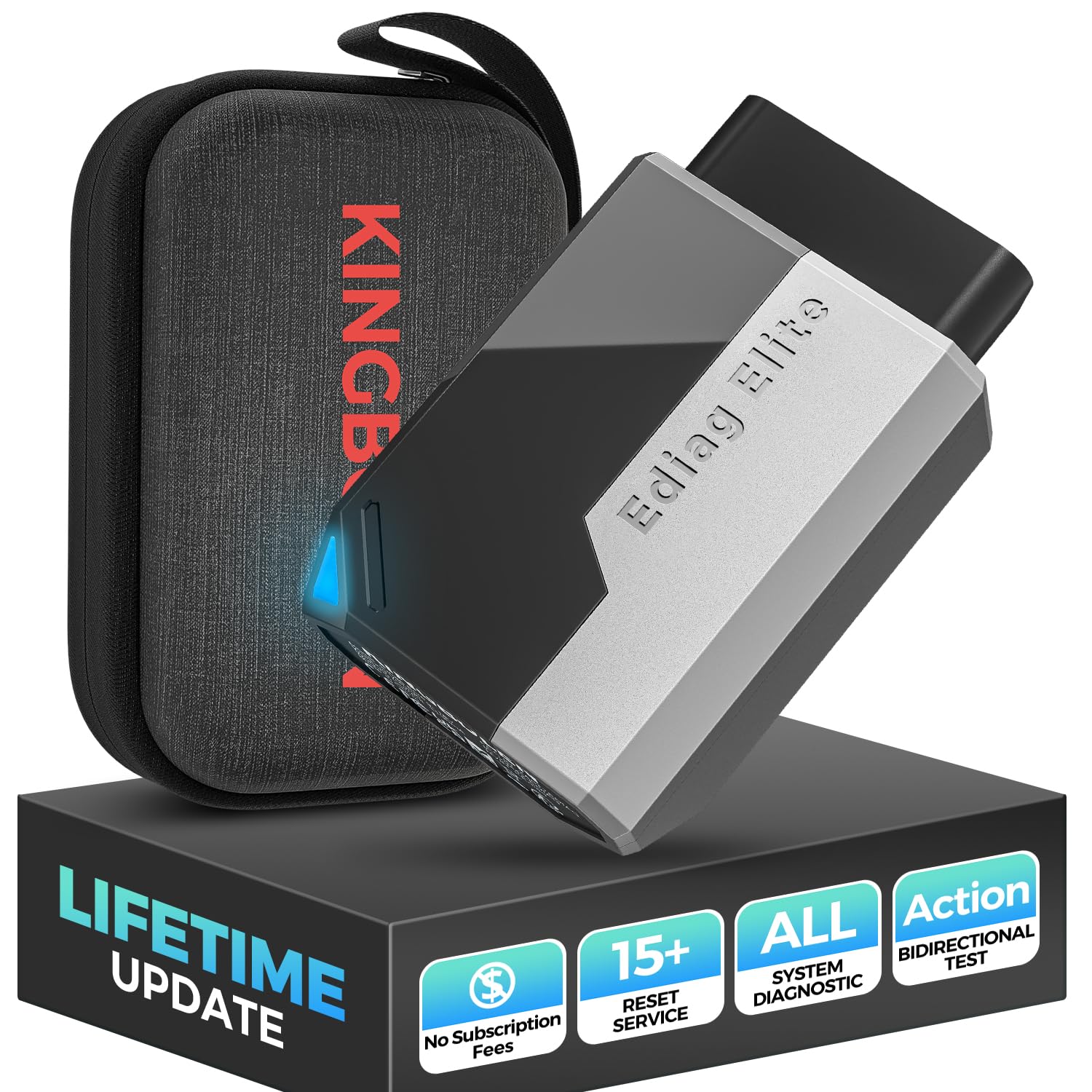
The KINGBOLEN Ediag Elite is a fantastic option for DIY mechanics and private car owners seeking advanced diagnostic capabilities with the significant advantage of lifetime free software updates. This Bluetooth OBD2 scanner offers a powerful suite of features, including comprehensive full-system diagnostics, 15+ hot reset services, and crucial bi-directional testing, all within a sleek, pocket-sized device.
Many users appreciate the Ediag Elite’s ability to perform active tests, allowing them to send commands directly to the vehicle’s ECU to test components like A/C clutches or electronic parking brakes, which drastically cuts down diagnostic time. The inclusion of special functions like oil reset, throttle adaptation, and injector coding makes it a versatile tool for routine maintenance and more complex repairs. Drivers have reported successful use in programming keys for certain vehicles and easily turning off TPMS lights. Its support for CANFD protocol and FCA AutoAuth (account separate) ensures compatibility with newer models, making it a forward-thinking choice for those with a diverse fleet of vehicles.
If you’re a hands-on car owner or aspiring mechanic looking for a powerful diagnostic tool that grows with your needs and doesn’t incur ongoing subscription costs, the KINGBOLEN Ediag Elite is an exceptional value. Its combination of bi-directional control, extensive reset functions, and lifetime updates makes it a strong contender for anyone serious about vehicle maintenance and repair.
Why it’s great
- Lifetime free software updates (no yearly renewal)
- Full system diagnostics and 15+ reset functions
- Bi-directional control for active component testing
- Supports CANFD protocol and FCA AutoAuth
- Real-time data visualization with multiple display modes
Good to know
- Some users found the software to be slow and occasionally buggy
- Customer support can be slow due to time zone differences
- FCA AutoAuth account requires separate payment
6. MUCAR AI-Assisted BT200 MAX
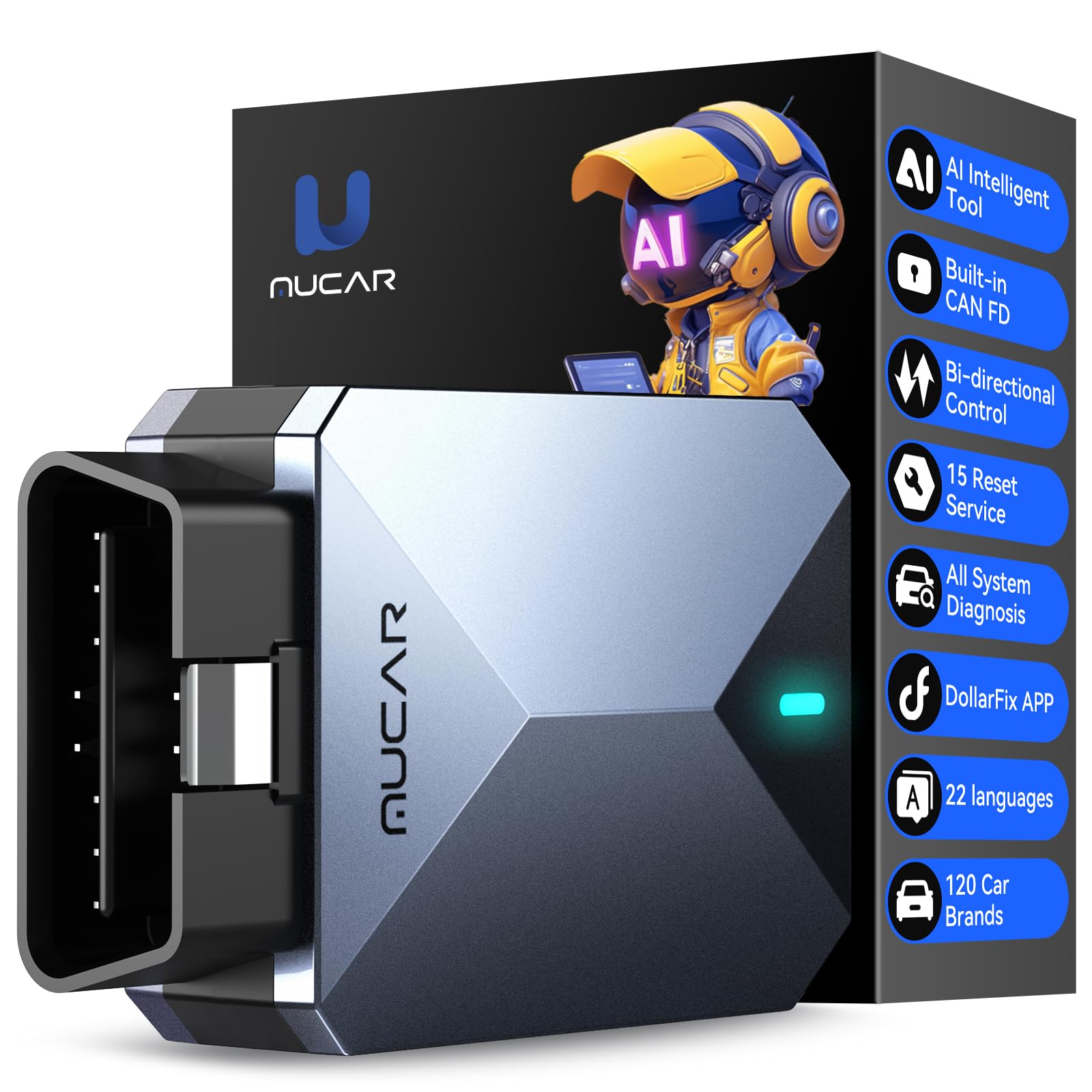
The MUCAR AI-Assisted BT200 MAX brings a fresh approach to vehicle diagnostics by integrating AI capabilities, making it particularly appealing for beginners and individual buyers who want professional assistance. This tool is compatible with ELM327 software and offers comprehensive all-system diagnostics along with 15+ maintenance functions, all powered by an intelligent AI customer service avatar within the Dollarfix app.
Newcomers to car diagnostics especially praise the AI-powered trouble code analysis and troubleshooting, which provides professional terminology and answers to various automotive questions, demystifying complex issues. Experienced users appreciate its full bi-directional control, allowing them to send commands for active testing of components like fuel pumps or injectors, significantly reducing repair time. The device’s small, portable size and included carrying case make it convenient for on-the-go use, and its compatibility with both iOS and Android ensures broad accessibility. Drivers have found it effective for reading live data, performing ABS bleeds, and even reprogramming key transponders on various vehicles.
If you’re seeking a diagnostic tool that combines robust features with cutting-edge AI assistance to guide you through troubleshooting and repairs, the MUCAR AI-Assisted BT200 MAX is an excellent choice. Its ability to support all system diagnostics, active testing, and numerous resets, along with lifetime updates, makes it a valuable asset for anyone looking to take control of their vehicle’s health with smart support.
Why it’s great
- Industry-first AI-assisted diagnostics and troubleshooting
- Compatible with ELM327 for broad third-party app support
- Supports all available vehicle systems and 15+ maintenance resets
- Full bi-directional control for active component testing
- Lifetime free updates and FCA AutoAuth support
Good to know
- Some users reported occasional app crashes or slowness
- Compatibility for specific advanced functions can vary by vehicle
- Requires downloading vehicle-specific software within the app
7. TOPDON TopScan Lite

The TOPDON TopScan Lite offers a compelling package for those seeking bi-directional control and full system diagnostics at a more accessible price point. This wireless tool connects to your smartphone via Bluetooth 5.0 and provides an impressive array of features, including 8+ popular reset functions and comprehensive repair guides, aiming to simplify complex vehicle issues for both mechanics and DIY users.
Professional mechanics and savvy car owners are impressed by its capability to perform active tests, sending commands to the ECU to quickly pinpoint problems with components like A/C clutches or windows. Many appreciate the first year of free subscription, which unlocks full functionality, including TSBs and a fault code database, providing invaluable repair guidance. Its extensive vehicle coverage, including FCA, Renault, and Nissan gateway unlocks, as well as CAN-FD protocol support, makes it compatible with a wide range of modern vehicles. Drivers have found it particularly useful for reading and clearing airbag codes, a feature often reserved for much more expensive scanners.
If you’re looking for an extremely capable scan tool that offers bi-directional control and full system diagnostics without breaking the bank, the TOPDON TopScan Lite is a solid choice. While it does have an annual subscription after the first year, its initial value and robust feature set make it a powerful ally for diagnosing and tackling vehicle repairs efficiently.
Why it’s great
- Bi-directional control for active testing
- Full system diagnosis with 8+ reset functions
- Comprehensive repair guides and fault code database
- Supports FCA, Renault, Nissan gateway unlock & CAN-FD
- Bluetooth 5.0 for fast and stable connection
Good to know
- Requires a subscription after the first year for full features
- User interface can be less intuitive for some
- Downloading individual car databases can take time
8. Vgate vLinker MC+

The Vgate vLinker MC+ is a highly versatile Bluetooth OBD2 diagnostic tool, particularly favored for its advanced protocol support, including SW-CAN and MS-CAN. This makes it an excellent choice for accessing proprietary GM and Ford networks, giving users deeper insights and programming capabilities often unavailable with standard ELM327 devices. It’s compatible across iOS, Android, and Windows, offering broad platform flexibility.
Jeep and Ford owners especially appreciate the vLinker MC+ when paired with specific apps like JScan or FORScan, enabling them to program new keys, modify vehicle settings, or diagnose complex system issues. Many users highlight its rapid data transfer rate, which is crucial for coding applications and real-time monitoring. Its intelligent sleep mode and low operating current ensure it won’t drain your car’s battery if left plugged in, a thoughtful design feature. The compact form factor means it stays out of the way, making it a convenient tool to keep in your vehicle.
If you own a GM or Ford vehicle and require access to manufacturer-specific networks, or if you need a reliable adapter for advanced coding and diagnostic apps across multiple operating systems, the Vgate vLinker MC+ is an excellent investment. Its robust compatibility with ELM327, ELM329, and STN command sets ensures wide software support, making it a valuable tool for both professional and DIY diagnostics.
Why it’s great
- Supports advanced SW-CAN and MS-CAN protocols
- Compatible with iOS, Android, and Windows
- High data transfer rate for coding applications
- Energy-efficient with intelligent sleep mode
- Broad software support (ELM327, ELM329, STN)
Good to know
- Functionality heavily relies on third-party app compatibility
- May require a security gateway bypass for newer FCA vehicles for programming
- Some users reported initial Bluetooth connection challenges (later resolved with support)
9. Innova 5210

The Innova 5210 is an excellent choice for everyday drivers and DIYers seeking a reliable, straightforward tool for basic diagnostics and essential maintenance. This OBD2 scanner not only reads and clears check engine lights and ABS codes (coverage varies) but also doubles as a car battery tester, helping you monitor alternator health and prevent unexpected breakdowns. It’s designed to provide crucial information without overwhelming you with complex features.
Drivers find the 5210’s live data capabilities, including RPM, engine temperature, and fuel trims, incredibly useful for real-time health monitoring and preparing for smog tests. Many appreciate the built-in oil light reset feature, making post-oil change maintenance a breeze. The tool’s compatibility with most 1996+ US, Asian, and European vehicles, combined with its free RepairSolutions2 app, offers verified fixes and step-by-step guidance from ASE-certified mechanics. This app integration provides immense value, helping users pinpoint issues and estimate repair costs without any hidden subscription fees.
If you’re looking for a dependable and easy-to-use diagnostic tool that covers essential OBD2 functions, battery health, and oil resets, the Innova 5210 is a solid investment. It provides accurate codes and helpful repair guidance, empowering you to handle common car issues with confidence and potentially save significant money on mechanic visits.
Why it’s great
- Reads and clears engine and ABS codes
- Functions as a car battery and alternator tester
- Live data and I/M readiness for smog checks
- Built-in oil light reset feature
- Free RepairSolutions2 app with verified fixes and no subscriptions
Good to know
- ABS code coverage can vary by vehicle
- Features are more basic compared to advanced bi-directional scanners
- Does not support advanced system diagnostics (SRS, transmission)
10. AUTOPHIX 3210
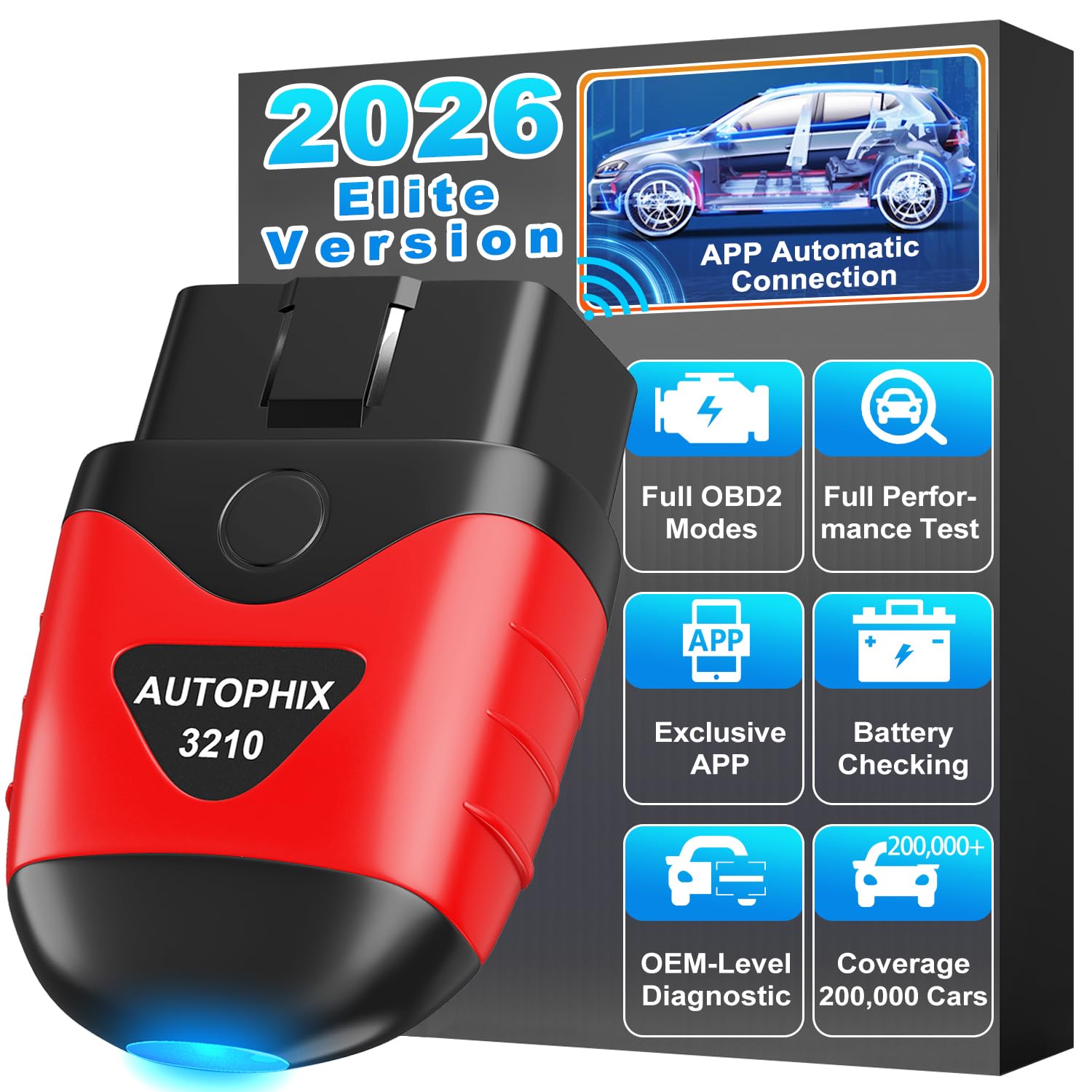
The AUTOPHIX 3210 offers exceptional value as a budget-friendly Bluetooth OBD2 scanner, providing full OBD2 functionality without any subscription fees. It’s designed for easy DIY car diagnostics, allowing you to read and clear check engine lights, perform I/M readiness tests for smog checks, and access live engine data. This tool aims to empower every car owner to understand and address common vehicle issues with confidence.
Car owners and casual mechanics praise the 3210 for its straightforward operation and intuitive app, which includes a built-in DTC lookup that links directly to Google Search for professional-grade fixes. Many find its ability to display live engine data—like MAF readings, throttle position, and spark advance—invaluable for diagnosing rough running conditions or fuel consumption issues. The 0-60 test feature is a unique addition, allowing users to verify repairs or monitor performance changes. Its broad compatibility with 99% of OBDII-compliant vehicles from 1996 onwards makes it a versatile tool for various car makes and models.
If you’re seeking a highly affordable yet capable diagnostic tool for basic check engine light issues, smog readiness, and live engine data, the AUTOPHIX 3210 is an outstanding choice. Its lifetime free updates and absence of hidden fees make it a smart investment for stress-free car care, allowing you to avoid unnecessary trips to the repair shop and save significantly on repair bills.
Why it’s great
- Full OBD2 functionality with no subscription fees
- Built-in DTC lookup with Google Search integration
- Live engine data monitoring and 0-60 test
- I/M readiness for easy smog checks
- Broad compatibility with 99% of OBDII vehicles
Good to know
- Cannot clear ABS, SRS, or transmission codes
- Minimal included documentation, relying on the app
- Some users reported interference with key fobs when left plugged in (specific vehicles)
11. FIXD Bluetooth OBD2 Scanner
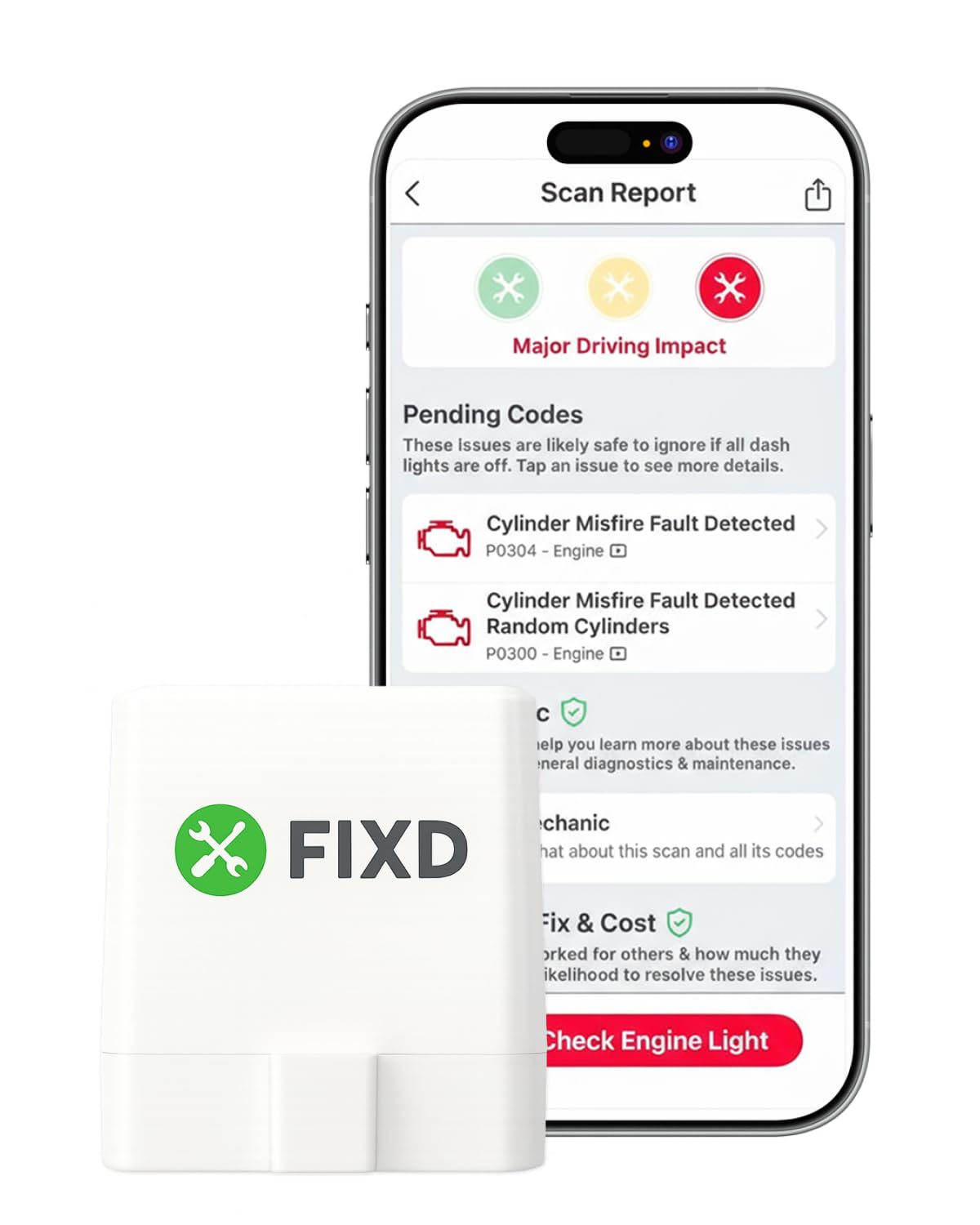
The FIXD Bluetooth OBD2 Scanner is an excellent tool for drivers who want straightforward answers and guidance when their check engine light comes on. This compact device connects wirelessly to your iPhone or Android and is designed to easily diagnose over 39,000 car issues, providing simple explanations instead of confusing error codes. It’s particularly useful for validating repairs, assessing vehicle condition, and managing maintenance across multiple cars.
Car buyers and sellers especially appreciate FIXD’s ability to uncover pending codes or detect if codes were recently cleared, providing crucial insights into a vehicle’s true condition before a purchase. Daily commuters find the mileage-based maintenance reminders and alerts for severe issues incredibly helpful for staying on top of their car’s health. While the core app is free with unlimited scans, some users have noted that the full potential, including repair cost estimates and live mechanic support, comes with an optional premium subscription. However, for basic diagnostics and code clearing, the free functionality is robust and highly reliable.
If you’re looking for an easy-to-use diagnostic tool that provides clear explanations for car issues, tracks maintenance, and can even help you evaluate used cars, the FIXD Bluetooth OBD2 Scanner is a solid choice. Its ability to manage multiple vehicles within one app and provide peace of mind makes it a valuable asset for any car owner, whether you’re a seasoned DIYer or just want to understand what’s happening under the hood.
Why it’s great
- Diagnoses over 39,000 issues with simple explanations
- Free app with unlimited scans and maintenance reminders
- Can detect pending codes and recently cleared codes
- Manages multiple cars in one app
- Compact size stays hidden under the dash
Good to know
- Full functionality (e.g., repair estimates) requires an optional premium subscription
- Does not offer advanced bi-directional controls or system resets beyond basic codes
- Some users find the subscription model manipulative
12. Veepeak OBDCheck BLE

The Veepeak OBDCheck BLE is a highly versatile and affordable Bluetooth OBD II scanner that offers broad compatibility for both iOS and Android devices. Unlike some budget scanners, this version supports Bluetooth LE, which means no pairing is required for iOS users—simply plug it in and connect directly within a compatible app. It’s an excellent choice for generic OBD-II functions, helping you read and clear check engine light codes and view live sensor data.
Drivers consistently report excellent performance with popular apps like Car Scanner ELM OBD2, Torque (for Android), and even specialized apps like BimmerCode or OBD JScan (with specific model year limitations). Tacoma owners have found it invaluable for monitoring ATF temperatures during fluid changes, while Honda Accord users praise its seamless integration with Car Scanner Pro for verifying sensors and clearing codes. The compact design and stable connection make it a reliable tool to keep in your car for quick diagnostics and troubleshooting before heading to a mechanic.
If you’re looking for an affordable, reliable, and universally compatible Bluetooth OBD2 scanner that works equally well with both iPhones and Android devices, the Veepeak OBDCheck BLE is a fantastic option. It provides essential diagnostic data and code-clearing capabilities, making it a handy tool for everyday car owners who want to stay informed about their vehicle’s health.
Why it’s great
- Compatible with both iOS (Bluetooth LE) and Android
- Reads and clears generic OBD-II trouble codes
- View freeze frame data and live sensor data
- Supports popular apps like Car Scanner, Torque, BimmerCode
- Compact design and stable connection
Good to know
- Requires a compatible third-party app to operate (some may be paid)
- Advanced diagnostics (ABS, SRS) are app and vehicle-dependent
- Not compatible with Carly, MHD, or Android head units
13. UMEIJA V011

The UMEIJA V011 OBD2 Scanner offers a compelling package for both novices and seasoned car enthusiasts, emphasizing user-friendliness and comprehensive diagnostics. With advanced Bluetooth 5.4 connectivity and an exclusive free app, it provides a seamless experience for reading and clearing trouble codes, accessing live data, and performing various performance tests across a wide range of vehicles.
New users particularly appreciate the intuitive app, which simplifies the interpretation of check engine lights and even suggests possible fixes, potentially saving them from unnecessary mechanic visits. Many drivers have tested it on multiple cars, from older Highlanders to newer Camrys, and reported instant code retrieval and easy clearing after repairs. The visual data representation in clear charts, showing engine coolant temperature, RPM, and vehicle speed, makes it easy for anyone to quickly grasp their car’s status. Its broad compatibility with over 96% of car makes and models from 1996 to the present, coupled with multi-language support, ensures accessibility for a global audience.
If you’re looking for an affordable, highly compatible, and user-friendly diagnostic tool that works with both iOS and Android, the UMEIJA V011 is an excellent choice. Its comprehensive performance testing, intuitive data visualization, and hassle-free Bluetooth 5.4 connectivity make it an ideal device for monitoring your car’s health and catching potential problems early.
Why it’s great
- Comprehensive performance testing and 9 protocols support
- User-friendly with intuitive app and how-to guides
- Advanced Bluetooth 5.4 for faster, more reliable connections
- Broad compatibility with 96% of car makes (1996-present)
- Exclusive free app with clear data visualization
Good to know
- Fault codes can only be cleared after the car is repaired
- Some users desired more advanced programming functions (e.g., key fobs)
- Minimal documentation beyond setup instructions
14. Veepeak Mini Bluetooth OBD2 Scanner

The Veepeak Mini Bluetooth OBD2 Scanner is a highly effective and incredibly affordable diagnostic tool, specifically designed for Android users. While it’s not compatible with iOS, its performance with Android phones and tablets is consistently praised, making it a top choice for those who want generic OBD-II functions without spending a fortune. It’s perfect for reading and clearing check engine light codes and monitoring live sensor data.
Android users, particularly those utilizing apps like Torque Pro or Car Scanner ELM OBD2, consistently report flawless performance, with fast updates and stable connections even when running multiple gauges. Owners of older vehicles, like a 2000 Buick Park Avenue, have found it invaluable for tracking persistent codes and monitoring critical data like MAF flow and volumetric efficiency. Many appreciate its compact size, allowing it to remain plugged in without getting in the way, and its surprising durability, with some units lasting up to five years of regular use.
If you’re an Android user looking for a cheap, reliable, and highly functional Bluetooth OBD2 scanner for generic diagnostics and live data monitoring, the Veepeak Mini is an outstanding choice. It offers exceptional value for money, allowing you to troubleshoot issues, clear codes, and gain deep insights into your vehicle’s health, all from your smartphone or tablet.
Why it’s great
- Extremely affordable and reliable
- Works flawlessly with popular Android apps (Torque, Car Scanner)
- Reads and clears generic OBD-II trouble codes
- Monitors extensive live sensor data (speed, RPM, temps, O2)
- Compact, durable design, can be left plugged in
Good to know
- NOT compatible with iOS devices
- Does not support advanced diagnostics (ABS, SRS, transmission)
- Requires a compatible third-party app to function
15. Innova 5610
The Innova 5610 is a top-tier bidirectional scan tool designed for serious mechanics and advanced DIY enthusiasts who need to perform professional-level diagnostics and repairs. This OBD2 scanner offers robust functionality, including enhanced data streams for systems like ABS, SRS, and transmission, alongside dealership-level relearn procedures. It’s built to provide real-time solutions and help you troubleshoot complex issues with precision.
Users praise the 5610 for its ability to send commands to test various vehicle functions, such as activating the fuel pump or retracting electronic parking brakes, which is invaluable for comprehensive system checks. Many have lauded its clear display and solid build quality, making it feel like a professional tool. The integration with the RepairSolutions2 app (trusted by millions) provides verified fixes and guidance, effectively acting as a virtual mechanic. Drivers consistently report significant savings by using this tool to diagnose and fix issues like misfires or EVAP purge valve problems, often paying for itself after just one use.
If you’re looking to unlock advanced diagnostic capabilities, perform special reset functions, and execute bi-directional controls without the burden of ongoing subscription fees, the Innova 5610 is an exceptional investment. It empowers you to tackle intricate repairs with the confidence of a seasoned professional, making it an indispensable tool for maintaining peak vehicle performance and safety.
Why it’s great
- Professional-level bi-directional controls
- Enhanced data stream for advanced systems (ABS, SRS, transmission)
- Dealership-level relearn procedures and special reset functions
- Free lifetime updates and no subscription fees
- Pairs with RepairSolutions2 app for verified fixes and guidance
Good to know
- Higher price point, geared towards advanced users
- Features may vary significantly by vehicle make/model/year
- Can be less user-friendly for beginners due to extensive menus
Understanding the Specs
Bluetooth Version
The Bluetooth version indicates the speed and stability of the wireless connection. Newer versions like Bluetooth 5.0 or 5.4 offer faster data transfer and more reliable connections, which is crucial for real-time live data streaming and active tests. Older versions (e.g., 4.0) are still perfectly functional for most basic diagnostics but might have slightly slower refresh rates or less stable connections over distance.
System Coverage
This refers to which of your vehicle’s electronic control units (ECUs) the diagnostic tool can access. “Generic OBD-II functions” typically cover only the Engine Control Module (ECM) for emissions-related data. “All System Diagnostics” means the tool can communicate with other modules like ABS (Anti-lock Braking System), SRS (Supplemental Restraint System/Airbag), Transmission, TPMS (Tire Pressure Monitoring System), and more. The broader the coverage, the more comprehensive your diagnostic capabilities.
FAQ
What is a Bluetooth car diagnostic tool?
How do I connect a Bluetooth OBD2 scanner to my phone?
Can a Bluetooth diagnostic tool clear codes?
Are Bluetooth OBD2 scanners accurate?
Do I need a subscription for a Bluetooth car diagnostic tool?
Understanding the Specs
Bluetooth Version
The Bluetooth version indicates the speed and stability of the wireless connection. Newer versions like Bluetooth 5.0 or 5.4 offer faster data transfer and more reliable connections, which is crucial for real-time live data streaming and active tests. Older versions (e.g., 4.0) are still perfectly functional for most basic diagnostics but might have slightly slower refresh rates or less stable connections over distance.
System Coverage
This refers to which of your vehicle’s electronic control units (ECUs) the diagnostic tool can access. “Generic OBD-II functions” typically cover only the Engine Control Module (ECM) for emissions-related data. “All System Diagnostics” means the tool can communicate with other modules like ABS (Anti-lock Braking System), SRS (Supplemental Restraint System/Airbag), Transmission, TPMS (Tire Pressure Monitoring System), and more. The broader the coverage, the more comprehensive your diagnostic capabilities.
FAQ
What is a Bluetooth car diagnostic tool?
How do I connect a Bluetooth OBD2 scanner to my phone?
Can a Bluetooth diagnostic tool clear codes?
Are Bluetooth OBD2 scanners accurate?
Do I need a subscription for a Bluetooth car diagnostic tool?
instructions for pairing.
Can a Bluetooth diagnostic tool clear codes?
Are Bluetooth OBD2 scanners accurate?
Do I need a subscription for a Bluetooth car diagnostic tool?
Understanding the Specs
Bluetooth Version
The Bluetooth version indicates the speed and stability of the wireless connection. Newer versions like Bluetooth 5.0 or 5.4 offer faster data transfer and more reliable connections, which is crucial for real-time live data streaming and active tests. Older versions (e.g., 4.0) are still perfectly functional for most basic diagnostics but might have slightly slower refresh rates or less stable connections over distance.
System Coverage
This refers to which of your vehicle’s electronic control units (ECUs) the diagnostic tool can access. “Generic OBD-II functions” typically cover only the Engine Control Module (ECM) for emissions-related data. “All System Diagnostics” means the tool can communicate with other modules like ABS (Anti-lock Braking System), SRS (Supplemental Restraint System/Airbag), Transmission, TPMS (Tire Pressure Monitoring System), and more. The broader the coverage, the more comprehensive your diagnostic capabilities.
FAQ
What is a Bluetooth car diagnostic tool?
How do I connect a Bluetooth OBD2 scanner to my phone?
Can a Bluetooth diagnostic tool clear codes?
Are Bluetooth OBD2 scanners accurate?
Do I need a subscription for a Bluetooth car diagnostic tool?
Understanding the Specs
Bluetooth Version
The Bluetooth version indicates the speed and stability of the wireless connection. Newer versions like Bluetooth 5.0 or 5.4 offer faster data transfer and more reliable connections, which is crucial for real-time live data streaming and active tests. Older versions (e.g., 4.0) are still perfectly functional for most basic diagnostics but might have slightly slower refresh rates or less stable connections over distance.
System Coverage
This refers to which of your vehicle’s electronic control units (ECUs) the diagnostic tool can access. “Generic OBD-II functions” typically cover only the Engine Control Module (ECM) for emissions-related data. “All System Diagnostics” means the tool can communicate with other modules like ABS (Anti-lock Braking System), SRS (Supplemental Restraint System/Airbag), Transmission, TPMS (Tire Pressure Monitoring System), and more. The broader the coverage, the more comprehensive your diagnostic capabilities.