
Our readers keep the lights on and the garage heater humming. As an Amazon Associate, I earn from qualifying purchases.
Satellite radio in a car sounds simple until you actually try to “make it feel factory.” Suddenly it’s not about the receiver at all. It’s about the antenna living in the real world (garages, tree cover, mountains), the audio path (Bluetooth vs AUX vs FM), and the little daily annoyances that either disappear… or slowly drive you nuts.
If you’re hunting for the best satellite radio for car, you’re really hunting for a setup that stays enjoyable on your worst day: hands full, running late, driving into a parking structure, and you just want your music or talk to come back cleanly when you exit. That’s why I’m not going to waste your time with “this one is bigger” fluff. Instead, this guide is built around the friction points real owners keep running into: finicky mounts, cable chaos, alternator whine on AUX, laggy boot-ups on touchscreen models, and what actually makes signal reliable (hint: the antenna and routing matter more than almost anything).
You’ll see a mix of true satellite receivers (the ones that work even when your phone has zero bars), integrated “behind the dash” tuner upgrades (the cleanest-looking solution), and a few “modernize any car” CarPlay screens. Those screens can be awesome, but here’s the key: most of them don’t receive satellite broadcasts by themselves—they’re best when you want a big display, hands-free control, and you plan to listen through apps (which is streaming, not satellite). I’ll keep that distinction crystal-clear so you can buy confidently and not feel misled.
Below you’ll find 14 highly practical picks, ordered the way a smart shopper thinks: start with the easiest, most satisfying “plug-and-play” winners, then move into premium bundles and full head-unit upgrades, and finally finish with CarPlay screens for people whose real goal is a modern dashboard experience.
In this article
- How to pick the right receiver for your car, your commute, and your patience.
- Quick comparison table of 14 standout options.
- In-depth reviews of each product, with real-world pros and cons.
- How to get better signal + cleaner audio (the install details that matter).
- Answers to common questions, plus final buying tips.
How to Choose the Best Satellite Radio For Car
A receiver is only “good” if it stays enjoyable after the honeymoon period. The real win is a setup that feels natural: you get in, your audio is clean, your presets are easy, and you’re not constantly fiddling with cords, mounts, or source switching. Here’s the decision framework that consistently leads to a confident purchase.
1. Decide what “satellite radio” means for you: broadcast vs app streaming
This is the single most important fork in the road—and most guides blur it. There are two very different experiences:
- True satellite reception: You use a SiriusXM-compatible receiver (or a dash-mounted dock-and-play unit) with a satellite antenna. It works where cell coverage disappears, which is exactly why long-distance drivers and rural commuters love it.
- App-based “satellite content” streaming: You use your phone (CarPlay/Android Auto) to play content via an app. It’s awesome when you have data (or Wi-Fi), but it’s not the same kind of reliability as broadcast satellite.
2. Choose your integration level: dash-top, dash-flush, or “modernize any car”
Every product in this guide fits into one of three installation lifestyles:
- Dock-and-play receivers: The easiest path. A small screen mounts to your dash or vent. You run an antenna cable, plug power into the vehicle port, and connect audio via Bluetooth/AUX/FM. This is the sweet spot for most drivers.
- Hideaway tuner + head unit upgrade (cleanest look): A tuner like the SXV300 hides behind your dash and you control everything through your car stereo. When done right, it looks factory and eliminates “cord clutter.” It’s also more work up front.
- Portable CarPlay screens: Great for older cars. You keep your existing radio but add a touchscreen with voice control, navigation, often a backup cam and dash cam. Treat these as “modern dashboard upgrades” more than true satellite receivers.
3. Audio output is where most people either win or suffer
Satellite audio can sound shockingly good—or frustratingly noisy—depending on how you feed it into your car. Here’s the honest hierarchy:
- Best overall audio consistency: AUX (wired line-in). It’s stable, full-frequency, and doesn’t fight interference. If you hear a high-pitched whine when you accelerate (classic alternator noise), a small inline ground loop isolator usually fixes it.
- Best convenience in modern cars: Bluetooth audio. Clean, easy, cable-light. It’s the best “daily driver” workflow when your car supports it well.
- Most universal but most fragile: FM transmission. Works in cars without AUX/Bluetooth, but it can be noisy in cities and you may need to change frequencies on long drives.
A lot of “bad receiver reviews” are actually “bad audio path” problems. If you pick the right receiver but the wrong audio connection, you’ll think you bought the wrong product—when you really just chose the wrong output method for your car.
4. The antenna is the difference between “lifetime love” and “why does it cut out?”
Owners consistently underestimate antenna placement because the cable is thin and the mount looks simple. But antenna placement is everything:
- Best placement: near the center of the roof (clean sky view).
- Good placement: near the rear of the roof, away from other antennas.
- Workable placement: on the dash under the windshield (more likely to drop under bridges/trees).
- Where people go wrong: tucked under metal, pinched in a door seam, or routed in a way that crushes the cable.
Take your time once and you’ll stop thinking about signal forever. Rush it, and you’ll spend months blaming the receiver for something the antenna caused.
5. Daily usability matters more than feature lists
If you drive every day, you’ll care less about “extra features” and more about these real-life behaviors:
- How fast it powers up when you start the car.
- How easy presets are to hit without looking away from the road.
- How readable the display is in harsh daylight and at night.
- How stable the mount feels on rough roads.
- How messy the cabling becomes once power, antenna, and audio are all connected.
6. “Home + car” is a power move if you actually use it
Some people think home kits and speaker docks are gimmicks. They’re not—if you genuinely want radio in more than one place. If you listen while cooking, in a garage, in an RV, or on vacations, a bundle can be the most satisfying “buy once, use everywhere” setup. If you only listen in the car, don’t overpay for accessories you’ll never dock.
Quick Comparison: 14 Best Satellite Radio For Car Picks
Use this table to quickly match your car and your listening style to the right kind of setup. Then jump into the deep reviews, where I cover what most listings don’t: cable chaos, mount stability, audio noise fixes, and the “daily behavior” that decides whether you’ll love it.
On smaller screens, swipe or scroll sideways to see the full table.
| Model | Setup type | Real-world strength | Best match | Amazon |
|---|---|---|---|---|
| SiriusXM Roady BT (SXVRBT1) | Dock & Play | Bluetooth audio + clean daily workflow + strong “set it and forget it” feel | Most drivers who want easy installs and minimal cable drama | Amazon |
| SiriusXM Onyx Plus (SXPL1V1) Vehicle Kit | Dock & Play | Full color screen + SmartFavorites-style browsing + TuneStart/TuneMix features | Channel surfers who want a richer “radio” experience | Amazon |
| SiriusXM Tour with 360L (SXWB1V1) | Hybrid | Touchscreen + voice search + satellite + streaming features in one | Drivers who want the most advanced interface and personalization | Amazon |
| SiriusXM Onyx EZR (SXEZR1V1) Vehicle Kit | Dock & Play | High-res display + split screen + easy “see everything at a glance” controls | Drivers who value readability and simple daily operation | Amazon |
| SiriusXM Onyx EZ (XEZ1V1) Vehicle Kit | Dock & Play | Simple, straightforward controls + easy DIY install path | Drivers who want the basics done right | Amazon |
| Onyx EZR Home Kit (SXEZR1H1) | Home + car | Home dock + remote + stable always-on listening on your own speakers | People who want SiriusXM in a room, garage, or workshop too | Amazon |
| SXSD2 Speaker Dock + Onyx Plus Bundle | Bundle | “Boombox” style dock with strong sound + Onyx Plus versatility | Vacations, cabins, RV stops, or anyone who wants portable room audio | Amazon |
| SXSD2 Speaker Dock + Onyx EZR Bundle | Bundle | Speaker dock convenience + high-res EZR display simplicity | Home listeners who want “plug in and go” radio in multiple places | Amazon |
| Sony MEX-N5300BT + SXV300V1 Tuner | Head unit | Cleanest look: integrated SiriusXM control + Bluetooth + CD receiver | Drivers upgrading an older stereo and wanting a “factory” finish | Amazon |
| Single-DIN Receiver + SXV300V1 Tuner Bundle | Head unit | Behind-dash tuner setup + flexible display illumination + strong “older car” upgrade path | DIY installers modernizing a pre-CarPlay vehicle with a single-DIN slot | Amazon |
| Antika 10.26" CarPlay Screen (4K/360 Cam) | CarPlay screen | Big modern display + dash cam + backup cam for older vehicles | People modernizing a car and listening via apps (streaming) | Amazon |
| GNTM 8.1" CarPlay Screen (2K Dash Cam) | CarPlay screen | Compact screen + strong audio output options + included SD card workflow | Drivers who want “modern features” without replacing the head unit | Amazon |
| Haudio 10.26" CarPlay Screen (Dash Cam + Rear Cam) | CarPlay screen | Large screen + simple plug-and-play install for many vehicles | Drivers who want a big screen and don’t mind tweaking mounts | Amazon |
| Yongeid 7" Portable CarPlay Screen | CarPlay screen | Entry-level CarPlay screen for basic streaming + AUX/FM output | Only if you’re comfortable troubleshooting firmware and quirks | Amazon |
In-Depth Reviews: 14 Real-World Setups That Make SiriusXM Feel Easy
Now we go product by product. I’m going to review these like a driver, not a spec sheet: how the install feels, how the mount behaves on rough roads, whether the buttons are usable at a glance, how the audio path behaves in real vehicles, and what you should know before committing.
1. SiriusXM Roady BT (SXVRBT1) – The Cleanest “Daily Driver” Satellite Setup

The Roady BT is the product I point most drivers to first because it solves the problem you’ll feel every single day: “How do I get SiriusXM into my car without turning my dashboard into a spaghetti bowl?” It’s a compact dock-and-play display, it’s easy to mount, and it offers Bluetooth audio as a realistic path to clean sound in modern vehicles—without needing a full stereo replacement.
Here’s what “best overall” really means in practice: the Roady BT fits into a routine. You can set up your presets, get your volume balanced, and then it just becomes part of the car. That matters because satellite radio is a long game. You’re not buying a toy—you’re buying a daily atmosphere: music, sports, talk, comedy, news, and “I don’t want to touch my phone” convenience.
The real-world advantage is flexibility. If your car has a solid Bluetooth system, you can stream the Roady’s audio through it. If Bluetooth pairing gets weird in your specific vehicle (some infotainment systems are picky about what they treat as the “audio source”), you can switch to AUX. And if you’re driving something older with no AUX, FM output can still get you listening. That ability to adapt to the car you own—rather than forcing you to change your car—makes this a genuinely safe recommendation.
Two experienced-driver notes that almost nobody says clearly: (1) if you use AUX and hear engine noise (a rising whine when you accelerate), it usually isn’t the radio “being bad”—it’s a grounding mismatch. A simple ground loop isolator in-line with the AUX cable typically removes it. (2) Bluetooth sometimes gets blamed unfairly. A clean BT experience depends on your vehicle’s Bluetooth stack. If your car’s Bluetooth is already finicky with music apps, it can be finicky here too. The Roady BT’s strength is that it gives you more than one way to win.
Why you’ll like it
- Bluetooth option reduces cable clutter – A huge quality-of-life upgrade in vehicles that handle Bluetooth well.
- Compact, easy to place – Doesn’t dominate your dash; feels like an accessory, not a renovation.
- Real “radio” controls – Presets, quick switching, and a workflow you can learn and stop thinking about.
- Works in rural or low-signal phone areas – True satellite reception is the point, and it delivers that advantage.
- Flexible output paths – Bluetooth, AUX, and other options mean you’re not trapped by one connection style.
- Good for multi-vehicle life – Easy to move if you have a work truck, a weekend vehicle, or an RV plan.
Good to know
- Bluetooth behavior depends partly on your vehicle; if pairing feels odd, AUX often becomes the “always works” fallback.
- If you hear engine noise on AUX, it’s usually fixable—just plan for an isolator rather than assuming the unit is defective.
- Like any dash-mounted device, placement matters in harsh sun; mount thoughtfully so the screen stays readable and stable.
- FM audio works, but it’s the most interference-prone option in busy metro areas.
Ideal for: most drivers who want a straightforward SiriusXM add-on that feels clean, modern, and easy to live with every day.
2. SiriusXM Onyx Plus (SXPL1V1) – The “I Want a Real Radio Experience” Upgrade

If the Roady BT is the “easy daily driver,” the Onyx Plus is the pick for people who want satellite radio to feel like a feature-rich entertainment system. The full color display is not just pretty—it changes how you use the radio. It’s easier to browse, easier to confirm what you’re listening to, and easier to treat the whole thing like a true in-car experience instead of a small add-on.
Where this model shines is content control. Features like TuneStart and TuneMix matter more than they look like on paper. TuneStart is a daily joy if you hate catching songs mid-chorus: you land on a favorite channel and the current track starts from the beginning. TuneMix is for drivers who don’t want to decide: pick a few channels you love and let the unit blend them into a personalized “station-like” flow. Those are the kinds of features that make satellite radio feel less like channel hopping and more like a curated soundtrack.
The Onyx Plus is also a strong solution for “older car, better entertainment” situations because it typically gives you more than one audio path. If your vehicle has AUX, use it. If your vehicle doesn’t, the built-in FM transmitter can get you listening without replacing your stereo. Realistically, FM can be a little fiddly in crowded FM markets (you may need to find a clean frequency), but once you have one dialed, the setup is surprisingly usable for everyday commuting.
The “expert move” with the Onyx Plus is to set it up like a tool, not a toy: mount it where it won’t block your view, route the antenna cable without pinching it, and build a preset strategy. Most people only program their top few channels. A better approach is to program by mood: “music focus,” “talk focus,” “sports,” “family-friendly,” and one “discovery slot.” That’s how you turn the Onyx Plus from a device into a habit.
Why it’s worth it
- Color display makes it more usable – Easier browsing, clearer info, and a more “built-in” feel.
- Smart listening features – TuneStart and TuneMix change how enjoyable channel-based listening is.
- Strong daily routine potential – Presets and alerts can make it feel like your personal in-car lineup.
- Works in vehicles without AUX – FM transmission gives older cars a real upgrade path.
- Good for long drives – Less scanning, fewer station hunts, more consistent content across regions.
Good to know
- No Bluetooth audio output, so your best sound path is usually AUX (or FM as a fallback).
- FM quality depends on your area; cities can be harder than rural roads.
- Antenna routing still matters—many “cutout” complaints trace back to cable placement and sky view.
- If you love a minimalist dash, any dock-and-play unit will still add visible hardware (a head-unit upgrade is cleaner).
Ideal for: drivers who want satellite radio to feel like a richer, more interactive entertainment system and enjoy features that make channel listening smoother.
3. SiriusXM Tour with 360L (SXWB1V1) – Big Touchscreen Energy, With Real Trade-Offs

The SiriusXM Tour is the “most ambitious” dock-and-play device in this list. It’s not trying to be a small radio screen. It’s trying to be a modern, touchscreen discovery platform that blends satellite reception with streaming features (when connected to the internet). That means voice search, personalized recommendations, “for you” content, and a browsing experience that feels closer to an app than a traditional radio.
If you love the idea of a radio that behaves like a smart interface, this one can feel genuinely exciting—especially once it’s set up. Touch input can be faster than button-clicking, voice search can reduce distraction, and the mix of satellite + streaming can expand what you can listen to beyond the broadcast lineup. For drivers who obsess over content discovery and want a “future-looking” setup, the Tour is the obvious candidate.
But here’s the honest expert perspective: advanced touch devices also create advanced failure modes. Owners repeatedly describe longer boot-up behavior compared to simpler radios, because the device is doing more. And “doing more” in a vehicle means you need to manage heat and placement. Mounting a touchscreen in direct summer sun can push any tablet-like device into unstable behavior. The Tour is best when you mount it where it can breathe, avoid baking it against glass, and treat it like electronics—not like a passive display.
The Tour is also the kind of product where your satisfaction depends on whether you want streaming features. If you never plan to connect it to Wi-Fi and you’re only after satellite reception, you may find it overkill. If you do want streaming integration, accept that there’s a learning curve—and plan the install so it stays stable: tight mount, tidy cables, and a location that doesn’t cook.
Why it’s compelling
- Touchscreen browsing – Faster discovery and a modern interface feel.
- Voice search mindset – Great for “find this show / artist / game” without endless clicking.
- Hybrid listening potential – Satellite reliability plus streaming expansion (when available).
- Feels premium and modern – Visually and behaviorally closer to a modern infotainment experience.
- Personalization angle – Built for people who love recommendations and curated content.
Good to know
- More complex devices can boot slower than simple radios; if instant-on is your priority, consider EZ/EZR models.
- Placement matters more: avoid direct harsh sun and give the unit a stable mount to reduce heat-related frustration.
- If you won’t use streaming features, you might be paying for a lifestyle you don’t need.
- This is not the “set it and forget it” pick for minimalists—it’s for drivers who enjoy tech.
Ideal for: drivers who want the most modern SiriusXM interface available in a dock-and-play form and are willing to install it thoughtfully for stability.
4. SiriusXM Onyx EZR (SXEZR1V1) – High-Res Split Screen That Reduces “Fiddle Time”

The Onyx EZR is the “quietly brilliant” choice for drivers who care about one thing above all: being able to glance, confirm, and move on—without poking around. The high-resolution display and split-screen approach sound like small upgrades, but they change the experience in a car because they reduce cognitive load. Less fiddling means safer driving and a calmer commute.
The sweet spot here is usability. You can keep listening to one channel while seeing what’s playing elsewhere. That’s not just a convenience feature—it’s how you avoid the “scroll spiral” where you get bored, start hunting, and then spend five minutes half-distracted. The EZR encourages a smarter habit: set your favorites, keep your eyes forward, and use the screen as confirmation instead of entertainment.
Owners who move from older SiriusXM units often describe the EZR as a meaningful modern step up in readability and menu clarity. It’s also a good compromise for people who don’t want a full touchscreen device (like the Tour) but still want a more modern feel than a basic monochrome display. In other words: it feels “updated,” but it doesn’t bring tablet-like complexity.
The main real-world drawback isn’t performance—it’s the dock-and-play reality: power cable + antenna cable + audio cable. That cable triangle is where people either do a clean install or end up annoyed. The solution is placement strategy: mount the screen where power and AUX are already near each other (or use Bluetooth when available), and route the antenna cable along the edge trim so it disappears. Do it once, neatly, and the EZR becomes a joy. Do it quickly and messy, and you’ll think the radio “made your dash ugly.”
Why it’s a smart pick
- High-res display is genuinely easier on the eyes – Better in daylight and more comfortable at night.
- Split-screen reduces distraction – You browse without losing context.
- Strong “simple but modern” feel – Modern readability without full touchscreen complexity.
- Good for drivers who hate scanning menus – Makes presets and browsing feel faster.
- Stable always-on potential – Great if you leave it docked and treat it like a car feature.
Good to know
- No built-in Bluetooth audio output in this style of kit, so plan your audio path (AUX is usually best).
- Cable management is the make-or-break factor; a neat route changes how much you enjoy it.
- If you want a bigger, app-like interface, the Tour is more “modern,” but also more demanding.
- If you want pure simplicity and don’t care about split-screen, the Onyx EZ can feel sufficient.
Ideal for: drivers who want a highly readable, low-fuss SiriusXM experience and care about seeing what’s playing without constant menu diving.
5. SiriusXM Onyx EZ (XEZ1V1) – The Simple, Reliable “Just Give Me My Channels” Choice

The Onyx EZ exists for a very specific personality: you don’t need bells and whistles. You want satellite radio in your car, you want it to work, and you want the learning curve to be short. This is the kind of unit people buy for a road trip, then keep for years because it simply does what it says.
Real owners consistently highlight the same “good boring” benefits: the installation is manageable as a DIY project (especially if you’re patient with cable routing), and once activated, the unit is dependable. If you’ve ever driven through areas where terrestrial radio turns into a hunt and streaming turns into buffering, the Onyx EZ becomes a relief: you pick your content and you keep driving.
Here’s the practical truth that makes this model either delightful or annoying: the Onyx EZ will only feel premium if you mount it thoughtfully. The included vent mounts can be hit-or-miss depending on your vent style, and some drivers report the physical mounting solution feels less robust than they’d like. If your car has vertical vents or weak fin structures, plan to use the dash mount or a sturdier alternative mount strategy. A stable mount changes everything because it turns “a thing on my dash” into “a screen I can trust.”
The other common theme is cable management. The antenna cable is intentionally long so it can reach the roof of almost any vehicle. That’s good engineering, but it means you’ll have extra length. If you just tape it to your dash, you’ll hate looking at it. If you take ten minutes to tuck it into trim seams, it disappears and the Onyx EZ feels dramatically more professional.
Why it’s popular
- Simple controls, fast learning curve – Great if you don’t want to “study your radio.”
- Reliable satellite listening – A strong antidote to rural streaming dead zones.
- DIY-friendly setup – Straightforward for most vehicles with basic patience.
- Great “second vehicle” solution – Perfect for older commuters, work cars, or family cars.
- Portable mindset – Can be moved with accessories if you expand later.
Good to know
- Some drivers find the vent mount less sturdy; your car’s vent style matters a lot.
- Buttons can feel small if you have larger hands—set presets in the driveway and avoid “button hunting” while driving.
- You’ll likely have extra antenna cable length; neat routing is the difference between “clean” and “messy.”
- If you want a richer display and easier browsing, step up to the EZR or Onyx Plus.
Ideal for: drivers who want a straightforward SiriusXM receiver that’s easy to install and easy to use—without paying for features they won’t use.
6. Onyx EZR with Home Kit (SXEZR1H1) – The “Always On” SiriusXM Station for Real Speakers

If you’ve ever tried to turn SiriusXM into a “house soundtrack” using only phone apps, you already know the pain: Bluetooth dropouts, app logouts, notifications interrupting music, and the constant feeling that your living room audio is being held together by duct tape. The Onyx EZR Home Kit is the opposite vibe. It’s built to be a stable, always-on receiver feeding your own speakers the old-school reliable way.
The hidden superpower here is the included home antenna and the fact that the receiver doesn’t rely on Wi-Fi or Bluetooth to function. That means you can set it up once, find the best antenna spot, and then treat it like an appliance. Owners often mention they’re surprised by how forgiving antenna placement can be when you experiment a little: you don’t always need the perfect “south facing window” fantasy; what you need is a consistent location that gives you a stable lock. Once you have it, the music just stays on—storms, busy networks, phone upgrades, none of it matters.
The remote control is not a throwaway extra. It changes how you use the product because you stop walking over to the unit constantly. This matters in kitchens, workshops, garages, and living rooms. It also matters if you plan to use the same receiver in the car sometimes: you can dock it at home, undock it when you need it, and you’re not stuck doing “touch the unit” interaction all day.
Two practical notes: first, these home kits assume you’ll feed audio into powered speakers or a stereo input. If your speakers are Bluetooth-only with no AUX input, you’ll need to plan a bridge. Second, some audio systems are surprisingly sensitive to line-level output; if it sounds “too hot,” you usually just need to turn down the receiver output and let your speakers do the amplification. Once you dial that in, it’s an incredibly calm, reliable setup.
Why it’s a lifestyle win
- Always-on reliability – No phone app drama, no Wi-Fi dependency.
- Remote control changes the experience – Easy listening without walking up to the unit.
- High-res display is genuinely pleasant – More readable than older home satellite setups.
- Great for garages and workshops – Where streaming can be spotty and you want stable music.
- Supports the “one subscription, multiple places” mindset – Dock at home, move as needed.
Good to know
- This is not Bluetooth/Wi-Fi-first gear; it expects wired audio into speakers or a stereo.
- Antenna placement is the main setup task—be ready to try a couple spots before you “lock it in.”
- If you only ever listen in the car, you may not need the full home kit approach.
- For true portability outdoors, a speaker dock bundle may feel easier than a home dock + separate speakers.
Ideal for: anyone who wants SiriusXM to function like a reliable home music station feeding real speakers—especially in garages, workshops, and rooms where streaming is inconsistent.
7. SXSD2 Speaker Dock + Onyx Plus Bundle – Vacation-Proof Sound With One Grab-and-Go Unit

This bundle is for a very specific kind of SiriusXM person: you don’t just listen in the car. You listen at a rental cabin, in a hotel room on a road trip, in an RV, or in a workshop where you want “real sound” without fuss. The SXSD2 speaker dock is basically a purpose-built boombox for SiriusXM dock-and-play radios, and pairing it with the Onyx Plus makes the whole setup feel complete.
The reason it works so well is simple: it eliminates the “what speakers do I use?” problem. Instead of needing a home stereo, powered speakers, or a Bluetooth chain, you dock the radio and you have a self-contained listening station. Owners often describe the sound as better than expected, with the kind of bass presence and clarity you wouldn’t guess from a “radio accessory.” That makes sense: it’s designed to be a speaker system, not a tiny built-in speaker compromise.
This is also one of the best bundles for people who travel to places where “earthly radio” is unreliable. If you’ve ever spent a week in a rural area with one scratchy FM station, you understand why a portable SiriusXM station is satisfying. The dock is the kind of device you can set on a table, aim the antenna thoughtfully, and instantly turn a temporary space into a comfortable one. That’s a real lifestyle upgrade—not just a gadget.
The practical realities: it can be larger than people expect, and portability depends on your expectations. Yes, it has a handle. But it’s not a tiny speaker you toss in a backpack. Think “portable stereo,” not “portable Bluetooth puck.” Also, antenna placement is still the key. The dock makes listening easy, but the satellite signal still obeys physics. Once you learn where the signal is best, though, this becomes one of the most enjoyable ways to consume SiriusXM outside a car.
Why this bundle is special
- Complete “room solution” – No extra speakers needed; dock and listen.
- Stronger sound than most expect – Built as a speaker system, not an add-on afterthought.
- Great for travel stops – Hotels, cabins, garages, and RV setups become easy.
- Remote adds real comfort – Adjust without walking across the room.
- Onyx Plus features make it fun – Better browsing and a more “premium radio” feel.
Good to know
- The unit can feel larger than expected; plan for “boombox size,” not “mini speaker size.”
- Antenna placement still matters; you may need to experiment in each new location.
- If your main goal is clean car integration, a Roady BT or head-unit upgrade will look cleaner.
- If you already own good powered speakers at home, the EZR Home Kit approach may be all you need.
Ideal for: people who want SiriusXM in multiple locations with solid sound and minimal setup—especially travelers, RV users, and anyone who wants a portable room station.
8. SXSD2 Speaker Dock + Onyx EZR Bundle – High-Res Simplicity With a True “Dock and Go” Routine

This bundle is the “family-friendly” version of the speaker dock concept. You’re getting a speaker dock that behaves like a portable stereo, paired with the Onyx EZR—which is one of the easiest-to-read, least confusing SiriusXM receivers for daily use. The result is a setup that feels approachable: dock the radio, hit a preset, done.
In real households, simplicity is the feature. A lot of people buy streaming speakers and then spend months juggling apps, logins, Wi-Fi changes, and phone control. This bundle sidesteps that whole ecosystem. It’s old-school in the best way: a dedicated receiver feeding a dedicated speaker dock. If you want music in the background for cooking, cleaning, hanging out, or garage projects, this kind of reliability is underrated.
Owners often mention two real-world truths with this setup: first, once you place the antenna correctly, performance feels stable and “always ready.” Second, the antenna cable can be the only annoying part. It’s long, it needs to be placed well, and it’s easy to end up with a messy run. The fix is the same every time: pick a consistent antenna location and make the cable route intentional. When you do, the dock becomes the kind of device you just leave set up—like a coffee maker for music.
If you’re trying to decide between this and the Onyx Plus bundle, here’s the honest way to think: Onyx Plus is more “fun to browse.” Onyx EZR is more “easy to live with.” For many families, the EZR’s clarity and split-screen readability create less friction day after day. If multiple people in the home will use it, that reduced friction matters more than extra features.
Why it’s a great household setup
- Simple for multiple users – Easy to teach, easy to operate, no app management.
- EZR display is very readable – Great for quick selection without frustration.
- Speaker dock makes it self-contained – No extra stereo required; just dock and play.
- Portable “move it where you are” flexibility – Garage today, living room tomorrow.
- Great for always-on background listening – The routine becomes effortless.
Good to know
- Antenna placement is still the key setup variable—be ready to try a few positions.
- This is portable, but it’s not tiny; think “portable stereo,” not “mini speaker.”
- If your top priority is the cleanest in-car look, this is more of a home-centric win.
- If you’re a heavy channel surfer, you may prefer the Onyx Plus interface.
Ideal for: households that want a dedicated SiriusXM station with solid sound and an easy interface—especially if more than one person will use it.
9. Sony MEX-N5300BT + SXV300V1 Tuner – The “Make It Look Factory” Single-DIN Solution

If you want SiriusXM in your car and you hate the look of a dash-mounted add-on, this is your lane. A head unit upgrade with a hideaway tuner is the cleanest aesthetic solution: the tuner hides behind the dash, the antenna wire is routed once, and all the controls live on the stereo face like it was built that way. When you get this right, satellite radio stops looking like an accessory and starts looking like a core feature.
The Sony approach is especially appealing for drivers who still value physical media and stable controls. You get Bluetooth for streaming and calls, you keep CD playback (yes, people still use it), and you get SiriusXM capability through the included tuner. That combination is a common “older vehicle modern refresh” strategy: you improve the audio system without turning your car into a rolling computer project.
The real-world “expert” truth is that installation quality determines satisfaction more than the hardware does. Here’s what typically makes or breaks a head-unit/tuner setup:
- Vehicle-specific wiring harness: If you use the right harness, install feels clean and reversible. If you splice randomly, you’ll hate the process.
- Antenna routing: Same rules as dock-and-play, but you only do it once and it’s hidden, which is why this looks so good.
- Tuner placement: The SXV300 is small, but don’t bury it in a way that stresses the cable or blocks access entirely.
- Grounding and noise control: A clean ground prevents the “why does my audio hiss?” surprise later.
Owners of head unit upgrades often describe a “relief moment” after install: the car feels newer, audio is better, and there’s no extra screen bouncing on the dash. If you drive a lot, that clean look and clean workflow can be worth the effort. If you change vehicles often or don’t want to touch wiring, a Roady/Onyx unit remains the simpler path.
Why this upgrade is satisfying
- Cleanest dashboard look – Satellite feels integrated, not stuck on.
- Bluetooth built in – Great for calls and phone audio when you want it.
- Stronger “system” feel – Better audio control and a more consistent in-car experience.
- One-time cable routing – Once installed, the mess disappears.
- Good for older vehicles – A classic way to modernize without replacing the entire dash.
Good to know
- Install requires more work than a dock-and-play receiver; plan tools, harnesses, and time.
- Some users want more flexible display behavior; head units vary in how they show long song info.
- If you’re not comfortable wiring, consider professional installation for a clean result.
- If you switch vehicles often, a portable receiver may fit your life better.
Ideal for: drivers who want a clean, integrated SiriusXM setup that looks factory and pairs with a true stereo upgrade instead of adding another screen.
10. Single-DIN Receiver + SXV300V1 Bundle – The “DIY Upgrade Kit” for Pre-Modern Dashboards

This bundle is the “classic DIY installer” path: replace the head unit, hide the tuner behind the dash, and control SiriusXM directly through the stereo. It’s especially appealing for vehicles with an aging factory deck, or for drivers who want a cleaner setup than a dash-mounted receiver but don’t want to rebuild their entire console.
What owners love about this style of upgrade is the transformation effect: the car instantly feels more modern because the stereo becomes a real media hub. USB music, AUX input, display customization, and SiriusXM integration all move into one place. That “one screen, one control point” feeling matters more than most people realize. It reduces distraction because you aren’t juggling multiple devices with separate power and audio paths.
The main expert guidance here is to approach the install like a project, not a quick swap. Most installation pain comes from wiring. Use a vehicle-specific harness when possible, label your connections, and don’t rush the cable routing. Owners who take the extra steps often report the result feels solid and stable, while rushed installs can create loose connections or noise.
Another real-world nuance: fitment varies by vehicle. Some dashboards accept a single-DIN unit cleanly; others require trim kits or compromise on factory panels. That’s not a reason to avoid the upgrade—it’s a reason to plan it. If you’re trying to keep a factory-looking finish, a trim kit is part of the equation. If you’re okay with “function over perfection,” this bundle can be a high-impact improvement.
Why it’s a strong upgrade path
- Cleaner than dash-mounted add-ons – One integrated head unit feels more natural.
- Behind-dash tuner keeps things tidy – Less visible cable clutter in the cabin.
- Good for older vehicles – A proven way to modernize cars with simple dashboards.
- Customizable display – Helps match interior lighting and reduce night glare.
- Expandable audio control – Better EQ control and output options than many factory decks.
Good to know
- Installation quality depends heavily on wiring method and harness choice.
- Some vehicles require trim kits or minor compromises for perfect fit.
- Not everyone wants to modify the dash; if you’re lease-sensitive, dock-and-play may feel safer.
- If you want a touchscreen CarPlay experience, this is a different path (and not the same as a CarPlay screen).
Ideal for: DIY-minded drivers upgrading an older single-DIN dashboard who want SiriusXM integrated cleanly into the stereo.
11. Antika 10.26" CarPlay Screen (4K/360 Dash Cam) – Modern Dashboard Feel Without Replacing Your Stereo

Let’s be extremely clear (because a lot of listings are not): this style of product is not a SiriusXM satellite receiver in the classic sense. It’s a CarPlay/Android Auto screen that can make your car feel modern—and it can play “satellite radio content” through apps on your phone, which is streaming. If your real goal is a big screen, voice control, navigation, and cameras, this category can be a massive win. If your goal is “works with zero cell service,” you want a true satellite receiver instead.
With that said, the Antika stands out in the CarPlay screen category because it’s designed like a “mini dashboard system,” not a barebones display. The 10.26-inch screen is large enough to feel meaningful, the interface is generally described as responsive, and the 360-rotation dash cam concept is surprisingly practical for drivers who want flexibility: point it forward for driving footage, rotate it for inside-the-cabin recording, and adjust the angle without fighting a fixed lens.
This is where an expert review gets very real: your mounting position controls your experience. Mount it too low and your dash cam view can be blocked by the hood line or interior structures. Mount it too high and you may create glare or block part of your windshield view. You want the screen readable and the camera line-of-sight clean. The best setups treat it like a dashboard instrument: centered enough to glance, but not in the way.
The included backup cam adds value, but calibrate your expectations. Any universal camera system can distort distance slightly and make objects look closer or larger than expected. That’s not a dealbreaker; it’s a “learn your camera” reality. Once you’ve used it for a week, your brain recalibrates and it becomes a helpful safety tool. If you’re expecting factory-quality camera geometry on day one, you’ll be disappointed. If you want a reliable view that helps you park and reverse safely, it can absolutely deliver.
Why it’s a smart modernization tool
- Big screen transforms older cars – Navigation and media become easier and safer.
- Generally quick connection behavior – Designed to reconnect when you start the vehicle.
- Dash cam flexibility – The 360 rotation concept is genuinely useful for angle management.
- Backup camera included – Adds real daily value for parking and reversing.
- Multiple audio output methods – Lets you feed sound into many types of vehicles.
Good to know
- This is primarily a CarPlay/Android Auto system; “satellite radio” is typically through apps (streaming), not direct satellite broadcast.
- Mount placement affects dash-cam usefulness—plan the position before finalizing cable routing.
- Camera distance perception may look different than factory cameras; expect a short adjustment period.
- If your main goal is SiriusXM without phone service, choose a true satellite receiver like Roady/Onyx or a head-unit tuner setup.
Ideal for: drivers modernizing an older vehicle who want a large screen, cameras, and app-based listening—and are okay with streaming reliance for “satellite” content.
12. GNTM 8.1" CarPlay Screen (2K Dash Cam) – A Surprisingly Solid “Portable Upgrade” for Any Vehicle
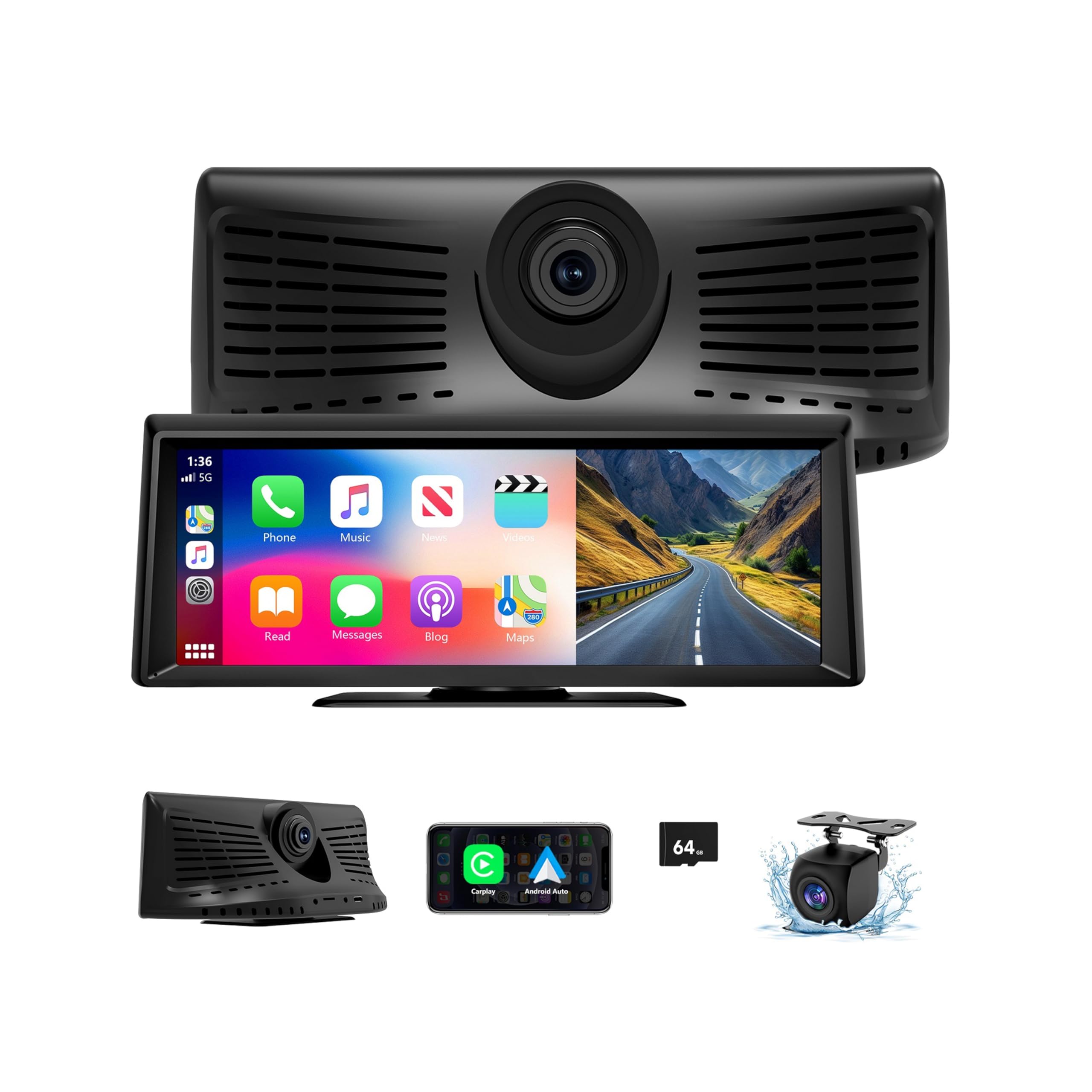
This category of product is popular for one reason: it gives older cars modern convenience without ripping out the factory radio. The GNTM model stands out because owners often describe it as “better built than expected,” with a bright, clear screen and a smoother interface than some of the ultra-cheap lookalikes. And it’s not just the screen—this unit is trying to be a full driving companion: CarPlay/Android Auto, mirror link, dash cam, backup cam, and multiple audio output modes.
The real value is how it reduces decision fatigue. With CarPlay/Android Auto you get a consistent interface across vehicles. If you drive multiple cars (or you’re the family “switch drivers” person), that consistency is huge. The unit remembering prior settings is another small detail that matters: portability only feels good if you don’t have to reconfigure every time.
The audio output design is also smart: Bluetooth to car speakers, AUX, FM transmitter, or built-in speaker. In real life, that flexibility is what makes a portable screen work in “weird” cars—older trucks, RVs, rentals, and vehicles with limited input options. Owners who praise sound quality usually use Bluetooth-to-speakers or AUX. FM transmission can work, but it’s more prone to static and frequency conflicts on long drives.
Now the honest limitations: mirror link and “screen mirroring” are often the area where these devices are most confusing. Some Android mirroring workflows require a specific connection style that feels less seamless than iPhone AirPlay-like behavior. If your main reason for buying is “I want to cast video constantly,” understand that mirroring can be more finicky than CarPlay/Android Auto. Also, backup cameras on universal kits can struggle with harsh headlights at night. If you drive in high-glare environments, treat the camera as helpful assistance—not a perfect night-vision system.
Why it’s a strong portable upgrade
- Good screen clarity – Readable even in daylight, which is where cheaper screens fail.
- Multiple audio paths – Easier to make it work in almost any vehicle.
- Includes recording workflow – Dash cam + loop recording mindset can add peace of mind.
- Remembers settings – Portability becomes practical, not annoying.
- Good “mom/dad life” convenience – Hands-free calls, navigation, and quick media access in one place.
Good to know
- Like most CarPlay screens, “satellite radio” listening is typically through apps (streaming), not direct satellite broadcast reception.
- Android mirroring can be more finicky than iPhone-style mirroring; CarPlay/Android Auto tends to be the stable path.
- Backup cameras can struggle with bright headlight glare at night; keep expectations realistic.
- Mount preference is personal; some people dislike adhesive solutions and prefer suction mounts or more robust brackets.
Ideal for: drivers who want a compact, portable “modern dashboard” upgrade with flexible audio output options—and who mostly rely on CarPlay/Android Auto for media.
13. Haudio 10.26" CarPlay Screen – Big Display Convenience, But Pay Attention to Build Quality
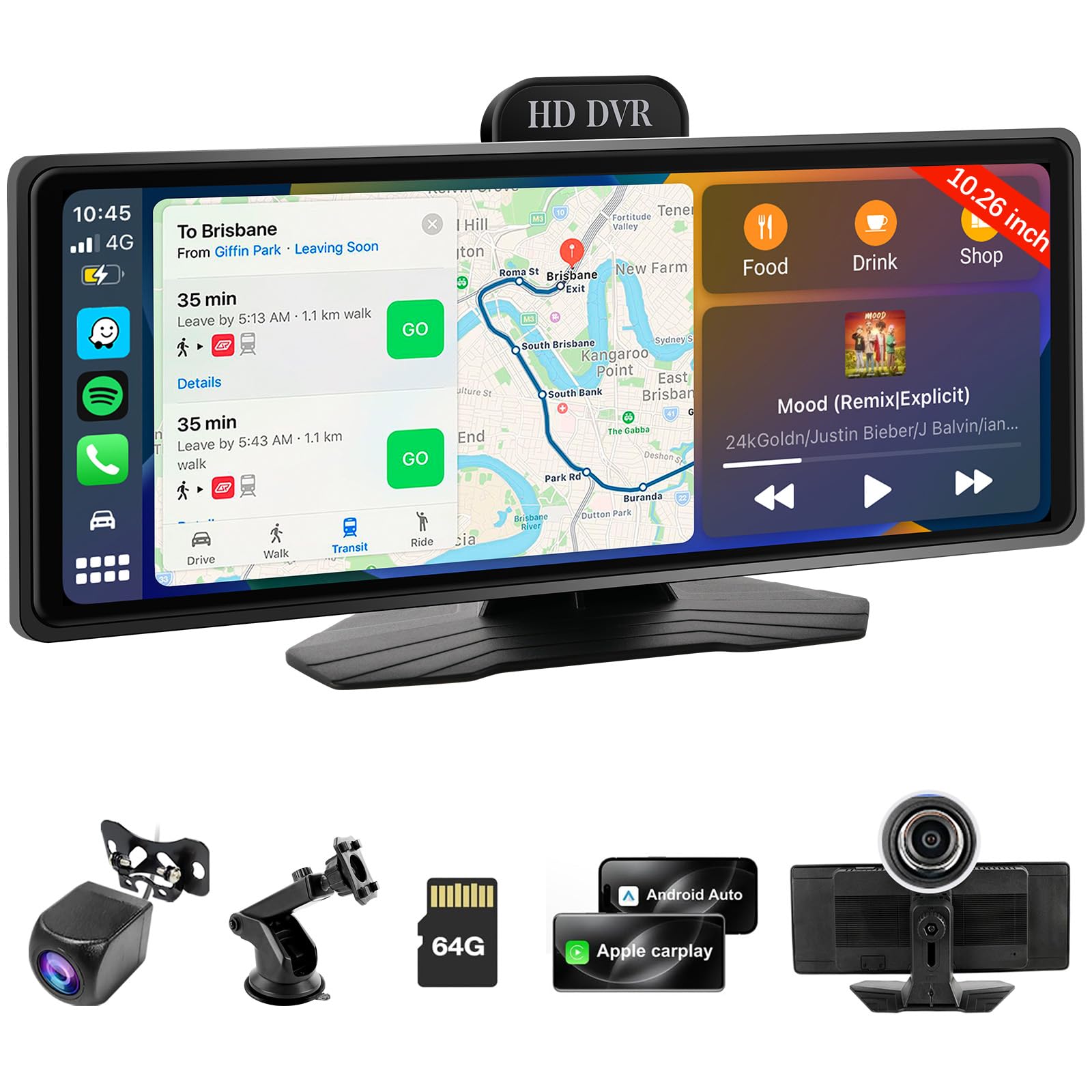
The Haudio screen fits the “I want a big CarPlay display in my older car” buyer perfectly. A 10.26-inch screen is large enough to feel like a real infotainment upgrade, maps are easier to read, and the overall experience can feel like you added a modern dash without doing any surgery on your factory head unit. For a lot of drivers, that’s the goal—and in that role, this type of screen can be genuinely satisfying.
Owners who love this category often point to the same day-to-day wins: reliable CarPlay/Android Auto connection, easy audio output through AUX, and a screen large enough that navigation doesn’t feel cramped. In some cases, people even find “slightly smaller than the biggest possible” screens are easier to mount securely because they weigh less, which reduces sag and shake over time. A lighter screen can be more stable, and stability is what makes a screen feel premium.
Where you need to be careful is durability and camera expectations. With some units, the dash cam component can be the weak link. If the dash cam stops recording, fails to loop reliably, or produces inconsistent footage, the screen still works for CarPlay—but you lose part of the value proposition. That’s why I recommend treating dash cam performance as a “bonus” unless you specifically know this unit’s camera behavior meets your needs. If you already own a dedicated dash cam, you might not care—and that’s actually a healthy way to shop this category.
Mounting quality also matters. Adhesive mounts can fail on rough roads, extreme heat, or dusty dashboards. If you drive on gravel roads or bumpy routes, plan for a more secure mounting approach rather than assuming the included adhesive will handle your environment. A secure mount is not optional for a large screen; it’s the difference between “this is awesome” and “this is annoying.”
Why people buy it
- Large screen improves navigation – Easier map reading, less squinting.
- Works as a modern UI layer – Great for older vehicles with basic radios.
- Multiple audio outputs – Helps it fit many cars and trucks.
- Helpful rear camera option – Can add confidence for parking and reversing.
- Can feel “lighter and more stable” than huge screens – If mounted well, it’s a sweet spot size.
Good to know
- Dash cam performance can vary; if recording matters, verify behavior early and consider a dedicated dash cam if needed.
- Mount adhesives may not survive bumpy roads; consider a more robust mounting strategy in rough environments.
- Like most CarPlay screens, “satellite radio” listening is typically app-based streaming, not direct satellite broadcast reception.
- Some units can develop connection or reset issues; test thoroughly within your return window.
Ideal for: drivers who want a larger CarPlay/Android Auto screen in an older vehicle and are comfortable treating the camera features as “nice-to-have” rather than mission-critical.
14. Yongeid 7" Portable CarPlay Screen – Only for Buyers Who Don’t Mind Troubleshooting

This is the “proceed with eyes open” pick. At its best, a small portable CarPlay screen is a simple upgrade: plug it in, connect your phone, and you get navigation + media + hands-free control. But across real owner feedback, units in this ultra-entry tier can be inconsistent—especially around firmware, stability, and long-term durability. If you enjoy tinkering, you may be fine. If you want “buy once and relax,” you should aim higher.
The most common frustration theme is software experience: outdated firmware out of the box, tedious update processes, and Android Auto behavior that can freeze or feel unreliable. That’s not a small issue because a CarPlay screen’s entire value is the reliability of the interface. If the interface is flaky, the screen becomes a distraction rather than an upgrade.
Display behavior is another real-world pain point. Some users report maps looking washed out, especially compared to better screens. Night driving can also be annoying if there’s no smart day/night dimming behavior; you end up adjusting brightness manually. That’s the kind of friction that sounds minor until you’ve done it ten times and you start to resent the device.
And then there are the “physical” issues: fragile mount arms, larger-than-expected bezels, and audio quirks like static when music isn’t playing, especially over AUX. None of these problems are impossible to live with—but they make this screen a poor choice for anyone who wants a polished experience. If you’re buying a CarPlay screen to make driving safer and calmer, instability defeats the purpose.
Why it can still work (for some)
- Basic CarPlay concept is useful – Navigation and media access can still improve older cars.
- Multiple audio outputs – AUX and FM options can make it usable in a variety of vehicles.
- Small footprint – Easier to place than larger screens if your dash has limited space.
- Entry-level pathway – A starting point if you’re experimenting before committing to a better unit.
Good to know
- Firmware and performance issues are a recurring theme; this is not the “most stable” category pick.
- Screen readability and night brightness management can be frustrating compared to better models.
- Mount durability matters; a weak mount can turn a screen into a constant annoyance.
- As with most CarPlay screens, “satellite radio” listening is typically streaming via phone apps, not direct satellite reception.
Ideal for: tinker-friendly buyers who can tolerate software quirks and want a small starter screen—rather than anyone seeking a polished long-term setup.
How to Get Better Signal + Cleaner Audio (The Install Details That Actually Matter)
Most frustration with satellite radio in cars comes from mismatched expectations. Satellite reception is extremely reliable in open sky, but it will still momentarily drop under bridges, dense tree canopies, tunnels, and some parking structures. The goal is not “never drop.” The goal is “drops are rare, brief, and predictable”—and your setup returns smoothly without drama. Here’s how to get that outcome.
The antenna playbook (do this once, enjoy it for years)
- Choose sky view over convenience: The roof generally wins because it sees more sky.
- Keep it away from other antennas: Give it breathing room to reduce interference and improve lock.
- Protect the cable: Don’t pinch it in a door seam or crush it under hard trim pressure.
- Route thoughtfully: Tuck cable into seams using a soft tool (like a plastic trim tool or an old card) so it looks clean and stays safe.
- Leave a little slack: A tiny service loop near the antenna prevents stress if the cable shifts over time.
- Test before you “finalize”: Drive a short loop, confirm stability, then commit the cable route.
One expert mindset shift: don’t treat the antenna like a throw-in accessory. Treat it like the heart of the system. A perfect receiver with a bad antenna placement feels like a bad receiver. A basic receiver with a great antenna placement feels premium.
Clean audio playbook (stop the noise and the static)
- Use AUX when possible: It’s the most consistent quality path, especially in cities.
- If you hear alternator whine: Add a ground loop isolator inline with your AUX cable (simple fix, common issue).
- Use Bluetooth when your car does it well: It’s the cleanest “cable-free” daily workflow.
- FM transmitter tip: Find the most unused frequency in your area and be ready to change it on long trips.
- Balance volume properly: Set the receiver output high enough to avoid hiss, then use your car stereo volume for daily control.
- Don’t mount near HVAC vibration zones: A shaky mount can create rattles and make you blame audio for what’s really physical vibration.
The goal is a setup you stop thinking about. When your audio is clean and your mount is stable, satellite radio becomes the background joy it’s supposed to be.
FAQ: Best Satellite Radio For Car Questions Answered
Do I need a subscription for these receivers?
Why does satellite radio cut out under bridges and in garages?
Should I use Bluetooth, AUX, or FM for audio?
What’s the cleanest-looking setup for my dashboard?
Do portable CarPlay screens count as “satellite radio”?
What’s the one mistake that ruins most installs?
Final Thoughts: Pick the Setup That You’ll Still Enjoy Months From Now
The right satellite setup doesn’t feel like “a gadget you installed.” It feels like your car gained a new superpower: consistent content, fewer distractions, and less dependence on cell coverage.
Here’s the simplest way to translate this guide into a confident purchase:
- Want the easiest “works in most cars” daily setup? Start with the SiriusXM Roady BT. It’s the cleanest habit-forming option for most drivers because it reduces cable drama and feels modern.
- Want richer “radio features” and a more interactive display? Go for the SiriusXM Onyx Plus. This is the pick for channel surfers and “I want it to feel premium” shoppers.
- Want the most modern touchscreen experience SiriusXM offers? The SiriusXM Tour with 360L is the most advanced option—just install it thoughtfully (mount + heat management) so it stays stable.
- Want big readability without a full touchscreen device? Choose the Onyx EZR vehicle kit for a high-res, split-screen style that reduces “menu fiddling.”
- Want a simple “just give me my channels” unit? The Onyx EZ is a straightforward, proven path—especially for second vehicles.
- Want SiriusXM in a room, garage, or workshop too? The Onyx EZR Home Kit is the “always on” solution, while the speaker-dock bundles Onyx Plus bundle and Onyx EZR bundle make it portable.
- Want the cleanest in-car look and you’re upgrading your stereo anyway? Go integrated with a head unit bundle like the Sony MEX-N5300BT + tuner or the single-DIN receiver + tuner bundle. That’s how you make SiriusXM feel factory.
- Modernizing an older car with a big screen and cameras (streaming-based listening)? Look at the Antika CarPlay screen or the GNTM CarPlay screen for a more stable, higher-satisfaction experience than the most basic screens.
If you take nothing else from this guide, take this: the “right” purchase is the one that matches your driving reality. Pick the best satellite radio for car that fits how you actually drive—city or rural, short commutes or long road trips, minimalist dash or full upgrade—and you’ll end up with a setup you enjoy every single day.