
Our readers keep the lights on and the garage heater humming. As an Amazon Associate, I earn from qualifying purchases.
Installing a CarPlay head unit looks simple in photos. In real life it’s a chain of tiny “gotchas”: the dash kit that almost fits, the factory amp that doesn’t behave like a normal speaker setup, the steering wheel controls that stop working, and the microphone that makes you sound like you’re calling from inside a backpack.
If you’re searching for the best apple carplay stereo, here’s the truth most guides skip: the “best” option isn’t the one with the biggest screen or the flashiest feature list. It’s the one that feels stable day after day—fast boot, consistent wireless connection (or rock-solid wired), usable controls while driving, and audio tuning that makes your speakers sound like you upgraded them… even if you didn’t.
This is not a spec-dump. It’s a buyer guide built around real life friction points that show up over and over in owner feedback: how long the unit takes to boot when you just want music, whether CarPlay reconnects automatically, whether the UI is clean or confusing, whether the unit plays nicely with factory amplified systems (Bose, JBL, premium OEM amps), and whether the “included” camera and mic are actually good enough to keep.
You’ll also notice something intentional in the order below: I’m not lining these up from cheapest to most expensive. I’m organizing them by the way people actually shop—starting with the strongest “daily driver” picks, then moving into category winners (shallow dash, giant screen, bundled cameras, ultra-budget, and “no dash surgery” portable upgrades).
How to Choose the Best Apple Carplay Stereo for Your Car
A head unit isn’t “good” because it lists 30 features on the box. It’s good because it makes driving easier: you get navigation without drama, music without lag, calls that don’t embarrass you, and controls that don’t force you to stare at the screen. If you want a best apple carplay stereo experience (not just a “has CarPlay” checkbox), use this decision framework.
1. Start with fitment: DIN size, screen style, and dash depth
Fitment is where great purchases are made—or ruined. Your vehicle doesn’t just “take a double DIN.” It has a depth, a mounting style, and often some physical obstacles (vents, ducts, braces). Here are the three real-world formats:
- Standard Double DIN: the cleanest OEM-like look. Best if your dash opening and depth are normal.
- Single DIN + floating screen: perfect when you want a big display but your dash only has single DIN, or you need a shallow chassis.
- Portable CarPlay screen: no dash removal. Ideal for leased cars, older vehicles you don’t want to cut, or anyone who wants a fast upgrade.
2. Decide “wireless vs wired” based on your daily routine
Wireless CarPlay feels magical when it works: start the car, music appears, maps pop up, done. But wireless is also more sensitive to interference and software quirks—especially if the unit’s CPU is underpowered or your phone has aggressive Wi‑Fi/Bluetooth behavior.
- Choose wireless if: you do short trips, hate plugging in, and want the “new car” feel.
- Choose wired if: you do long drives, need maximum stability, or you want your phone charging every time.
- Smart compromise: buy a unit that supports both. Use wireless for errands, wired for road trips.
3. Understand your factory audio: non‑amped, factory amp, or full premium system
This is the #1 reason people say “this stereo sounds bad” when the stereo isn’t actually the core problem. Your car might have:
- Non‑amplified factory speakers: easiest. Most modern receivers will sound better than stock.
- Factory amplified system (Bose/JBL/etc.): you may need a harness and sometimes a line output converter or preamp strategy.
- Active systems / data-bus integration: steering wheel controls, chimes, cameras, and amps may need modules to keep everything working.
4. Look for “daily usability” features that matter more than marketing
Owners rarely complain that a unit doesn’t have enough features. They complain that it’s annoying to use. Prioritize:
- Physical volume control: a knob is still king. Buttons can work—if they’re easy to hit without looking.
- Fast boot + auto reconnect: the first 15 seconds of every drive matters more than a deep settings menu you’ll never open.
- Screen brightness + viewing angle: a bright display that stays readable in sun is worth more than a bigger panel that washes out.
- Home button / shortcut keys: the fastest path back to CarPlay is a happiness feature.
5. Microphone reality: built-in vs external
Hands-free calls are where cheap head units get exposed. Built-in mics can work in quiet cars, but wind noise, road noise, and loud tires can wreck clarity fast.
- If calls matter: pick a unit with an external mic input, and mount the mic high on the A‑pillar or headliner near the driver.
- If calls don’t matter: you can tolerate a weaker mic and focus your budget on screen + CarPlay stability.
6. Camera support: rear camera is the baseline—front camera is a bonus
Even if you don’t plan to add a camera today, it’s smart to buy a unit that supports it. Rear cameras are also where you’ll notice CPU lag: a good unit switches quickly, shows a clean image, and doesn’t glitch.
- Rear camera “on reverse”: basic and essential.
- Front camera support: useful for tight parking or low bumpers (especially trucks).
- Guidelines + inversion options: small features that save big frustration if your camera ends up mounted upside down.
7. Don’t let “power numbers” trick you—focus on clean signal + tuning
A lot of listings throw around big wattage numbers. In real life, what makes a system feel better is: clean output, good EQ, usable crossovers/time alignment, and proper gain staging to match your amp (factory or aftermarket). That’s why some “lower spec” brand-name units feel punchier and cleaner than feature-stuffed budget options.
8. Plan your install before the box arrives
The smoothest installs happen when you assume you’ll need at least two extras: a dash kit and a vehicle-specific wiring harness. Many cars also need an antenna adapter, and steering wheel controls usually require an interface module.
- Dash kit: makes the install look OEM and secures the unit properly.
- Harness adapter: prevents cutting factory wires and reduces install errors.
- Steering wheel control module: keeps your factory buttons working.
- Camera retention module (sometimes): if your car has a factory camera and you want to keep it.
Quick Comparison: 15 Best Apple Carplay Stereo Picks
Use this table to shortlist the models that match your driving style, dash limitations, and audio goals. Then jump to the full reviews for the details that matter in real life—like boot speed, wireless reliability, mic performance, and how “clean” the interface feels day after day.
On smaller screens, swipe or scroll sideways to see the full table.
| Model | Type | Standout strength | Best match | Amazon |
|---|---|---|---|---|
| KENWOOD DMX500S (6.8″) | Double DIN | Brand-grade stability + excellent audio tuning tools + wireless CarPlay/AA | Most drivers who want “set it and forget it” daily reliability | Amazon |
| JBL Legend 700 (7″) | Audio-focused | 16-band EQ + time alignment + 6 preamp outputs for amp/sub builds | Drivers who care about tuning and already plan a “real” install | Amazon |
| JVC KW‑M590BT (6.8″) | Shallow fit | L-shaped short chassis helps in tight dashes; strong call clarity support | Cars with limited depth or tricky behind-dash space | Amazon |
| PLZ 10.1″ Wireless Single DIN (B0CCJ8W4QV) | Big screen | Huge adjustable display + built-in DSP + strong feature set | Drivers who want “Tesla-ish” screen vibes without a full tablet dash | Amazon |
| PLZ 10.1″ Single DIN (B0CFHBB4MS) | Feature heavy | Ports, cameras, fast charging, DSP—built for tinkerers and upgrades | Drivers who like settings, add-ons, and building a system over time | Amazon |
| BOSS BVCP9700A‑C (w/ backup camera) | Double DIN | Strong value + includes camera; big-screen CarPlay upgrade path | Drivers modernizing an older car on a realistic budget | Amazon |
| BOSS BVCP9700A (no camera) | Double DIN | Same platform without bundled camera—choose your own accessories | Drivers who already have a camera or want a specific camera upgrade | Amazon |
| BOSS BVCP9700A‑FL Floating Screen | Single DIN | Big screen in a single DIN slot; tilts for visibility | Trucks/older dashes where you want screen size without double DIN | Amazon |
| SJoyBring 7″ QLED + Dash Cam (B0CRKN6MVW) | Bundle pick | Wireless CarPlay/AA + QLED + dash cam + rear cam in one box | Drivers who want “one purchase” and a fast feature upgrade | Amazon |
| SJoyBring 7″ QLED (B0CWRM74FR) | Simple QLED | Same QLED vibe without dash cam complexity | Drivers who want clean CarPlay + camera support, minimal fuss | Amazon |
| SJoyBring 7″ QLED 4.2CHN (B0CT5P32L7) | Repeat-buy | Owners often buy multiples; reliable wireless connect + physical knob | Families with multiple older vehicles needing the same upgrade | Amazon |
| PLZ 7″ Wireless Double DIN (B0CFL3MFXF) | Double DIN | Wireless CarPlay/AA + DSP + strong value with support culture | Drivers who want wireless + tuning without paying “big brand” prices | Amazon |
| Jensen J1CA7 (Certified CarPlay) | Double DIN | Clean, simple interface with brand-name feel; strong basics | Drivers who want straightforward wired CarPlay without chaos | Amazon |
| Kissound 7″ Double DIN (B0F59TWTZK) | Budget | Shallow chassis + lots of settings; surprisingly good for the money | Drivers who want modern features with minimal financial risk | Amazon |
| IIWEY iK11 11″ Portable Screen (B0FF45J2B7) | No dash swap | Huge screen + dash cam + rear cam with plug-and-play install | Leased cars, older cars, or anyone avoiding dash teardown | Amazon |
In‑Depth Reviews: 15 CarPlay Stereos That Feel Good Every Day
Now we’ll go model by model. I’m going to talk like an installer and a daily driver, not a marketing page: what’s easy, what’s fiddly, what owners love after months, what surprises people (good and bad), and what you should do to get the best result in your specific car.
1. KENWOOD DMX500S – The “Daily Driver” Choice That Feels Calm and Consistent
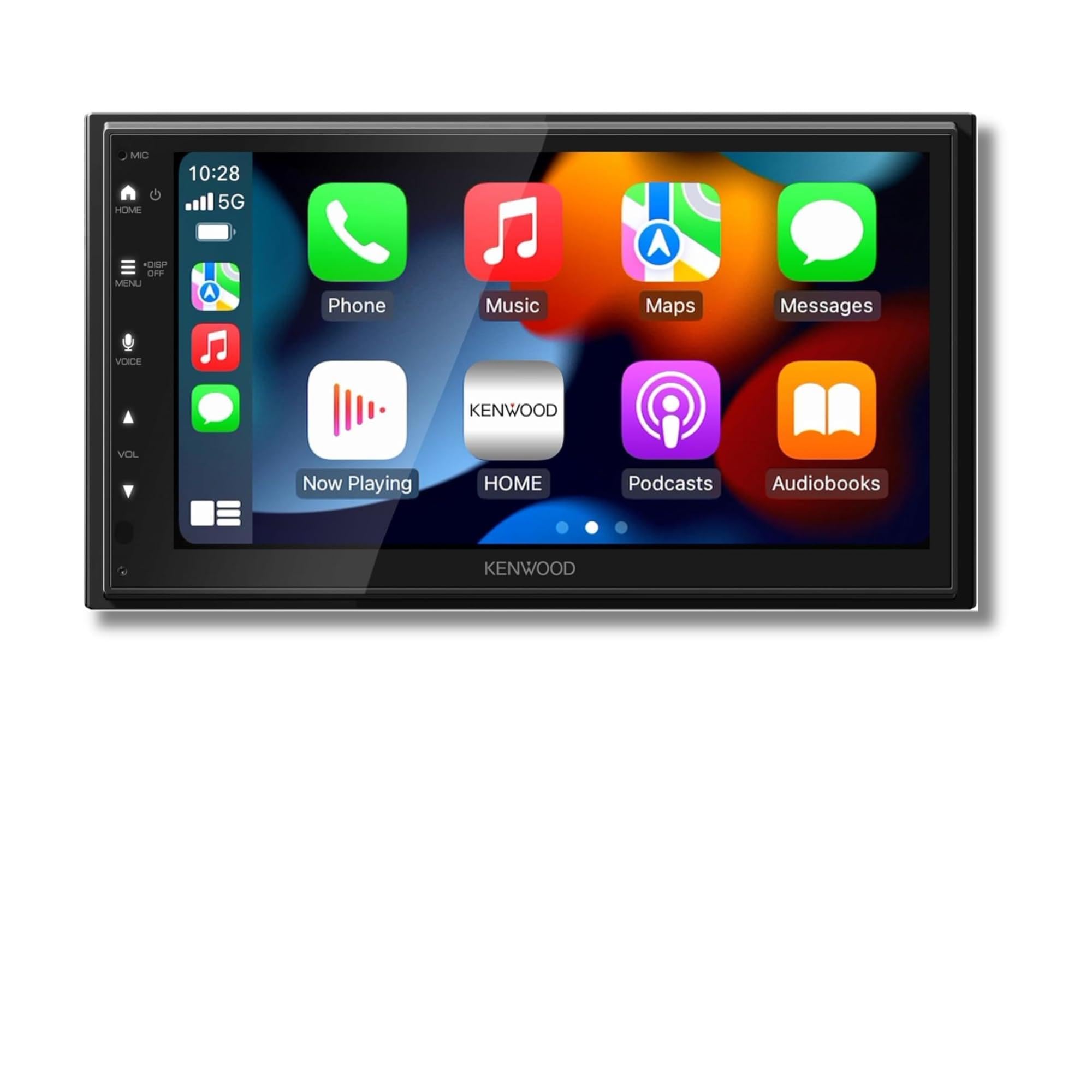
If you want a CarPlay stereo that feels like it belongs in the dash—clean UI, predictable behavior, and the kind of tuning tools that actually let you fix the sound in your car—the DMX500S is the easiest “start here” answer in this list. It’s the kind of unit people buy when they’re tired of experimenting and just want something that works without random drama.
Here’s why Kenwood-style units earn loyalty: they’re typically built around consistency. That means fewer “mystery” menu behaviors, less of the weird reconnect loop some wireless units get stuck in, and a UI that you can learn quickly without feeling like you need a manual open in your lap. For most drivers, that’s the real luxury.
The audio side is where this model quietly punches above “basic CarPlay radio” territory. A 13-band EQ, time alignment, and crossover control aren’t just nerd toys—they’re tools that help you solve common real-world problems: the driver’s door speaker being louder than the passenger side, the sub sounding boomy, vocals feeling buried, or harsh highs that make long drives tiring. You can turn a “meh” factory setup into something you actually enjoy.
Install-wise, the short/slim chassis design is one of those features that doesn’t look exciting on a listing, but it saves hours of headache in older vehicles. More room behind the dash = easier harness routing, easier USB placement, and less fighting with braces or HVAC ducts. If you’ve ever installed a head unit and felt like you were trying to shove a brick into a mailbox, you’ll appreciate this.
Why you’ll like it
- Feels stable in daily use – the menus are clean, the experience is predictable, and you’re not constantly “re-setting” basics.
- Real tuning tools – EQ, time alignment, and crossovers give you control over the soundstage instead of guessing.
- Short chassis helps fitment – easier installs in tight dashes, easier cable management, fewer compromises.
- Wireless convenience with a wired fallback – use wireless when you want, plug in when you need maximum stability and charging.
Good to know
- Some drivers prefer a physical volume knob; you’ll want to confirm the button layout fits your habits.
- If you’re building a huge amp-and-sub competition system, you may want even more specialized outputs—most daily builds won’t need that.
- As with any head unit, the final result depends heavily on a proper harness for your vehicle and clean connections.
Ideal for: drivers who want a “buy once, enjoy every day” stereo that makes CarPlay feel effortless and gives you legitimate sound control.
2. JBL Legend 700 – The “Control Freak” Choice for Amp/Sub Builds

The JBL Legend 700 is the kind of head unit people pick when they already know they’re going deeper than “just CarPlay.” It’s built around control: a more advanced EQ, time alignment, subwoofer level control, and multiple preamp outputs for external amplifiers. In plain English: it’s designed to be the brain of a system, not just a screen in the dash.
Where this type of unit shines is when your car’s acoustics are fighting you. Cars are horrible listening rooms—glass everywhere, uneven speaker placement, and reflections that can make highs feel sharp and bass feel sloppy. Time alignment and careful EQ are how you bring that chaos under control. If you’ve ever sat in a friend’s car and thought, “Why does their system sound like a live stage?” it’s often because they tuned it, not because they spent a fortune.
Now, the honest owner story pattern is also worth respecting: some people love the clean look and big features, while others run into frustrations around instructions, programming steering wheel controls, and wireless reconnect behavior depending on phone and vehicle setup. That doesn’t mean it’s “bad.” It means it’s more sensitive to the quality of the install and the ecosystem around it. This is not the unit you buy if you refuse to touch settings or you want a completely hands-off setup.
If you’re going JBL here, think like a system builder: plan your harness, plan your steering wheel control interface, plan your microphone placement, and test your wireless connect behavior during the return window—especially if you have a phone model known to be aggressive with Wi‑Fi scanning. When it’s dialed in, it can sound excellent and feel modern. When it’s not, it can feel like you’re constantly “nudging” it back into place.
Why it’s worth it
- Advanced tuning – EQ + time alignment lets you shape sound in a way basic units can’t.
- Designed for amps and subs – multiple preamp outputs make system expansion easier and cleaner.
- Modern wireless integration – when your setup is solid, daily reconnect can feel very “new car.”
- Good physical control layout – many drivers like having tactile buttons along the bottom row.
Good to know
- This is less “plug it in and forget it” and more “set it up properly and enjoy it.” The install matters a lot.
- Some users report frustrating menu quirks (source cycling, reconnect behavior) depending on phone and settings.
- Steering wheel control programming can be annoying without the right adapter/module and patience.
Ideal for: drivers building a serious sound system (or planning to) who want CarPlay plus real tuning and expandability.
3. JVC KW‑M590BT – The “It Actually Fits” Fix for Tight Dash Depth

Some cars don’t “lack CarPlay”—they lack space. You pull the factory radio and realize there’s a duct, a brace, or a wiring nest immediately behind the opening. That’s where the KW‑M590BT’s short/L-shaped chassis design can be a real life saver. It’s built for installations where depth is the problem, not screen size.
This unit’s personality is “brand-name, practical, and structured.” It focuses on doing the core job—CarPlay/Android Auto integration, a readable display, Bluetooth calling and music—without trying to be a tablet. For many drivers, that’s a win. They want a clean screen and reliable behavior more than a giant settings labyrinth.
The biggest expectation-setting detail: depending on how you use CarPlay/Android Auto, you may rely on a USB connection for the smoothest experience. A lot of drivers actually prefer this because it forces charging and tends to reduce random wireless quirks. If you’re the kind of person who wants the phone always topped up and doesn’t mind plugging in, this style of unit can feel quietly “better” day to day.
One more real-world note: shallow chassis doesn’t automatically mean “fits every dash perfectly.” Orientation matters. In some vehicles, where the dash opening is weird or the body needs to sit high/low, you’ll still need the right dash kit and you may discover that the chassis shape helps in one vehicle and annoys in another. So the smart move is to measure, and plan your kit before purchase.
Why it works
- Short chassis advantage – dramatically easier in tight dashes and older vehicles with limited depth.
- Brand-name “normal” behavior – predictable interface and fewer weird gimmicks.
- Good call clarity support – designed around hands-free usability, not just a pretty screen.
- Solid everyday feature set – CarPlay/Android Auto, camera input, EQ/time alignment style tools.
Good to know
- If you want fully wireless everything, confirm your intended workflow; many owners end up happy using a wired connection.
- Boot time and menu speed can feel “fine, not instant” compared to some simpler budget units.
- Steering wheel control usually requires a separate interface module—plan it upfront.
Ideal for: anyone fighting dash depth issues who still wants a clean, brand-name CarPlay experience.
4. PLZ 10.1″ Wireless Single DIN – The “Modern Screen” Upgrade Without a Full Dash Tablet
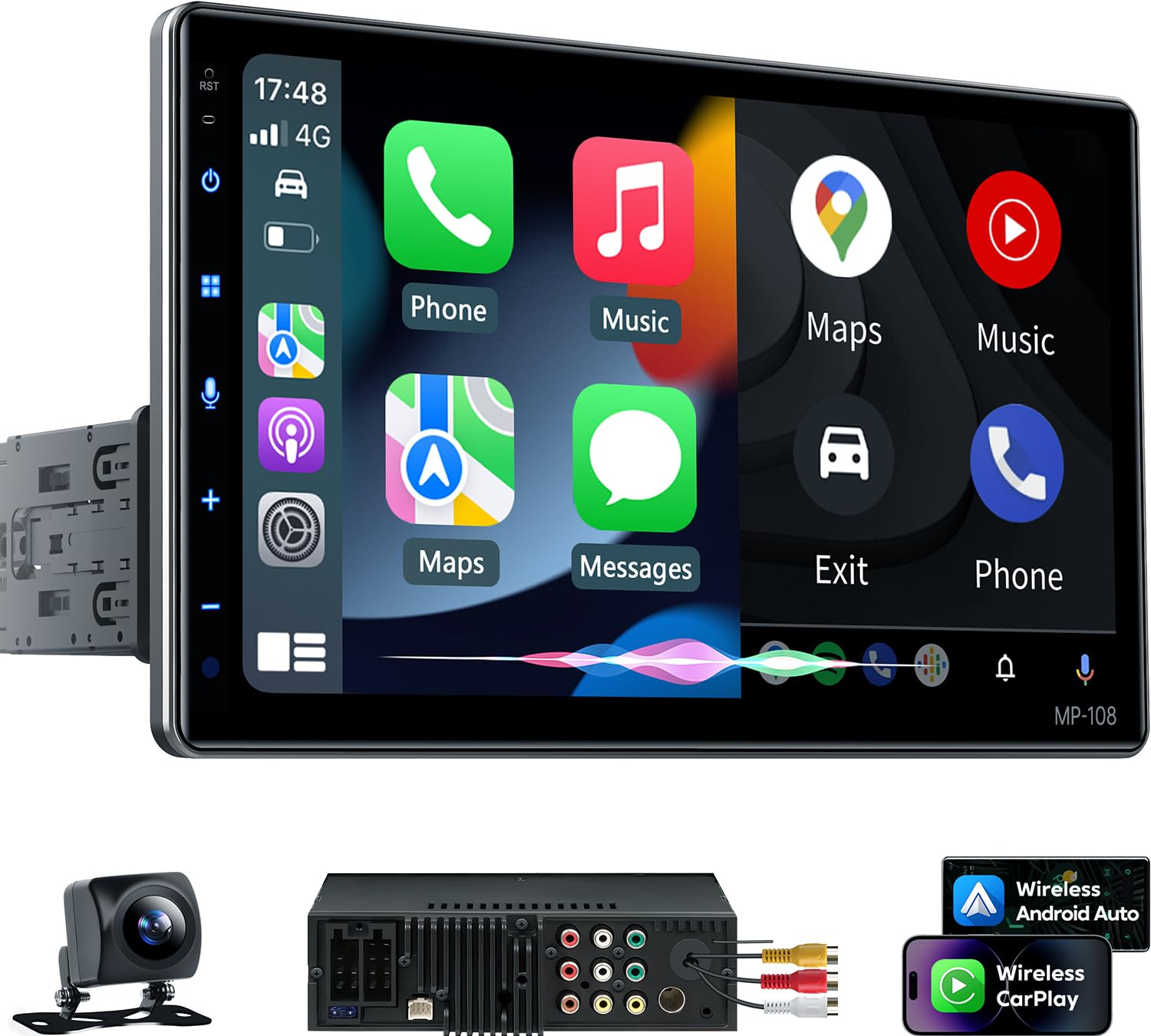
The PLZ 10.1-inch single DIN unit exists for one reason: you want a big, bright screen and modern CarPlay convenience, but you don’t want to install a full “Android tablet dash” that can become unstable or distracting. This style is more “receiver with a big display,” and that difference matters—especially for people who’ve had older Android-based head units freeze, lag, or get messy.
Owner feedback tends to cluster around three points: the screen looks surprisingly crisp for the category, CarPlay connects quickly when configured correctly, and customer support has a reputation for helping with firmware updates and custom boot logos. That last part is underrated: some brands treat support like a wall. Others treat support like part of the product. If you enjoy personalization (boot logos, wallpapers), this unit’s ecosystem can feel fun.
Audio-wise, the built-in DSP and 10-band EQ can be a genuine upgrade—especially if you’re running a mixed setup: factory speakers plus an amp/sub, or two subs, or a multi-speaker layout where you want more control. Just keep your expectations realistic: DSP is powerful, but it doesn’t magically turn factory speakers into premium components. What it can do is reduce harshness, tighten the midrange, and make bass integration feel cleaner.
Two real-world cautions show up repeatedly in this category: (1) installation fitment—single DIN with a floating 10.1″ face often requires a dash kit and careful positioning so the screen doesn’t block vents, and (2) usability—large screens look amazing, but you’ll want to set up your shortcuts so you’re not hunting menus while driving. Once dialed in, it can feel like a major vehicle upgrade. Before it’s dialed in, it can feel like “wow” plus a little fiddling.
Why it’s popular
- Huge screen clarity – maps are easier to read, and the display can feel “new car” instantly.
- Wireless and wired flexibility – switch styles depending on trip length and stability needs.
- DSP + EQ – more tuning control than most people expect at this category level.
- Support culture – firmware help and custom boot/wallpaper options can make it feel premium.
Good to know
- Single DIN + big face means you must plan screen placement (vents, hazard buttons, physical clearance).
- MirrorLink/video mirroring is often limited by phone app restrictions; treat it as a bonus, not the core reason to buy.
- Some users report occasional freezes or UI quirks—most are resolved by setup, updates, or a clean power/ground install.
Ideal for: drivers who want a large modern display and CarPlay convenience, but still want a “receiver-style” system rather than a full tablet OS experience.
5. PLZ 10.1″ Single DIN (B0CFHBB4MS) – The “Ports, Cameras, Charging, Tuning” Power User Pick
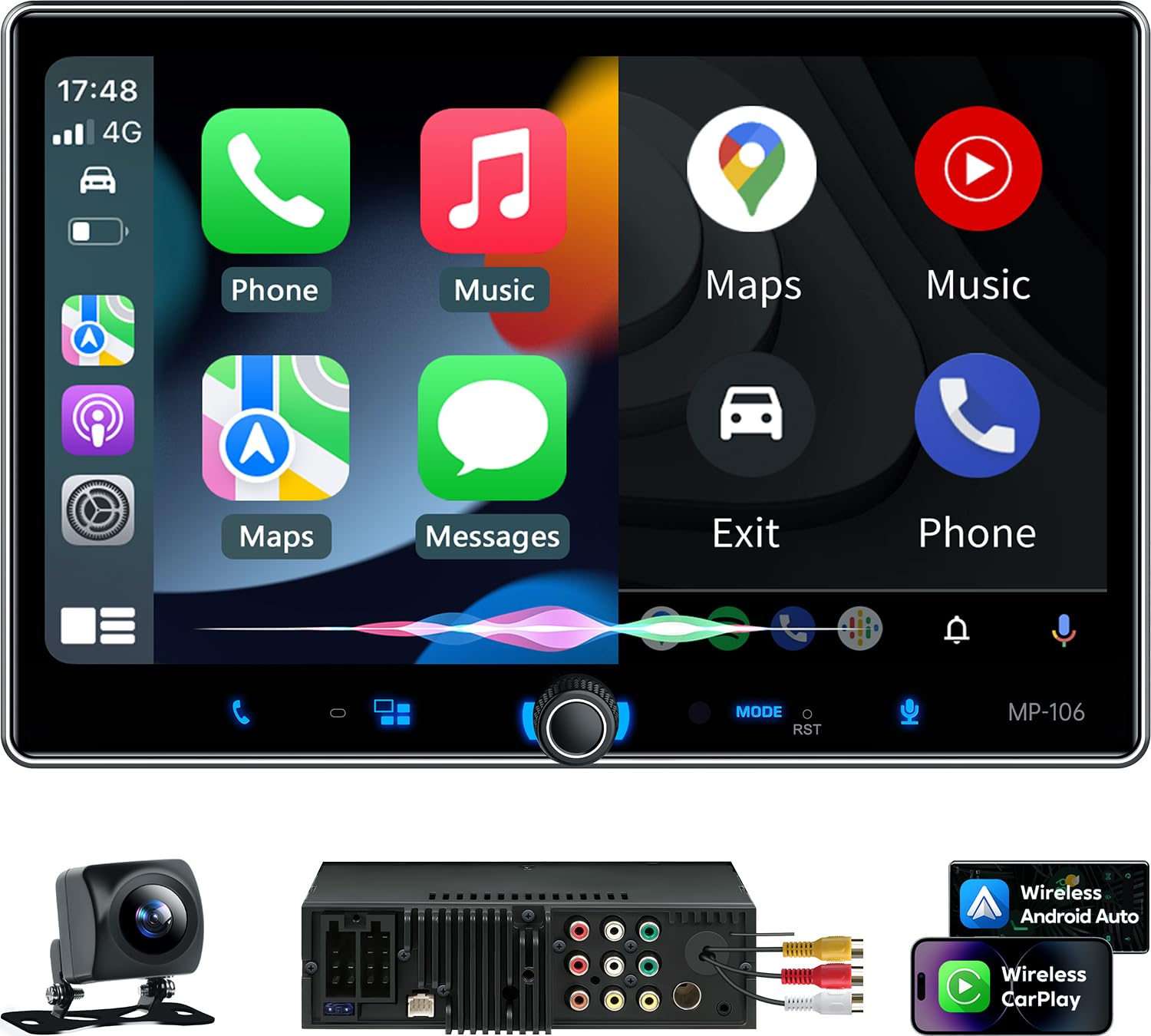
This PLZ variant is the one you choose when you like options. It’s built around being a “connectivity hub”: CarPlay/Android Auto, mirror link, multiple A/V in/out, front and rear camera inputs, fast charging, plus DSP and EQ tools so you can tune the system as you add gear over time. If your brain enjoys building a setup—sub now, better speakers later, maybe a front camera for parking—this is the PLZ flavor that fits that personality.
The most important “expert” point with units like this: treat them like a system. That means the install quality matters more than people expect. A sloppy ground or a weak connection can cause the exact frustrations owners report (random audio artifacts, odd behavior on calls/navigation audio, sub popping, or intermittent reconnect). A clean power/ground and proper gain staging can be the difference between “this is amazing” and “why does this sound weird?”
When owners run into issues, it’s often in the transition audio zone: music sounds good, but call audio or navigation prompts sound harsh or distorted. That’s a clue that the unit’s processing, your amp input sensitivity, or your factory audio path isn’t matched cleanly. If you have a factory amplified system, consider a strategy that feeds the amp a cleaner signal path (and avoid maxing the head unit volume just to compensate).
On the positive side, people who install it cleanly and update firmware tend to praise the screen readability, the feature depth, and the support responsiveness. If you want the feel of a modern infotainment upgrade without paying “premium brand ecosystem” money, this is the kind of unit that can deliver that—provided you’re willing to set it up properly.
Why power users love it
- Connectivity and expansion – lots of ports and camera options make it easy to build over time.
- Fast charging support – a surprisingly important daily feature if you live in navigation and streaming apps.
- DSP tuning + dual sub outputs – lets you shape bass and balance in a more “system builder” way.
- Big-screen driving comfort – maps and controls are easier to see and hit.
Good to know
- Some users report call/nav audio quirks; a clean install and proper tuning matter a lot here.
- Subwoofer popping at startup can happen if your wiring/gain path is mismatched—set your amp turn-on and signal path carefully.
- It’s feature-heavy; if you want “simple,” you may be happier with a more straightforward unit.
Ideal for: drivers who enjoy customizing, adding cameras or audio upgrades, and squeezing value out of a feature-dense head unit.
6. BOSS BVCP9700A‑C – The “Everything You Need” Upgrade for Older Cars

If your car is older and you just want to modernize it in one shot—touchscreen, CarPlay/Android Auto, Bluetooth, and a backup camera— the BVCP9700A‑C is one of the most common “big upgrade per dollar” choices people land on. And the reason is simple: it changes the feel of the car immediately. Navigation becomes normal. Streaming becomes normal. Parking becomes easier.
The most honest owner pattern with this unit is “the pros are big, the quirks are real.” People love having CarPlay (wired or wireless depending on setup), love how much screen they get, and often say the driving experience is instantly better. The common complaints cluster around three areas: UI responsiveness (a slight delay), microphone quality (often solved by using the external mic and placing it correctly), and occasional stability quirks (random restart or odd behavior that resolves with a power cycle).
From an expert perspective, here’s how you make this unit feel “better than its price class”: (1) use a proper harness adapter and make solid connections (solder/heat shrink if you can), (2) run the external mic high and close to the driver, and (3) set your default volumes and check them periodically—because some owners report the unit can forget certain volume settings. Those three steps solve most of the daily pain points.
Also: treat the included backup camera like a starting point. Many users find it “good enough,” but if you’re picky about night visibility or want a more OEM-looking mount, you can upgrade the camera later while still keeping the head unit. That’s a nice path for people who don’t want a huge one-time project.
Why it’s a smart buy
- Big lifestyle upgrade – CarPlay + touchscreen makes old vehicles feel dramatically newer.
- Camera included – you can add a backup camera without shopping separately.
- Large on-screen controls – easier to tap quickly, especially while driving.
- Expandable – preamp outputs allow future audio upgrades if you want more punch later.
Good to know
- Expect a small UI delay versus premium units; it’s normal in this class.
- The included mic is often the weak link—use the external mic and mount it correctly for best results.
- Some owners report occasional glitches; clean wiring and stable power help reduce them.
Ideal for: drivers upgrading an older car who want CarPlay plus a backup camera in one purchase, with realistic expectations and smart setup.
7. BOSS BVCP9700A – Same Platform, More Freedom to Choose Your Accessories

Think of the BVCP9700A as the “choose your own adventure” version of the camera bundle. You get the same basic platform: big touchscreen, CarPlay/Android Auto, Bluetooth, camera inputs, and system expansion options. But you’re not paying for a bundled camera you might not use. That’s useful if: (1) your car already has an aftermarket camera, (2) you want a specific higher-quality camera from the start, or (3) you’re replacing a failing head unit and want to reuse what you already own.
Owners who like this unit tend to share a similar story: it’s a strong usability upgrade over ancient factory radios, and it’s “good enough” in screen and features to keep them happy—especially if they’re not expecting premium-brand speed. The unit’s biggest wins are practical: bigger buttons, easy access to apps, and a modern interface for navigation and streaming.
The pain points are also consistent with the platform: some delay in UI response, a microphone that may not impress until you position an external mic well, and occasional odd bugs like black screen on startup that can require a vehicle restart. This isn’t meant to scare you; it’s meant to help you make the unit feel owned rather than “installed.” If you build your install like an adult (proper harness, stable grounding, clean routing), you typically get a smoother experience.
One pro move: if your vehicle is loud (trucks, aggressive tires, old SUVs), you can improve call quality dramatically by treating the mic like a real component: mount it high, away from vents, and avoid placing it in the direct path of wind noise. That one detail can turn “calls are unusable” into “calls are totally fine.”
Why it makes sense
- Modernizes older vehicles fast – maps, music, calls, and app-based audio become simple.
- Accessory freedom – choose your own camera and mic strategy instead of relying on a bundle.
- Good visibility – big interface elements are easier to use than tiny factory radios.
- Expandability – preamp outputs help if you plan to add amps/sub later.
Good to know
- Not a “premium-fast” interface; expect minor lag compared to top-tier brands.
- Some owners report intermittent quirks; a stable install and sensible settings reduce the annoyance.
- If you hate button-only volume, confirm the control layout matches your preferences.
Ideal for: drivers who want the BOSS value platform but prefer choosing their own camera and accessories.
8. BOSS BVCP9700A‑FL – The Single‑DIN Trick That Gets You a Big Screen Anyway

Floating-screen head units exist for a very specific driver: you want a big, modern display, but your dash is single DIN or you don’t want to do a full double DIN conversion. The BVCP9700A‑FL solves that by putting a large touchscreen on an adjustable mount, so you can tilt it for glare control and driver visibility. It’s a clever way to upgrade older trucks and older dashboards without major surgery.
Where owners love this style: visibility and comfort. GPS directions and maps are easier to read, and the tilt ability helps in bright sun or tall seating positions. It can also be a lifesaver in work vehicles (dump trucks, semis, older pickups) where the driver sits upright and wants the screen angled correctly. People also appreciate that it’s not “tiny buttons on a tiny screen”—it’s designed to be seen.
Where owners get annoyed: floating screen setups can be more sensitive to vibration and placement, and the interface can have quirks like random disconnects, occasional mode switching, or laggy refresh behavior in CarPlay. None of that automatically makes it a bad buy—it just means you should treat it like a real install project: make sure the mount is secure, avoid blocking vents and hazard buttons, and route cables cleanly so nothing pulls on the unit.
If you want a pro tip that improves the daily experience: set up your audio source default and CarPlay shortcut behavior early, and practice a “one button back to CarPlay” habit. Floating screens can feel amazing when the workflow is smooth, and feel annoying when you’re constantly bouncing through source pages. When you dial in the habit, it becomes a “big screen win” that makes your vehicle feel far newer than it is.
Why it’s a great hack
- Big screen in a single DIN slot – huge upgrade without converting your dash opening.
- Tilt for visibility – practical for glare control and upright seating positions.
- Modern CarPlay experience – navigation and media become easy and readable.
- Great for older trucks – common choice for work vehicles that need modern maps and calls.
Good to know
- Floating screens require thoughtful placement so you don’t block vents, hazard controls, or sightlines.
- Some owners report intermittent disconnects or UI quirks; stable wiring and conservative settings help.
- Not everyone loves the button layout—confirm you like the feel before committing.
Ideal for: drivers with single DIN dashboards who still want a big modern CarPlay screen.
9. SJoyBring 7″ QLED + Dash Cam – The “All-In” Kit People Buy for Older Jeeps and Daily Drivers

The SJoyBring “W021” style kits are popular for a simple reason: they feel like a complete modernization pack. Wireless CarPlay/Android Auto, a sharp QLED screen, a backup camera, and even a dash cam—in one box. For older vehicles that never had modern tech, that’s a huge leap without shopping for ten separate accessories.
Owners frequently praise the screen quality relative to the category and the fact that the system delivers the core features people actually use: maps, Spotify, calls, and reverse camera. A surprisingly common “nice touch” people mention is the support process for firmware updates and custom boot logos: it’s not always instant plug-and-play, but the brand often provides instructions and files when asked. That can turn the experience from “generic aftermarket” into “this feels tailored to my vehicle.”
The main caution is also consistent: there can be slight input delay in menus and transitions, and the dash cam portion adds install complexity (routing, power, and memory card considerations). If you’re the type who wants to install once and never open the dash again, you may choose the non-dash-cam version instead. But if you like the idea of “one kit gets me modern + safer,” it’s a compelling bundle.
From an expert viewpoint, here’s the smartest way to approach this unit: treat the included camera wiring like a real install project. Route it cleanly, protect it with grommets where it passes metal edges, and take your time hiding the cable. Most “camera complaints” aren’t the camera—they’re the cable routing or power source. Do it neatly, and the daily experience becomes genuinely satisfying.
Why people love it
- Complete kit feel – CarPlay + backup camera + dash cam can all be checked off in one purchase.
- QLED clarity – crisp display makes maps and UI easier to read than older LCD-style budget screens.
- Wireless connect convenience – easy daily routine when configured properly.
- Support options – firmware/boot logo help can make it feel more personalized.
Good to know
- Dash cam wiring adds time and effort; plan the routing before you start pulling trim panels.
- Some users notice slight UI delay; it’s usually minor but can bother people who expect “premium fast.”
- Firmware updates may require contacting support rather than downloading from a public page.
Ideal for: drivers who want a “one purchase modernizes everything” kit and don’t mind a slightly more involved install.
10. SJoyBring 7″ QLED (No Dash Cam) – The Cleaner Choice When You Just Want CarPlay + Camera

This is the version you choose when you want the SJoyBring “W021” feel—wireless CarPlay/Android Auto and a crisp QLED screen— but you don’t want to add dash cam wiring into your life. It’s the cleaner daily-driver option: install the head unit, install the backup camera (or keep your existing one), and you’re done.
In owner feedback, this style of unit often earns praise for being “easy to understand” once installed. That matters because a lot of aftermarket units lose people in confusing menus. Here, the goal is straightforward: connect your phone, use CarPlay/Android Auto, enjoy. For most users, that’s exactly what they want.
Audio-wise, the 4.2-channel output approach and EQ tuning options are enough to make a noticeable improvement in many cars, especially if your factory radio was old and weak. But the best results come when you tune thoughtfully: bring down harsh highs, reduce boomy bass, and use sub level control to blend—not overwhelm. The best-sounding systems rarely rely on “max bass.” They rely on balance.
A realistic expectation: because it’s not a premium flagship, you may notice a tiny delay in some transitions, and you may need to reach out for firmware/boot logo customization if you want that extra polish. But for drivers who want a clean screen and modern phone integration, this hits a sweet spot between cost, features, and daily comfort.
Why it’s a smart middle path
- Less install complexity – no dash cam routing, fewer wires, fewer potential headaches.
- QLED screen looks sharp – maps and UI are crisp and readable day/night.
- Wireless CarPlay/AA – modern routine without constantly plugging in.
- Good “everyday” audio controls – enough tuning to make stock speakers sound more pleasant.
Good to know
- Like many budget-friendly units, you may notice slight UI delay; set your shortcuts and keep your workflow simple.
- Some features (firmware/boot logo) may require contacting support rather than a simple download.
- Steering wheel controls typically require an additional adapter/interface module.
Ideal for: drivers who want a crisp, modern CarPlay experience without the extra complexity of dash cam wiring.
11. SJoyBring 7″ QLED 4.2CHN – The Model Owners Keep Re‑Buying for Multiple Vehicles

When you see owners buying the same model three times—for kids’ cars, a work truck, and a daily driver—that’s a signal. Not that it’s perfect, but that it hits the “good enough in the right places” balance: wireless CarPlay/Android Auto, a clear QLED display, a physical volume knob (many people refuse to live without one), and a straightforward interface that doesn’t feel like a science project.
This unit is especially attractive for families modernizing multiple older vehicles. The install process becomes repeatable: once you figure out the right harness and dash kit pattern for each car, you can reproduce the setup without re-learning a completely new UI every time. Consistency is underrated—especially when multiple drivers share vehicles and nobody wants to “learn a new radio.”
The real-world drawback pattern is also consistent: it’s not the loudest unit on earth compared to high-end builds, and the included microphone can feel weak in loud vehicles. If your car is a loud diesel truck or you drive with windows down a lot, plan to use the external mic and mount it close to the driver. Also, small ergonomic details (like knob illumination) can annoy people who drive at night. These aren’t dealbreakers for most—but they’re the kinds of things that separate “great” from “perfect.”
Where this unit tends to make people happy is wireless connect and the feel of the screen. If the screen is crisp and CarPlay connects reliably, most drivers forgive a lot. That’s why this model shows up as a repeat-buy in real usage stories: it does the core job consistently, and that’s what people want.
Why it’s a repeat purchase
- Wireless connect feels quick – daily routine is simple: start car, CarPlay appears.
- QLED clarity – vivid screen makes it feel more premium than many budget units.
- Physical volume knob – tactile control is a huge quality-of-life upgrade.
- Good enough audio tools – EQ and outputs support basic system upgrades.
Good to know
- In very loud vehicles, mic performance can be a weak spot—use the external mic and mount it well.
- AM reception and small ergonomic choices can vary; don’t expect premium radio performance everywhere.
- If you want “shake the mirrors” volume without an amp, you’ll want a more audio-specialized setup.
Ideal for: multi-car families and practical drivers who want a consistent wireless CarPlay upgrade that’s easy to live with.
12. PLZ 7″ Wireless Double DIN – The Value Wireless Pick With a Strong Support Reputation

PLZ has a recognizable pattern across their units: strong feature sets, modern screens, and a support culture where people commonly request firmware updates and custom boot logos through messaging/email. That might sound like a small thing, but in the budget-to-mid category, support responsiveness can be the difference between “keep” and “return.”
This 7-inch wireless double DIN is the “most normal” PLZ choice if you want a standard dash look. You get wireless/wired CarPlay and Android Auto, DSP, EQ tuning, and dual subwoofer outputs for people who care about bass integration. The design also tries to address heat management (a real issue with higher-output units) with more heat dissipation.
Owner feedback tends to be enthusiastic about the screen clarity, CarPlay connect speed, and the fact that it feels like a “big brand feature list” without the premium price. The cautious feedback points usually center on: occasional freezing or restart behavior in some installs, audio tuning requiring patience, and the reality that mirror modes and video playback have limitations (often due to phone/app restrictions and safety lockouts).
My expert recommendation for PLZ-style units: install it like a premium unit, even if you didn’t pay premium money. That means: stable power and ground, clean cable routing, and proper speaker/amp matching. If you do that, these units often feel like a steal. If you do a rushed splice job and hope for magic, you get the complaints people post online.
Why it’s a strong value
- Wireless convenience + wired backup – you get flexibility, not a single point of failure.
- DSP + EQ – meaningful tuning tools for better daily sound.
- Dual sub outputs – nice for enthusiasts building a fuller system.
- Support responsiveness – firmware/logo help can improve long-term satisfaction.
Good to know
- Some installs report occasional freezes—clean wiring and updates reduce risk.
- Expect to buy a dash kit/harness/antenna adapter for most vehicles.
- Video mirroring and streaming behavior varies; buy it for CarPlay, not for in-dash video dreams.
Ideal for: drivers who want wireless CarPlay plus tuning features and don’t mind a slightly more “hands-on” setup experience.
13. JENSEN J1CA7 – The Straightforward Brand-Name Choice With a Clean Interface
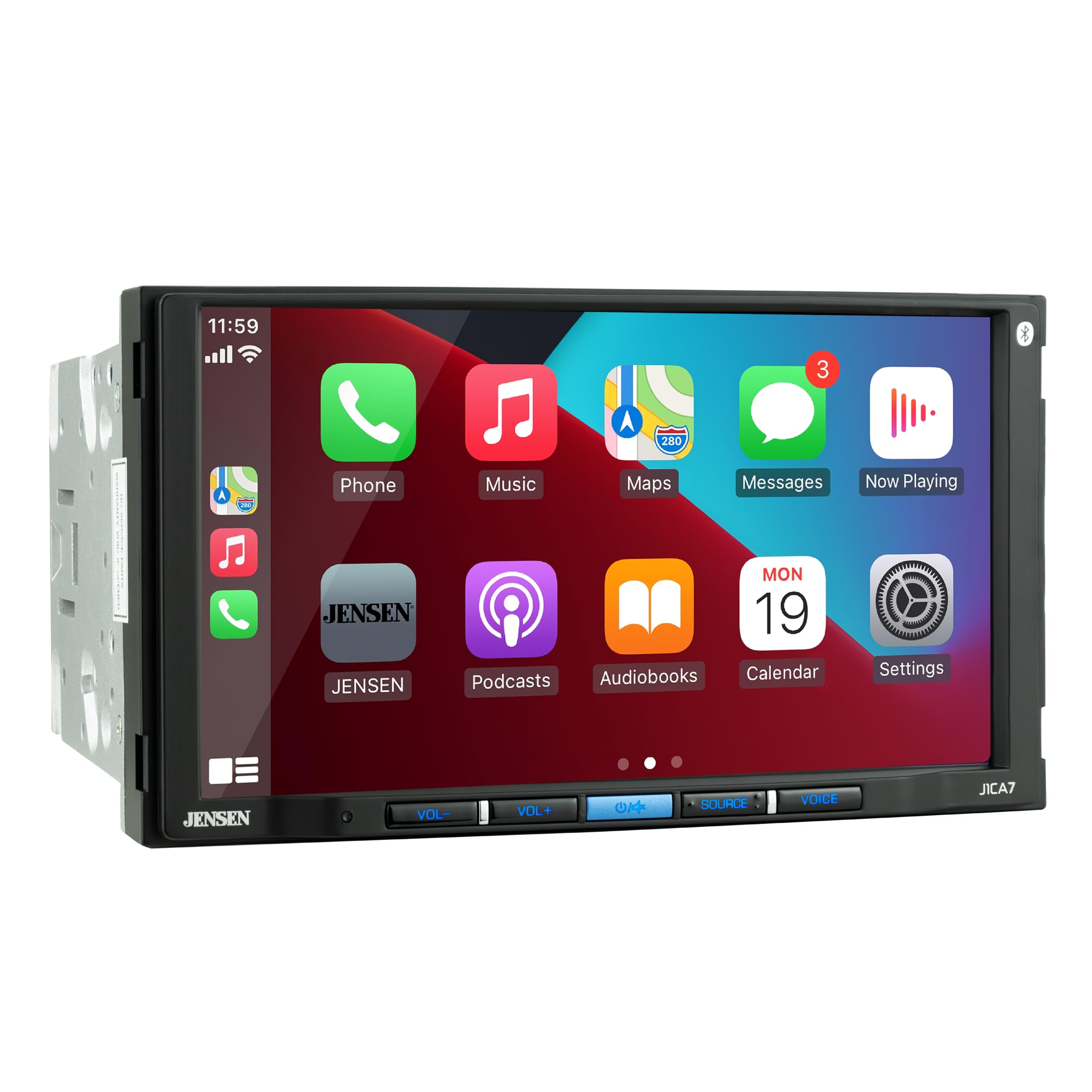
The Jensen J1CA7 is for the driver who wants the “normal brand-name” experience: a clean interface, a simple touchscreen, and the core CarPlay/Android Auto workflow without too many weird experiments. It’s the kind of unit people choose when they’re skeptical of ultra-generic head units and just want something that feels familiar.
Where Jensen earns points is usability: the interface tends to feel natural, Bluetooth pairing is typically straightforward, and you get real system outputs (front/rear/sub preouts) that make it easier to integrate with amps. It’s also one of the better “basic upgrade” choices for people who don’t want to spend their weekend learning an advanced audio menu system.
However, real-world feedback highlights a few “missing features that matter” for audio people. One repeated frustration is the lack of certain protective tuning controls (like adjustable high-pass filtering in the way some enthusiasts prefer). That matters if you’re powering door speakers directly from the head unit and you want to protect them from low-frequency stress. If you’re running a subwoofer and want to cross the doors higher, you might feel limited.
The other pain points are practical: some drivers wish for more microphone adjustment (gain/noise control), and some camera setups need inversion or additional settings that aren’t always present in entry-level units. If your truck camera mount ends up inverted, you’ll want to confirm the unit supports flipping the image—or plan the mount accordingly.
Why it’s a safe pick
- Clean, intuitive interface – easy to learn, easy to use daily.
- Brand-name stability feel – fewer “weird tablet radio” behaviors.
- Preamp outputs – easier to expand your system with amps and a sub.
- Good basics – solid screen, Bluetooth calling/music, camera input support.
Good to know
- Some audio tuning features enthusiasts want (like specific high-pass adjustment) may be limited.
- Mic/camera settings can feel basic—plan your mic placement and camera mount carefully.
- Many users use wired CarPlay/Android Auto as the most stable workflow.
Ideal for: drivers who want a clean, brand-name, no-drama interface and don’t need advanced audiophile crossover control.
14. Kissound 7″ Double DIN – The “Low Risk, Lots of Features” Modernization Play

This is the kind of product that exists because people want modern features without feeling financially trapped. Wireless CarPlay/Android Auto, DSP, EQ, camera support, steering wheel control compatibility, mirror link—on paper it sounds like a steal. And in a lot of owner stories, it actually delivers a surprisingly good experience for the money.
Two things stand out in real usage feedback: (1) the install documentation can be unusually good for the price category, and (2) the shallow chassis can solve fitment problems in cars where a deeper unit would be painful. That “shallow case” detail matters for older BMWs, older trucks, and any dash where the HVAC duct seems to live right behind the radio opening.
The honest negatives are also important: power claims are often optimistic in this tier. That doesn’t mean it sounds bad—it means you shouldn’t expect it to behave like a premium 50W x 4 “big brand” amp section. If you want real loudness with clean headroom, plan on better speakers and/or an external amp. Also, some owners report occasional lag or wireless skipping; that’s the trade for a cheaper CPU and wireless stack.
If you want to maximize satisfaction with budget units, use a “keep it simple” philosophy: stick to CarPlay/Android Auto as your main interface, don’t overload the unit with weird mirroring expectations, and use wired mode for road trips if wireless ever acts up. Treat it like a modern “screen + phone integration” receiver and it can be an excellent value.
Why it’s impressive for the money
- Feature-rich – wireless CarPlay/AA plus DSP and camera support is rare at this price level.
- Shallow chassis advantage – fits more vehicles with less behind-dash fighting.
- Good documentation and support – owners often mention clear instructions and helpful responses.
- Low financial risk – ideal for older cars where you don’t want an expensive theft target.
Good to know
- Real-world loudness may not match big watt claims; consider an amp if you want serious volume.
- Budget CPUs can show occasional lag; keep your workflow simple for best day-to-day feel.
- Steering wheel controls typically need an additional module; plan that if SWC matters to you.
Ideal for: drivers modernizing an older vehicle on a tight budget who still want wireless CarPlay and a modern screen.
15. IIWEY iK11 11″ Portable Screen – The Fastest Way to Add CarPlay to Any Car

Not everyone wants to tear apart their dashboard. Maybe it’s a lease. Maybe it’s a beloved older car you don’t want to cut. Maybe you just don’t have the time. Portable CarPlay screens exist for exactly that reason, and the iK11 is one of the more “complete system” options: a large, thin display plus a front dash cam and a rear camera—so you’re upgrading both convenience and safety in one move.
The biggest advantage is obvious: you mount it, plug it into power, pair your phone, and you’re basically done. For many drivers, that is the difference between “I’ll never do this” and “I can do this today.” Owners often describe the screen as bright and responsive, with maps that are dramatically easier to read than a phone mount. If you’re coming from phone-on-a-windshield, the upgrade feels huge.
Audio routing is the detail you need to understand up front. Many portable units are designed so your phone connects to the CarPlay screen for control and display, while audio can be routed through your car speakers via your car’s Bluetooth, AUX, or even FM (depending on your vehicle and preferences). When configured correctly, it can feel seamless: you get the big CarPlay UI on the portable screen and still use the car’s speakers normally.
The camera side is a bonus that can become a primary reason to keep it. The dash cam provides extra peace of mind, and the backup camera can genuinely improve parking confidence. The trade-off is cable routing: you still need to route the rear camera cable cleanly if you want the full benefit. But you’re routing cables, not removing dashboards—and for many people, that’s a much easier project.
Why it’s a lifesaver
- No dash teardown – mount + power + pair; instant CarPlay in almost any vehicle.
- Huge readable screen – maps and controls become easy to see without squinting.
- Dash cam + rear cam – adds safety features alongside convenience.
- Great for older cars – modern UI without changing the factory radio.
Good to know
- You still need to think through audio routing (car Bluetooth/AUX/FM); setup matters for the cleanest experience.
- Rear camera install requires cable routing—still easier than swapping a full head unit for many people.
- Portable screens need smart placement to avoid blocking your view; take time to position it safely.
Ideal for: leased cars, older vehicles, and anyone who wants the fastest CarPlay upgrade without pulling the dash apart.
How CarPlay Installs Actually Work (And Why Most People Get Surprised)
Let’s make this simple and honest: most “bad head unit experiences” are install ecosystem problems. The stereo is the brain, but your car has its own nervous system—factory wiring, factory amp behavior, steering wheel controls, OEM cameras, and sometimes data-bus signals. When those systems don’t talk nicely to your new brain, you get the complaints people post online.
1. The three factory audio scenarios (and what they mean for you)
- Basic speakers (no factory amp): simplest. Match wire colors, use a harness, and you’re usually good.
- Factory amp system: you may need a harness that preserves the amp turn-on lead and feeds the amp the right kind of signal. Sometimes a line-output converter helps.
- Premium/data-bus integration: steering wheel controls, chimes, and accessories may need a dedicated interface module to keep everything working.
2. Harness quality and connection quality matters more than the head unit brand
This is where “it randomly restarts” or “audio is noisy” often begins. Loose crimps, twisted-and-taped wires, or weak grounds can create intermittent voltage drops, noise, or weird processing artifacts. If you want the install to feel professional:
- Use a vehicle-specific harness adapter whenever possible (avoid cutting factory wires).
- Use solid connections (solder + heat shrink is best; quality crimp connectors are second best).
- Ground to a clean metal point—scrape paint, tighten properly, avoid flimsy bolts.
3. Steering wheel controls (SWC) are rarely “free”
Many head units support steering wheel controls, but most vehicles require an interface module to translate factory signals. If SWC matters to you, treat that module as part of the budget, not an optional luxury. Also: some units allow custom mapping, while others rely on the module’s programming—so plan your approach.
4. Cameras: power, trigger, and image orientation are the hidden complexity
A backup camera isn’t just “plug it in.” You need:
- Power (often from reverse light power, unless the unit supports constant camera power).
- Reverse trigger signal so the screen switches instantly.
- Clean routing so the cable doesn’t get pinched or cut.
- Orientation settings if the camera ends up flipped.
5. Wireless CarPlay stability: it’s about environment, phone behavior, and CPU power
Wireless CarPlay is not just “Bluetooth.” It typically uses a combination of Bluetooth pairing and Wi‑Fi for data. That means:
- Some phones aggressively scan Wi‑Fi and can cause reconnect loops in certain conditions.
- Some head units have weaker Wi‑Fi radios or CPUs, which can feel laggy or unstable.
- Wired mode is still the “gold standard” for stability (and charging) on long drives.
6. A quick install checklist that saves headaches
- Confirm your dash opening (single DIN, double DIN, depth constraints).
- Buy the correct dash kit and wiring harness before you start.
- If you have steering wheel controls, get the right SWC interface module.
- Decide your USB routing (glovebox, center console, flush mount).
- Test the unit before fully reassembling trim: audio, CarPlay, reverse trigger, mic, and radio antenna.
FAQ: CarPlay Stereos (Answered Like a Real Human)
Should I choose wireless CarPlay or wired CarPlay?
Will a new head unit work with my factory amp system?
Do I need a separate steering wheel control adapter?
Why do some people complain about call quality?
Do I really need to buy a dash kit and harness?
Why does my backup camera look blurry or glitchy?
Are big screens always better?
What’s the fastest way to add CarPlay if I don’t want to change the factory radio?
Final Thoughts: Pick the Stereo That Matches How You Actually Drive
A great stereo isn’t the one with the longest feature list—it’s the one that makes you think, halfway through your week, “Wow… this is easy now.”
Here’s the simplest way to turn this guide into a confident purchase:
- Want the most balanced “buy once” choice? Start with the KENWOOD DMX500S. It’s the best blend of daily stability, clean UI, and audio tuning power.
- Building a real amp/sub system and care about tuning? Choose the JBL Legend 700 for deeper EQ/time alignment control and expansion outputs.
- Dash depth is your enemy? Look hard at the JVC KW‑M590BT because fitment headaches are the fastest way to hate a purchase.
- Want a massive screen that makes maps feel effortless? The PLZ 10.1″ Wireless Single DIN delivers the big-screen upgrade vibe without turning your dash into a full tablet experiment.
- Want the biggest upgrade per purchase (including a camera)? The BOSS BVCP9700A‑C is a strong “modernize my old car” bundle pick with realistic expectations.
- Need a big screen but only have single DIN space? The BOSS BVCP9700A‑FL is the floating-screen workaround that makes older dashboards feel modern.
- Want a modern upgrade but don’t want to swap the factory head unit? The IIWEY iK11 portable screen is the fastest path to CarPlay with an added dash cam and rear camera option.
If you came here searching for the best apple carplay stereo, remember: the winning pick is the one that matches your reality— your dash size, your factory audio system, your patience for installs, and how you actually drive (short trips, long commutes, loud truck, quiet sedan). Pick the unit that fits your life, install it cleanly, and you’ll end up with the kind of daily-driving upgrade that feels like you bought a newer car.