
Our readers keep the lights on and the garage heater humming. As an Amazon Associate, I earn from qualifying purchases.
Upgrading a car stereo sounds simple until you’re actually living with it. The first day is fun: you pair your phone, you play your favorite track, and you feel like you just time‑traveled your older car into the modern world.
Then reality kicks in: your phone connects sometimes, calls sound hollow, the screen is a lighthouse at night, the radio forgets its stations, the dash kit doesn’t sit flush, and the “240W” headline turns out to be… marketing energy.
If you’re searching for the best bluetooth car stereo, you’re not really shopping for a radio. You’re shopping for a smoother daily routine: automatic pairing that doesn’t make you tap through menus, a microphone that doesn’t make you repeat yourself, controls you can hit without taking your eyes off the road, and sound that stays clean when you turn the volume up on the highway.
This guide is built from the real friction points that show up in owner feedback again and again: daylight readability, short-chassis installs in cramped dashboards, Bluetooth behavior with two phones, “first-word chopped” streaming quirks, subwoofer control that actually works, and the tuning tools that matter when you’re trying to make factory speakers sound better without turning your car into a science project.
Below you’ll find 16 standout head units across every style—single DIN mechless, CD receivers, classic knob-and-button decks, plus touchscreen options with CarPlay/Android Auto for drivers who want the newest interface without the newest car.
In this article
- How to choose the right head unit for your car, your dash, and your driving habits.
- Quick comparison table of 16 standout models.
- In‑depth reviews of every stereo, with real-world pros and cons.
- The “power” truth, Bluetooth reality checks, and clean-sound setup tips.
- FAQ + final buying shortcuts so you can pick confidently.
How to Choose the Best Bluetooth Car Stereo for Your Car and Your Ears
A head unit is “good” when it disappears into your life. You don’t think about it. It just connects. Calls sound normal. You can change volume by feel. And your music has enough clarity and punch that you don’t constantly blame your speakers.
To get that outcome, you don’t start with feature checklists—you start with fit, workflow, and signal quality. Here’s the decision framework I use when I’m trying to help someone buy once and enjoy it for years.
1. Confirm what your dashboard can actually take
This sounds obvious, but it’s the #1 reason installs go sideways. There are two main sizes:
- Single DIN: the classic “one slot” radio size. Great for older cars, trucks, boats, and dashboards with limited space.
- Double DIN: taller, typically used for touchscreens and modern interfaces.
Now the part most buying guides forget: depth matters as much as height. A short chassis (shallower body) can be the difference between an easy install and a nightmare behind the dash where wiring harnesses, HVAC ducts, or factory modules fight for space. If you’re upgrading an older vehicle—or anything where the radio cavity is tight—short chassis designs are an underrated superpower.
2. Decide whether you want “screen life” or “knob life”
Some people love touchscreens. Others hate them. The deciding factor is rarely the display size—it’s how you use your car. Ask yourself:
- Do you want navigation and messaging on the screen (CarPlay/Android Auto), or are you happy using a phone mount?
- Do you drive at night often and need reliable dimming?
- Do you change volume constantly (traffic, podcasts, calls)? If yes, physical knobs can feel calmer and safer.
Touchscreens feel modern, but physical controls are often faster in real driving. The best choice is the one you won’t fight with.
3. Separate “music Bluetooth” from “call Bluetooth”
Almost any modern deck can stream music over Bluetooth. The real difference is calling—especially at speed. A stereo can have “Bluetooth hands-free” and still produce calls that sound echo-y, thin, or noisy.
- Built-in microphone: clean-looking install, but quality depends heavily on placement, cabin noise, and processing.
- External mic included: usually better voice pickup when placed near the sun visor or A-pillar, especially in trucks or older cars with more road noise.
- Noise suppression: some decks are simply better at filtering cabin roar.
If you take calls for work, this should be a top priority—because it’s the difference between “I love this stereo” and “I regret this upgrade.”
4. Look at the tuning tools like a “daily comfort” feature
EQ isn’t about being an audiophile. It’s about making music enjoyable with the speakers you already have. The tuning tools that actually move the needle:
- Multi-band EQ: more control over harshness, boominess, and vocal clarity.
- Time alignment: can make the soundstage feel more centered (especially helpful in small cabins).
- Subwoofer level control: lets you adjust bass from the head unit without diving into amplifier knobs.
- Preamp outputs (RCA): important if you’ll add amps or a sub later.
If you’re staying on factory speakers, a good EQ and clean output is usually the best “bang for effort” improvement you can buy. If you plan to expand your system, prioritize preouts and sub control early so you don’t buy twice.
5. Plan your “future system” in one sentence
This is the quickest way to avoid overbuying or underbuying:
- “I’m keeping factory speakers.” Focus on Bluetooth stability, call clarity, readability, and basic EQ.
- “I’m adding a sub later.” Prioritize sub control, clean RCA outputs, and easy crossover settings.
- “I’m building a real system.” Look for multiple preouts, time alignment, and a deck known for clean signal and stable controls.
When you know your sentence, it becomes much easier to filter out features you don’t need.
6. Don’t underestimate install friendliness
Two stereos can have identical features and feel totally different because of install reality:
- Clear wiring documentation: makes DIY less stressful and reduces “it won’t save stations” mistakes.
- Short chassis design: reduces dash wrestling and helps keep wiring tidy.
- Detachable faceplate: helpful if you park in higher-risk areas.
- Steering wheel control readiness: valuable if you want a modern feel without touching the screen constantly.
A stereo that installs cleanly tends to work better long-term because the wiring is more secure, grounds are cleaner, and there’s less strain on connectors.
7. For CarPlay/Android Auto units, focus on “smoothness,” not hype
Wireless CarPlay/Android Auto can be magical—but only when it’s stable. When it isn’t, it’s the fastest way to turn a “cool upgrade” into daily annoyance. The things that matter most:
- Boot time: how quickly you can use it after starting the car.
- Touch responsiveness: especially when you’re changing tracks or launching navigation.
- Audio stability: do calls, prompts, and music stay clean when switching apps?
- Heat management: some units get laggy when hot; good heatsinks help.
In this guide, I’ll call out where owners report smooth performance and where they report quirks—because that’s what decides “love” versus “return.”
Quick Comparison: 16 Best Bluetooth Car Stereo Picks
Use this table to match your needs fast, then jump to the detailed reviews for the real-life details—like screen brightness, Bluetooth behavior, mic clarity, and what the controls feel like when you’re driving.
On smaller screens, swipe or scroll sideways to see the full table.
| Model | Form factor | Real-life strength | Best match | Amazon |
|---|---|---|---|---|
| Kenwood KMM-BT332U | Single DIN | System-friendly controls, strong tuning tools, short chassis install comfort | Most drivers who want one “do-it-all” deck that just works | Amazon |
| Alpine UTE-73BT | Sound-first | Clean audio personality + strong call clarity in noisy cabins | Drivers who care about sound and calls more than flashy screens | Amazon |
| Pioneer DEH-S4220BT | Single DIN + CD | CD + Bluetooth convenience, Mixtrax fun, deep customization for the money | Drivers who still use discs and want modern Bluetooth too | Amazon |
| Pioneer DMH-130BT | Double DIN | Big-screen simplicity on a short chassis; good “modern look” upgrade path | Drivers who want a branded touchscreen without complexity | Amazon |
| PLZ 7" Wireless CarPlay/Android Auto | CarPlay/AA | Feature-dense screen upgrade with backup camera and lots of customization | Drivers who want wireless phone integration and a big display | Amazon |
| Kissound 7" Wireless CarPlay/Android Auto | CarPlay/AA | Shallow install + camera included; strong “modernize the dash” value | Budget-minded screen upgrade with surprisingly usable manuals/support | Amazon |
| Single DIN Touchscreen Wireless CarPlay/AA (GHIOPMZ) | Single DIN | Touchscreen + knobs in a single DIN slot—modern feel without a full dash swap | Older cars that can’t take double DIN but want CarPlay/AA | Amazon |
| Sony DSX-A410BT | Single DIN | Dual Bluetooth: keep two phones connected with a clean, brand-name feel | Couples/families who swap drivers and want fewer pairing headaches | Amazon |
| JVC KD-SR87BT | Single DIN + CD | Strong tuning tools (EQ/time alignment) with classic CD convenience | Drivers who want a “real stereo” feel with modern streaming | Amazon |
| JVC KD-SX27BT | Single DIN | Short chassis + useful sound tools; a clean upgrade for older dashboards | Simple Bluetooth streaming with tuning control (without a touchscreen) | Amazon |
| Pioneer MVH-S322BT | Single DIN | Smart Sync app ecosystem + lively “Mixtrax” playback personality | Drivers who like app control and want a bit of fun with their music | Amazon |
| Pioneer MVH-S230BT | Short chassis | Easy install footprint + straightforward Bluetooth behavior | Drivers who want a dependable Pioneer feel without overthinking it | Amazon |
| Pioneer MVH-S110BT | Basic pick | Compact, simple, and surprisingly strong sound for a minimal deck | Older vehicles that need a small chassis and easy controls | Amazon |
| Jensen MPR210 | Budget | Shockingly usable controls + reliable Bluetooth pairing in a simple package | Practical drivers who want basic Bluetooth done right | Amazon |
| BOSS 616UAB | Budget | Good music streaming value with a shallow body—quirks included | Simple installs where you mainly stream music and keep expectations realistic | Amazon |
| REAKOSOUND Single DIN Bluetooth Stereo | Ultra budget | Very affordable Bluetooth + app control + lots of playback options | “I just need Bluetooth and USB” upgrades on the tightest budgets | Amazon |
In‑Depth Reviews: 16 Best Bluetooth Car Stereo Options That Feel Good to Use
Now we’ll go model by model. I’m going to talk like someone who’s actually driving with this stuff: what feels effortless, what feels fiddly, what makes calls sound clear, what makes installs easier, and what owners consistently praise—or complain about—after the excitement wears off.
1. Kenwood KMM-BT332U – The “Set It Once, Enjoy Daily” All‑Rounder

If you want one deck that feels “grown-up” in real life—reliable Bluetooth behavior, strong tuning tools, and an install that doesn’t fight you—this Kenwood is the most balanced pick in the list. It’s the kind of unit that doesn’t need hype because it wins on the stuff you feel every day: how quickly it connects, how predictable the controls are, and how easily you can shape the sound so your speakers stop sounding thin or harsh.
The secret sauce is the combination of a short chassis (which makes cramped dashboards feel less stressful) and the system-friendly outputs. Even if you’re not adding amps today, having multiple preouts and sub control changes what “future-proof” looks like. It means you can add a small sub later, clean up your bass, and keep your main speakers playing cleaner—without replacing your head unit again.
Real owners consistently talk about this deck like it’s a “serious upgrade” in older vehicles. People love being able to route amplifiers cleanly, adjust EQ and sub behavior from the faceplate, and still keep the day-to-day controls simple. There is a learning curve (Kenwood menus can feel “car stereo traditional”), but once you set your basics, it becomes easy muscle memory.
One underrated feature for modern drivers: multi-device behavior. If you and a partner share the vehicle—or you keep a work phone and personal phone—this style of deck tends to make your life easier. You’re not constantly deleting and re-pairing devices. You’re just driving.
Why you’ll like it
- Short chassis = easier install – More room for harnesses, adapters, and clean cable routing behind the dash.
- Tuning that actually helps – 13-band EQ + time alignment can smooth harsh vocals and pull the “center image” toward you.
- Built for system growth – Multiple preouts and real sub control make later upgrades painless.
- Strong daily workflow – Controls feel consistent once learned; you don’t constantly fight the unit.
- Voice ecosystem bonus – Built-in Alexa support can be handy if you like voice-first control in the car.
Good to know
- Kenwood’s “station changing logic” and menu style can take a week to fully internalize.
- If you want a giant screen for maps, you’ll want a CarPlay/Android Auto model instead.
- Like most single DIN decks, daylight readability depends on your dash angle and sunlight direction.
Ideal for: drivers who want one dependable head unit that connects reliably, sounds noticeably better than stock, and won’t block future upgrades.
2. Alpine UTE-73BT – The “Clean Sound, Clear Calls” Brand‑Name Upgrade

Alpine has a reputation for a reason: when people describe an Alpine upgrade, they often talk about the feel of the sound—cleaner, less brittle, more confident at higher volumes. The UTE-73BT fits that vibe. It’s not trying to be a rolling tablet; it’s trying to be a solid, grown-up head unit that makes your daily driving more enjoyable and your calls less painful.
Where this unit really shines in real-life feedback is calling in noisy environments. Owners mention surprisingly strong noise suppression and intelligible voice pickup even in older trucks with loud cabins. That matters because “hands-free calling” is one of the easiest places for cheaper decks to fall apart. Music can sound fine, but calls make you sound like you’re speaking through a tunnel. Alpine tends to handle that transition better.
The other win: subwoofer control and sound-shaping tools that feel practical, not gimmicky. People who run an amp and sub often appreciate quick tuning controls that let you show off the system without wrecking your everyday EQ. That’s a small detail—but it’s exactly the kind of “expert-level convenience” that separates a stereo you enjoy from one you merely tolerate.
If you care about aesthetics, note that Alpine’s display personality is… Alpine. It’s clean, consistent, and not focused on rainbow lighting everywhere. Some drivers love that because it looks more OEM. Others want full color matching. So think about your cabin: if you want “subtle and tidy,” Alpine tends to deliver.
Why you’ll like it
- Sound that stays clean – Strong clarity for vocals and less “cheap harshness” at normal listening levels.
- Call quality advantage – Owners highlight noise suppression and clear pickup in loud cabins.
- Useful sub controls – Great if you plan to add a sub or already have one.
- Mechless simplicity – No CD mechanism means less depth and fewer moving parts.
- Brand confidence – Alpine is a long-running name in car audio for a reason.
Good to know
- Display color style is more “Alpine signature” than fully customizable everywhere.
- Some settings (clock/menu options) are easier once you spend a few minutes with the manual.
- If you want a large touchscreen interface, this isn’t that product category.
Ideal for: drivers who want better sound and clearer calls without switching to a full touchscreen setup.
3. Pioneer DEH-S4220BT – The CD + Bluetooth Deck That Still Feels Modern

There are two types of “CD people.” One group keeps discs because they love owning a physical library. The other group keeps CDs because their car is older and their collection is already built. Either way, the Pioneer DEH-S4220BT is a smart bridge product: it lets you keep the old-school format while still getting the everyday convenience of Bluetooth streaming and hands-free calling.
This deck is also a great example of why “brand-name” matters even in simpler head units. Owners often describe it as easy to install, easy to set up, and solid once it’s dialed in. It’s not trying to be a giant screen; it’s trying to be a dependable command center that makes your car feel updated without changing the entire personality of your dashboard.
One interesting real-world detail: some users report that older Pioneer remotes can work with this unit. That’s not a guarantee for everyone, but it hints at something valuable—the Pioneer ecosystem is consistent. If you’ve owned Pioneer decks before, the general control logic won’t feel alien. The “app integration” side (Smart Sync) is also something you either love or ignore. Many drivers use the app once to set things up, then mostly live on physical controls.
The biggest consistent complaint is not performance—it’s visibility. Depending on your vehicle’s dash angle and sunlight, the display can be hard to read in bright day conditions for some people. If your radio slot points upward toward the sun, treat daylight readability as a real criterion. If you mostly want it for Bluetooth and you don’t stare at track titles, this may not matter.
Why you’ll like it
- CD + Bluetooth in one – Perfect if you still play discs and want modern connectivity too.
- Easy install reputation – Straightforward setup for many vehicles with standard adapters.
- Detachable faceplate – A practical security feature if you park in public areas.
- Mixtrax personality – Fun continuous playback effects if you like a more “DJ” vibe.
- Clean brand logic – Pioneer menus are familiar to many long-time car audio users.
Good to know
- Some owners dislike confirmation prompts related to phone connection at startup.
- Display visibility can be poor in strong daylight depending on dash angle.
- If you never touch CDs, a mechless deck can be shorter and simpler.
Ideal for: drivers who want to keep CDs alive while gaining modern Bluetooth streaming and hands-free calling.
4. Pioneer DMH-130BT – A Simple Touchscreen Upgrade That Doesn’t Feel Cheap

If you want the “modern screen” look but you don’t want to gamble on unknown brands, Pioneer’s DMH-130BT is a clean middle ground. It’s a touchscreen unit that keeps its mission simple: Bluetooth for calls and streaming, a larger display for control, and compatibility with a backup camera for safer reversing.
What makes this unit stand out isn’t one flashy feature—it’s the way it can modernize a dash without turning your car into a complicated tech project. Owners describe it as easy to use with a “nice, clean” feel, and when people say “it’s basic,” they usually mean that as a compliment: fewer layers of apps, fewer weird background processes, fewer settings that break your flow.
One important expectation-setting detail: some drivers dislike the experience of using phone-based apps for GPS mirroring or WebLink-style navigation. Not because the stereo is broken, but because phone app ecosystems can be inconsistent. If you want flawless, native map integration, you’ll usually be happier with a dedicated CarPlay/Android Auto unit. If you mostly want a nicer screen for music, calls, and a camera, the DMH-130BT’s simplicity becomes a strength.
Also worth noting: the short chassis design is a real install advantage. Double DIN installs can get tight behind the dash. A shorter body gives you room for harnesses, USB routing, and cleaner cable management—especially in vehicles that weren’t originally designed around a bulky infotainment brain.
Why you’ll like it
- Brand-name touchscreen feel – A more refined interface than many budget screens.
- Backup camera ready – A practical safety upgrade that many drivers love immediately.
- Short chassis advantage – Easier fit in tricky dashboards and double DIN conversions.
- Simple daily experience – Less menu fatigue; it does the core things well.
- Customizable look – Illumination options help it match different interiors.
Good to know
- If you want CarPlay/Android Auto as your main interface, choose a dedicated unit that supports it natively.
- Some users report frustration with the app ecosystem required for certain phone-based features.
- Touchscreens are only as enjoyable as your dash angle and glare situation—consider sunlight exposure.
Ideal for: drivers who want a trusted brand touchscreen for music, calls, and a backup camera without needing full CarPlay/Android Auto integration.
5. PLZ 7" Wireless CarPlay/Android Auto – Big Screen Convenience with Real Support

PLZ is one of those brands that gets attention for two reasons: (1) the feature list is aggressively generous (wireless CarPlay/Android Auto, DSP, EQ, camera support), and (2) owners often talk about the installation experience as being surprisingly well-supported for the category. That second part matters. A screen stereo is only “great value” when you can actually get it installed and stable.
The most consistent praise: the manual and the support workflow. People describe clear instructions, helpful tips, and responsive help when they need firmware updates or even a custom startup logo. That sounds small, but it’s actually huge. Many budget screen units fail the “support moment” when you hit your first confusion. PLZ tends to do better there, and it changes the entire ownership vibe.
Performance-wise, a lot of drivers are impressed by boot time, screen brightness, and how quickly wireless connections happen once paired. Backup camera behavior is another frequent win—owners describe sharp, bright camera images that make parking feel much easier. And the sound can be loud and clean after tuning, especially when matched correctly with factory amps or decent speakers.
Now the honest side: some owners report audio quirks during calls or navigation prompts, such as distortion or a “thin/harsh” shift compared to music playback. That type of issue often shows up when a unit’s processing chain treats call audio differently than music, or when gain structure isn’t matched well to the car’s amplification. If you run into it, it can feel frustrating because music sounds fine—but the moment you start navigation or a call, the audio character changes.
This doesn’t automatically make PLZ a bad choice. It means PLZ is a “value power tool”: it can be amazing when you set it up correctly, and a bit annoying when you expect it to behave like a flagship OEM infotainment system with perfect transitions between every audio source.
Why it’s a strong buy
- Wireless CarPlay/Android Auto – The biggest quality-of-life upgrade for many older cars.
- Screen brightness + responsiveness – Owners often mention good visibility even during the day.
- Support and manuals – Clear documentation and responsive help is a big differentiator.
- Camera value – Backup camera integration is frequently praised as sharp and useful.
- System flexibility – DSP/EQ and sub outputs give you control that basic stereos can’t touch.
Good to know
- Some users report call/nav audio distortion or inconsistent sound between sources.
- Mirroring certain streaming apps may show a black screen due to playback restrictions.
- Like many screen units, stability depends on clean wiring, good grounding, and careful setup.
Ideal for: drivers who want wireless CarPlay/Android Auto and a big screen experience, and who appreciate better-than-average manuals and support.
6. Kissound 7" Wireless CarPlay/Android Auto – The Shallow-Fit Screen Upgrade
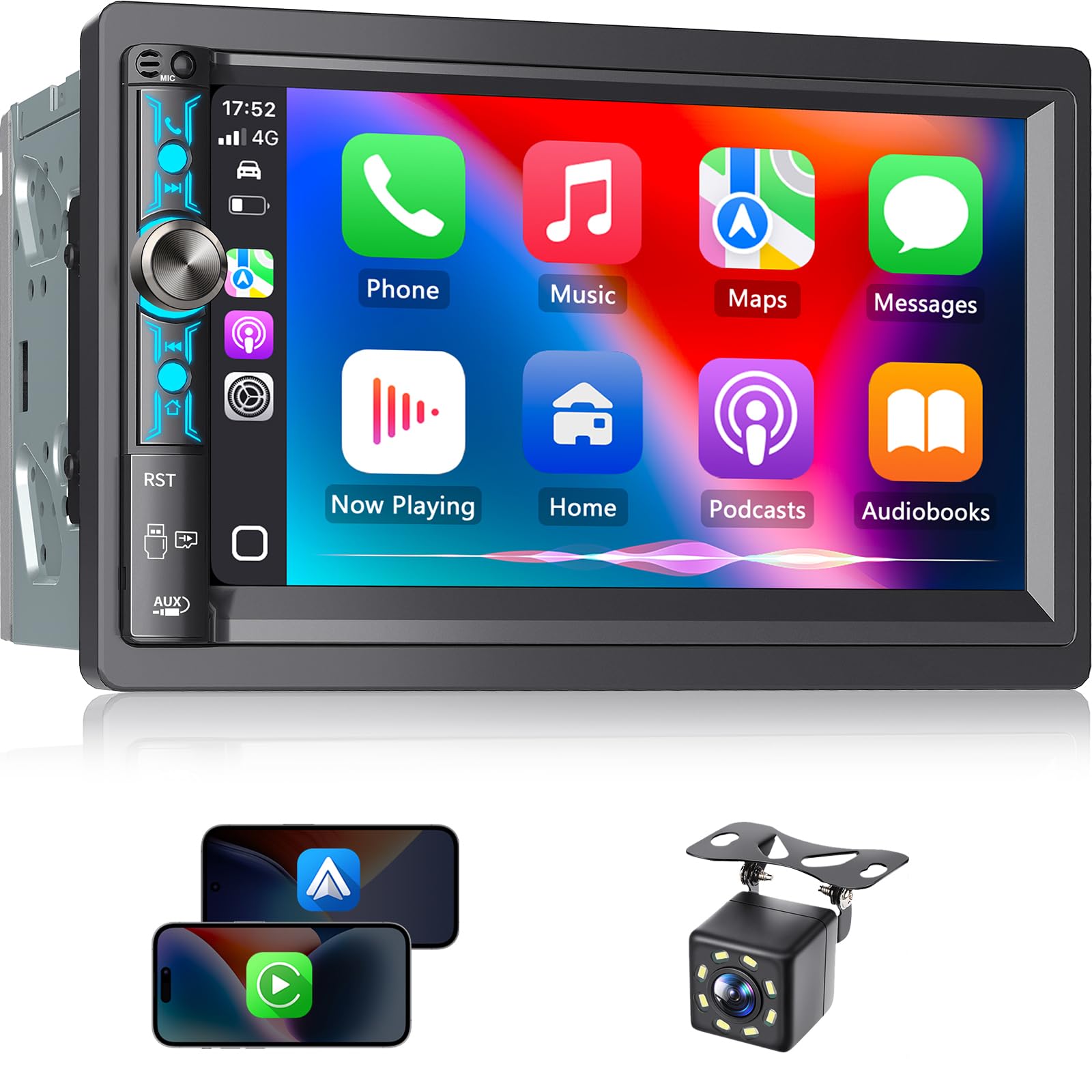
Kissound is the kind of unit people buy when they want that “new car” screen feel in an older vehicle—without spending like it’s a full infotainment replacement. Wireless CarPlay/Android Auto, a bright 7-inch display, subwoofer output, steering wheel control support (with the right interface), and a backup camera in the box: that’s a compelling value story on paper.
In real use, the biggest win is how quickly it modernizes your daily workflow. Once paired, wireless phone integration can turn your commute into something calmer: maps on the dash, music controls on the screen, calls handled hands-free. For a lot of drivers, that’s the entire point.
Owners also mention that the install documentation is unusually strong for the category. Clear wiring labels and decent manuals reduce the “I’m lost” moment. That matters because many returns in this category are really install frustration, not actual product failure.
Now the real talk: output power claims in this category can be optimistic. Several users compare loudness to name-brand units and notice they need higher volume settings to reach the same punch. That doesn’t mean the sound is bad—it means you should treat the built-in amp as “normal head unit power,” and if you want serious loudness without strain, consider an amplifier later.
Some people also report occasional screen lag or wireless connection hiccups. This is where expectations matter: if you want flagship-smooth performance at all times, a premium brand unit usually wins. If you want a very capable screen stereo that does the core modern features well, Kissound can be a strong “smart upgrade.”
Why it’s worth it
- Wireless phone integration – CarPlay/Android Auto changes the whole daily experience.
- Shallow body helps installs – Helpful when converting from single DIN or working in tight dashes.
- Camera included – Adds practical safety value right away.
- Lots of tuning options – DSP + EQ can improve factory speaker sound when used wisely.
- Clean front design – Minimal branding can look more “factory” in many dashboards.
Good to know
- Don’t buy it expecting true “amp-level” loudness from the internal power.
- Some users report lag or occasional wireless skips depending on phone and environment.
- Steering wheel controls usually require a separate interface module (common for most aftermarket radios).
Ideal for: drivers who want wireless CarPlay/Android Auto and a camera-equipped screen stereo with an install-friendly footprint.
7. GHIOPMZ Single DIN Touchscreen CarPlay/Android Auto – Modern Tech in a Single Slot
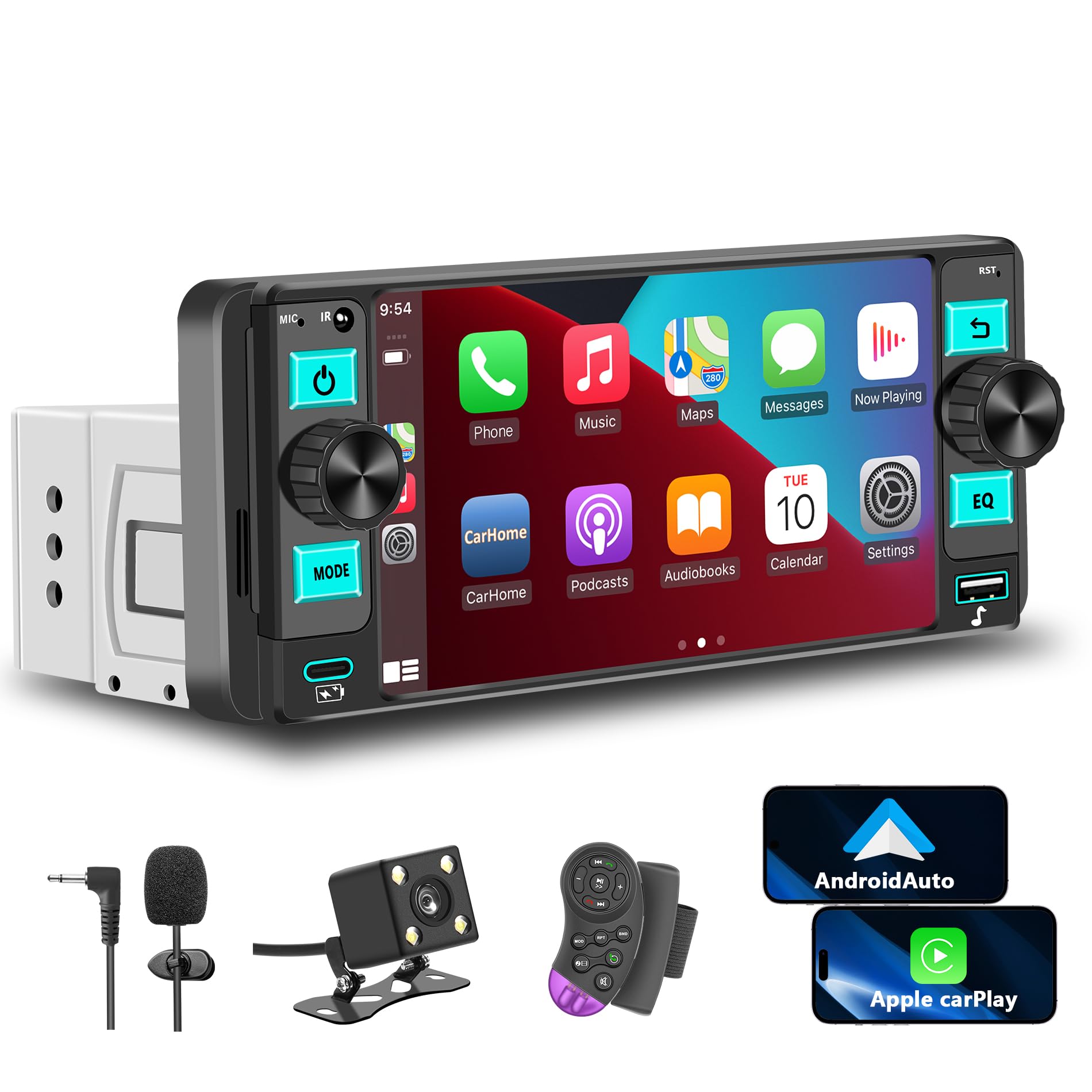
Some cars simply can’t do double DIN without major dash work. That’s where single-DIN touchscreen units become incredibly appealing: you keep the physical size that fits your dash, but you still get a modern interface, wireless CarPlay/Android Auto, and a rear camera view when you shift into reverse.
The GHIOPMZ approach is especially practical because it doesn’t force you into “all touchscreen, all the time.” The dual physical knobs sound like a small detail, but in real driving, knobs are comfort. Volume is the one control you want to hit instantly without thinking. A touchscreen-only unit can feel modern but slow for that one job. This gives you the best of both: screen for apps and maps, knobs for fast adjustments.
Owners describe this unit as a surprisingly strong “bang for buck” modernizer. It’s often installed into older cars that didn’t even have Bluetooth from the factory, and it instantly upgrades the daily routine: calls, playlists, navigation—all without cables. Screen quality is another pleasant surprise in feedback, especially for drivers who expected a dim or washed-out display.
The most common annoyance is not unique to this model: once you’ve paired wireless CarPlay, your phone may try to reconnect automatically whenever it senses the head unit. Some people love that. Others find it mildly annoying when they want their phone audio to stay private (headphones, speakerphone, etc.). If you’ve ever used wireless CarPlay, you’ve seen that behavior across many systems.
Why it works
- Single DIN fit – Big upgrade potential without converting the entire dashboard.
- Wireless CarPlay/Android Auto – Modern navigation and media workflow without cables.
- Dual knob control – More usable day-to-day than touchscreen-only volume controls.
- Backup camera integration – A practical safety win that feels “new car” instantly.
- Surprisingly strong screen – Owners often mention better-than-expected display quality.
Good to know
- Wireless CarPlay auto-reconnect behavior can be annoying if you frequently switch audio devices.
- As with most installs, you’ll want the right harness and dash kit for a clean fit.
- Touchscreen radios can feel “busy” if you prefer minimal displays and simple buttons.
Ideal for: single-DIN dashboards where you want modern CarPlay/Android Auto convenience without a full double-DIN conversion.
8. Sony DSX-A410BT – Dual Bluetooth Done the Practical Way

Sony’s DSX-A410BT is built for a reality many people live in now: two phones in the car. Maybe it’s a work phone and a personal phone. Maybe it’s a shared car and you’re tired of re-pairing every time the driver changes. Sony’s dual Bluetooth approach solves the “who owns the stereo today?” problem.
The key detail owners point out: the second phone connection is primarily for calls, not full streaming control. That’s not a flaw—it’s an expectation you should go in knowing. In practice, it means you can keep one phone as the “music brain” and still accept calls from a second device. For many families, that’s exactly what they want: no more “disconnect yours so mine can connect.”
Another major practical win is depth. Because it’s a digital media receiver (no CD mechanism), it can be physically less deep, which is helpful in older dashboards where wiring harnesses, adapters, and extra cable length chew up space. If you’ve ever had to “fold” wiring behind a radio like you’re packing a suitcase, you’ll appreciate a shallower body.
The trade-off is interface learning. Sony menus and button combos can feel unintuitive at first, and owners often mention that the companion app helps with quicker access to fader/balance/source switching while you’re getting used to it. Once you learn your rhythm, it becomes very “Sony”: stable, consistent, not trying to be cute.
Why it’s a strong choice
- Dual Bluetooth practicality – Great for shared cars, couples, or work/personal phone setups.
- Shallower physical depth – Easier installs when the dash cavity is tight.
- Strong sound settings – Owners often describe satisfying bass and clear audio once adjusted.
- Brand reliability feel – Many buyers choose Sony because they’ve owned Sony units before.
- Good Bluetooth range – Useful in boats or vehicles where the phone isn’t always close to the deck.
Good to know
- Second phone connection is typically call-focused; streaming is usually from the primary phone.
- Interface can take time to learn; app assistance helps early on.
- If you want a rear AUX input, note that some connections are front-only.
Ideal for: drivers who share vehicles or juggle multiple phones and want fewer pairing headaches without going full touchscreen.
9. JVC KD-SR87BT – CD Convenience with Real Tuning Tools

Some people don’t want a touchscreen. They want a real stereo: buttons, a knob, a display, and sound tools that actually make a difference. That’s exactly the lane the JVC KD-SR87BT lives in—especially for drivers who still keep CDs in the glove box but also stream daily.
The reason this unit wins over many “cheap CD decks” is the tuning suite. A 13-band EQ plus time alignment means you can do real shaping: reduce harshness, tighten bass, pull vocals forward, and make your driver seat feel less like “all the sound comes from the left door.” You don’t need to be an audio nerd to benefit. A few thoughtful adjustments can make factory speakers sound like you upgraded them.
Owner feedback tends to split into two categories: “this sounds better than my OEM stereo” and “I wish the build felt more premium.” The second complaint is usually about plastic feel and fingerprints. That’s a valid point—this unit can feel light in-hand. But light doesn’t automatically mean weak performance. If you care most about sound tools and classic usability, it still delivers.
The other consistent complaint: strong sun can make the screen harder to read. If your vehicle has a dash angle that catches sunlight directly, you might want to treat display visibility as a deciding factor. Many drivers solve this by choosing lighting colors that reduce glare perception and by setting dimming schedules—simple moves that make the stereo feel less “flashy” and more comfortable.
Why it’s a smart pick
- CD + modern streaming – Great bridge for drivers who still play discs.
- Real tuning suite – 13-band EQ + time alignment can genuinely improve factory speaker sound.
- Custom lighting – Easy to match many dashboard color themes.
- Detachable faceplate – Helpful for security-conscious parking.
- USB charging and playback – Convenient for daily driving and longer trips.
Good to know
- Build feel can seem “light” compared to older, heavier decks.
- Display readability can suffer in the brightest daylight depending on dash angle.
- App control exists but may feel dated; many users prefer physical controls.
Ideal for: drivers who want CDs, strong tuning tools, and a classic stereo feel without jumping to a touchscreen.
10. JVC KD-SX27BT – A No‑Nonsense Bluetooth Deck with Surprisingly Deep Sound Tools

If you like the JVC sound-tool approach but you don’t care about CDs, the KD-SX27BT is a clean, modern, mechless solution. What makes it special isn’t the headline “Bluetooth” feature—it’s that you get real sound shaping without buying a premium screen unit. That’s the sweet spot for drivers who want better audio but still want a simple dash.
The short chassis design is a practical perk. Shorter decks reduce install stress and make cable routing cleaner, especially if you’re adding a steering wheel control adapter, a backup camera trigger wire (for other setups), or just dealing with older, stiff factory wiring. Less cramming = fewer future problems.
The tuning suite—K2 sound processing, time alignment, and a multi-band EQ—helps in the exact places factory systems usually struggle: vocals that feel buried, cymbals that sound sharp, and bass that turns into “boom” instead of punch. When drivers say “it made my speakers sound better,” that’s usually what they’re noticing: better balance, not just more volume.
The honest downside is similar to many midrange single DIN units: in very bright sunlight, visibility can depend on the vehicle’s dash angle. Also, app-based remote control exists, but many users treat it as optional. The best experience is usually physical control + a few minutes of initial setup.
Why you’ll like it
- Short chassis comfort – Easier installs and cleaner wiring behind the dash.
- Strong tuning tools – EQ and alignment features can noticeably improve sound quality.
- Bluetooth streaming that feels stable – Many owners praise easy pairing and reliable connection.
- USB charging + playback – Convenient for daily driving and keeping your phone topped up.
- Classic usability – Simple controls without touchscreen distractions.
Good to know
- Sunlight readability can be a challenge depending on vehicle dash angle.
- Some users find the remote app outdated; physical controls are usually the best experience.
- If you want CDs, choose the KD-SR87BT instead.
Ideal for: drivers who want Bluetooth streaming and meaningful sound improvements without buying a touchscreen.
11. Pioneer MVH-S322BT – The App‑Friendly Pioneer That Wakes Up Old Cars

The MVH-S322BT is a great choice for drivers who want a “Pioneer personality”: stable Bluetooth pairing, clean sound, and a dash that feels upgraded without becoming complicated. It’s also a good fit if you like the idea of using a phone app to extend control. Some people love app control. Others use it once, then never again. The nice thing here is you can choose your style.
Owners often praise the amount of tuning you can get at this level and how quickly it auto-connects to their phone at startup. That auto-connect behavior is a big deal in daily life—because a stereo that makes you manually reconnect every time is the fastest way to kill the joy of an upgrade. When people say “it just works,” this is usually what they mean.
Pioneer’s “fun factor” features (like Mixtrax) are either your thing or not. If you like continuous playback transitions and a more energetic listening vibe, it can be a blast. If you’re a podcast listener or you prefer calm, you can largely ignore it and just use it as a solid Bluetooth receiver.
The biggest recurring con is brightness. Some owners love the crisp visibility, while others find it distractingly bright at night even on lower settings. If you drive a lot at night, consider using red or dimmer-friendly illumination options and setting a dim schedule if available. If you’re extremely sensitive to bright displays, this is worth considering before buying.
Why people buy it
- Fast auto-connect behavior – Smooth daily startup without Bluetooth drama.
- Good sound for the category – Clean output and solid volume for factory speaker setups.
- App ecosystem option – Smart Sync can add convenience if you like phone-based control.
- Detachable faceplate – Extra peace of mind for public parking.
- Pioneer consistency – Familiar menu logic for long-time Pioneer fans.
Good to know
- Some users find the screen too bright at night, even on low brightness settings.
- “Fun” features are optional; if you don’t care, they don’t hurt, but they also don’t add value for everyone.
- If you want the simplest Pioneer experience, the MVH-S110BT may feel calmer.
Ideal for: drivers who want stable Bluetooth, app control options, and a lively Pioneer vibe in a single DIN format.
12. Pioneer MVH-S230BT – Straightforward Bluetooth with a Very Install-Friendly Depth

If you want Pioneer reliability and you don’t want to overthink it, the MVH-S230BT is a strong “simple but modern” choice. It’s a digital media receiver that focuses on the fundamentals: Bluetooth streaming, hands-free calling, and USB playback. For many drivers, that’s the whole wishlist.
The real advantage is install comfort. A shallow chassis makes a huge difference in older cars, compact dashboards, and any vehicle where you’re adding adapters. It’s also helpful if you’re routing a USB cable to a clean location or stacking wiring for a steering wheel control interface. Less depth = less cramming = fewer rattles and fewer loose connections later.
Owners commonly praise the Bluetooth behavior: it connects quickly, stays connected, and doesn’t make them fight the system. That’s exactly what you want if your goal is “stream Spotify and take calls” without turning your dashboard into a tech hobby.
The main complaint to watch for—again—can be brightness. Some people love bright displays for daytime visibility. Others feel it’s too bright at night. If you’re sensitive to that, be intentional about illumination settings and consider whether your dash supports dimmer wiring integration in your install harness (many installs do).
Why it’s a smart buy
- Easy install footprint – Shallow depth is a real-world advantage in older cars.
- Reliable Bluetooth streaming – Owners often praise fast, consistent pairing.
- Clean Pioneer interface – Simple controls without touchscreen complexity.
- USB playback support – Handy if you keep music on a flash drive.
- Expandable output option – RCA output flexibility helps if you add a sub later.
Good to know
- Display brightness can be intense at night for some drivers.
- It’s intentionally “simple”—if you want advanced app ecosystems, the MVH-S322BT is a better match.
- Controls are classic car-stereo style; it’s not designed to feel like a smartphone screen.
Ideal for: drivers who want a clean Pioneer upgrade with minimal install stress and dependable Bluetooth performance.
13. Pioneer MVH-S110BT – Compact, Simple, and Surprisingly Satisfying
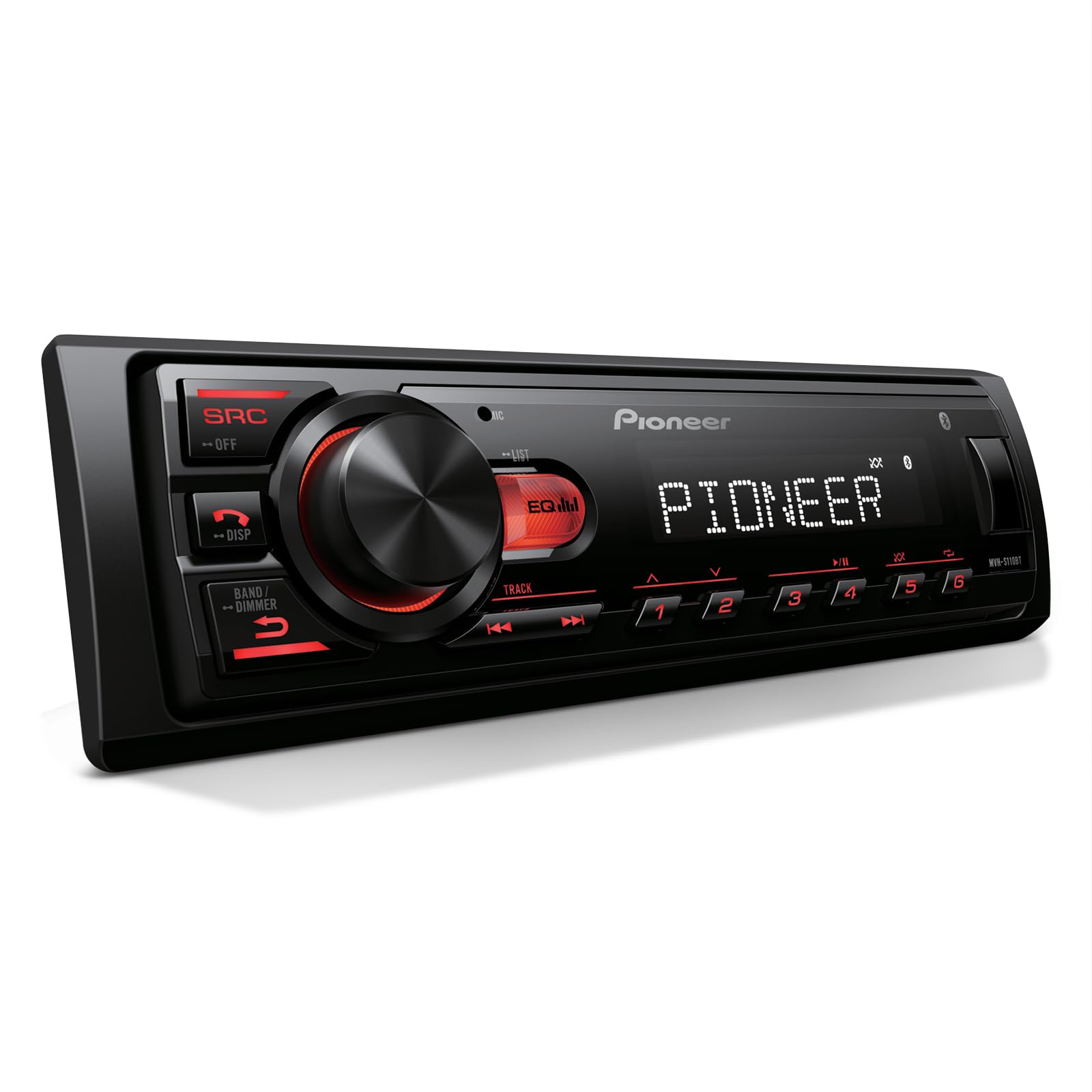
The MVH-S110BT is for the driver who wants the upgrade without the drama. It’s compact, it fits in tight dashboards, it gives you Bluetooth and USB playback, and it doesn’t try to be an entertainment system. In older vehicles, that simplicity often feels like a win.
Owners frequently describe it as a “great value upgrade” because it makes old speakers sound louder and cleaner than the factory radio, and it connects quickly once paired. If you’ve been living with a factory head unit with no Bluetooth, the day-to-day improvement feels huge.
There’s an interesting real-world pairing note: some users report initial pairing difficulties when other Bluetooth devices are active on the phone (like a smartwatch). Once they reduce competing connections, pairing becomes easy and the unit behaves normally. That’s not unique to this Pioneer—it’s a general Bluetooth environment reality. But it’s a helpful “save your sanity” tip if pairing feels weird the first time.
This unit is also a reminder that “features” are not always the point. A basic head unit can be deeply satisfying when it nails the fundamentals: clean music, consistent auto-connect, simple EQ keys, and controls you can use without thinking. If that’s your goal, the MVH-S110BT is a smart pick.
Why it’s popular
- Super-short chassis – Excellent fit in tight dashboards and older cars.
- Simple, clear controls – Easy to use without menu fatigue.
- Bluetooth convenience – Great upgrade from older factory radios without streaming.
- USB music support – Useful if you like physical media without CDs.
- Direct EQ keys – Quick tone adjustments without digging into menus.
Good to know
- Initial pairing may be easier if you temporarily disconnect other Bluetooth devices on your phone.
- It’s intentionally basic—no advanced app ecosystem or giant tuning suite.
- If you want a detachable face or more “premium” feel, step up to other Pioneer models.
Ideal for: older cars and tight dashboards where you want a brand-name Bluetooth upgrade that stays simple and dependable.
14. Jensen MPR210 – The Budget Deck That Feels Weirdly Thoughtful
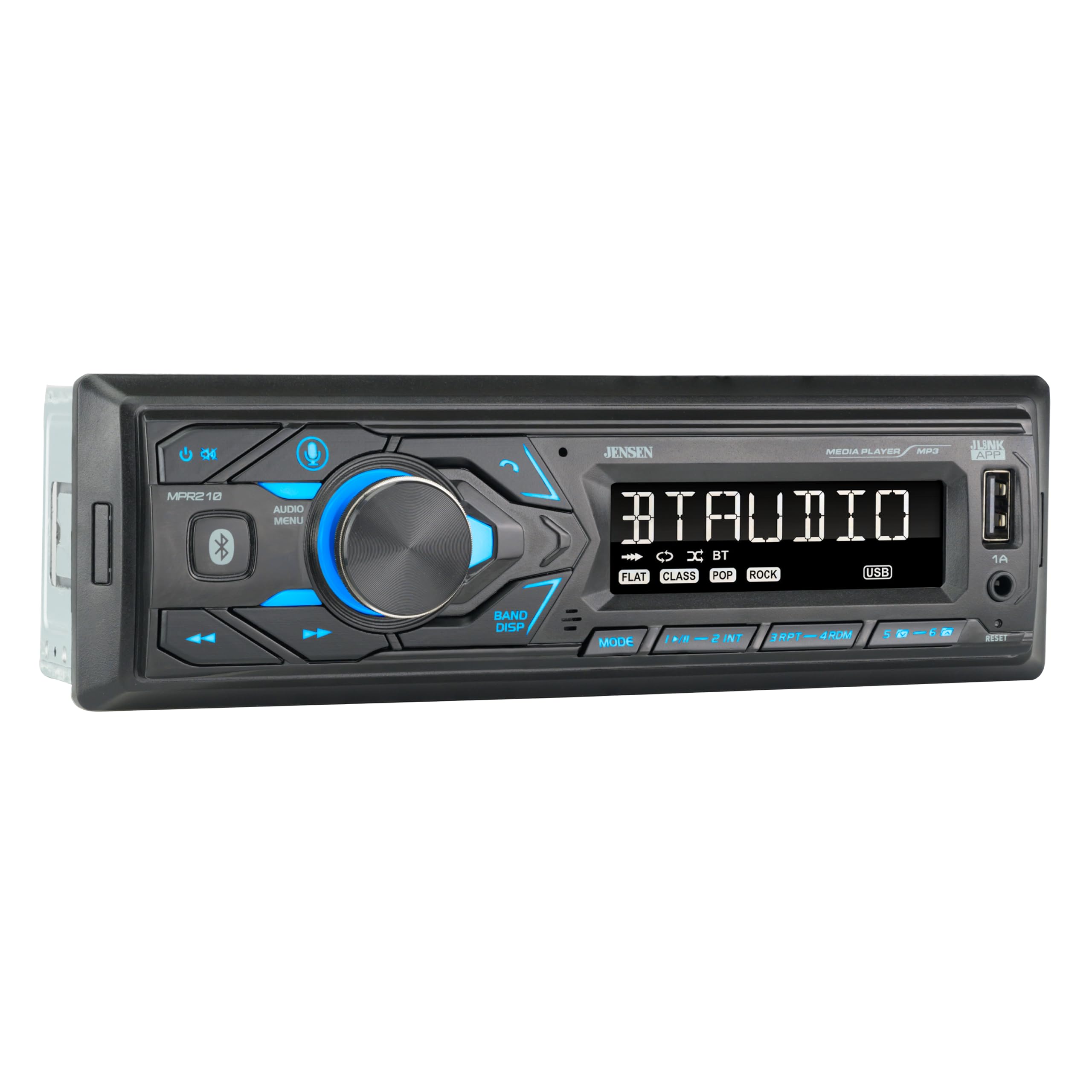
The Jensen MPR210 is one of those products that surprises people because it’s not trying to do everything—it’s trying to do the basics well. And in owner feedback, it often earns praise for being remarkably usable: fast Bluetooth pairing, clear sound, and a button layout that doesn’t force you into deep menus for everyday tasks.
One specific detail that matters in real life: USB music handling. Some budget units play USB files in a frustrating way—no folder control, awkward browsing, no track seeking. Owners of the MPR210 often highlight that it handles folder navigation and track control in a way that feels “more expensive” than expected. That matters if you keep a flash drive loaded with music and you don’t want to touch your phone while driving.
Another practical win is the integrated mic. Many decks require you to route and mount an external microphone, which can be annoying if you want a clean look. Jensen’s integrated approach simplifies install, and many owners report good call clarity for normal driving. If you have a loud truck cabin or drive with windows down, an external mic can still be better, but for typical commuting, the integrated mic can be “good enough” without the extra installation step.
The main “quirk” that shows up repeatedly is the clock display behavior: some owners mention needing to press a button to show the clock after startup rather than it displaying automatically. It’s a minor daily annoyance depending on your preferences—worth knowing before you buy.
Why it’s better than expected
- Fast Bluetooth auto-connect – Owners often praise immediate pairing without fuss.
- USB playback usability – Folder navigation and track control feel unusually practical.
- Simple, effective controls – Less time in menus, more time enjoying the drive.
- Integrated microphone – Cleaner install without routing an external mic.
- Solid radio reception – Many users report strong AM/FM performance in real installs.
Good to know
- Clock display behavior can be slightly annoying if you want it always visible by default.
- Charging output from the front USB is modest compared to modern fast-charge expectations.
- Display is simple by design; if you want artwork and big text, choose a screen unit.
Ideal for: budget upgrades where you care most about stable Bluetooth, practical USB playback, and simple daily controls.
15. BOSS 616UAB – Cheap, Capable Streaming… With Very Real Quirks

Let’s be honest: BOSS is popular because it’s affordable and widely available. And for some buyers, the 616UAB is a win: it’s shallow, easy to install, Bluetooth connects reliably for music streaming, and the sound can feel stronger than expected if you’re coming from a weak factory radio. That’s the good story—and it’s real.
But this is also one of the most “love it or return it” stereos in the list because quirks matter at this price tier. Some owners praise the sound and say it outperforms older name-brand decks for basic streaming. Others run into workflow frustrations that are deal-breakers depending on how you use your car.
The biggest real-life gotcha is Bluetooth behavior. Some users report that once paired, it tends to hijack the connection whenever the unit powers up—and there’s no simple Bluetooth on/off toggle. If you like to switch between your car stereo and headphones frequently, that can get annoying fast. Another reported quirk is audio behavior where the first word of a spoken sentence can get clipped when streaming content that has pauses (language apps, podcasts with silence, audiobooks). For music, you might never notice. For spoken-word listening, it can be a deal-breaker.
There are also complaints about “dancing LED” visual animations and dimmer behavior. Some drivers love flashy displays; others find them distracting. If you care a lot about night driving comfort, be picky here.
Why some people love it
- Very affordable streaming upgrade – Big improvement over factory radios with no Bluetooth.
- Shallow install – Helps in tight dashboards and older vehicles.
- Bluetooth auto-connect – Many users like that it reconnects fast for music playback.
- Simple inputs – USB and AUX keep it flexible for basic setups.
- Surprisingly decent power feel – Can make stock speakers feel more alive vs weak OEM head units.
Good to know
- Bluetooth may not have an easy “off” toggle; can hijack connections when powered on.
- Some users report first-word clipping in spoken audio streams with pauses.
- Display animations and dimming behavior can be distracting for night drivers.
- Call audio can have echo or feedback depending on volume and mic behavior.
Ideal for: budget installs where you mainly stream music and want a shallow, simple head unit—while accepting that quirks can exist.
16. REAKOSOUND Single DIN Bluetooth Stereo – Ultra Budget, Surprisingly Feature-Heavy

This is the “my car is old, I just need Bluetooth” category—but with a surprisingly long checklist for the price tier: Bluetooth streaming, hands-free calling, dual USB (one for playback, one for charging), SD/aux options, EQ presets, and even smartphone app control. For many drivers, that’s enough to transform the daily commute from “silence and static” into “music and calls that work.”
Owners who like it tend to describe the same story: easy install, Bluetooth connects quickly, and sound quality over Bluetooth is better than expected. That’s an important point—because in ultra-budget units, FM reception can sometimes be the weak link, while Bluetooth audio sounds fine. If your primary plan is streaming from your phone, you may be happy.
Where complaints show up is the “visual behavior.” Some drivers report distracting animations that can’t be fully disabled. That kind of thing matters more than people think: a cheap unit can be perfectly functional, but if it visually annoys you every night drive, you’ll end up hating it. If you’re sensitive to distraction, look for settings that reduce brightness and choose a steady color rather than flashy modes.
This unit is best treated as a practical tool: it’s not a premium audio brain, and it’s not trying to be. But if you want basic Bluetooth capability, charging, and multiple playback options without spending much, it’s a workable answer.
Why it can be a win
- Very budget-friendly upgrade – Adds modern connectivity to older vehicles quickly.
- App control option – Useful for adjusting settings without reaching for the faceplate.
- Dual USB convenience – Playback + charging is practical for daily driving.
- Multiple media options – USB/SD/AUX give flexibility beyond Bluetooth.
- Bluetooth audio can sound surprisingly good – Many owners enjoy streaming performance.
Good to know
- Visual animations can be distracting and may not be fully customizable.
- FM reception quality varies widely by area and antenna setup.
- Ultra-budget units can be less “refined” in controls and menu feel.
Ideal for: the tightest budgets where you mainly want Bluetooth streaming, charging, and basic controls that get the job done.
The “Power” Truth: Why Some Stereos Sound Better (Even at the Same Volume)
Here’s the part most buying guides get wrong: louder isn’t always better, and “more watts” on a product page doesn’t automatically mean your system will feel stronger. In real life, the stereo you love is the one that stays clean when you turn it up, doesn’t get harsh in the upper mids, and doesn’t collapse into distortion when the bass hits.
1. Peak watts vs real listening
Many head units advertise big peak numbers. Real listening is shaped more by:
- How clean the amplifier section is at higher volume (clipping is what kills sound quality and can stress speakers).
- Speaker sensitivity (some speakers get loud easily, others need more power).
- Cabin noise (a loud truck cabin makes you push volume higher than you would in a quiet sedan).
- Tuning (a well-tuned system can feel louder because it’s clearer, not because it’s actually producing more power).
2. The “gain structure” mistake that makes upgrades disappointing
One common pattern in real reviews: someone installs a new head unit, turns it up, and says it “isn’t as loud as expected.” Often, the issue isn’t the deck—it’s how the system is matched:
- If you have a factory amplifier, you may need to match output correctly (sometimes with the right adapters or line output handling).
- If you add an aftermarket amp later, you need to set gains to match the head unit, not crank them blindly.
- If you boost bass heavily on the EQ, you can create distortion early and make the system feel weaker.
A simple approach that works for most drivers: start with a “flat” EQ, set balance/fader correctly, then slowly add bass and treble. If distortion shows up, back off the bass boost and use a subwoofer later if you want real low end.
3. Why Bluetooth music can sound great while calls sound terrible
This is one of the most important real-world differences between head units: music streaming and call audio often travel through different processing paths. Music can be rich and stable while calls sound thin, noisy, or distorted.
- Microphone placement matters (external mic near visor usually helps in loud cabins).
- Noise suppression quality varies by brand and model.
- Echo behavior can depend on volume and mic sensitivity—some systems feed audio back into the mic more easily.
If you take frequent calls, prioritize units with strong call feedback (often brand-name decks or units with better mic support). If you rarely take calls, you can treat call quality as “nice to have.”
4. The brightness battle: daytime visibility vs night comfort
You saw this theme repeatedly in the reviews: some stereos are hard to see in sun; others are too bright at night. This is not a small issue—it’s daily comfort.
- If your car’s radio slot points upward, glare and sunlight hit harder—choose units known for better visibility.
- If you drive at night, prioritize dimming behavior and illumination control.
- When in doubt, choose warmer illumination (often red) for night comfort and reduce flashy animations.
5. Clean-sound setup checklist (fast, practical, works)
- Step 1: Set EQ to flat. Turn off “loudness” and exaggerated bass boosts first.
- Step 2: Set fader/balance so the driver seat sounds centered.
- Step 3: Use small EQ moves. If vocals are harsh, reduce upper mids slightly instead of boosting bass.
- Step 4: If bass distorts early, reduce bass boost and consider a sub later. Let door speakers handle mids/highs cleanly.
- Step 5: For call clarity, use an external mic if available and mount it where your voice is strongest (often near visor).
- Step 6: If you hear alternator whine, check ground quality and wiring routing—noise is almost always a wiring/ground issue, not “bad speakers.”
FAQ: Bluetooth Car Stereo Upgrades Without the Confusion
Do I need a single DIN or double DIN stereo?
Why do some stereos say huge watt numbers but still don’t feel loud?
What’s the easiest way to get clearer hands-free calls?
My new stereo is too bright at night—what can I do?
Do I need an amplifier if I’m keeping factory speakers?
Why does Bluetooth music sound fine but spoken audio sounds weird (like chopped words)?
Will my steering wheel controls still work?
Should I choose CarPlay/Android Auto or a simple Bluetooth receiver?
Final Thoughts: Pick the Stereo That Makes Your Car Feel Easier to Live With
A stereo upgrade is one of the fastest ways to make an older car feel “newer,” but only if you choose the model that matches your real life: your dash size, your night driving habits, your call needs, and whether you plan to build a bigger sound system later.
Here’s the simplest way to translate this guide into the right purchase:
- Want the most balanced “buy once” pick? Start with the Kenwood KMM-BT332U. It’s the best blend of daily usability, install friendliness, and sound control.
- Care most about clean sound and strong call clarity? Go with the Alpine UTE-73BT. It’s a sound-first choice that owners praise for clear hands-free calls in noisy cabins.
- Still play CDs but want modern streaming too? Pick the Pioneer DEH-S4220BT or the JVC KD-SR87BT. These keep CD life alive while adding real Bluetooth convenience.
- Want a branded touchscreen without overcomplicating the dash? The Pioneer DMH-130BT is a clean “modern look” upgrade with backup camera readiness.
- Want wireless CarPlay/Android Auto and a big screen? Look at the PLZ 7" Wireless or the Kissound 7" Wireless. Both modernize the driving experience dramatically, especially in older vehicles.
- Need CarPlay/Android Auto but your dash is single DIN? The GHIOPMZ single DIN touchscreen is the “modern tech in one slot” option that can completely change how an older car feels.
- Share a car or juggle two phones? The Sony DSX-A410BT is built for dual-phone life and keeps pairing drama low.
- Want a dependable Pioneer without a touchscreen? The Pioneer MVH-S322BT, MVH-S230BT, and MVH-S110BT cover a wide range of “simple Pioneer upgrade” needs.
- Shopping on a strict budget but still want usable Bluetooth? Try the Jensen MPR210 for surprising everyday usability, or the BOSS 616UAB and REAKOSOUND if you mainly want basic streaming and charging.
When you choose the best bluetooth car stereo for your driving habits—night comfort, call clarity, install fit, and how you actually use your phone— your car stops feeling “old tech” and starts feeling like it’s finally keeping up with you.