
Our readers keep the lights on and the garage heater humming. As an Amazon Associate, I earn from qualifying purchases.
A dash cam is not a “tech toy.” It’s a quiet witness that does two important jobs when real life gets messy: it captures what happened, and it captures it in a format you can actually retrieve when you’re stressed. That second part is where most budget cameras fail—not because the footage is terrible, but because the workflow is. You’re standing on the shoulder of the road, adrenaline pumping, and the app won’t connect… the clip is in tiny segments… the card says “format” at the worst time… or the camera locked a hundred pothole videos and filled the storage with junk.
If you’re shopping for the best cheap car dash cam, I’m going to save you from the most common trap: choosing based on resolution alone. “4K” on the box doesn’t matter if the camera smears plates at night, overheats in summer, or makes it painfully hard to find the exact moment you need. In this guide, we’re going deeper than specs—into the real, repeatable friction points that show up in everyday use: mounting stability, low‑light behavior, file structure, Wi‑Fi reliability, parking mode reality, and whether the design helps you act fast when you need proof.
You’ll also notice something else: I don’t treat “cheap” like a synonym for “compromise everything.” The best budget dash cams are the ones that pick a few essentials and execute them cleanly: stable power, consistent recording, a memory setup that doesn’t corrupt easily, and a workflow that makes clip retrieval simple. Some models here go premium on coverage (front + rear + cabin). Others go premium on stealth (no screen, hidden behind the mirror). A few stay deliberately simple for drivers who want “plug it in and forget it.”
Below you’ll find 16 carefully chosen models—front‑only, dual‑channel, and triple‑channel—reordered into a ranking that makes sense for real drivers (and real budgets). Every pick includes a direct Amazon button, plus an expert breakdown of what it’s like to live with: what you’ll love, what you’ll want to tweak, and what you should know before you install it.
In this article
- How to choose the right dash cam for your car and your driving style.
- Quick comparison table of 16 standout budget-friendly models.
- In‑depth reviews of each dash cam, with real-life pros and cons.
- How to set up your dash cam so it actually helps when it matters.
- FAQ: the common questions drivers ask before (and after) buying.
How to Choose the Right Best Cheap Car Dash Cam
A dash cam isn’t “good” because it claims a big number on the product page. It’s good because it does three things reliably: records without gaps, saves important events, and lets you retrieve proof quickly. Here’s the decision framework I use when helping drivers buy a budget dash cam they’ll still trust after months of heat, vibration, and daily commuting.
1. Start with the one question that matters: what are you trying to prove?
Different cameras “win” depending on the argument you’re most likely to face. Pick your proof problem first—then choose the camera style.
- Rear-end or multi-car disputes: prioritize front + rear dual-channel recording.
- Rideshare or passenger incidents: prioritize front + cabin or full 3‑channel (front + rear + inside).
- Parking lot hits / vandalism: prioritize a camera with parking mode support and a practical hardwire option.
- “They cut me off” / lane-change drama: prioritize clarity and wide-angle coverage with stable exposure control (WDR/HDR).
- “I just want basic evidence”: a dependable front-only cam can be the most stress-free solution.
2. Understand “cheap dash cam” failure modes (and shop to avoid them)
Budget cams usually don’t fail because the lens is bad. They fail because of the boring stuff: power stability, heat tolerance, and memory handling. When you compare models, pay attention to these real-world weak spots:
- Heat stress: summer windshields are brutal. Better housings, better chips, and better ventilation matter.
- Mount stability: a wobbly mount creates motion blur that destroys plate readability even in “high resolution.”
- Memory behavior: loop recording + G-sensor locking can become a mess if sensitivity is wrong.
- App workflow: Wi‑Fi cameras are only “convenient” if the connection is quick and the file list is easy to search.
- Parking mode reality: many models support it, but you often need a separate hardwire kit for true 24/7 recording.
3. Pick the right channel count: front-only vs dual vs 3‑channel
Channel count is not just “more cameras = better.” Each extra camera splits attention, bitrate, and your setup time. Here’s the practical way to decide:
- Front-only: the simplest install, the least troubleshooting, and often the most reliable “set it and forget it.”
- Front + rear: the best all-around protection for everyday drivers because rear disputes are common and expensive.
- Front + cabin: perfect if you carry passengers often, want in-cabin context, or drive for work.
- 3‑channel: maximum coverage, best for rideshare and families, but plan for more wiring and more storage management.
4. Resolution is a tool, not a guarantee
Here’s what “resolution” really changes in real life:
- Daylight plates: higher resolution can help when vehicles are close and exposure is balanced.
- Night plates: sensor quality + aperture + WDR usually matter more than raw pixels.
- Motion blur: if the mount shakes, the best resolution in the world won’t save it.
- Storage: higher resolution creates bigger files, which can slow app downloads and fill cards faster.
So yes—4K can be a meaningful upgrade. But only if the camera also behaves well under headlights, rain, and fast closing speeds. A well-tuned 2.5K camera with good WDR and stable mounting often beats a messy 4K camera in the real world.
5. Screen vs app: choose the workflow you’ll actually use
Drivers usually underestimate how much the interface changes the whole ownership experience.
- Built-in screen: easiest for aiming the camera, quick status checks, and reviewing a clip in the car. Downside: screen glare and distraction if it stays bright.
- App-first (Wi‑Fi): easier sharing and downloading to your phone. Downside: you’re dealing with connection steps, and CarPlay/Android Auto can sometimes conflict.
- No screen (stealth cams): cleanest install and least distraction. Downside: aiming and troubleshooting happen on the phone.
6. Parking mode: know what you’re signing up for
Parking mode sounds simple: “record while parked.” In real usage, you’re choosing between three behaviors:
- Impact/event recording: the camera sleeps and wakes when it senses vibration. Great for battery usage, but can miss the start of a fast event.
- Time-lapse: the camera records continuously at low frame rate. Great for “something happened” timelines, but not ideal for reading plates from a distance.
- Low-FPS continuous mode: similar to time-lapse, tuned for longer coverage without huge files.
Many models support these modes but require a separate hardwire kit to provide stable power and low-voltage protection. If parking coverage is a priority, treat the hardwire kit as part of the plan, not an “optional extra you’ll maybe do later.”
7. Memory strategy is the hidden “quality” feature
If you only do one advanced thing after installing your dash cam, do this: pick a clip length and memory routine you can live with. Here’s what works for most drivers:
- Clip length: 1–3 minutes is the sweet spot. Short clips are easier to find and less likely to corrupt in a sudden power cut.
- Monthly format: formatting the card monthly prevents file-system weirdness that causes random “missing clips.”
- Right card type: if you upgrade storage, choose a high-endurance microSD from a reputable brand to reduce write errors.
8. Installation isn’t hard—but it’s where most value is lost
A budget dash cam can perform like a premium setup if the install is clean: stable mount, correct angle, tidy routing, and secure connectors. The opposite is also true: a high-resolution cam installed crooked, loose, or vibrating will look “cheap” in every clip.
Quick Comparison: 16 Best Cheap Car Dash Cam Picks
Use this table to match your needs to the right camera style, then jump into the full reviews for the real-life details: how the app behaves, how stable the mount feels, how night footage looks under harsh headlights, and what settings make the biggest difference.
On smaller screens, swipe or scroll sideways to see the full table.
| Model | Camera type | Why it stands out | Best match | Amazon |
|---|---|---|---|---|
| Miden S7 (4K Front + 1080P Rear) | Dual channel | Big, easy screen + strong wide-angle coverage + “evidence-first” recording controls | Drivers who want a confident, daily-dependable setup | Amazon |
| ARIFAYZ Q4 (4K + 1080P) | Dual channel | Sharp front detail + straightforward app workflow + compact behind-the-mirror install | Drivers who want dual coverage with minimal fuss | Amazon |
| Tuisau J10 (3‑Channel 4K/2.5K + 1080P + 1080P) | 3‑channel | Full front + cabin + rear coverage with switchable modes and included storage | Families, city drivers, and “record everything” buyers | Amazon |
| galphi M2 (2.5K + 1080P + 1080P) | 3‑channel | Low-profile design + fast Wi‑Fi + smart “status” voice prompts | Rideshare / passenger-heavy driving without the headache | Amazon |
| SUVCON J06 (1080P 3‑Channel) | 3‑channel | Infrared cabin night capture + simple plug-and-play feel | Drivers who want full coverage without app dependence | Amazon |
| TURSICA (4K + 1080P + 1080P 3‑Channel) | 3‑channel | 5GHz Wi‑Fi convenience + wide front view for busy roads | Budget 3‑channel buyers who still want fast phone access | Amazon |
| E‑YEEGER S60 (2.5K + 1080P) | Dual channel | Small, discreet body + clear menu + easy aiming with a flexible mount | Drivers who want simple dual coverage and low drama | Amazon |
| E‑YEEGER S50 (2.5K + 1080P) | Dual channel | Strong night behavior + screen-saver feature + easy suction repositioning | Drivers who want to aim/adjust without redoing the whole install | Amazon |
| galphi Q2 (4K Front Only, no screen) | Front only | Stealth install + strong clarity + fast 5GHz Wi‑Fi downloads | Drivers who want a hidden cam that still feels modern | Amazon |
| BOOGIIO OK‑831 (1080P Front + 3" Screen) | Front only | Old-school simplicity with a big screen and “auto records on power” behavior | Drivers who want zero apps and quick playback in-car | Amazon |
| E‑YEEGER V100Pro (2.5K Front + App) | Front only | Compact aluminum shell + phone control + voice feature for quick status checks | Drivers who want 2.5K clarity in a tiny, tidy install | Amazon |
| 70mai M310 (1296P Front Only) | Front only | Well-known platform + clean app experience + strong everyday reliability vibe | Drivers who want a trusted “starter cam” from a recognized brand | Amazon |
| Meiqils Wi‑Fi Dual (Front + Cabin, 32GB) | Dual lens | Basic cabin coverage + simple Wi‑Fi review + included memory | Budget drivers who want interior context without 3‑channel wiring | Amazon |
| Avylet A1 (2K Front + App + Supercapacitor) | Front only | Supercapacitor durability + optional GPS path + very small footprint | Hot-climate drivers and “clean install” lovers | Amazon |
| Veement V300 (1296P Front + App, no battery) | Front only | Battery-free safety design + wide angle + quick phone aiming workflow | Drivers who want minimal hardware complexity | Amazon |
| Meiqils Dual (Front + Cabin, no card) | Dual lens | Ultra-basic cabin coverage for the smallest spend | Drivers who just want “something recording” right now | Amazon |
In‑Depth Reviews: 16 Best Cheap Car Dash Cam Options
Now we’ll go model by model. I’m reviewing these like a driver who actually needs the footage: how it installs, how it behaves in heat and vibration, how easy it is to pull the clip, and what settings make it feel “reliable” instead of “random.”
1. Miden S7 – The Budget Dash Cam That Feels Like a Confident Daily Driver Upgrade
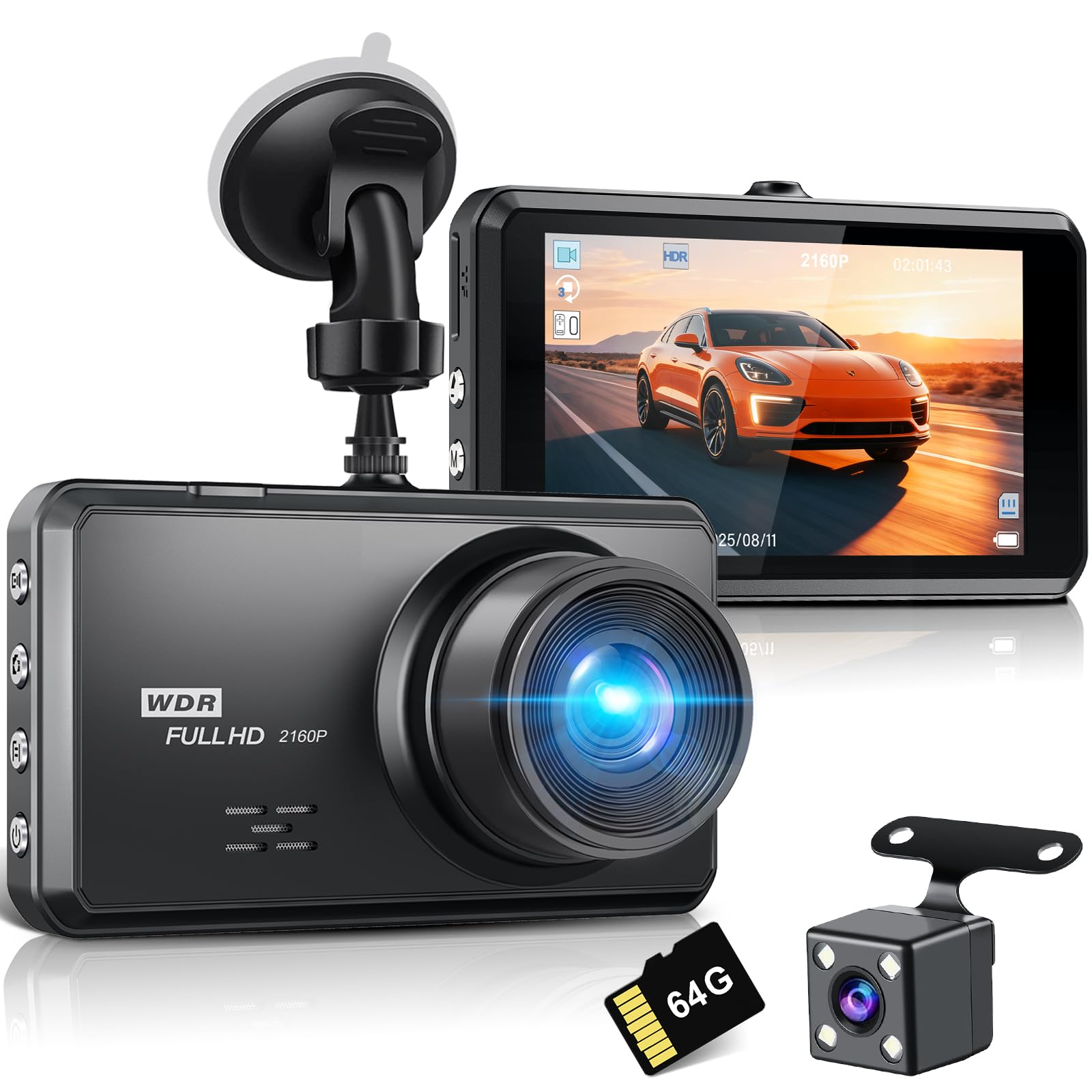
The Miden S7 earns “best overall” in the way the best dash cams always do: it makes evidence collection feel boring. And boring is exactly what you want. The front footage has that crisp, confident look you buy a 4K cam for, while the rear camera fills in the most common dispute angle without turning your install into a weekend project.
Where it quietly wins is usability. A larger screen seems like a simple comfort feature, but in real life it becomes your fastest troubleshooting tool: you can confirm angle, confirm recording status, and quickly spot whether glare or reflections are hurting plate readability. When drivers praise a camera as “easy,” they usually mean they didn’t have to fight it. The S7 fits that vibe—clean menus, predictable loop recording, and controls that feel designed around preserving footage rather than merely capturing it.
The wide-angle coverage is a real advantage on busy roads, but here’s the expert note: wide angle only helps if distortion stays controlled and the mount is stable. With the S7, the physical design plus the screen-guided aiming makes it easier to get the camera level and tight. That translates to less motion blur and more readable detail when something happens quickly—merges, lane changes, or that one driver who suddenly decides your lane is their lane.
If you plan to use parking monitoring, treat it as a system: camera + clean wiring + sensible sensitivity settings. On many budget cameras, “parking mode” exists but is easily triggered by random vibrations. The S7’s impact capture can be genuinely useful when tuned properly, and it pairs well with a “short clip” strategy so you don’t end up scrolling forever to find the moment.
Why you’ll like it
- Evidence-first usability – Large screen makes aiming and quick checks effortless.
- Dual-channel coverage that makes sense – Front clarity + rear context for common disputes.
- Practical recording controls – Loop recording and locking behavior feel built for real incidents.
- Strong all-around value feel – Doesn’t behave like a “cheap gadget.”
Good to know
- Dual-channel installs always take longer than front-only; plan your rear cable routing calmly.
- Big screens are great, but use screen-saver settings if you dislike extra brightness at night.
- Parking monitoring works best when you tune sensitivity (otherwise potholes become “events”).
Ideal for: drivers who want a dependable, easy-to-operate front + rear dash cam that feels like a true safety upgrade—not a science project.
2. ARIFAYZ Q4 – A Sharp, Compact Dual Cam That Nails the “Quick Clip” Workflow

The ARIFAYZ Q4 is the kind of budget dual cam that surprises people because it feels “done.” Not perfect, not premium-brand-polished, but thoughtfully packaged: compact body that hides well near the rearview mirror, long enough cabling to reach the back of real vehicles, and a phone-first workflow that’s easy to understand.
What stands out most is the clarity-to-effort ratio. A lot of budget 4K cams look impressive until night driving, where glare, exposure swings, and motion blur turn plates into glittery rectangles. The Q4’s night behavior gets consistent praise for staying usable under real headlights, and that’s exactly what you want: not cinematic darkness, but readable, balanced footage that preserves context.
From a “real life evidence” perspective, the app matters. You’re not buying Wi‑Fi to show off. You’re buying Wi‑Fi so you can get a clip to your phone quickly when you need it. Owners tend to like the Q4 app experience because it’s intuitive and doesn’t demand constant fiddling. Still, if you want the most bulletproof retrieval method, the fastest path is always the memory card itself. Think of Wi‑Fi as convenience, and the card as your “no excuses” backup.
One pro-level setup tip with the Q4: choose shorter clip lengths (1–2 minutes) if you plan to use the app often. Long clip segments are the #1 reason “downloads feel slow,” even when Wi‑Fi is working fine. Short clips also reduce the pain of a file corruption if power gets interrupted during a sudden stop.
Why you’ll like it
- Clean dual-channel coverage – Front and rear angles without bulky hardware.
- Good night usability – Balanced exposure helps keep details visible.
- App-first convenience – Easy access when you need to show a clip quickly.
- Compact install – Doesn’t shout “dash cam” from outside the car.
Good to know
- Parking mode typically needs a separate hardwire kit for true continuous protection.
- Rear camera clarity is often “good enough” rather than stunning—still valuable for context.
- For app use, shorter clip settings usually feel better than long segments.
Ideal for: drivers who want a compact 4K front + rear setup with a smooth phone workflow and minimal learning curve.
3. Tuisau J10 – The “Record Everything” 3‑Channel Setup That Still Feels Practical
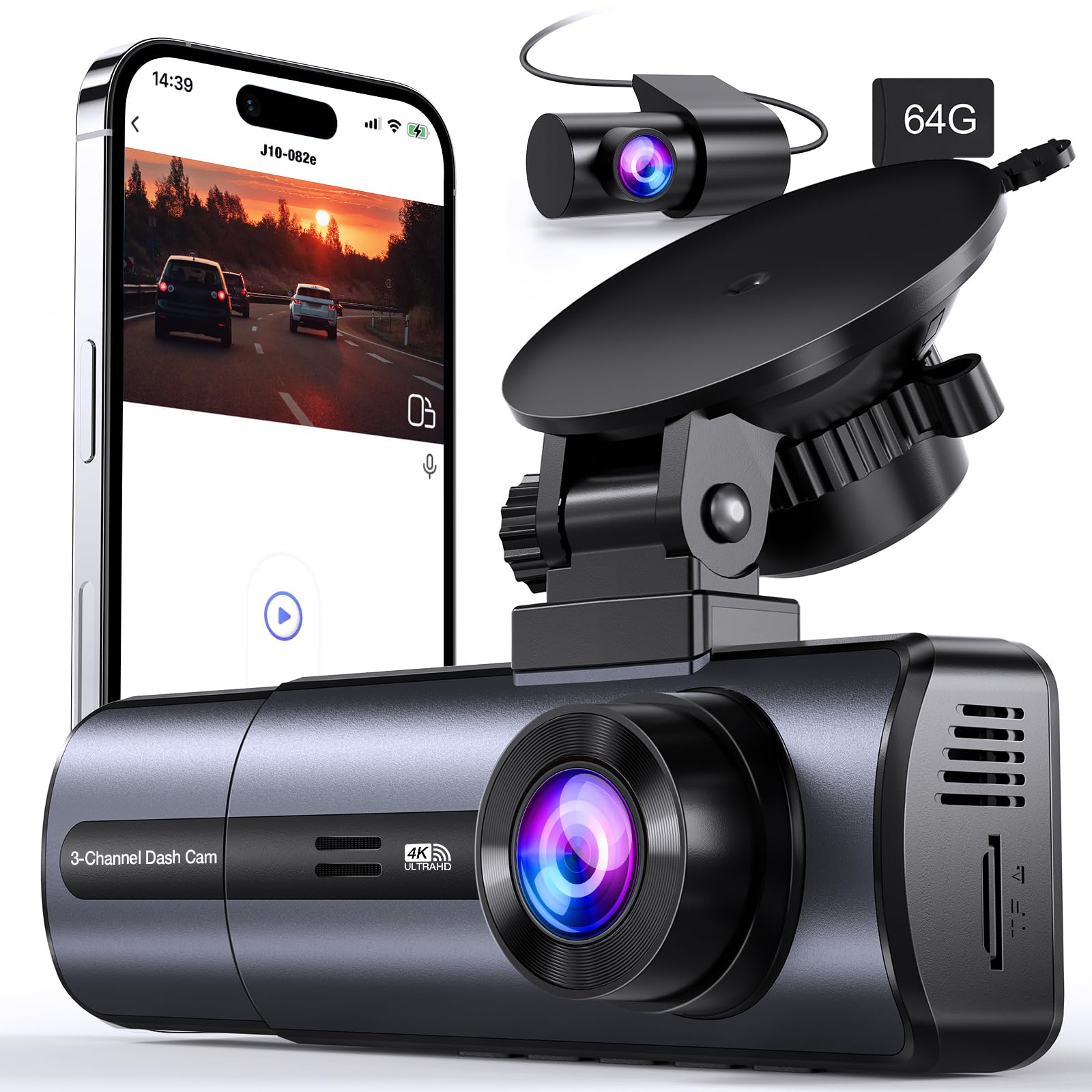
The Tuisau J10 is built for drivers who don’t want to guess which angle will matter. Front tells the road story, rear tells the tailgater story, and cabin tells the human story. That combination is why 3‑channel cams are so popular for rideshare, families, and city driving where “what happened inside the car” can matter almost as much as what happened outside.
A smart detail here is the switchable recording behavior: if you disconnect the rear camera, the front camera upgrades its resolution. That’s a real-world feature, not marketing fluff. There are plenty of days where you might prefer a simpler two-camera setup (front + cabin) or even front-only clarity for a long highway drive. The J10 lets you tailor the setup without buying a second camera.
Owners consistently highlight three “daily-life” wins: the clarity is strong enough to capture detail in real incidents, loop recording works as expected, and the Wi‑Fi/app workflow reduces friction when you want to pull a clip without removing the card. That said, there are also two honest, common realities with 3‑channel cams: (1) app downloads can still feel slower than you expect, even on 5GHz, because 3‑channel footage is heavier, and (2) the more channels you record, the more you should care about clip length and card maintenance.
If you buy the J10, set yourself up for success: choose 1–2 minute clips, turn off ultra-sensitive G-sensor settings, and treat the included memory as “ready today” but not necessarily “forever.” If you keep the camera long term, many drivers upgrade to a high-endurance card for extra peace of mind, especially if you drive daily and use parking monitoring features.
Why you’ll like it
- True full-context coverage – Front, rear, and cabin footage for complete incident storytelling.
- Flexible recording modes – Disconnect rear and gain higher front resolution when you want it.
- App convenience – Quick access to clips without pulling the card in many scenarios.
- Includes memory – You can install and record immediately.
Good to know
- 3‑channel setups take more time to install cleanly (especially routing the rear cable).
- Wi‑Fi downloads can still feel slow with large multi-channel files—shorter clip settings help.
- Parking monitoring usually requires a hardwire kit for best results.
Ideal for: drivers who want full coverage without paying premium-brand prices, and who don’t mind a slightly longer install to gain real peace of mind.
4. galphi M2 – A Low-Profile 3‑Channel Cam with “Driver-Friendly” Details

The galphi M2 is a great example of “budget” done right: it focuses on the parts that make daily use smoother. Three cameras give you complete coverage, but the experience doesn’t feel overly complicated. Drivers often praise how quickly the Wi‑Fi connects, how easy it is to pull a clip when you need it, and how the camera feels sturdy enough to live in a car environment (vibration, temperature swings, constant power cycling).
My favorite real-life design note is the mount behavior some owners highlight: being able to unhook the camera body from the mount without removing the suction cup. That small detail changes your relationship with the device. Instead of “ugh, I don’t want to mess with it,” you can pop it off to access the card, adjust angle, or tweak settings. That’s the difference between a cam you maintain and a cam you ignore until it fails.
Night driving is another area where this type of camera matters. The cabin camera’s infrared behavior (auto IR) is useful for rideshare, but even for non-rideshare drivers it adds context in certain incidents: distractions, sudden passenger movement, or someone reaching into the car. The key is placement: aim cabin to capture the driver zone and front seats rather than just the center of the back row. If you mount too low or too far right, you’ll lose the angle you actually care about.
One workflow tip: if you rely on Wi‑Fi clips for sharing with police or insurance, keep recordings in shorter segments and avoid maxing out interval length. Several owners note that huge files are the #1 reason apps feel like they “crash.” Short clips are easier to download, easier to email, and easier to scrub through on a phone screen.
Why you’ll like it
- 3‑channel coverage without confusion – front, cabin, and rear tells the full story.
- Fast Wi‑Fi pairing – easier clip access when you’re on the road.
- Smart mount convenience – quicker card access and adjustments (less “installation dread”).
- Strong value feel – doesn’t feel flimsy or throwaway.
Good to know
- Large clip intervals can be harder to download on phones—shorter is usually better.
- As with most 3‑channel cams, storage management matters more; don’t ignore formatting routines.
- Parking mode typically needs a separate hardwire kit to run continuously.
Ideal for: passenger-heavy driving (rideshare, carpools, busy family life) where having inside + outside context reduces “he said / she said” stress.
5. SUVCON J06 – A Straightforward 3‑Channel Camera with Strong “Peace of Mind” Energy
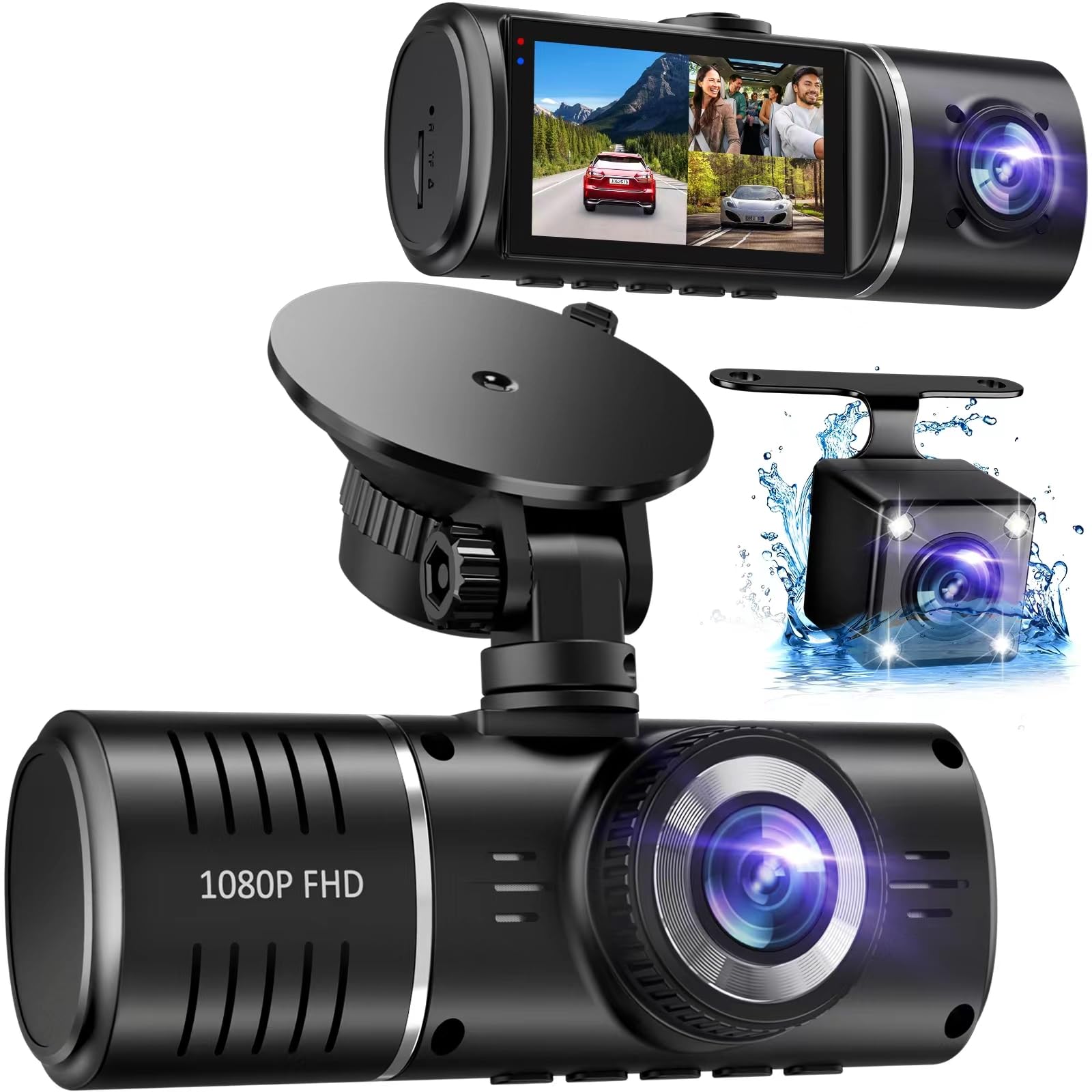
If you want triple coverage but you don’t want to feel chained to an app, the SUVCON J06 has a nice “just works” reputation. It’s built around a classic dash cam experience: mount it, power it, let it loop record, and trust the G-sensor to lock important events. The interior camera’s infrared LEDs are a practical win for night driving because cabin footage often becomes useless in the dark without IR support.
One reason drivers like this style of camera is the predictability. You can see what it’s doing on its screen, you can review clips without needing your phone, and transferring files to a computer is straightforward. That matters in a real incident—especially if you don’t want to mess with Wi‑Fi connections while you’re shaken up.
Now the expert part: triple cameras can create a false sense of security if you don’t aim them correctly. The rear camera should be positioned to capture the full rear window field—not just the bumper line— and the cabin camera should be angled to capture the driver area (and front passenger) rather than the center of the back seats only. Spend 90 seconds aiming it right. That small effort is what turns “I have a dash cam” into “I have useful evidence.”
This model also highlights a common upgrade consideration: included storage is convenient, but if you plan on using parking monitoring or drive long hours daily, you’ll benefit from higher capacity and higher endurance storage. Not because you need more total time, but because endurance reduces write errors over months of constant loop recording.
Why you’ll like it
- Full 3‑angle coverage – front, rear, and interior context in one system.
- Infrared cabin support – more usable night footage inside the car.
- Simple operation – “plug-and-play” feel with an easy interface.
- Good included kit – long cables and basic tools make installs less annoying.
Good to know
- Triple setups take longer to install cleanly—rear routing is the main time sink.
- Wi‑Fi convenience varies by driver preference; this is better for people who like local playback.
- Parking mode often needs hardwiring to be truly useful long-term.
Ideal for: drivers who want full coverage with a straightforward, screen-based workflow and strong cabin night visibility.
6. TURSICA 3‑Channel – Fast Phone Access + Wide Front View in a Budget-Friendly Triple Cam
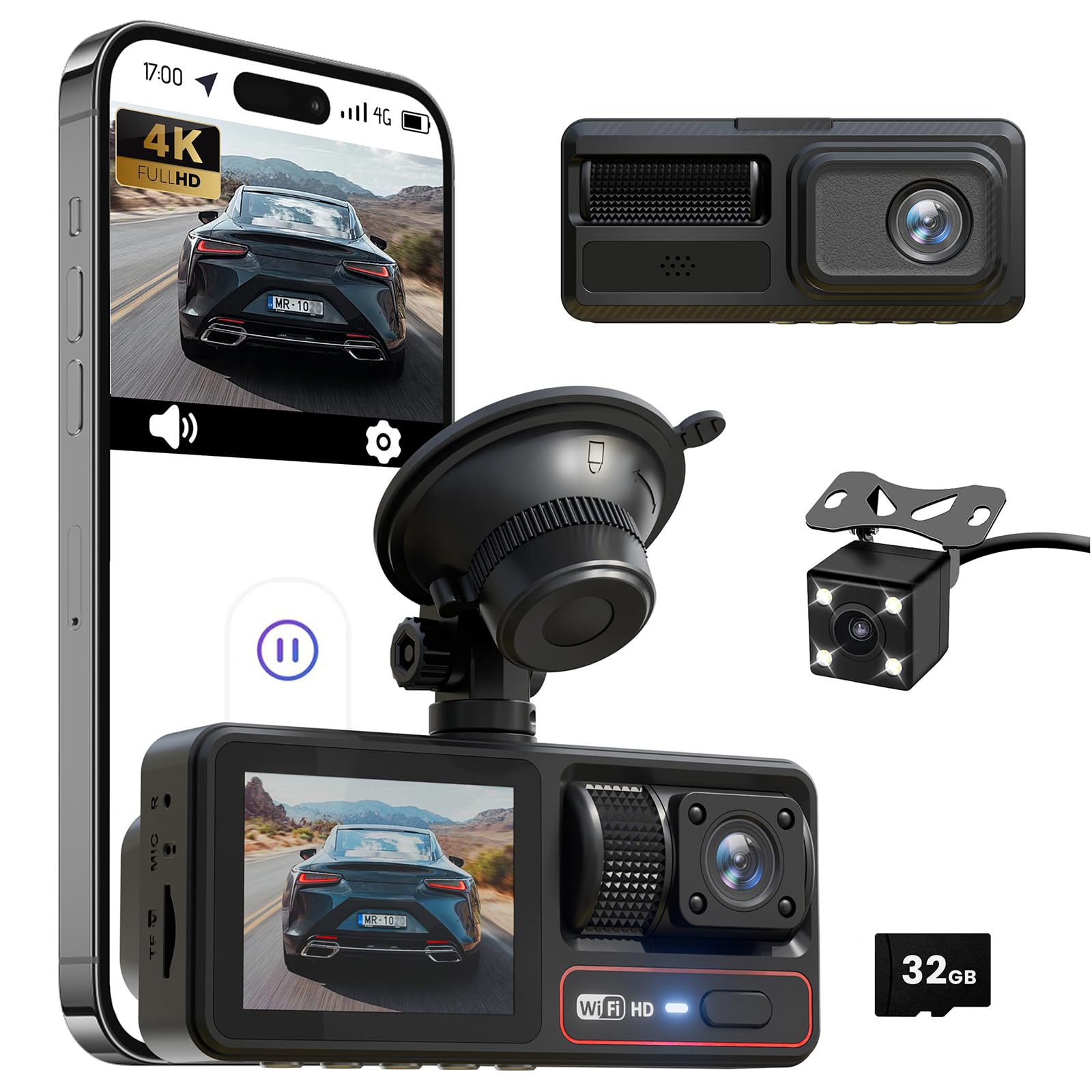
The TURSICA triple-lens cam is for drivers who like the idea of three angles but still want fast phone access. 5GHz Wi‑Fi matters most in one moment: when you need a clip now, and you don’t want to remove the card. Owners often describe the setup as easy, the app as workable, and the overall coverage as reassuring—especially in busy areas where you want both outside evidence and inside context.
The front wide-angle coverage is a big part of the appeal. Wide angles reduce blind spots, but there’s a nuance: you want wide without “fisheye mush.” The practical test is lane lines and plate clarity at mid-distance. If you see heavy warping at the edges, mount angle and placement become even more important. Position it high, near the mirror, and keep it level so the image isn’t fighting the horizon.
Parking mode and G-sensor behavior matter on this type of cam. Triple-lens systems can lock lots of clips if sensitivity is too high. That sounds safe, but it can quietly fill your protected folder and leave less space for the clip you actually need. The smart move is to start with medium sensitivity, drive a week, then adjust based on your roads. If you drive on pothole-heavy streets, you’ll almost always want lower sensitivity than the default.
This is also a “good kit” style camera: it includes a card and basic install tools, which reduces friction for first-time buyers. If you’re new to dash cams, that matters. Fewer extra purchases means you actually install it instead of leaving it in the glove box “until this weekend.”
Why you’ll like it
- Fast Wi‑Fi access – easier clip download compared to slower connections.
- Triple coverage – front, cabin, and rear context in one system.
- Wide front view – good for dense traffic and busy roads.
- Beginner-friendly kit – includes basics so you can install immediately.
Good to know
- 3‑channel recording increases file size; use shorter clips for easier phone downloads.
- Parking mode usually requires hardwiring for true 24/7 coverage.
- As with all triple cams, aim the cabin lens intentionally or you’ll miss the important interior angle.
Ideal for: drivers who want triple coverage and quick phone downloads without moving into premium-price territory.
7. E‑YEEGER S60 – A Discreet Dual Cam That Prioritizes Clear Menus and Clean Installs

The E‑YEEGER S60 sits in the “sweet spot” category: dual coverage, small and discreet, and simple enough that you don’t feel like you’re operating a complicated device every time you start the car. It’s the kind of camera that earns trust through consistency: it powers on, it records, loop recording behaves, and the screen gives you just enough visibility to confirm everything is working.
A lot of drivers underestimate how much a small screen helps. Not for watching long clips—phones and computers are better for that— but for three practical tasks: aiming, confirming the rear camera is connected, and checking that recording is active. When a camera has no screen, you’re forced into a phone dependency. When a camera has a reasonable screen, you can keep driving, keep your phone in your pocket, and still feel confident the system is doing its job.
The S60’s night performance gets praise largely because of sensor behavior and exposure control. Here’s the expert note: good night footage is less about “bright” and more about “balanced.” If the camera over-brightens, headlights blow out and plates disappear. If it under-brightens, everything becomes dark smears. A well-tuned dash cam lands in the middle—and the S60 tends to land there more often than many budget dual cams.
For parking monitor users, treat this like a “capable when supported” camera. If you hardwire it properly, time-lapse parking mode can give you a solid timeline. If you don’t hardwire, you’re mostly getting driving protection. Both are valid—just don’t confuse “supported” with “activated” until your power setup matches the feature.
Why you’ll like it
- Discreet dual coverage – the daily-driver upgrade most people actually need.
- Simple interface – easy menus and fewer “mystery settings.”
- Helpful screen – quick aiming and status checks without phone dependence.
- Solid night balance – usable detail without extreme glare washout.
Good to know
- Rear cable routing is the only “hard” part—take your time for a clean install.
- Parking monitor typically needs a hardwire kit for continuous operation.
- For deeper clip review, you’ll still prefer phone/computer over a 2" screen.
Ideal for: drivers who want dual-channel protection that feels simple, discreet, and easy to trust day-to-day.
8. E‑YEEGER S50 – The “Adjust It Anytime” Dual Cam With Practical Screen-Saver Design

If you’ve ever installed a dash cam and then realized two days later that the angle is slightly off, you understand why the S50 matters. The suction mount and adjustability change the ownership experience. You can reposition without destroying adhesive, without redoing everything, and without feeling like you’re “stuck” with your first attempt.
This model also gets a practical detail right: the screen saver. Bright screens can be distracting at night, and some drivers hate having a glowing rectangle on the windshield after dark. With screen saver behavior, you still get recording, but you reduce unnecessary brightness. That’s the kind of design choice that feels small until you live with it, and then you realize it’s exactly what you wanted.
In terms of footage, the 2.5K front camera gives a strong clarity baseline while keeping file sizes manageable. That balance matters in dual cams because you’re already recording two streams at once. The wide-angle coverage is useful, but—like always—stability matters. A suction mount that’s installed on clean glass and pressed firmly tends to be stable. If you install it on dusty glass or on a curved area, it can wobble and create blur. Clean glass, strong seal, and you’ll get the best results.
Owners often mention the rear cable routing as the fiddliest part. That’s normal. The expert trick is to route slowly and deliberately: top headliner, down the passenger side, and avoid areas where airbags deploy. Use the included trim tools and clips to keep it tidy. A tidy install reduces cable tugging, and cable tugging is what slowly loosens mounts over time.
Why you’ll like it
- Easy repositioning – suction adjustability saves you from “bad first angle” regret.
- Screen saver comfort – less glare while still recording continuously.
- Strong front clarity – practical resolution without massive file bloat.
- Good kit for DIY installs – tools and clips help keep wiring neat.
Good to know
- Rear cable routing is the main time cost; take your time for a clean result.
- Suction mounts depend on clean glass and a strong seal; dirty glass leads to wobble.
- Parking monitor usually needs a hardwire kit for full-time protection.
Ideal for: drivers who want dual-channel recording but prefer a mount style that’s forgiving and easy to adjust over time.
9. galphi Q2 – A Screenless, Discreet 4K Cam That’s Built for “Invisible Protection”

Front-only cameras still make a lot of sense—especially if you want the cleanest install and the least long-term troubleshooting. The galphi Q2 is a strong front-only pick because it goes “stealth mode”: no screen, compact body, and easy placement behind the rearview mirror so it doesn’t dominate your windshield.
This type of design also reduces a common failure point: screens. Screens can overheat, fail, or distract. A screenless cam forces the manufacturer to focus on recording, storage, and app workflow. Owners often praise the Q2 for clear footage, easy installation with electrostatic pads, and fast 5GHz Wi‑Fi downloads. That matters because front-only cams are often chosen for simplicity, and the Q2 keeps that promise.
Now for the expert reality check: screenless cams demand one good “aiming session.” Before you fully commit the mount, connect the app, view the live feed, and aim precisely: you want the horizon level, your hood barely visible (or not visible), and the camera centered so the road lanes look symmetrical. If you skip this step, you can end up with beautiful 4K footage of… the sky.
Another real-life nuance with this model is cable behavior. Some users note that certain third-party cables may not power it reliably, and the included cable length can limit creative routing to certain ports. The solution is simple: plan your power source first (12V socket vs hardwire kit), and keep your cable path consistent and secure. A stable power setup is what prevents random resets and missing clips.
Why you’ll like it
- True stealth install – small, hidden, and not distracting.
- Strong 4K clarity – good detail when aimed properly.
- Fast Wi‑Fi transfers – app workflow feels modern and quick.
- Simple long-term ownership – fewer parts to fail compared to screen-heavy cams.
Good to know
- Screenless means you must aim via phone before final mounting.
- Plan your power cable path early; some setups work better than others.
- Parking mode typically requires hardwiring for full-time protection.
Ideal for: drivers who want clean, hidden, front-only evidence with modern phone access and minimal windshield clutter.
10. BOOGIIO OK‑831 – A Classic “Just Press Record” Dash Cam for Non-Tech Drivers

Some drivers don’t want Wi‑Fi, apps, accounts, or phone permissions. They want a camera that turns on with the car and records. The BOOGIIO OK‑831 is a strong pick for that personality type. It’s front-only, screen-based, and designed around simple button navigation. Owners often describe it as “easy even for someone who’s not tech-savvy,” and that’s not a small compliment in dash cam land.
The value here is confidence through simplicity. It powers on and records when it gets power. The on-device menus are readable. The screen shows what you’re recording. And for a lot of drivers, that is enough to create real peace of mind. You’re less likely to “accidentally not record” because you can see the status at a glance.
There’s also a practical build detail: an aluminum alloy case. That can help with heat dissipation, which matters for windshield devices. Heat doesn’t just kill electronics; it also creates weird bugs: random restarts, corrupted files, and “why is it acting different today?” behavior. A more heat-tolerant body tends to age better, even if the camera itself is simple.
The honest trade-off is that this is not a modern clip-sharing machine. If you want to send a clip quickly, you’ll likely remove the card and use a card reader. For many drivers, that’s fine—and arguably more reliable in a stressful moment. The key is to pick a clip length you can search easily (1–3 minutes) and learn the lock button behavior so your important clips don’t get overwritten.
Why you’ll like it
- No app required – easy for non-tech drivers and “keep it simple” buyers.
- Big screen clarity – easy aiming, quick status checks, simple playback.
- Auto recording behavior – powers on and records when the car starts.
- Solid build feel – aluminum body can help with heat handling.
Good to know
- 1080P front-only is basic; great for context, not always perfect for distant plates at night.
- Clip sharing is usually faster via card reader than via phone.
- Some drivers prefer screens off while driving; check if screen-off settings fit your preference.
Ideal for: drivers who want the simplest dash cam experience possible, with a screen they can trust and no app learning curve.
11. E‑YEEGER V100Pro – A Mini 2.5K Cam That Balances Phone Control and Quick On-Device Checks
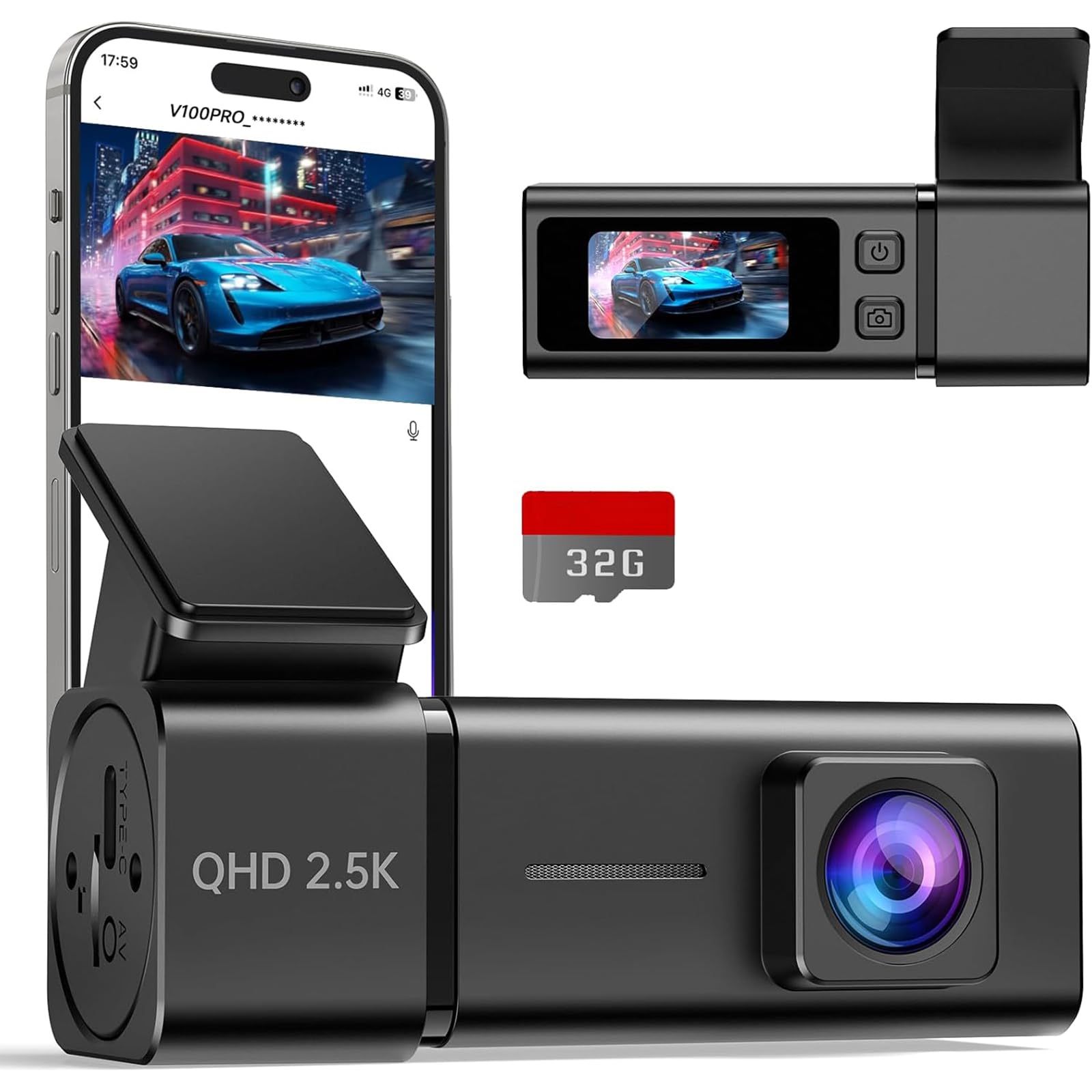
The V100Pro is an excellent “small but serious” option: higher-than-1080 clarity, a discreet footprint, and a modern phone workflow. It’s built for drivers who want a clean windshield look but still like having some on-device confirmation via a tiny screen. That hybrid approach is underrated—because it reduces phone dependence while still giving you app convenience when you want to download a clip.
Owners consistently praise the video quality and the fact that the camera doesn’t block their view. That “low-profile” benefit matters more than people admit: if a camera annoys you visually, you’re more likely to uninstall it. The V100Pro is designed to sit quietly in your line-of-sight, not dominate it. The aluminum shell and heat-proof design notes also suggest it’s built with windshield reality in mind.
Where expert setup comes in is Wi‑Fi behavior. Many dash cams connect through the phone’s Wi‑Fi, which can conflict with CarPlay/Android Auto or VPN settings. If you’re the kind of driver who uses CarPlay daily, set expectations: you may need to temporarily disconnect CarPlay to pull a clip. That’s not a dealbreaker—it’s just the reality of how most dash cam Wi‑Fi works. The camera’s small screen becomes handy here: you can still confirm recording even when the phone isn’t connected.
Parking mode and time-lapse are supported, but—as with most cams in this tier—hardwiring is the difference between “supported” and “useful.” If you do hardwire, keep your power draw low by using time-lapse and medium G-sensor sensitivity. If you don’t hardwire, this is primarily a driving-evidence camera, and it does that job well.
Why you’ll like it
- Discreet mini design – doesn’t block your view or look messy.
- 2.5K clarity – strong everyday detail without huge 4K file sizes.
- Hybrid workflow – tiny screen for status + app for downloads and settings.
- Strong value vibe – feels “more expensive” than many budget minis.
Good to know
- Wi‑Fi can conflict with CarPlay/Android Auto; that’s normal for dash cam ecosystems.
- Parking mode is best with hardwiring; otherwise it’s mainly for driving protection.
- A tiny screen is great for status, but not for comfortable long playback sessions.
Ideal for: drivers who want a compact, tidy install with sharper-than-1080 footage and a modern “phone when needed” workflow.
12. 70mai M310 – A Clean, Trusted Front-Only Cam With a Smooth, Repeatable Experience

The 70mai M310 is popular for a reason: it offers a clean, modern front-only experience without the “random brand” anxiety many buyers feel. Front-only cameras are often the smartest first dash cam because they’re easier to install and maintain. And when a driver is new to dash cams, the best camera is the one they actually keep installed and running.
Real-world value shows up in three places: the footage is clear enough for everyday disputes, the Wi‑Fi app flow is familiar and easy, and the camera is compact enough to hide behind the mirror. Drivers also like the “voice control” concept because it can reduce fiddling while driving— locking a clip or taking a photo without digging into menus feels like a premium behavior in a budget device.
Here’s the expert nuance: voice control is only as good as its recognition. Some owners mention it can be sensitive to background sound (music, wipers, cabin noise) and may react unexpectedly. If that happens, you don’t have to abandon the camera—you just change your workflow: use the physical button to lock clips you care about, and treat voice as an occasional convenience rather than your core method.
Parking monitoring and time-lapse are supported, but again: hardwiring is what turns it into real parked protection. If you’re not hardwiring, you’re still getting what most drivers need most often—driving footage that can settle disputes quickly. If you are hardwiring, time-lapse is a practical way to see “what happened” without filling the card too fast.
Why you’ll like it
- Trusted front-only experience – simple install and reliable daily use.
- Clean app workflow – easy playback and clip retrieval when connected.
- Compact and discreet – tucks behind the mirror nicely.
- Good everyday clarity – a real step up from basic 1080P cams.
Good to know
- Memory card may be separate depending on configuration—plan your storage.
- Voice control can be hit-or-miss with noise; physical lock controls remain your best friend.
- Parking surveillance is best with a hardwire kit for consistent power.
Ideal for: first-time dash cam buyers who want a front-only camera that feels modern, clean, and easy to live with.
13. Meiqils Wi‑Fi Dual (Front + Inside) – Simple Cabin Evidence Without Full 3‑Channel Wiring
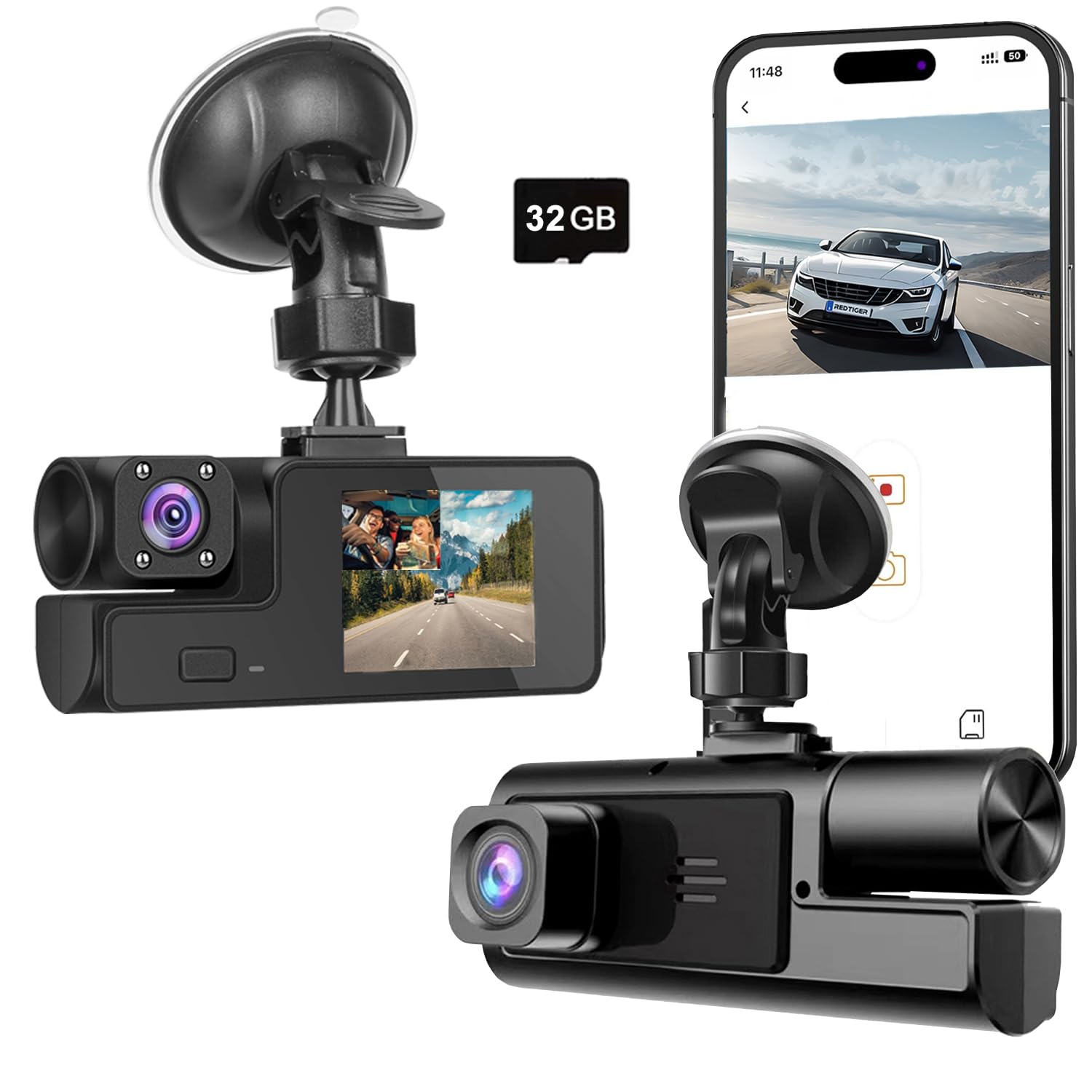
Front + cabin is a smart compromise for certain drivers: you get the outside road story and the inside human story, but you don’t have to run a rear cable through the entire vehicle like a full 3‑channel or front+rear setup. That’s why this Meiqils Wi‑Fi Dual can make sense for budget buyers who want interior context for passengers, deliveries, or situations where “what happened inside” matters.
The real appeal is simplicity: suction mount, power it from the 12V outlet, and it starts recording. Wi‑Fi access lets you connect with a phone to review clips without pulling the card. That’s convenient when you’re not near a computer, or when you want to quickly confirm something after a close call.
However, this is where the expert evaluation gets honest: ultra-budget dual cams often use cheaper mount connectors and thin plastic slides. Owners have reported the mount slider can be fragile if you push or twist it aggressively during adjustments. This doesn’t mean the camera is unusable—it means you should treat the mount gently, avoid forcing it, and set your angle carefully once. If you’re the kind of person who constantly adjusts your camera, you’ll likely prefer a sturdier mount style.
Also note the cabin camera angle limits. Some users mention it doesn’t rotate left-to-right, so it may capture the center of the car more than the driver zone. If your goal is driver-side context, mount placement matters: place it as centered and high as possible to maximize the useful cabin view.
Why you’ll like it
- Cabin context without rear wiring – simpler than 3‑channel setups.
- Wi‑Fi review – easy phone playback for quick checks.
- Included storage – less setup friction for first-time buyers.
- Simple operation – records automatically with power.
Good to know
- Mount hardware can be fragile if forced; set angle carefully and avoid aggressive adjustments.
- Cabin lens may not pan left/right; placement matters for capturing the most useful interior angle.
- This is a “basic evidence” camera—great for context, less ideal for demanding night plate capture.
Ideal for: budget drivers who want front + cabin evidence with a simpler install than full rear coverage.
14. Avylet A1 – A Tiny 2K Cam With Supercapacitor Durability and an Upgrade Path

The Avylet A1 is the kind of budget front-only dash cam that appeals to drivers who think long-term. Its supercapacitor design is a meaningful durability choice for windshield electronics, especially in places where cars sit in hot sun. Supercapacitors generally tolerate temperature swings better than traditional internal batteries, and that can translate into fewer weird failures over time.
It also offers a practical “upgrade path.” You can start simple—front camera, app review, basic loop recording— and then add features like an external GPS module (optional) if you care about location and speed data in your video metadata. That’s smart for drivers who want a clean install today but like the idea of more detailed evidence later.
The 1.5" screen is small, but useful for status checks. Combined with Wi‑Fi, it gives you a flexible workflow: quick glance in-car, deeper review on phone, and long-term archiving via computer. The 170° wide angle is great for capturing more lanes, but remember: wide-angle footage is only helpful if it’s aimed level. Spend a minute leveling the horizon and centering the road.
Because this is an app-connected camera, be aware of a common ecosystem quirk: some vehicles and head units don’t love simultaneous Wi‑Fi connections (CarPlay conflicts, single Wi‑Fi connection limits, etc.). That’s not “this camera is bad”—it’s how most dash cam Wi‑Fi works. Treat Wi‑Fi as a clip retrieval tool, not a constant connection you need active while driving.
Why you’ll like it
- Supercapacitor durability – strong choice for heat-prone environments.
- Clean, compact install – tucks away behind the mirror easily.
- Optional GPS upgrade path – expand evidence details if you want.
- Solid night behavior – WDR + lens design helps in challenging light.
Good to know
- Memory card may be separate; plan your storage choice.
- App + CarPlay conflicts can happen; connect when retrieving clips, not constantly.
- Parking monitoring requires a hardwire kit to be truly useful long-term.
Ideal for: drivers who want a tiny, heat-tolerant front cam and like the idea of adding GPS evidence later without upgrading the whole camera.
15. Veement V300 – A Battery-Free Mini Cam That Keeps the Setup Simple and Safe

The Veement V300 appeals to a specific kind of buyer: someone who wants fewer parts, fewer risks, and fewer complications. By removing traditional lithium batteries from the design, the camera leans toward a “safety-first, stability-first” approach for windshield electronics. That’s a meaningful choice if you’re nervous about heat, swelling batteries, or long-term reliability in a car environment.
Performance-wise, it’s a compact 1296P front-only cam with a wide angle and app control. This is a “get the job done” level of resolution—clearer than basic 1080P in many cases—while still keeping file sizes manageable. The starlight-level sensor language suggests a focus on low-light usability, and drivers generally care about that for one reason: night incidents are the ones that create the most uncertainty.
The best way to use a camera like this is to treat your phone as your aiming tool during installation. Connect to Wi‑Fi, check the live view, and lock in the angle before you finalize the mount position. Once aimed, you can ignore the app most of the time and let it record continuously. If you ever need a clip, reconnect and download—or pull the card if that’s faster for you.
One pro-level tip: if the camera uses TS stream video handling, it can sometimes be more resilient to sudden power loss than certain file structures. That can help reduce “last clip missing” issues when a car shuts off abruptly. It’s not magic, but it’s part of why some small cams feel more reliable than expected.
Why you’ll like it
- No battery design – fewer heat-related worries and a simpler internal build.
- Compact and hidden – easy behind-the-mirror placement.
- Practical clarity – solid everyday detail without massive file sizes.
- App control – easy aiming and clip download when needed.
Good to know
- Memory card is typically separate; pick a reliable card for best results.
- Like most parking modes, 24/7 monitoring usually needs a hardwire kit.
- Front-only coverage is simple, but it won’t capture rear disputes.
Ideal for: drivers who want a compact, minimal-hardware dash cam that quietly records without adding complexity.
16. Meiqils Dual (No Card) – The “Bare Minimum Evidence” Option When Budget Is the Only Rule
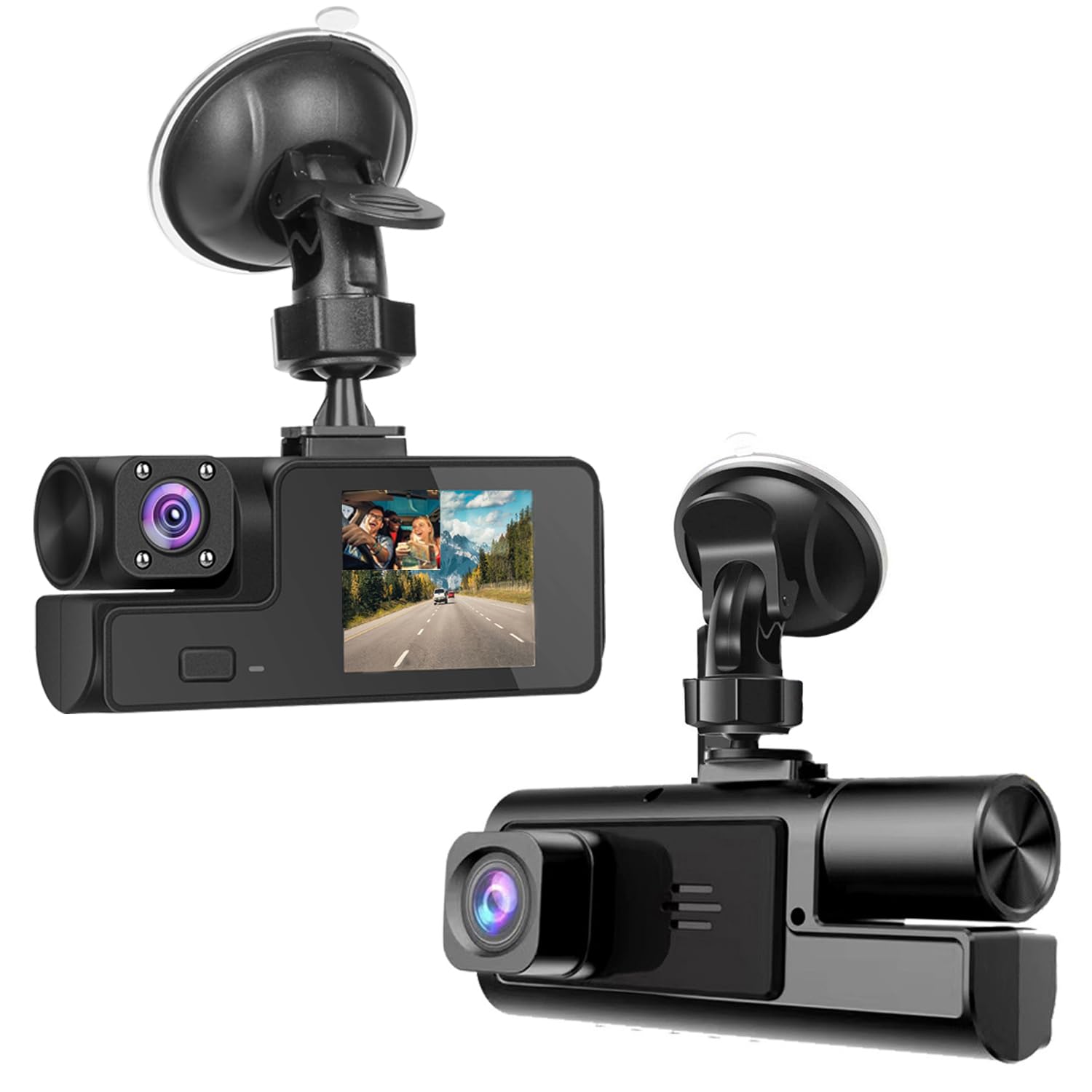
Sometimes the buying decision is simple: you want a dash cam today, and you want to spend as little as possible. This Meiqils dual-lens model fits that scenario. It records front and inside, includes core features like loop recording, G-sensor locking, and night vision behavior, and it keeps the setup straightforward: mount it, power it, and let it record.
Here’s the honest expert framing: at this tier, you’re trading refinement for price. That doesn’t mean it can’t work—it means you must set expectations. Mount hardware is more likely to feel thin, menus may be basic, and night footage will be more “context” than “license plate perfection.” If you go in expecting a simple “incident timeline” camera rather than a premium evidence machine, you’ll be happier.
Because it doesn’t include a memory card, your results depend heavily on the card you choose. Cheap cards can fail quickly under constant loop recording. If you buy this camera, do yourself a favor and pair it with a reputable card that can handle continuous writes. Then set the clip length to a practical value so finding the incident doesn’t become a scrolling marathon.
This model is most useful for drivers who specifically want cabin context—maybe you’re concerned about passenger behavior, or you want a record of the inside environment in addition to the road ahead. Just remember the earlier note: cabin camera angle matters, and many budget dual cams won’t rotate everywhere you want. Mount it centered and high to maximize useful cabin capture.
Why you might choose it
- Lowest-cost entry point – gets you recording quickly.
- Front + cabin context – interior evidence without rear wiring.
- Core features included – loop recording + G-sensor event locking.
- Simple install – minimal setup steps.
Good to know
- Memory card is required; your card choice will strongly affect reliability.
- Mount and plastics may feel less durable than higher-tier options.
- This is a “basic evidence” cam—great for context, not the best for demanding night plate capture.
Ideal for: drivers who need an ultra-budget dash cam immediately and want basic front + cabin context more than premium polish.
How to Set Up Your Dash Cam So It Actually Helps When It Matters
Buying a dash cam is half the win. The other half is setup. Two people can buy the same camera and have completely different outcomes because of angle, sensitivity, and storage habits. This section is the “expert cheat sheet” that turns budget gear into reliable evidence.
1. Aim for evidence, not scenery
- Horizon level: a tilted camera makes plates harder to read and increases glare artifacts.
- Position high: mount near the mirror to reduce tampering risk and improve forward lane visibility.
- Minimal dashboard reflection: if you see heavy reflection in footage, adjust angle slightly or mount higher.
- Rear camera view: aim to capture the full rear window and as much lane width as possible.
2. Choose clip length like a practical person
Clip length is the difference between “I found it fast” and “I’m scrolling forever.” For most drivers:
- 1 minute: easiest searching and easiest phone downloads; great for app-first users.
- 2–3 minutes: the best overall balance for most people.
- 5 minutes+: only if you rarely use apps and you’re comfortable pulling the card to review.
Short clips also reduce the risk of losing a whole event if a file corrupts during a sudden power cut.
3. Tune your G-sensor so it locks the right moments
A G-sensor that’s too sensitive will lock potholes, wiper vibration, and “closing the door hard.” That fills the protected folder and reduces room for real incidents. Start at medium sensitivity. After a week:
- If you see tons of locked files with no real events, lower sensitivity.
- If you had a hard braking event and it didn’t lock, raise sensitivity slightly.
- If parking mode triggers constantly in wind or traffic vibrations, lower sensitivity or switch to time-lapse style.
4. Build a simple memory routine
- Format monthly: this prevents weird file system issues and “missing clips.”
- Check recording occasionally: once a month, open a recent file to confirm everything is healthy.
- Use high-endurance storage if you drive daily, use parking mode, or live in extreme temperatures.
5. Parking mode that actually makes sense
If you hardwire your dash cam, you’re choosing a strategy:
- Time-lapse: best for long “timeline” coverage; easiest on storage; good for parking lots.
- Impact/event: best for battery conservation; can miss the first seconds of action.
- Low-FPS continuous: a middle ground that captures more context without huge files.
For most drivers, time-lapse is the least frustrating starting point. If you need plate-level detail while parked, you’re often limited by distance and lighting—so the best win is capturing the sequence of what happened.
6. App sanity tips (so you don’t rage-quit)
- Stay close: most dash cam Wi‑Fi is short range; stand near the windshield for stable downloads.
- Disable VPN when needed: some apps require local-network access.
- Expect CarPlay/Android Auto conflicts: connect to the dash cam Wi‑Fi only when retrieving clips.
- Download “the moment,” not the whole drive: mark the time, then pull the exact segment.
FAQ: Dash Cams (Answered Like a Real Driver)
Should I buy a front-only camera or front + rear?
What clip length should I set?
Why does my dash cam keep saying “memory full” or “format card”?
Is Wi‑Fi dash cam footage “remote access”?
Do I need 4K for plates?
Why does my G-sensor lock tons of clips?
Which is better for hot climates: battery, no battery, or supercapacitor?
How do I get “real” 24/7 parking recording?
Final Thoughts: Buy the Camera You’ll Still Trust Six Months From Now
The “best” dash cam is the one that’s recording when you need it and makes it easy to pull the proof. If you want the simplest path to a confident purchase, match your choice to your driving reality: rear disputes, passengers, parking risks, and how much you actually want to interact with an app.
Here’s how to translate this guide into a clean decision:
- Want the most balanced, confidence-building setup? Start with the Miden S7. It’s a strong blend of clarity, usability, and day-to-day “trust” energy.
- Prefer a compact dual cam with sharp front detail and easy phone workflow? Consider the ARIFAYZ Q4. It’s a great choice for drivers who want dual coverage without a complicated learning curve.
- Need maximum coverage (front + cabin + rear) for city driving or family life? Look at the Tuisau J10 or the galphi M2. These are built around “full story” recording.
- Want a more screen-based, app-light triple camera experience? The SUVCON J06 is a good choice for simple operation with cabin night support.
- Want a forgiving dual cam you can easily reposition? Choose the E‑YEEGER S50 or E‑YEEGER S60 for practical dual coverage and easy aiming.
- Prefer a stealth front-only camera that stays out of sight? The galphi Q2 is a clean, screenless choice with modern Wi‑Fi access.
- Want front-only simplicity from a recognized platform? The 70mai M310 is an easy, confident starting point for many drivers.
- Need cabin context on a tighter budget (without full rear wiring)? Start with the Meiqils Wi‑Fi Dual and mount it carefully for the most useful interior angle.
- Want a tiny, heat-tolerant front cam with a clean install vibe? Check out the Avylet A1 or the Veement V300 for compact, minimal-hardware setups.
If you want the simplest “buy once and relax” result, choose the camera that matches how you really drive and how you really retrieve clips. The best cheap car dash cam isn’t the one with the loudest specs—it’s the one that quietly records, locks the right moment, and gives you the footage fast when your day suddenly depends on it.