
Our readers keep the lights on and the garage heater humming. As an Amazon Associate, I earn from qualifying purchases.
A car stereo upgrade is never “just a stereo.” It’s the difference between a commute that drains you and a commute that resets you. It’s whether your phone calls sound like you’re in a wind tunnel. It’s whether your music has punch… or turns into flat noise the second you touch the volume knob.
If you’re searching for the best affordable car stereo system, you’re not just looking for a list of models. You’re trying to avoid the two most common regrets I see people make:
- Regret #1: Buying a feature-packed unit that becomes annoying to use every single day (laggy screens, weird menus, or awkward controls).
- Regret #2: Buying a “simple” unit that installs easily… but can’t grow with your setup (no clean pre-outs, weak mic performance, or no smart phone integration).
This guide is built around real-life friction points, not marketing slogans. I’m going to talk about the things that actually decide whether you love your upgrade after two weeks: fit (single DIN vs double DIN vs screen depth), wiring reality (ACC/B+ mistakes, CAN bus quirks), call clarity (mic placement and echo), daily usability (knobs, buttons, glare, menus), and system growth (subwoofer RCA, pre-outs, EQ/DSP).
Below are 15 standout picks—from trusted “set it and forget it” receivers to touchscreen CarPlay units with backup cameras, plus a bundle that includes speakers for people who want a quick, noticeable upgrade without building a full system from scratch.
How to Choose the Best Affordable Car Stereo System Without Buyer’s Remorse
A stereo isn’t “good” because the product page says it has 240W, Bluetooth 5.3, and an EQ with ten thousand bands. A stereo is good because it makes your drive easier and your audio cleaner—without turning your dash into a science project. Here’s the decision framework I use when I want a unit that feels right every day, not just on unboxing day.
1. Decide your “dash reality” first: single DIN vs double DIN (and depth)
This is the #1 place people waste time and money. Before you fall in love with any features, answer two questions:
- What size opening do you actually have? Single DIN is the classic “small slot.” Double DIN is taller and typically accommodates bigger screens.
- How much depth do you have behind the dash? Older cars, custom installs, and some conversions can be tight. A “short chassis” can be the difference between a clean install and cutting plastic.
A useful mindset: screens are easy to want, but fit is non-negotiable. If your dash opening is single DIN and you want a screen, you’ll likely use a single DIN touchscreen or a conversion kit. Those can work beautifully… but they can also block vents, buttons, or hazard switches depending on your car.
2. Choose your “smart” level: Bluetooth-only vs CarPlay/Android Auto vs full Android
This is where the decision gets personal. There are three main “smart” paths, and each has a different kind of happiness.
- Bluetooth-only head units: The most stable, least fussy, often fastest to use. Great when you mainly stream music, take occasional calls, and want reliable radio/USB.
- CarPlay & Android Auto receivers: The sweet spot for most people. Your phone stays the brain (maps, apps, voice assistant), the head unit becomes a clean dashboard interface.
- Full Android head units: Powerful if you like downloading apps directly onto the stereo, running split-screen, and customizing deeply. But they can be more complex—and complexity always has a cost.
If you want a calmer life, CarPlay/Android Auto (where your phone runs the show) tends to be the best balance of capability and stability. If you love tinkering and want standalone apps on your dash, Android-based units can feel like a playground.
3. Learn the “power myth”: peak watts vs real loudness
One of the easiest ways to get disappointed is to shop by wattage claims. Real loudness and clarity are shaped by:
- Speaker efficiency (sensitivity): Efficient speakers sound louder with the same power.
- Clean amplification: Distortion ruins perceived volume. “Loud” but distorted feels worse than “slightly quieter” but clean.
- EQ & tuning: A well-tuned EQ can make stock speakers sound far more “alive” without extra hardware.
So yes, those giant “max power” numbers are fun… but your ears care more about how clean the unit stays when you turn it up, and how usable the controls are when you need to adjust fast.
4. Decide if you’re building a system—or just fixing your daily life
There’s no wrong answer. But you should buy the head unit that matches the direction you’ll actually go.
- “Fix my daily life” setup: Bluetooth that reconnects reliably, a decent mic, simple EQ, and a display you can read at a glance.
- “I’ll add a sub later” setup: You’ll want subwoofer RCA outputs and preamp outputs that play nicely with amplifiers.
- “I’m replacing speakers too” setup: Consider a bundle or at least plan wiring time. New speakers often make a bigger difference than people expect.
5. UI matters more than specs: the “two-week test”
Imagine two weeks from now. You’re tired. It’s raining. You just want your music. This is the moment your purchase gets judged. The units people love long-term tend to have:
- A physical volume knob (or at least easy volume control).
- A home button or predictable “back” behavior.
- Readable display in sun and at night (brightness control matters).
- Fast reconnection to Bluetooth/CarPlay without re-pairing rituals.
6. Microphone quality is the hidden “luxury feature”
A stereo can sound great for music and still be awful for calls. Call clarity depends on:
- Mic type: built-in mics can be fine, but external mics often win in noisy cabins.
- Placement: a mic near your A-pillar or overhead area typically captures your voice better than one buried in the dash.
- Echo management: some budget units pick up cabin audio and bounce it back to the caller. It’s not “you,” it’s the signal path.
If you take calls daily, treat a good mic like a comfort upgrade—not a nice-to-have.
7. Steering wheel controls are not automatic (but they can be a superpower)
A lot of people assume steering wheel controls “just work.” In reality, many installs require a vehicle-specific interface module. When it’s done right, it’s amazing: volume, track skip, and call controls stay where your hands already live. When it’s done wrong, it’s a wiring headache.
- Check if the head unit supports SWC input and what interface modules are commonly used for your vehicle.
- Plan the workflow: harness adapter + dash kit + antenna adapter + SWC interface (if needed).
8. Backup cameras: the real work is wiring, not the camera
A bundled camera can be a huge value because it removes decision fatigue—but the “difficulty” is usually routing the cable and powering it correctly. The most common real-world issues people run into are:
- No signal / black screen: usually wiring, grounding, or a connector that’s not fully seated.
- Intermittent camera feed: often related to power source choice or weak connections.
- Guidelines not matching the car’s width: normal—use them as reference, not as truth.
9. Battery drain is an install problem first, not a “bad stereo” problem
When a new stereo kills a battery overnight, it’s almost always one of these:
- ACC and constant power wires mixed up (radio never truly sleeps).
- CAN bus/ignition quirks in newer vehicles (you need the right harness/adapter).
- Ground issues causing odd behavior and phantom power draw.
This doesn’t mean budget head units are perfect—some are more forgiving than others—but good wiring is what makes any unit behave like it’s supposed to.
10. Don’t let one feature trap you in a setup you don’t love
A giant touchscreen sounds great until you realize it blocks your vents. An Android head unit sounds exciting until you remember you just want music, not a tablet in your dash. Before you “commit,” think about your daily use:
- Do you adjust volume constantly (and need a knob)?
- Do you use navigation every drive (and want CarPlay/Android Auto)?
- Do you take calls in a loud cabin (and need an external mic option)?
- Do you plan to add a sub or amp later (and need clean outputs)?
Choose the stereo that matches how you actually drive, not how you imagine you’ll drive on a perfect Saturday.
Quick Comparison: 15 Best Affordable Car Stereo System Picks
Use this table to narrow your shortlist fast—then jump into the full reviews for the “real life” details like screen lag, fit surprises, call clarity, and which models feel easiest when you’re installing on a weekend.
On smaller screens, swipe or scroll sideways to see the full table.
| Model | Form factor | Standout strength | Best match | Amazon |
|---|---|---|---|---|
| Pioneer MVH-S310BT | Single DIN | Trusted daily-driver experience: stable Bluetooth, app support, clean sound tuning | People who want a reliable, modern upgrade without touchscreen drama | Amazon |
| Kissound 7" Double DIN Wireless CarPlay/Android Auto (HD Touchscreen) | Double DIN | Big-screen CarPlay with strong “value-per-feature” energy + included backup camera | Old-car modernizers who want CarPlay without paying premium-brand pricing | Amazon |
| Kissound 7" Double DIN Wireless CarPlay/Android Auto (USB-C, dual mic) | Double DIN | Surprisingly rich tuning options (DSP/EQ) + strong accessory bundle and expandability | DIY installers who want lots of adjustability and camera support | Amazon |
| PLZ MP-902W 7" Double DIN Wireless CarPlay/Android Auto (DSP, BT 5.3) | Double DIN | Wired Mirror Link + included backup camera + independent Bluetooth 5.3 module | People who want CarPlay plus flexible mirror options and a camera in the box | Amazon |
| AINAVI 6.9" Single DIN Touchscreen (Android 13, 2GB+64GB) | Single DIN | Android-based head unit for app lovers: WiFi + GPS + heavy EQ control | Tinkerers who want apps on the dash and deeper sound customization | Amazon |
| Sobalai 6.9" Single DIN Wireless CarPlay/Android Auto (camera kit) | Single DIN | Feature-dense kit + SWC learning + strong “support promise” vibe | Budget CarPlay shoppers who want a screen and a complete accessory set | Amazon |
| GHIOPMZ 5.7" Single DIN Wireless CarPlay/Android Auto (dual knobs) | Single DIN | Physical knobs + touchscreen: easier “driving ergonomics” than pure touch | Cars with tight dashboards where you still want CarPlay on a smaller screen | Amazon |
| BOSS 850BRGB Double DIN (CD/DVD, multi-color) | Double DIN | Disc playback + Bluetooth + big buttons people can actually read while driving | Drivers who still use CDs/DVDs or want a no-nonsense, readable interface | Amazon |
| BOSS 820BRGB Double DIN (mechless, multi-color) | Double DIN | Simple double DIN upgrade with Bluetooth streaming and flashy illumination | Older vehicles needing a quick modernization without a touchscreen | Amazon |
| BOSS 508UAB Single DIN (CD, Bluetooth) | Single DIN | Classic single DIN with discs + Bluetooth streaming | People replacing a dead factory CD unit who still want physical media | Amazon |
| Pioneer MVH-S110BT | Single DIN | Compact chassis + Bluetooth + USB playback (including high-quality file support) | Drivers who want a known brand, simple controls, and clean sound | Amazon |
| Jensen MPR210 | Single DIN | Surprisingly user-friendly USB playback + straightforward daily controls | People who want simple, readable, and stable—without a touch screen | Amazon |
| BOSS 611UAB | Single DIN | “Meat & potatoes” mechless receiver: Bluetooth + USB + aux, simple and proven | Budget installs where you want basic reliability and preamp outputs | Amazon |
| BOSS 638BCK Package (611UAB + 6.5" speakers) | Bundle | Fast “system feel” upgrade: head unit + speakers in one buy | People with tired paper speakers who want a noticeable jump in clarity | Amazon |
| BOSS 616UAB | Single DIN | Ultra-budget Bluetooth/USB receiver with shallow fit and simple controls | Lowest-cost upgrades—best when you’re okay with a few quirks | Amazon |
In‑Depth Reviews: 15 Best Affordable Car Stereo System Options That Make Sense in Real Cars
Now we’ll go model by model. I’m going to review these like a real driver and installer—not a spec sheet: what’s easy, what’s fiddly, what people praise after months, and what can quietly annoy you if you don’t know it upfront.
1. Pioneer MVH‑S310BT – The “Just Works” Upgrade You’ll Still Like Next Year

If you want an upgrade that feels like an adult decision—stable, clean, and predictable—the MVH‑S310BT is the kind of unit that earns trust. It doesn’t try to be a dashboard tablet. It tries to be a good stereo with smart features that don’t get in your way. That’s why it’s such a strong “best overall” choice for people who care about daily usability as much as features.
The biggest real-world advantage is how it behaves over time. Users who upgrade from no-name units often describe a pattern: the first week is fun, the second week reveals the annoyances. Pioneer tends to do the opposite—initially it feels simple, then you realize the simplicity is intentional. Controls are laid out for driving, not for playing with menus. If you like tactile control, the rotary knob becomes a little luxury you’ll miss on cheaper models.
Audio-wise, this is where Pioneer usually wins in “perceived quality.” You’re not buying a miracle amplifier—you’re buying cleaner processing, predictable EQ behavior, and the kind of tuning that makes factory speakers sound tighter without turning everything harsh. If you plan to add a sub later, having proper outputs and a stable signal path matters more than marketing wattage.
What I also like: this unit is a strong fit for vehicles where depth is tight. A lot of modern digital media receivers are shallower than old CD-based units, which makes installs calmer—less fighting behind the dash, fewer pinched wires, fewer “why won’t it slide in?” moments.
Why you’ll like it
- Daily-driver stability – Bluetooth behavior tends to be predictable: pair once, then it reconnects without drama.
- Real “driving ergonomics” – Controls are built to be used without staring at them (a bigger deal than people admit).
- Sound you can tune without ruining it – EQ adjustments feel usable and don’t instantly make vocals harsh.
- Good long-term value energy – This is the kind of unit people keep across multiple vehicles.
Good to know
- No touchscreen—if you want big-screen navigation, you want a CarPlay receiver instead.
- Some features are “nice if you use them” (apps, extra modes) but not essential; don’t buy it expecting a dashboard tablet.
- Illumination preferences are personal—some people love it, others wish they could match OEM colors perfectly.
Ideal for: drivers who want a clean, modern head unit that feels stable, sounds good, and stays enjoyable after the honeymoon phase ends.
2. Kissound 7" Double DIN Wireless CarPlay/Android Auto – The Big-Screen Upgrade That Doesn’t Feel Fragile

This is the kind of unit that exists because drivers want modern smartphone features without paying “big brand premium” for every inch of screen. In real owner feedback, the theme is consistent: it feels like an honest, usable CarPlay/Android Auto touchscreen that modernizes an older vehicle fast.
The practical win is the workflow: start the car, phone connects, and you’re in navigation/music without juggling your phone. That matters because the “old car” pain isn’t just missing features—it’s missing flow. When CarPlay launches quickly and the screen responds without lag spikes, driving feels calmer.
Kissound units like this also tend to attract DIY installers because the feature set is dense: camera support, sub output, and the kind of menu flexibility people usually associate with more expensive units. Several users specifically praise clear manuals and labeled wiring, which is one of the most underrated quality signals in the budget category.
Now the honest part: budget CarPlay screens can be hit or miss on two things—processing headroom and “marketing power” claims. Some owners note occasional lag or a sense that the system is better at being a phone interface than it is at being a high-power amplifier. That’s normal at this level. The win is that it gets the modern features right enough that the upgrade feels worth it.
Why it works so well
- Wireless CarPlay/Android Auto convenience – The daily “connect and go” experience is the whole point of this category.
- Strong DIY friendliness – Clear labeled wiring and an included camera kit reduce decision fatigue.
- Modernizes older trucks/SUVs fast – Owners love the “my old vehicle feels new” effect.
- Good system growth options – Subwoofer output and extra inputs let you build later.
Good to know
- Like many budget screens, occasional lag can happen—especially when running wireless features in noisy signal environments.
- Install still depends on your car: dash kit, harness adapter, and antenna adapter are often required.
- Perceived loudness can vary by speakers; don’t expect miracles from stock paper speakers at high volume.
Ideal for: drivers who want a big-screen CarPlay experience and a backup camera kit without turning the purchase into a high-budget project.
3. Kissound 7" Double DIN Wireless CarPlay/Android Auto (USB‑C) – The “Settings Nerd” Pick That’s Still Easy to Live With
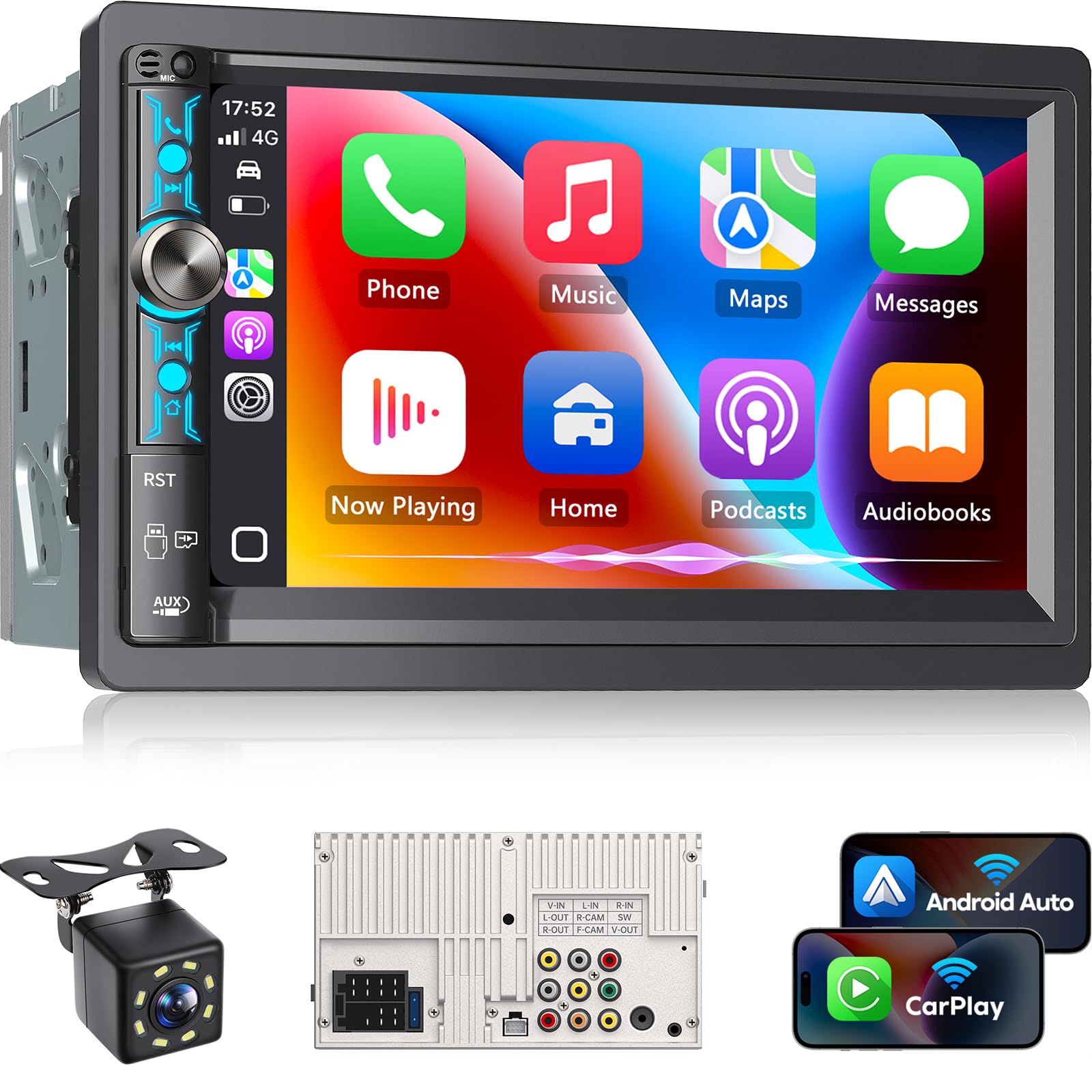
If product #2 is the “big screen, easy win” choice, this Kissound variation is the “I want more control over the sound and setup” version. It’s still aiming at everyday drivers—but it gives you more knobs in the software: EQ shaping, sound field tweaks, and expandability that makes it easier to grow beyond factory speakers.
Owners who love this one tend to mention two specific things that matter more than a spec list: the screen is readable in daylight, and the system feels customizable without being confusing. That’s a difficult balance in budget head units because “lots of settings” often comes with messy menus. Here, the feedback leans toward “surprisingly usable,” especially if you’re the kind of person who actually enjoys dialing in an EQ.
There are also two very real caveats from user feedback that are worth taking seriously. First: fit can be tricky. Some people report it’s not a perfect “true double DIN” experience in every dash kit, which can mean trimming or shaving plastics for a tight install. Second: button lighting can be inconsistent—some users note the button panel illumination isn’t what they expected. Neither issue kills the value, but both are “know before you buy” realities.
One standout detail: people praise customer support responsiveness for this brand category, including help with files, setup guidance, and quick troubleshooting. When you’re buying budget gear, responsive support is one of the biggest predictors of a happy outcome.
Why you’ll like it
- Tuning flexibility that actually matters – DSP + EQ tools give you more control over harshness, bass, and balance.
- Good “upgrade kit” energy – Camera support, mic options, and inputs make it feel complete.
- Responsive touchscreen feel – Owners often mention the touch response feels better than expected.
- Support that reduces stress – Helpful support can turn a tricky install into a quick win.
Good to know
- Fit can be tighter than expected in some dashboards; plan for a dash kit and measure carefully.
- Some users report button backlighting not behaving as expected—expect the touchscreen to be your main interaction.
- A slight audio delay can happen in certain setups, especially when using wireless phone modes.
Ideal for: drivers who want a touchscreen CarPlay unit but also care about shaping sound and building a cleaner setup over time.
4. PLZ MP-902W 7" Double DIN Wireless CarPlay/Android Auto – Great Hardware Value, Budget-Grade UI

This unit sits in a very specific sweet spot: it aims to give you the “premium checklist” (wireless CarPlay/Android Auto, built-in DSP, wired Mirror Link, backup camera in the box) without the premium-brand price tag. The spec list is genuinely dense for the money — a 7-inch IPS touchscreen at 1024×600, 4.2-channel pre-amp output rated at 240W with two separate subwoofer outputs, steering wheel control support, and an independent Bluetooth 5.3 module with its own antenna rather than a chipset sharing the main board.
Where the story gets more nuanced is the interface. With over 2,100 Amazon ratings the average sits at 4.0 stars, and the honest read of that spread is: the hardware over-delivers, the software is merely fine. Menus aren’t always where you expect them, and responsiveness can be inconsistent. For some people that’s a non-issue (they live in CarPlay/Android Auto anyway). For others—especially anyone who hates fiddly electronics—it can be frustrating.
If you’re the kind of driver who just wants navigation and Spotify to appear, you’ll likely be fine. If you expect “big brand polish” in every menu, this may feel like a compromise. I actually think that’s an important point for honest buying: budget CarPlay screens can be fantastic if you buy them for what they do best— a phone-friendly interface—rather than expecting them to feel like OEM infotainment.
One more real-world note: fitment is on you. PLZ states this standard double-DIN needs a dashboard opening of at least 6.69" × 3.81" and ships an extra 7.44" × 4.61" frame for adjustment, so measure your dash and check your harness before ordering. And with any budget head unit, test everything on install day: power on/off, memory retention, Bluetooth pairing, camera switching. That one habit protects you from 95% of post-install disappointment.
Why it’s compelling
- Strong feature density – Wireless CarPlay/Android Auto + DSP + backup camera covers most modern needs.
- Independent Bluetooth 5.3 module – A separate module and antenna is the right way to cut static and pairing drops.
- Mirroring flexibility – Wired Mirror Link lets you project content beyond standard CarPlay apps.
- Good sound once tuned – Built-in DSP with 4.2-channel output and dual subwoofer outs rewards a few minutes of EQ work.
Good to know
- The UI can feel clunky; best for people comfortable troubleshooting basic electronics.
- Wireless modes can introduce slight input lag; not always noticeable, but it exists.
- Mirror Link here is wired, not wireless—plan on a USB cable for screen mirroring.
- Check your dash opening (6.69" × 3.81" minimum) and harness before you buy.
Ideal for: buyers who want a CarPlay touchscreen with lots of features and don’t mind a slightly “budget UI” personality.
5. AINAVI 6.9" Single DIN Android 13 Touchscreen – The “Dashboard Tablet” for People Who Actually Want One
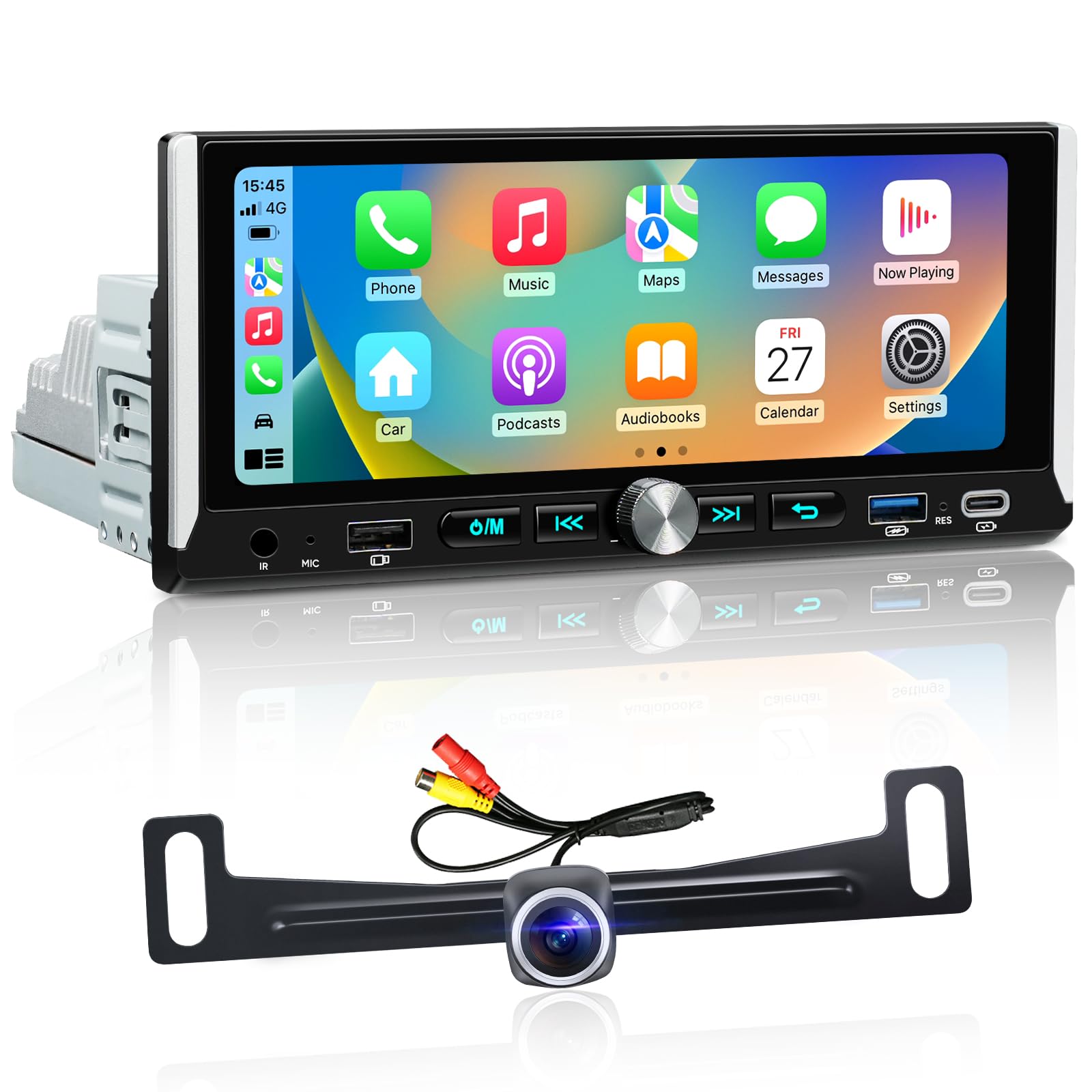
Let’s be honest: some people don’t want “a stereo.” They want a control center. That’s what an Android head unit is for. This AINAVI setup leans hard into that identity: Android OS, WiFi, downloadable apps, bigger internal storage, and deeper EQ control than most drivers will ever touch.
The best way to think about it is: CarPlay units are usually “phone-first” (your phone runs everything). Android head units can be “dash-first” (the head unit can run apps itself). If you love the idea of having navigation, music apps, and extra tools living on the head unit—especially when your phone battery is low or you want a dedicated setup— this style can be genuinely satisfying.
Owners who like this unit tend to sound surprised in a good way: responsiveness better than expected, screen quality solid, and CarPlay/Android Auto working without drama. Fit reports vary by vehicle (like all single DIN screens), but it’s been installed successfully in cars where screen placement and dash fitment are notoriously picky.
Here’s the expert caveat: Android head units reward people who enjoy setup. You might spend an afternoon configuring audio, updating apps, choosing launchers, and finding a layout you like. If that sounds fun, this unit can feel like a steal. If that sounds like a chore, a simpler CarPlay receiver will make you happier.
Why it’s awesome (for the right person)
- Android flexibility – Download apps, customize layouts, and treat the dash like a real interface (not just a display).
- Deep sound control – Heavy EQ/DSP options can noticeably improve clarity when you tune carefully.
- Big screen for a single DIN slot – Great when you want navigation visibility without converting to double DIN.
- Connectivity density – Multiple ports and features make it adaptable to different setups.
Good to know
- More features = more setup. If you want “simple,” this isn’t the most relaxing choice.
- Like many screen-based single DIN solutions, dash geometry matters—measure and plan for clearance.
- Android head units are best when you’re comfortable with updates and occasional troubleshooting.
Ideal for: drivers who want an Android-powered dashboard experience and are happy to spend time tuning and customizing.
6. Sobalai 6.9" Single DIN Wireless CarPlay/Android Auto – Big Feature List, Wiring Discipline Required
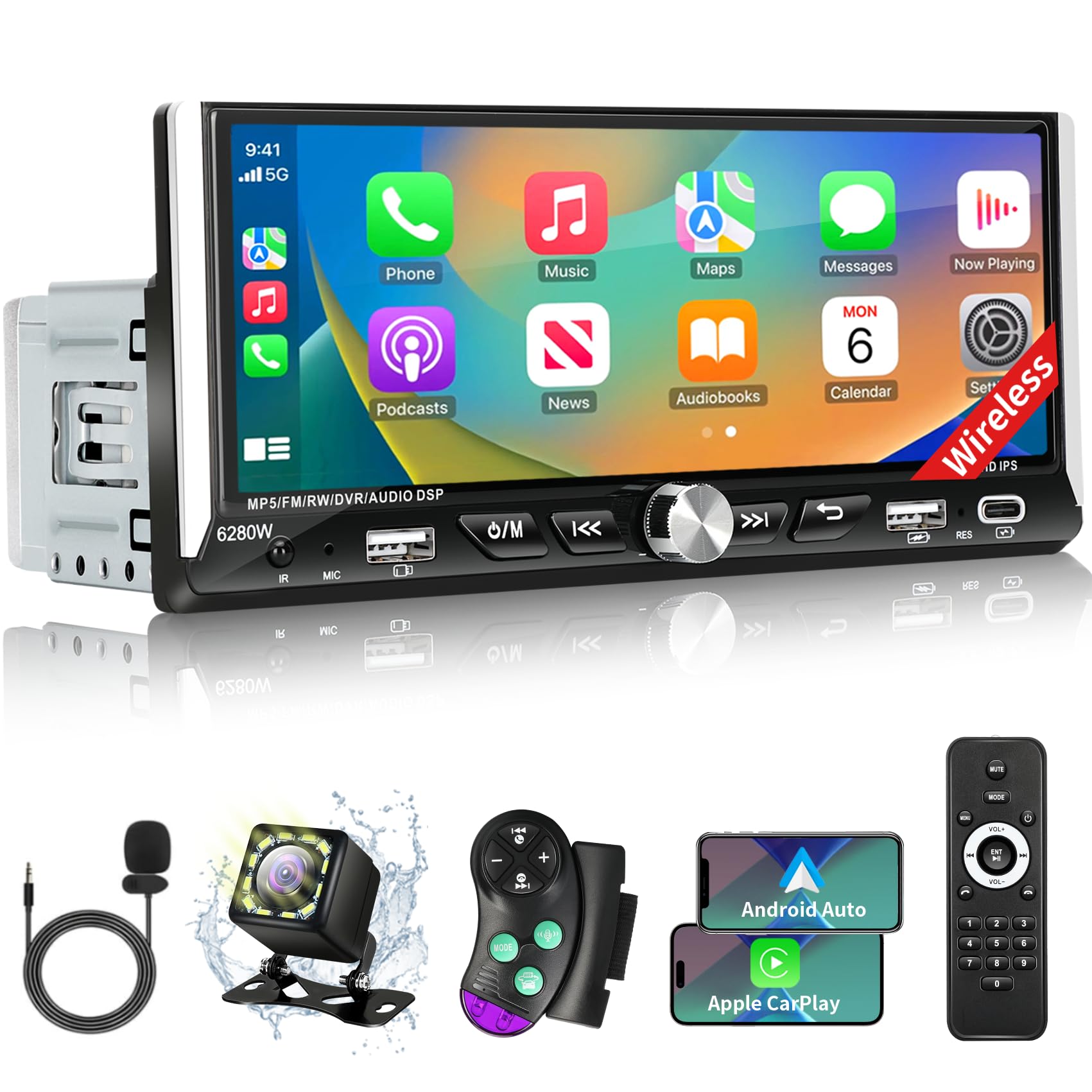
This is a classic “everything in the box” style budget CarPlay kit: screen, camera, mic, remote, and a pile of wiring that looks intimidating until you realize it’s basically the cost of getting lots of features. When it works well, the value feels obvious—especially in older trucks where finding a screen that fits can be a project.
Real owners often describe it as “more than expected”: responsive screen, quick CarPlay pairing, and a meaningful upgrade to the look of the dash. One helpful real-world detail that shows thoughtful design: some users mention the volume lowering automatically when reverse is engaged, which makes the camera experience calmer.
But this is also one of those units where installation discipline matters. Owners sometimes complain the instructions aren’t great, and the wiring diagram can be confusing. That’s not just an annoyance—mis-wiring power can lead to memory issues or battery drain. If you install this, you want to do a careful “bench test” mindset: connect power correctly, confirm the unit truly shuts down with ignition off, and confirm settings are retained.
A very practical tip from real installs: if you ever wake up to a dead battery after an install, don’t panic. Check ACC (ignition) power and constant power wiring first. Most “drain” stories in this price range are solved by correcting power logic, not by blaming the unit itself.
Why it’s a strong buy
- Complete-kit simplicity – Screen + camera + accessories reduce the “what else do I need?” spiral.
- Modern phone interface – CarPlay/Android Auto is the real feature, and pairing is often described as quick.
- Good perceived quality – Many buyers feel the screen and UI look better than expected for the category.
- SWC learning features – Handy when your vehicle’s steering wheel buttons can be mapped.
Good to know
- Instructions can be confusing; wiring carefully is not optional if you want reliable shutdown and memory retention.
- Some users report quirks with certain navigation apps; the phone integration is strong, but not always perfectly smooth.
- Single DIN screen fit varies—dash kits and small modifications can be part of the reality.
Ideal for: drivers who want a screen-based upgrade in a single DIN slot and are comfortable doing a careful install.
7. GHIOPMZ Single DIN Touchscreen (Dual Knobs) – The “Old Dash, Modern Phone” Bridge
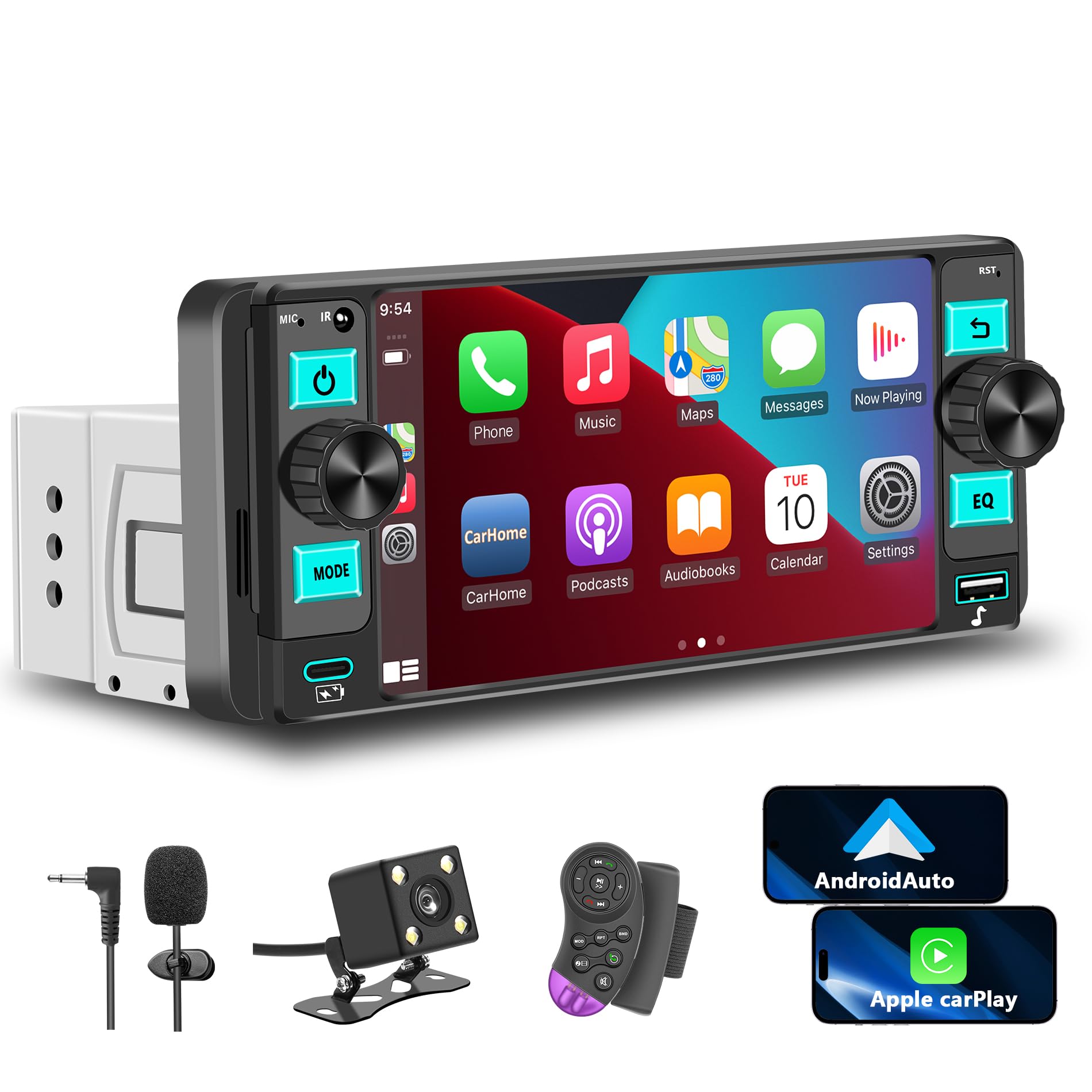
Single DIN touchscreens can be awkward because they’re trying to solve two problems at once: fit into a small space and still feel modern. This unit’s best move is the simplest one—keep physical knobs. That sounds small until you’ve tried to change volume quickly on a pure touchscreen while driving.
Owners describe a common story: they wanted a modern radio but didn’t want to pay big money or deal with complex installs. Once installed, it “modernizes” older cars immediately because wireless CarPlay becomes the new center of the experience. For older vehicles that never had Bluetooth, that upgrade can feel huge.
The trade-off is screen size. A 5.7-inch display can be perfectly usable—especially for music and basic navigation— but it won’t feel like a luxury infotainment system. If you want big map visibility, you’ll prefer double DIN. If you want “fits more cars, less dash work,” smaller screens can be the smarter play.
One caution from real buyer experiences: quality control can vary in this category. Some users report missing accessories like microphones, or units that didn’t power on after installation. The practical move is to check the box contents before you tear your dash apart, and bench test power before final mounting.
Why it’s a smart compromise
- Knobs make it feel safer – Volume and tuning are tactile, quick, and less distracting than pure touch.
- CarPlay at single DIN scale – A modern interface without converting the dash to double DIN.
- Good “bang for convenience” – Users often describe it as better than expected for the category.
- Useful extras – Camera support and DSP/EQ options add value if you use them.
Good to know
- The smaller screen is functional, not cinematic—set expectations for map visibility.
- Accessory consistency can vary; confirm the mic/cables are included before install day.
- Single DIN “standard” sizes still vary slightly; check your dash kit and opening carefully.
Ideal for: drivers with older cars who want CarPlay but also want physical controls and a manageable install.
8. BOSS 850BRGB Double DIN – The “Big Buttons + Discs + Bluetooth” Comfort Upgrade
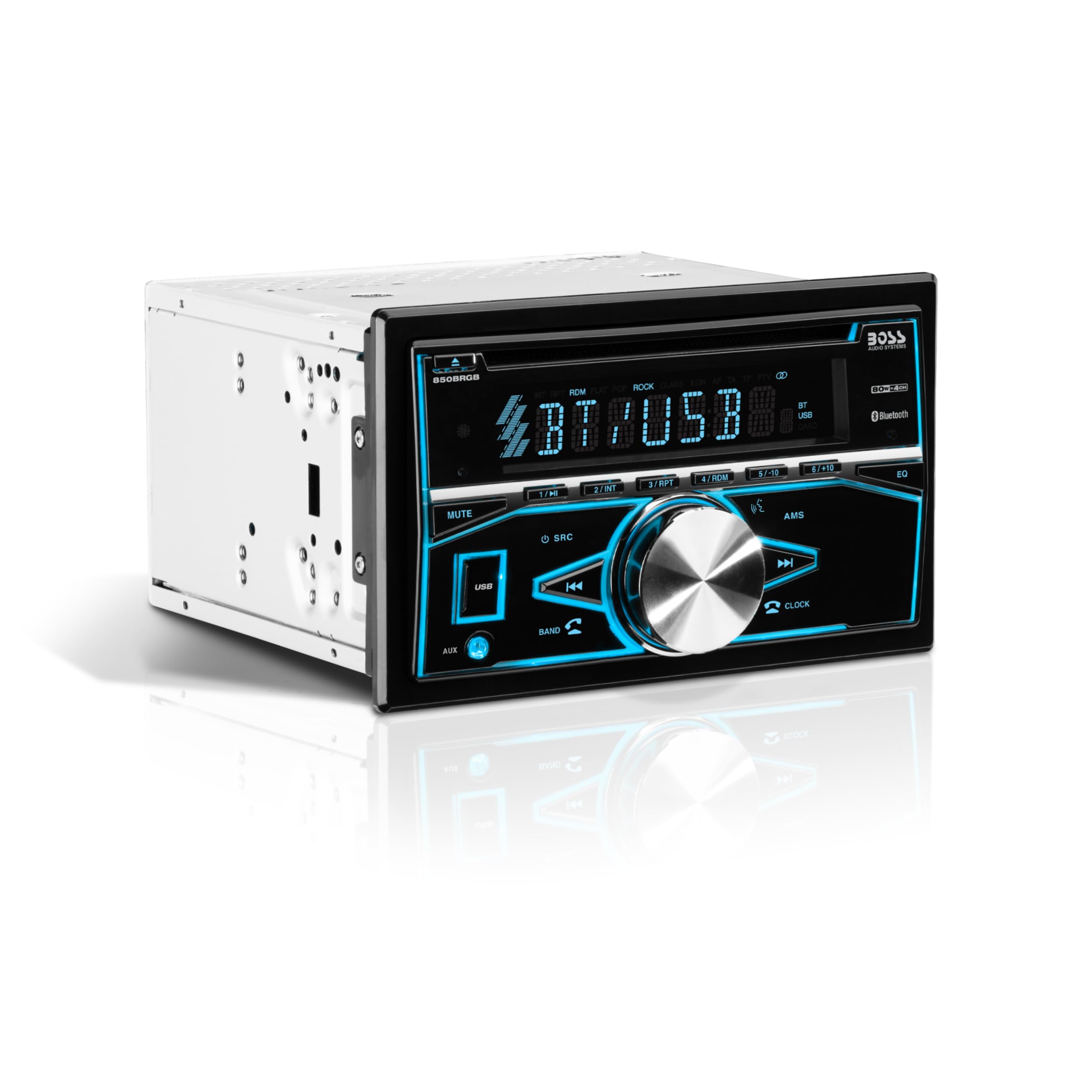
There are two kinds of drivers: the “all streaming, no discs” crowd… and the people who still have a glovebox full of CDs they actually love. If you’re the second type, the 850BRGB is a rare affordable double DIN option that keeps physical media alive while still giving you Bluetooth streaming.
This model also wins on a surprisingly important usability factor: it’s readable. Many budget head units try to look futuristic and end up looking tiny and confusing. Here, the layout is direct. Users with older eyes often appreciate big display elements and physical buttons that don’t require precision taps.
Real feedback paints a consistent picture: it’s not a “pro audio” anchor—don’t buy it as the brain of a high-end amplified build. But it’s an upgrade over factory units in older cars, and when paired with even decent replacement speakers it can sound far better than people expect. In fact, several owners describe being pleasantly surprised by how much it improves day-to-day enjoyment.
The biggest caveat is brightness and refinement. Some drivers find it bright at night (especially if mounted high in the dash), and build touches like knobs can feel a bit lightweight. That’s the trade: lots of function, minimal luxury finishing.
Why it makes sense
- CD/DVD playback still matters – Perfect if you actually use physical media and don’t want it to disappear.
- Easy-to-read layout – Big buttons and a simple interface are underrated quality-of-life improvements.
- Bluetooth streaming included – You get modern streaming without giving up old-school options.
- Great “older vehicle refresh” vibe – Especially satisfying when replacing a dead factory unit.
Good to know
- Brightness can be a nighttime annoyance in some dashboards; placement matters.
- Fit can still require a dash kit, harness adapter, and sometimes small hardware improvisation.
- Build feel is “budget honest”—functional more than luxurious.
Ideal for: drivers who want a double DIN stereo with disc playback, straightforward controls, and modern Bluetooth streaming.
9. BOSS 820BRGB Double DIN – A Straightforward Bluetooth Upgrade With Flashy Personality
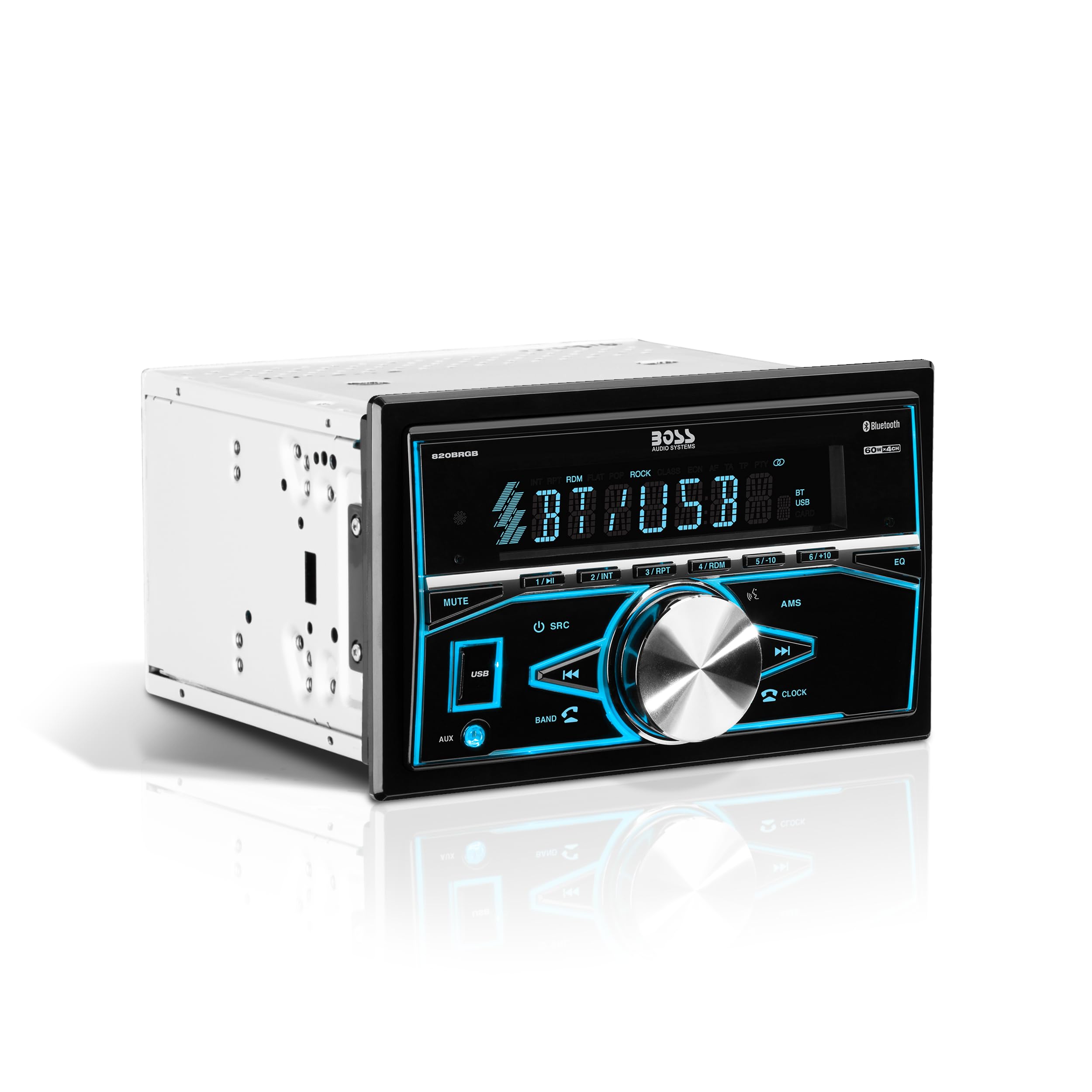
The 820BRGB is for a very specific kind of buyer: you want a double DIN replacement that looks modern, streams Bluetooth reliably, and doesn’t require you to learn a touchscreen ecosystem. It’s a “music first” unit, and that’s exactly why it works for so many older vehicles.
The most consistent praise is about expectations. People who buy it as a budget replacement tend to be happy because it does the core job: it plays music, it connects to phones, and it upgrades the feel of the dash. People who buy it hoping it will anchor a premium system tend to be disappointed. This is the kind of unit that’s honest when you treat it like a daily-driver upgrade.
One useful real-world tip from owners in this category: pairing this with replacement speakers is where the “wow” happens. Factory paper speakers often hold back even the nicest head unit. Swap speakers and suddenly the same stereo feels twice as good.
The common critiques are also consistent: brightness at night in some installs and a general lack of “luxury refinement.” If you don’t care about that and you mainly stream audio, this can be a very satisfying refresh.
Why people like it
- Simple Bluetooth streaming – No touchscreen learning curve; it just does music and calls.
- Double DIN presence – Fills the dash cleanly and looks like a real upgrade in older cars.
- Easy “refresh” mindset – Great when your factory unit died and you want a sensible replacement.
- Illumination customization – Lets you set a vibe, match interior lighting, or just have fun with it.
Good to know
- Nighttime brightness can be too much for some dashboards—especially high-mounted installs.
- USB functions are often best treated as “flash drive playback,” not as a full phone-integration port.
- Build quality is aligned with budget expectations; it’s not a premium tactile experience.
Ideal for: drivers who want a double DIN look and Bluetooth streaming without a touchscreen interface.
10. BOSS 508UAB – Classic Single DIN Comfort With Bluetooth Streaming

The 508UAB fills a practical niche: you want a single DIN radio that still plays CDs, but you also want Bluetooth so your phone is part of your driving life. For a lot of older sedans and trucks, that’s the perfect “bridge” upgrade—modern enough to feel current, familiar enough to feel easy.
Real owner feedback tends to highlight two strengths: it’s straightforward to install (especially with a proper harness adapter), and it’s easy to use once it’s in. The remote is surprisingly helpful in some installs where dash placement makes buttons harder to reach.
The real-world weak spot is hands-free call polish. Some users mention the built-in microphone can pick up road noise or struggle in louder cabins. That’s not unique to this model—it’s a reality of many budget head units—but it matters if you take calls daily. If calls are your priority, look for units that include or support an external mic placement option.
One subtle but helpful insight: display readability depends on your sunglasses. Some polarized lenses reduce display visibility in certain units. If you’re sensitive to that, test in daylight before you fully button up the dash.
Why it’s a solid pick
- CD + Bluetooth combo – Great for drivers who still own discs but also stream daily.
- Simple, familiar UI – No learning curve; it feels like a stereo, not a gadget.
- Good replacement value – A strong fix for dead factory units without over-investing.
- Remote convenience – Handy in older vehicles where reach/angle isn’t perfect.
Good to know
- Call mic performance can be “okay” rather than excellent in loud cabins.
- Brightness and visibility can vary with sunglasses and dash placement.
- If you don’t need CDs, a mechless unit can be simpler and shallower.
Ideal for: drivers who still use CDs but want Bluetooth streaming in a classic single DIN footprint.
11. Pioneer MVH‑S110BT – Minimalist, Clean, and Surprisingly Strong for Basic Builds
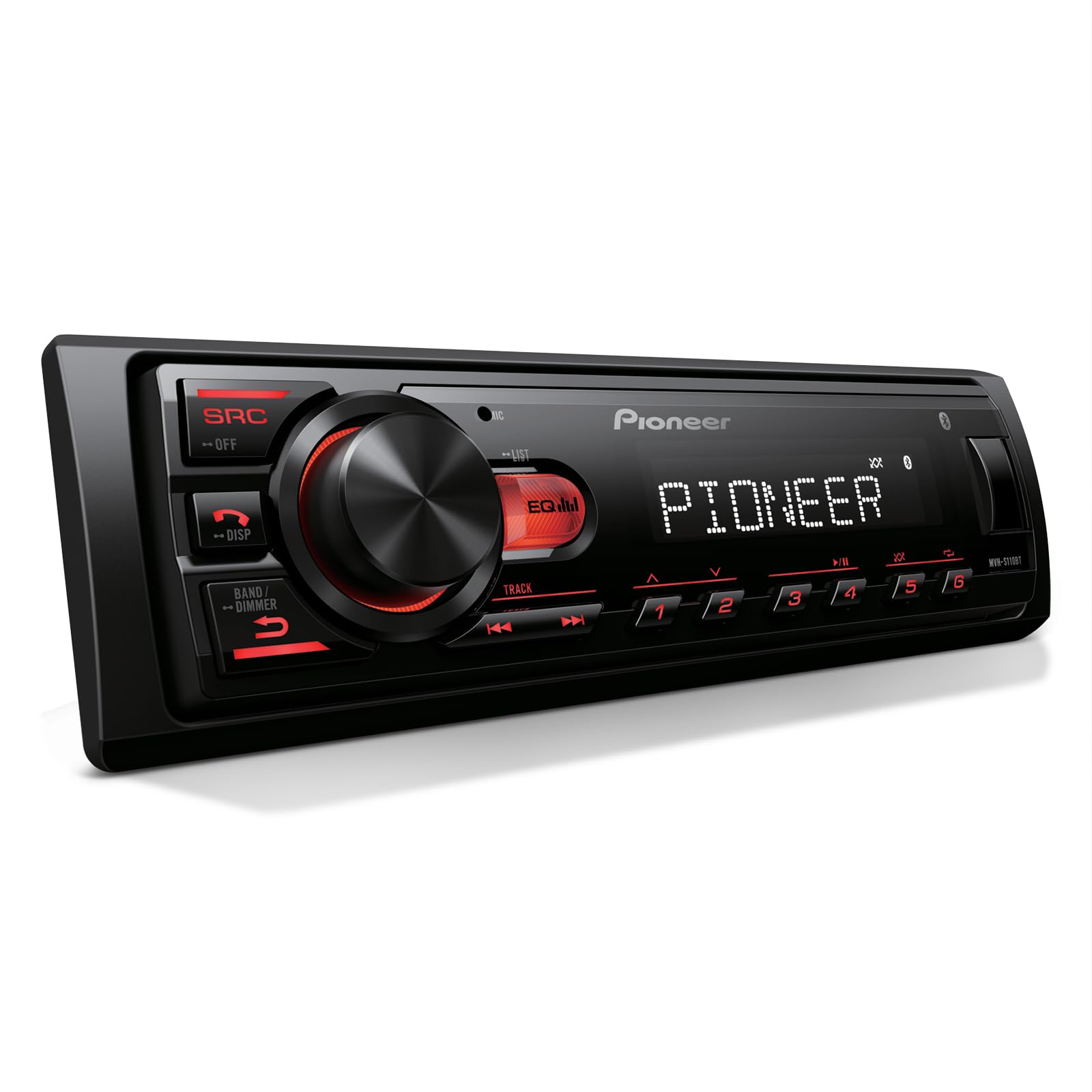
This is the kind of receiver that wins because it’s honest. It’s not trying to be fancy—just a well-known brand unit that delivers reliable Bluetooth, USB playback, and sound that feels “clean enough” even on basic two-speaker setups. That makes it a great option for older cars, work trucks, and simple daily drivers.
Owners often describe it as a noticeable upgrade in clarity and usable volume compared to tired factory units. And because it’s a digital media receiver (no CD mechanism), installs can be easier in tight dashboards thanks to the compact chassis. That one detail reduces install stress more than people realize.
The one nuance: pairing can be affected by how many Bluetooth devices your phone is managing at once. Some users report initial pairing issues that disappear once they reduce competing Bluetooth connections (like smartwatches or other accessories). That’s not a dealbreaker—just a “pair it carefully the first time” reality.
If you want a brand-name unit with simple controls and you don’t need a touchscreen, this is a very sensible buy. It’s especially strong when paired with upgraded door speakers—even budget replacements can make it feel much more premium.
Why it’s worth it
- Brand stability – Known brand behavior often means fewer “random weird” issues later.
- Compact chassis – Easier fit in older dashboards and tighter install spaces.
- Clean basic sound – Strong improvement over many factory units, especially with new speakers.
- USB playback options – Handy if you keep music on a flash drive.
Good to know
- Pairing can be finicky if your phone is juggling multiple active Bluetooth devices.
- Minimal display and features—this is about reliability, not entertainment bells and whistles.
- If you want advanced app control, the MVH‑S310BT can feel more feature-rich.
Ideal for: drivers who want a compact, no-nonsense brand head unit for Bluetooth music and basic daily use.
12. Jensen MPR210 – The Budget Receiver That Feels Thoughtful, Not Cheap
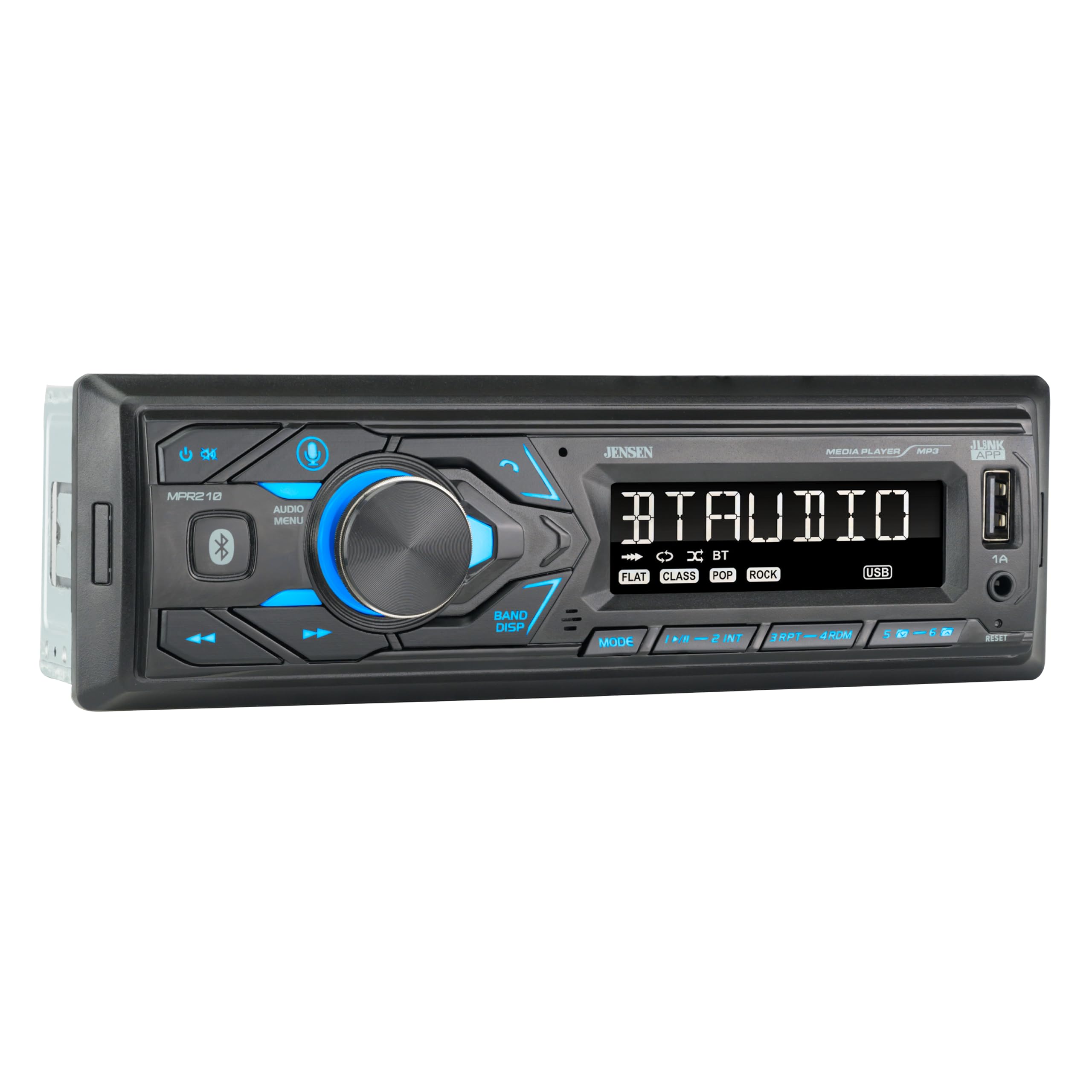
There’s a reason some budget head units become “quiet legends”: they nail usability. The Jensen MPR210 is one of those. It’s not flashy. It’s not trying to sell you a fantasy. It just does the daily tasks well—Bluetooth streaming, basic EQ, radio presets, and USB playback.
A lot of owners describe the Bluetooth as quick to sync and stable, which is the core of a good daily experience. But what stands out more is the way the USB playback feels designed for humans: dedicated controls, folder navigation support, and a “less menu, more buttons” philosophy. If you’re someone who keeps a flash drive of music in the car, that becomes a genuine quality-of-life upgrade.
Sound-wise, it tends to be described as clean and loud enough for normal drivers. If you’re an audiophile building a fully amplified setup, you’ll shop differently—but for everyday use, clarity and stable performance matter more than lab specs. And because the microphone is integrated, installation can be easier than units that require routing a separate mic cable through the dash.
The main limitation is the display format. A 7-character display is functional, but it’s not a “pretty screen” experience. If you want visual richness, you’ll prefer a touchscreen. If you want clarity and speed, this is exactly the point.
Why it’s easy to recommend
- Fast Bluetooth behavior – Quick connect and stable streaming are the foundation of daily happiness.
- USB playback that’s actually usable – Folder navigation and controls help when you have lots of music.
- Simple, low-stress interface – You can operate it without “menu archaeology.”
- Good basic sound – Clear enough to make factory systems feel upgraded.
Good to know
- The display is basic by design—functional over fancy.
- If you want a lot of advanced sound shaping, other units offer more deep tuning options.
- Like most head units, total sound quality still depends heavily on speaker condition and wiring quality.
Ideal for: drivers who want a friendly, stable single DIN receiver with strong everyday usability.
13. BOSS 611UAB – The Low-Key Budget Workhorse People Keep Buying Again

The 611UAB has a reputation that’s almost boring in the best way: it’s the unit people buy when they want an inexpensive replacement that still sounds clean. It’s “meat and potatoes” car audio—Bluetooth streaming, USB/aux options, radio, basic EQ—done without trying to become infotainment.
One of the most telling real-world review themes is that people use it as a “don’t attract thieves” upgrade: it looks simple, doesn’t scream expensive, and still makes the car far more enjoyable. That’s a genuinely smart strategy in certain neighborhoods and for certain vehicles.
Owners also often mention a few practical details that matter: it can be harder to see the screen in direct sunlight, and browsing large music libraries isn’t always elegant. But those are trade-offs people accept because the unit tends to be stable and the sound quality is frequently described as cleaner than expected for the category.
I also like that it has preamp outputs. Even if you never add an amplifier, having those outputs can make future upgrades easier, and that matters for “I might add a sub later” buyers who want options.
Why it keeps selling
- Simple and stable – Does the core job without making your dash feel complicated.
- Clean sound for the category – People often describe it as better than expected once installed.
- Preamp outputs – Helpful for future expansion, even if you start simple.
- Low-key look – Doesn’t scream “steal me,” which can be an underrated benefit.
Good to know
- Display readability in direct sun can be a weak point.
- Browsing large libraries can be slower than premium units; it’s best for “set a playlist and go.”
- Build feel is functional—don’t expect premium tactile materials.
Ideal for: budget buyers who want a basic, proven single DIN unit with clean everyday sound and simple controls.
14. BOSS 638BCK Package – The Fastest Way to Make a Tired Car Sound “New” Again

If your car’s audio feels dead, there’s a good chance the head unit isn’t the only problem—your speakers may be tired, cracked, or literally falling apart. That’s where a bundle like this can be a smart shortcut: you replace the brain and the tired sound makers at the same time.
The real-world impact of new speakers is dramatic in older cars. Even “basic” new speakers can restore clarity that people forgot existed: vocals become intelligible, cymbals stop sounding like static, and bass becomes less “paper flapping.” That’s why buyers often describe these bundles as one of the best “feel it immediately” upgrades they’ve done.
This package is also psychologically helpful. Instead of buying a head unit now and realizing later that your speakers are the limiting factor, you solve the whole chain in one install day. And because the included head unit is mechless and straightforward, the install is manageable for DIYers.
The honest expert guidance: treat the speakers as a “good starter,” not as endgame audiophile gear. If you later decide you want more detail, better midbass, or a component setup, you can upgrade again. But if your current system is tired, this is a huge step forward for minimal planning.
Why it’s a smart shortcut
- Whole-system improvement – New speakers often create more “wow” than a head unit alone.
- One purchase, one plan – Less decision fatigue, fewer compatibility spirals.
- Great for old factory systems – Especially when the OEM speakers are paper-thin and worn out.
- Expandable later – You can still add a sub, amp, or better speakers down the road.
Good to know
- Speaker fit depends on your doors; some cars need brackets/adapters for clean mounting.
- It’s a “starter” speaker setup—great improvement, but not designed for high-end detail chasing.
- Wiring takes time; plan your install day with patience and proper connectors.
Ideal for: drivers who want the fastest path to better sound and are willing to swap speakers (which is often the real upgrade).
15. BOSS 616UAB – The Lowest-Cost Upgrade (Best When You Know Its Quirks)

The 616UAB is popular for one reason: it’s an extremely low-cost way to get Bluetooth streaming into an older car. If your factory unit has no Bluetooth, no aux, and no modern convenience, even a basic upgrade can feel like a lifestyle improvement.
But to make this a happy purchase, you need the real-world truth: budget units at this level can have quirks. Some owners love it for the price—good sound, easy install, stable streaming. Others describe annoying Bluetooth behavior (like not having an easy “disconnect” workflow) or small usability frustrations. The lesson isn’t “avoid it.” The lesson is “buy it with clear expectations.”
Two practical concerns to take seriously: display behavior and night/day visibility. Some users complain about distracting display effects they can’t disable. Others find the brightness too strong at night or not perfect in full sun. If you’re sensitive to distraction, you may prefer a calmer display unit like the Jensen or a Pioneer.
Still, if you’re fixing a beater, a work truck, or an older daily driver where you just want basic Bluetooth and radio, this can absolutely do the job—especially if you’re okay with “good enough” rather than “polished.”
Why it’s still worth considering
- Very low-cost Bluetooth upgrade – Turns an old car into a “modern enough” car quickly.
- Shallow chassis – Installs easier than old CD units in many dashboards.
- Core features covered – Bluetooth, USB, aux, radio—enough for most basic drivers.
- Good sound for basic setups – Especially if your expectations are realistic.
Good to know
- Bluetooth behavior may be less refined than pricier units (disconnect logic and audio “chop” complaints exist).
- Display effects and brightness can be distracting for some drivers.
- Best results come from careful wiring—mis-wiring can create power/memory headaches.
Ideal for: the lowest-budget upgrades where you mainly need Bluetooth streaming and can tolerate a few quirks.
How Car Stereo Installs Actually Work (And Why “My Battery Died” Happens)
Most online guides treat installation like a single step: “plug it in.” Real life isn’t like that—especially in older vehicles, vehicles with CAN bus logic, or cars that have been modified over time. Here’s the real-world breakdown that saves people from the two biggest headaches: no power and battery drain.
1. The three wires that decide everything: constant, ACC, ground
- Constant power (B+): keeps memory (clock, presets). If this is wrong, your settings disappear.
- ACC/ignition power: tells the unit when to wake/sleep. If this is wrong, the unit may never fully turn off.
- Ground: bad ground causes weirdness: noise, unstable behavior, random resets, and sometimes camera problems.
2. Why some newer vehicles need more than a harness
In many newer vehicles, the factory radio doesn’t get a classic “ACC wire” in the way older cars do. Instead, the vehicle’s computer decides when modules wake/sleep. If you install an aftermarket radio without the right interface, the radio may behave strangely: power cycling, shutting off after a few seconds, or staying half-on.
- If the unit powers on briefly then shuts down: suspect accessory power logic (CAN bus related) before you suspect a “bad radio.”
- If the unit doesn’t turn off with the key: suspect constant/ACC wiring or a missing interface that provides true ignition signal.
3. Backup camera reliability is mostly power sourcing
Camera kits are common now, but the wiring choices decide whether it feels “OEM smooth” or “randomly broken.” A clean approach is to power the camera from a consistent reverse-trigger source and ensure the head unit receives a solid reverse signal. Loose taps, weak grounds, and rushed connectors cause most black-screen issues.
4. The “bench test” routine that saves you hours
Before you fully mount the radio, do a quick test while it’s still accessible:
- Power on/off with ignition behavior (does it truly shut down?).
- Memory retention (turn car off, wait, turn back on—are presets still there?).
- Bluetooth pairing and reconnection.
- Camera trigger and image (if installed).
- Audio from all speakers (fade/balance test).
5. Why speaker upgrades feel bigger than head unit upgrades (sometimes)
A head unit can only output what your speakers can reproduce. Worn factory speakers often have:
- Cracked surrounds (bass becomes rattly and thin).
- Weak tweeters (vocals become dull and muddy).
- Loose mounting (buzzing that sounds like “bad audio” but is really vibration).
That’s why bundles like the BOSS 638BCK can feel like a “system upgrade” instead of just a feature upgrade.
FAQ: Choosing and Installing a Car Stereo Without Guesswork
Should I buy a touchscreen CarPlay unit or a simple Bluetooth receiver?
What’s the biggest mistake people make when shopping “affordable”?
Do I need an amplifier for better sound?
Why does my new stereo lose settings (clock, presets)?
Why do some installs kill the battery overnight?
How do I keep my steering wheel controls?
Are the included backup cameras “good enough”?
What’s the easiest upgrade path if my speakers are terrible?
Is “wireless CarPlay” always better than wired?
Final Thoughts: Pick the Stereo That Makes Driving Feel Better, Not More Complicated
A good upgrade isn’t the one with the most features—it’s the one that makes you think, halfway through a drive, “Wow… this feels easier.”
Here’s the simplest way to translate this guide into the right purchase:
- Want the best balanced “buy it and relax” pick? Start with the Pioneer MVH‑S310BT. It’s built for stable daily use and clean sound without touch-screen headaches.
- Want a big touchscreen with wireless phone integration? Go for the Kissound 7" Double DIN Wireless CarPlay/Android Auto if your dash supports double DIN and you want modern maps, calls, and music on-screen.
- Want the most tuning control in a budget CarPlay screen? Consider the Kissound USB‑C variant for DSP/EQ flexibility and a very “DIY friendly” accessory vibe.
- Want a single DIN screen without converting your dash? The GHIOPMZ Single DIN CarPlay is a smart compromise—especially if you value physical knobs.
- Want an Android-powered dash experience (apps on the unit)? The AINAVI Android 13 is for tinkerers who actually want a “dashboard tablet” feel.
- Want the fastest “sounds better now” upgrade? The BOSS 638BCK package adds speakers—often the missing piece when old factory audio feels tired.
The best upgrade is the one you’ll enjoy when you’re busy, distracted, and just trying to get home. Pick the best affordable car stereo system that matches how you actually drive—streaming or discs, touchscreen or knobs, simple or customizable— and you’ll end up with a setup that feels like a real quality-of-life upgrade, not a weekend regret.