
Our readers keep the lights on and the garage heater humming. As an Amazon Associate, I earn from qualifying purchases.
Specs are compiled from manufacturer listings and verified buyer reviews and can change over time — please confirm the key details on the product page before buying.
That glowing check engine light can turn a routine drive into a guessing game. You can either brace for a costly shop visit or grab the right wireless OBD II reader and get the real story from your own phone — in the time it takes to brew a cup of coffee. This guide focuses on scanners that provide clear, reliable diagnostics at a fair price.
I’m Mo Maruf — the founder and writer behind GoCarLife. This guide is built by comparing the manufacturers’ published specifications and the patterns across verified customer reviews, so you get each pick’s real strengths and trade-offs instead of marketing spin.
Whether you drive a classic Jeep or a modern BMW, the right tool should talk to your car in plain language. Here are the picks that earn their spot as the best wireless obd ii reader for every type of driver.
Our Picks at a Glance


How To Choose The Best Wireless OBD II Reader
Choose a scanner that matches your vehicles and the diagnostics you need. Here is what distinguishes a versatile tool from a limited one.
OS and App Compatibility
Not every wireless scanner works with both iPhone and Android. Some are Android-only by design (Bluetooth 3.0) while others rely on Bluetooth Low Energy (BLE) for iOS. Always check the official app store listings. A device that promises “universal” support may still be blocked from certain third-party apps like Carly or MHD.
Diagnostic Depth: Generic vs. Full System
Basic readers pull and clear check-engine codes from the engine control module. Full-system scanners also access the ABS, SRS (airbags), transmission, TPMS, and body control modules. If you plan to diagnose a persistent warning light or buy a used car, stepping up to a tool that reads at least five systems is a smart move.
Subscription Traps and Hidden Fees
Many budget-friendly scanners need a paid app subscription — sometimes to per year — to open up live data, repair estimates, or advanced resets. Look for devices that promise no subscription fee for core diagnostics, but verify that the companion app does not require a separate purchase.
Bidirectional Control and Special Services
A scanner with bidirectional control can send commands to a component (like cycling an ABS pump or opening a fuel injector) to test it. This is essential for serious DIYers and mechanics. Similarly, special services like oil reset, EPB (electronic parking brake) retract, and SAS calibration save you dealer visits — but these features vary widely by vehicle brand and model year.
Quick Comparison
| Model | Best For | Bluetooth Version | System Coverage | Subscription Model | Amazon |
|---|---|---|---|---|---|
| Veepeak OBDCheck BLE★ Best Overall | Universal iOS/Android daily driver | BLE | Generic OBD-II (engine only) | No sub (third-party apps may cost) | Amazon |
| Vgate iCar Pro BT 3.0Budget Champ | Android/Windows budget user | 3.0 | Generic OBD-II (engine only) | No sub (third-party apps may cost) | Amazon |
| BLCKTEC 410Best Value | Novice-friendly with guided app | BLE | Generic OBD-II (engine only) | No sub (free app included) | Amazon |
| FIXD | Ease of use and simplified explanations | BLE | Generic OBD-II (engine only) | Free basic; Premium /yr | Amazon |
| XTOOL AD20 Pro | AI-guided diagnostics and full system scans | 5.0 | Full (ABS, SRS, TCM, TPMS, A/C) | No sub | Amazon |
| UniCarScan UCSI-2100 | BMW/Mini coding and motorcycle diagnostics | 4.0 | Generic OBD-II + BimmerCode/MotoScan | No sub (apps cost extra) | Amazon |
| THINKCAR ThinkScan Plus S7 | Standalone tablet scanner, multi-system | WiFi / Wireless Update | Full (engine, ABS, SRS, TCM, BCM, A/C, IC) | No sub | Amazon |
| TOPDON AD800BT 2 | Bidirectional control and pro-level resets | 4.0 | Full (all systems, bi-directional) | 2 years free updates | Amazon |
| THINKSCAN 689BT | ECU coding and 34+ service resets | WiFi / Wireless Update | Full (all systems, bi-directional, ECU coding) | No sub | Amazon |
In‑Depth Reviews
1. Veepeak OBDCheck BLE
Our pick — 4.5★ from 23,500+ verified ratings; the strongest balance of quality and price.
A popular scanner that pairs quickly and works with many vehicle brands.
The Veepeak OBDCheck BLE is the definition of a universal starter scanner. It measures just 1.97 by 1.61 by 0.87 inches — small enough to live in the glovebox without stealing space — and it connects via Bluetooth Low Energy to both iPhone and Android. You do not pair it in your phone’s Bluetooth menu; instead, you connect from within apps like Car Scanner, Torque, or OBD Fusion. That one-step trick avoids the most common frustration new users hit.
What wins people over is its reliability across a huge mix of cars and apps. Owners use it with Dr. Prius on a Toyota hybrid, BimmerCode on a BMW, and AlfaOBD on a Fiat — all without swapping hardware. The crowd favorite — 4.5 stars across 23,000+ owners — backs that up. The one catch to know: it does sip a weak battery if left plugged in for days. A few owners also report needing to re-plug occasionally when the connection drops. Keep a spare battery tender handy and this thing is a set-and-forget tool.
Unlike the Vgate iCar Pro (which is Android-only), the Veepeak works with iOS right from the start. It is also lighter and more compact than the BLCKTEC 410, though the BLCKTEC has a more guided first-time app experience. If you want one scanner to keep in every family car, this is it.
What Owners Rave About
- Works with a wide array of apps (Torque, BimmerCode, Dr. Prius)
- Simple Bluetooth LE pairing — just follow in-app instructions
- Compact size fits snugly in the OBD port without sticking out
The Real Trade-Offs
- Does not support advanced diagnostics (ABS, SRS, oil reset) or manufacturer-specific sensors
- Drains a weak battery if left plugged in for extended periods
- Not compatible with Carly, MHD, or bootmod3 apps
Reach for it if: You want a single, affordable scanner that works with the widest range of third-party apps and both phone platforms.
Think twice if: You need to perform dealer-level resets or full-system diagnostics (ABS, airbags, transmission).
2. Vgate iCar Pro Bluetooth 3.0
A durable Android-only scanner that offers performance comparable to pricier models.
The Vgate iCar Pro is built for the Android-and-Windows crowd, and it does not pretend to work with iPhones. At 2.08 ounces and measuring just 1.85 by 1.06 by 0.94 inches, it is the most pocketable option in this list. The three built-in LEDs (power, transmission, Bluetooth) give you an instant visual check — the power LED serves as a reminder to unplug after use, which is thoughtful since leaving it plugged in can drain the battery.
The thing everyone raves about is its functionality — 47 owners single it out. One owner successfully performed a service regeneration on a 2015 heavy-duty diesel truck, monitoring over 60 live parameters and saving a dealer visit. It also works with Torque, Jscan, and Car Scanner apps. The recurring gripe is durability: a handful of units lost connection after about 33 days, with apps detecting the device but failing to establish communication. Overall, the consensus is that it punches well above its weight for basic diagnostics and bi-directional communication on supported vehicles.
Where It Shines
- Compact and lightweight, easy to leave plugged in
- Supports firmware upgrade via Vgate website
Where It Falls Short
- Not compatible with iOS or iPhone/iPad
- Some units failed after a few weeks of use
- Does not support auto-wake for EVs or hybrids
Best for: Android users who want maximum diagnostic capability at minimal cost, especially for heavy-duty diesels or older vehicles.
Not for: iPhone owners or anyone who needs guaranteed long-term reliability on a daily driver.
3. BLCKTEC 410
A subscription-free scanner that translates diagnostic codes into simple explanations.
The BLCKTEC 410 is designed for the person who just wants to know what is wrong and what to do next without diving into a forum rabbit hole. It uses the RepairSolutions2 app, which provides layman-friendly definitions, possible fixes, and even purchase links for the right parts. With 1.95 by 1.02 by 1.45 inches, it is a touch larger than the Veepeak but still unobtrusive. Unlike many competitors, there are no hidden subscription fees — the app, lifetime updates, and code definitions are all included in the purchase.
What wins people over is its reliable functionality — 96 owners single it out, and its quality gets 48 mentions. It has been tested on over 10 different vehicles including Ford, Ram, Toyota, Honda, BMW, Mercedes, and VW, reading and clearing codes while offering live data in table and graph formats. The hiccup to note: Bluetooth connectivity gets mixed feedback, with some owners finding that starting the app before opening the car door solves the issue on older vehicles. It is a USA-based company with master technician support, which is a nice bonus if you ever need help decoding a complex error.
Biggest Strengths
- No subscription fees — free app with all features and lifetime updates
- RepairSolutions2 app explains codes in plain language with possible fixes
- Works on a very wide range of vehicle brands (10+ tested)
Biggest Weaknesses
- Bluetooth connection can be finicky on older cars
- Only scans generic OBD-II engine codes (no ABS, SRS, or transmission)
- Only works in the USA and Canada
Pick it for: First-time users who want a complete, subscription-free package with clear guidance on next steps.
skip it if: You need to scan body control modules or perform advanced resets — stick with the XTOOL AD20 Pro instead.
4. FIXD
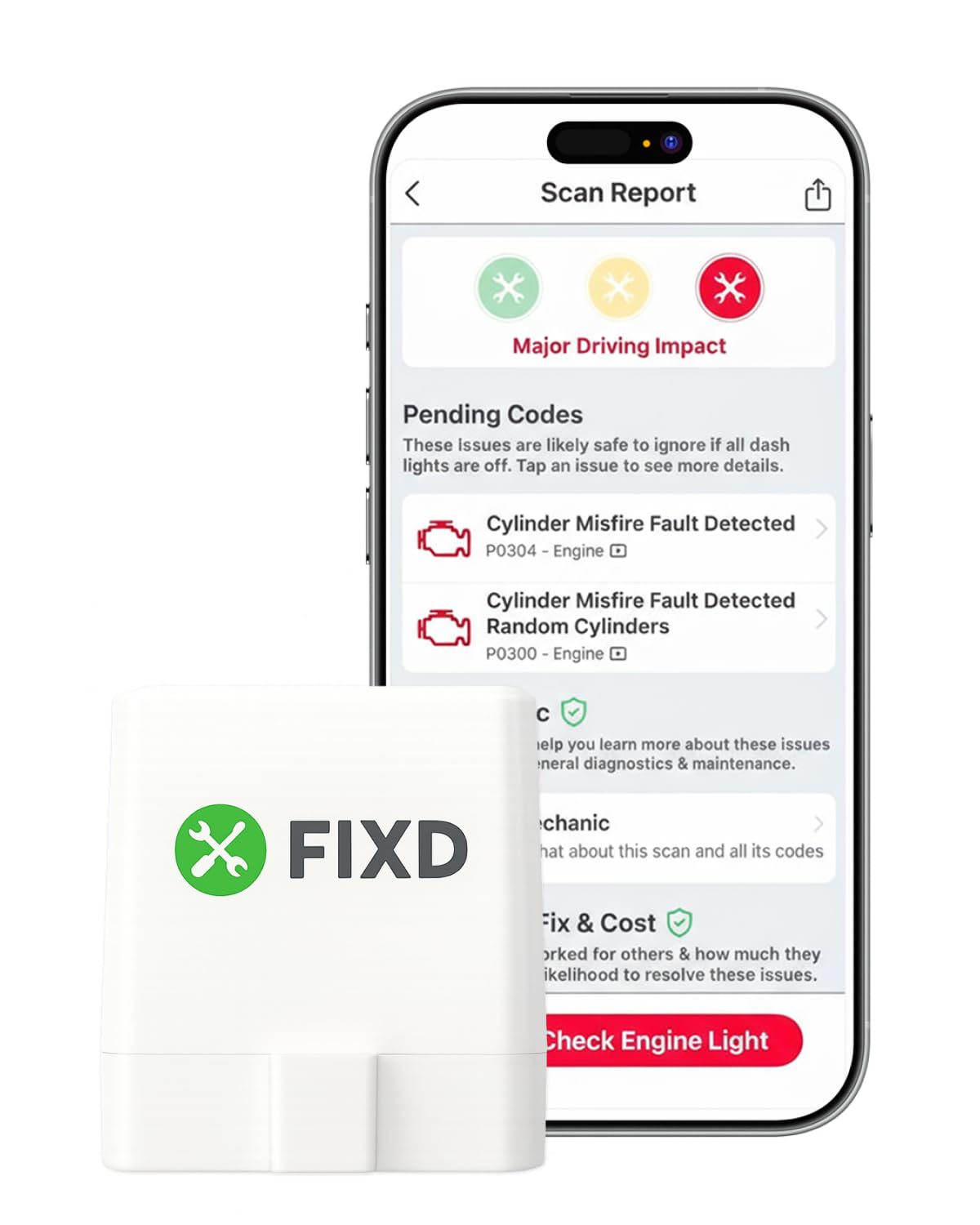
A scanner that presents diagnostic information in an easy-to-understand format.
FIXD is famous for its simplicity — the app uses color-coded severity levels and plain-English explanations that make it popular with non-mechanics. It is incredibly compact at 1.5 by 0.5 by 1.75 inches and weighs just 27.22 grams, so it disappears into the OBD port. It scans for 39,000+ issues and works with gasoline vehicles from 1996 onward and diesel from 2006 onward. You can manage multiple cars in one app, track mileage-based reminders, and share results with a shop.
The honest truth: the free version covers basic engine diagnostics, but full functionality requires a /year Premium subscription for repair estimates, cost estimates, and live mechanic support. A review page sums it up: many owners find the free tier perfectly adequate for checking the occasional check engine light, with one owner noting the basic diagnostic saved -200 per visit. The trade-off is that pending codes sometimes show as “Unknown Issue” and clearing the dash light does not always work. For the price, the Veepeak BLE offers more raw capability without a subscription, but FIXD wins on sheer accessibility.
What Works
- Extremely easy setup and intuitive color-coded severity alerts
- Manages multiple vehicles and tracks maintenance reminders
- Very compact and portable
What Doesn’t
- /year subscription needed for advanced features and repair estimates
- Does not support all manufacturers (some GM fail to connect)
- Free version shows limited data and cannot always clear codes
Go with FIXD if: You are a complete novice who wants a visual, step-by-step guide and is okay with a subscription for advanced features.
pass on it if: You need full diagnostic control without ongoing fees — the BLCKTEC 410 or Veepeak are better value.
5. XTOOL AD20 Pro
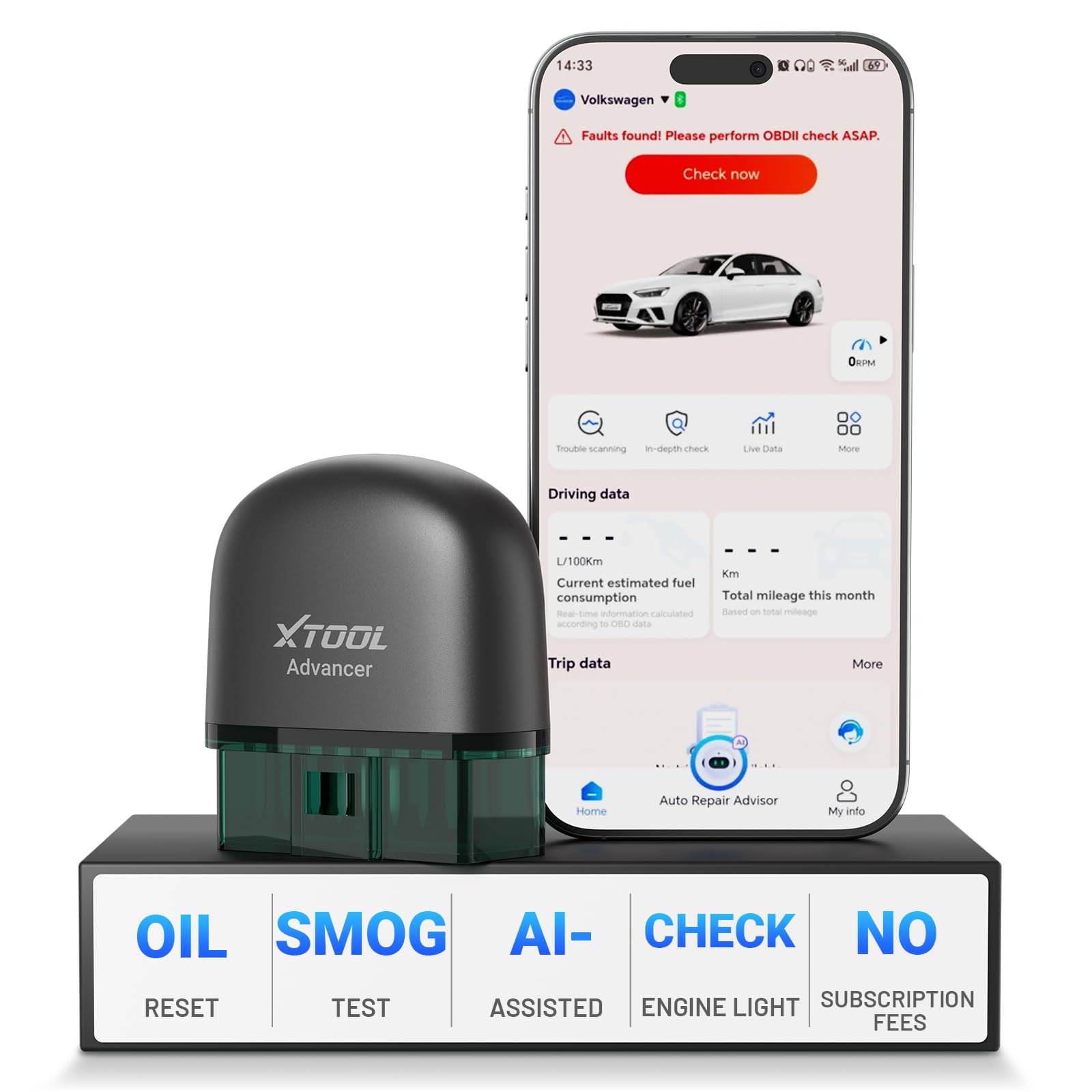
A compact scanner with AI that scans all systems and provides repair guidance.
You get the most features for the money with the XTOOL AD20 Pro. It uses Bluetooth 5.0 (the latest standard, giving you a stable connection up to 33 feet) and supports full system diagnostics — that means it reads engine, ABS (anti-lock brakes), SRS (airbags), transmission, TPMS (tire pressure), and A/C modules. It also includes CAN FD hardware (a faster data protocol) so it works with 2020+ GM and Chevrolet vehicles that older readers cannot talk to. At just 1.13 ounces, it is light enough to leave plugged in, and its Smart Guard auto-sleep mode prevents battery drain — a problem buyers report with the Veepeak, which can drain a weak battery if left connected.
Reliability is the most-praised aspect, with 109 mentions, followed closely by functionality (89 mentions). The AI diagnostic engine interprets codes and suggests verified fixes in plain English, which saves the “parts cannon” approach. It also offers an Oil Reset function, a smog-check readiness tool, a Performance Test mode (0-60 acceleration), and a Smart Trip Analysis that logs routes and fuel consumption. The AD20 Pro is noticeably faster and deeper than the BLCKTEC 410, and its Bluetooth 5.0 gives it a range advantage over the 4.0 units. The only real limits are that it cannot run relearn procedures and it does not save or email previous scan results.
Features That Stand Out
- AI-powered diagnostic engine with repair guidance
- Full system scanning (engine, ABS, SRS, transmission, TPMS, A/C)
- CAN FD supported for newer GM/Chevrolet models
- Auto-sleep mode prevents battery drain
Limitations Noted
- Cannot run relearn procedures
- No email or cloud storage for scan reports
- Connectivity can be inconsistent on some first connections
Ideal for: The hands-on DIYer who wants full system diagnostics, AI-guided fixes, and modern protocol compatibility in a single, subscription-free dongle.
Not ideal for: Users who need specialized relearn functions or cloud-based report saving.
6. UniCarScan UCSI-2100

If you drive a BMW, this is the adapter that open up hidden features without a dealer trip.
The UniCarScan UCSI-2100 is built for a specific crowd: BMW and Mini owners who want to code features via BimmerCode, and BMW motorcycle owners using MotoScan. It is officially recommended by both apps, so you know compatibility will be thorough. It works with all gas-powered vehicles from 2001 onward and diesels from 2004 onward, but its real strength is in the European and motorcycle space. The dimensions are 1.81 by 0.94 by 2.24 inches and it weighs just 26 grams.
Functionality is the most-praised aspect (49 mentions). Owners mention coding multiple BMW features quickly with a stable connection, including battery registration after replacement and correcting small factory annoyances. The catch: it has iOS compatibility issues reported by some buyers. Multiple owners mention it will not stay paired with iOS devices, and others say it is not compatible with iPhones at all. If you are on Android or Windows, it works. If you are an iPhone user, this one is risky unless you have an Android tablet dedicated to diagnostics. It is pricier than the Veepeak, but it offers deeper integration with BimmerCode and MotoScan that the Veepeak cannot match.
Why It Excels
- Officially recommended for BimmerCode and MotoScan
- Enables coding of hidden features in BMW, Mini, and BMW motorcycles
- Fully ELM327 compatible for other apps
Why It Stumbles
- Reported iOS compatibility issues — works best with Android and Windows
- Pricier than universal alternatives for basic diagnostics
- App costs extra (not included)
Buy it if: You own a BMW, Mini, or BMW motorcycle and plan to code features or perform advanced diagnostics using BimmerCode/BimmerLink or MotoScan.
If you own an iPhone and need smooth Bluetooth pairing, this is not for you — pairing can be finicky. Also it’s not for you if you drive a non-European brand and only want basic scanning; the extra features will go unused.
7. THINKCAR ThinkScan Plus S7

A full Android tablet in your hand that scans 7 systems and covers 94 car brands.
The ThinkScan Plus S7 is not a dongle — it is a dedicated 5-inch Android 6.0 tablet with a 720p touchscreen, a Quad-Core 1.3GHz CPU, and 32GB of internal storage (expandable to 256GB). It covers 7 vehicle systems: Engine, ABS, SRS (airbags), Transmission, Body Control (BCM), Air Conditioning, and Instrument Cluster (IC). It also offers 5 special services from a list of 28 (such as throttle adaptation, ABS bleeding, or oil reset) and supports FCA AutoAuth for Chrysler, Dodge, Jeep, and Ram vehicles.
Functionality earns the most praise (39 mentions), alongside value for money (18 mentions). Owners appreciate the crisp live data readouts and the ability to generate diagnostic reports for printing or sharing. It covers 10,000+ models from 1996 onward. The speed is the main trade-off — initial setup is slow due to necessary software updates, and the device itself is not as snappy as modern phones. It is also bulky compared to a dongle-based approach. For the price, it competes well against the TOPDON AD800BT 2 but lacks that unit’s bidirectional control.
Major Perks
- Full 7-system diagnostics without needing a phone
- Supports FCA AutoAuth for Chrysler/Jeep/Dodge/Ram
- Covers 94 car brands with expandable storage for manuals and diagrams
Major Drawbacks
- Slower processing compared to modern smartphones
- Initial setup requires lengthy software and database updates
- Only 5 special services can be installed (choose wisely)
Ideal for: DIYers who want a standalone tool with multi-system coverage and the ability to print/share diagnostic reports without a phone.
Not ideal for: Speed-focused users or those who need bidirectional control for active component testing.
8. TOPDON AD800BT 2

A serious scan tool that talks back to your car’s modules, not just listens.
The TOPDON AD800BT 2 is a professional-grade bidirectional scanner that can send commands directly to the ECU. That means you can cycle an ABS pump, test a fuel injector, or command windows to roll up — all from the Android 10.0 tablet. It comes with a Bluetooth 4.0 VCI dongle that offers a wireless range of 33 feet, and it includes 28 hot reset services including Oil, SAS, EPB, TPMS, Injector Coding, ABS Bleeding, and DPF Regeneration. It covers 96 vehicle brands and supports CAN FD for newer models.
Buyers consistently praise its depth and value compared to professional-grade tools. One reviewer used the live data mode to tell the difference between a bad thermostat sensor and a failed pump — a real-world example of its accuracy. The interface is straightforward, and setup is simple via Bluetooth pairing and AutoVIN (automatic vehicle identification, though it does not work on all cars). The most common complaint is speed: the device is noticeably slower than a modern phone when loading modules or navigating menus, and it requires frequent software updates before first use. The 660-gram tablet feels a bit basic, but for a serious DIYer or small shop that needs bidirectional control (the ability to send commands to a car’s systems, not just read codes) without a big investment, this is a strong pick over the Veepeak, which lacks that feature.
What Makes It Powerful
- Full bidirectional control for active component testing
- 28 hot reset services (oil, SAS, EPB, injector coding, ABS bleed, DPF)
- Covers 96 vehicle brands with CAN FD support
- 2 years of free updates included
Where It Drags
- Slower processing speeds when loading modules
- Frequent updates required before use can be time-consuming
- Tablet feels basic and battery life is merely decent
Best for: Dedicated DIYers and small garages that need bidirectional control, a wide range of reset services, and 2 years of free updates.
Not for: Casual users who just need to read an occasional check engine code — the XTOOL AD20 Pro is lighter and faster.
9. THINKSCAN 689BT
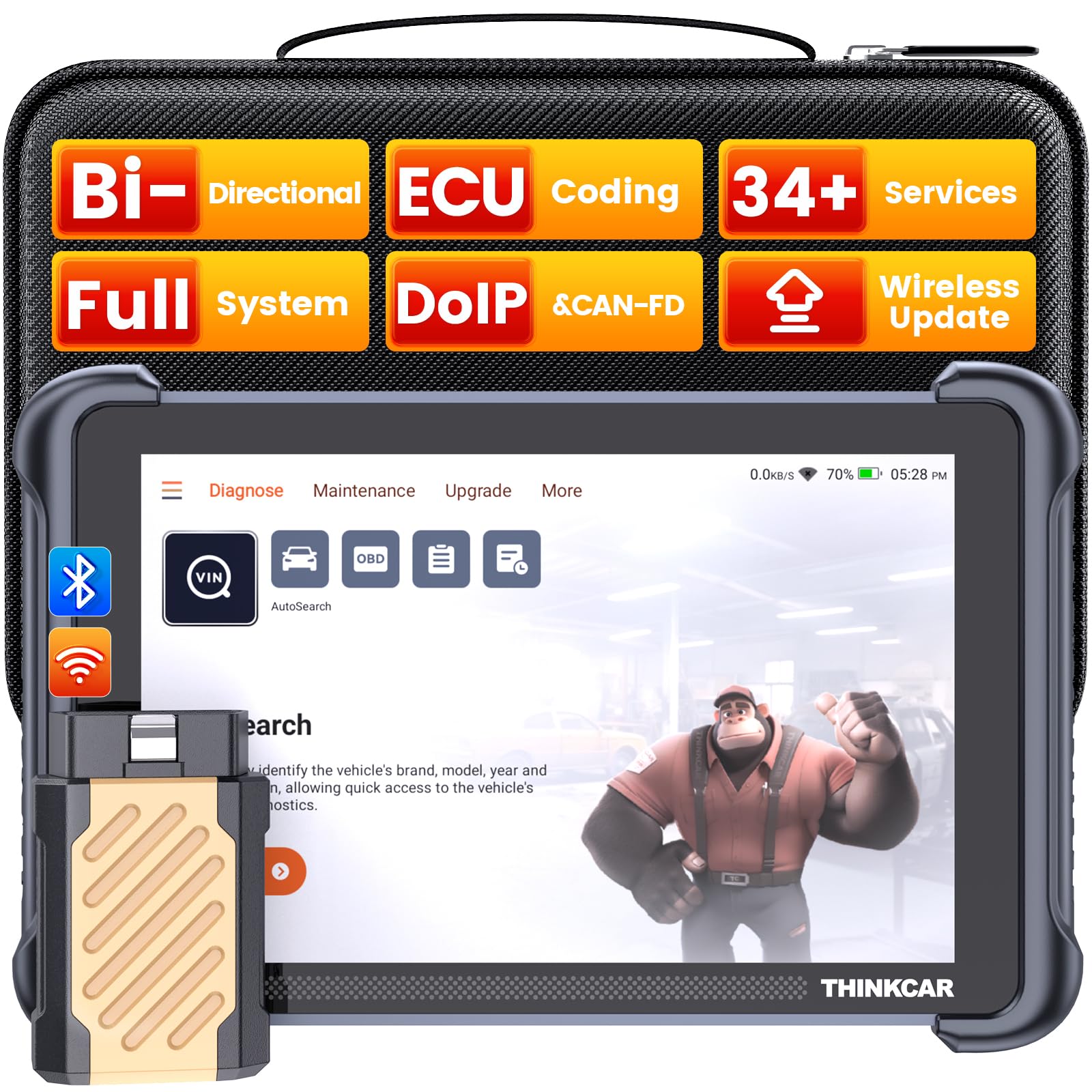
A tablet-based powerhouse that can code your car and install hidden features.
The THINKSCAN 689BT builds on the ThinkScan platform with ECU coding capabilities and 34+ reset services. It runs Android 10.0 with a 4-core CPU, 4GB RAM, and 64GB ROM. The 8-inch screen at 1280×720 resolution makes live data easy to read. It supports all system diagnostics, bidirectional control, CAN FD, and DoIP protocols — plus it comes with a Gateway Accessory Kit and an F-Chassis bypass cable for FCA vehicles (AutoAuth).
Functionality and quality both get 64 mentions — owners find it does “everything they need” with lifetime free updates. As one owner put it, the scanner “won’t let you down” and keeps up with larger units. The ECU coding feature allows you to change interior light colors, enable auto-folding mirrors, or disable auto start-stop. The main hiccup is that FCA AutoAuth requires a separate paid membership (non-refundable for pre-2018 vehicles). The WiFi auto-connect can also be finicky. It is the bulkiest unit at 850 grams, but the included carrying case and accessories make it a complete kit for serious work.
Top-Tier Capabilities
- ECU coding for customizing vehicle features
- 34+ maintenance services (clutch, FRM, turbo, and more)
- 3000+ active tests for bidirectional component control
- Lifetime free updates with no subscription
Real Limitations
- Bulkier and heavier than any dongle-based system
- FCA AutoAuth requires a separate paid membership for some functions
- WiFi auto-connect can be inconsistent
Reach for this if: You are a serious DIYer or small-shop owner who needs ECU coding, 34+ resets, and full bidirectional control in a single tablet.
Look elsewhere if: You just need to scan an occasional check engine light — the XTOOL AD20 Pro covers all systems at a fraction of the size and cost.
Understanding the Specs
Bluetooth Generation (3.0 vs 4.0 BLE vs 5.0)
The Bluetooth version decides which phones can connect and how much power the adapter draws from your car. Bluetooth 3.0 is older and works only with Android and Windows — never with iPhones. Bluetooth 4.0 Low Energy (BLE, a power-saving version) works with both iOS and Android and drains your car battery more slowly. Bluetooth 5.0 gives you longer range (up to 33 feet) and faster data transfer, which helps when streaming live data on modern apps. If you use an iPhone, you must pick an adapter with BLE or 5.0 — older versions simply will not pair.
CAN FD Support
CAN FD (Flexible Data-rate) is a newer communication protocol found in 2020+ GM, GMC, and Chevrolet vehicles. Standard ELM327-based OBD2 readers cannot talk to these cars because the protocol is faster and more data-heavy. If you drive a late-model American truck or SUV, a scanner with CAN FD support (like the XTOOL AD20 Pro or TOPDON AD800BT 2) is essential for full diagnostics.
Bidirectional vs. Unidirectional
A unidirectional scanner reads codes and clears them — it listens to your car’s computer. A bidirectional scanner sends commands to the car’s actuators (like cycling the ABS pump or opening a fuel injector) to test components without needing a separate tool. Bidirectional control is a significant step up for advanced diy and professional use, but it adds cost.
System Coverage: Engine Only vs. Full System
Basic OBD2 readers only access the engine control module (ECM). Full-system scanners also read and clear codes for the ABS (anti-lock brakes), SRS (airbags), transmission (TCM), TPMS (tire pressure), and body control module (BCM). If you want to diagnose a transmission slip or an airbag light, you need a full-system tool like the THINKCAR ThinkScan Plus S7 or the XTOOL AD20 Pro.
FAQ
Will a wireless OBD II reader drain my car battery if I leave it plugged in?
Can I use any wireless OBD2 scanner with my iPhone?
Do I need a subscription for a wireless OBD II reader?
Will a wireless OBD II scanner work on a hybrid or electric vehicle?
Can a wireless OBD II reader perform an oil reset or ABS bleeding?
What does bidirectional control mean for a diagnostic scanner?
How do I connect a wireless OBD II scanner to my phone?
Can I use a wireless OBD II scanner for purchase inspections on a used car?
What is the difference between Bluetooth 3.0 and Bluetooth 4.0 in an OBD2 scanner?
Will a wireless OBD II reader work with my BMW or European car?
Final Thoughts: The Verdict
For the majority of shoppers, the best wireless obd ii reader is the Veepeak OBDCheck BLE because it works with both phone platforms, pairs instantly with the most third-party apps, and costs less than a single dealer diagnostic. If you want full system scans and AI-powered guidance in a pocket-sized dongle, grab the XTOOL AD20 Pro. And for serious DIYers who need bidirectional control and ECU coding, the THINKSCAN 689BT is the complete workshop tool that grows with your skills.
How We Picked
We do not accept paid placement. Every pick is matched to a real buyer and a real use-case; we do not hands-on test units.
Sources & Methodology
Specifications: manufacturer listings and product documentation. Review insights: verified customer reviews, as of July 2026. Pricing: not shown on this page (it changes often); check the current price via the retailer link.
As an Amazon Associate, GoCarLife earns from qualifying purchases. This does not affect which products we feature.